
Focal FOAHALNOMBMH000
Focal FBATHYSMG Bluetooth® Headphones User Manual
Model: FOAHALNOMBMH000
Brand: Focal
Introduction
Thank you for choosing the Focal FBATHYSMG Bluetooth® Headphones. These headphones are designed to provide an immersive and captivating audio experience with high-fidelity sound and active noise cancellation. This manual will guide you through the setup, operation, and maintenance of your new headphones.
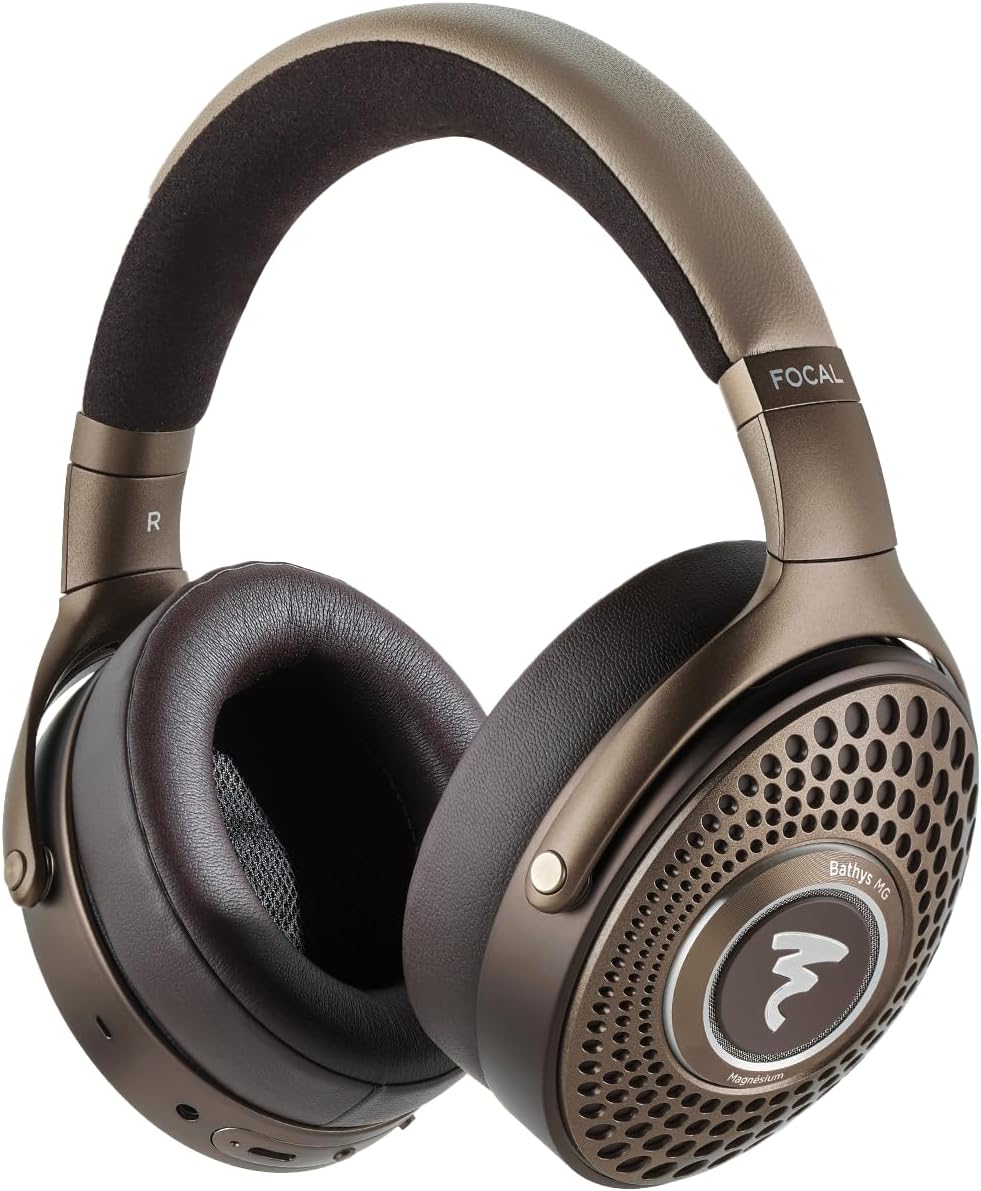
Image: Focal FBATHYSMG Bluetooth® Headphones, front view.
What's in the Box
Your Focal FBATHYSMG headphones package includes the following items:
- Focal FBATHYSMG Bluetooth® Headphones
- USB-C Charging Cable
- 3.5mm Audio Cable
- Protective Carrying Case
- User Manual (this document)

Image: Included components: headphones, cables, and protective case.
Setup
1. Charging the Headphones
Before first use, fully charge your headphones. A full charge provides over 30 hours of battery life with Active Noise Cancellation (ANC) and Bluetooth on. A quick 15-minute charge can provide approximately 5 additional hours of use.
- Locate the USB-C port on the headphone earcup.
- Connect the provided USB-C charging cable to the headphone port.
- Connect the other end of the USB-C cable to a compatible USB power source (e.g., wall adapter, computer USB port).
- The LED indicator on the headphone will show charging status (refer to the LED indicator section for details).
2. Bluetooth Pairing
To connect your headphones wirelessly to a device:
- Ensure the headphones are charged and powered off.
- Press and hold the power button until the LED indicator flashes, indicating pairing mode.
- On your device (smartphone, tablet, laptop), go to Bluetooth settings and enable Bluetooth.
- Select "Focal FBATHYSMG" from the list of available devices.
- Once connected, the LED indicator will show a steady light.
3. Wired Connection
The headphones can also be used with a wired connection for optimal audio quality or when battery is low.
- Using 3.5mm Audio Cable: Plug one end of the 3.5mm audio cable into the headphone's 3.5mm jack and the other end into your audio source.
- Using USB-C Cable (DAC Mode): Connect the USB-C cable to your headphones and a compatible device (e.g., computer, smartphone with adapter) to utilize the built-in DAC for high-resolution audio playback.

Image: Side view of headphones with control buttons and ports.

Image: Focal app interface for device management.
Operating
1. Controls
The headphones feature intuitive controls for managing playback, calls, and noise control modes:
- Power Button: Press and hold to power on/off. Short press for play/pause.
- Volume Buttons: Press '+' to increase volume, '-' to decrease volume.
- Multi-function Button: Used for call management (answer/end), track skipping, and voice assistant activation.
- ANC/Transparency Switch: Toggles between Active Noise Cancellation, Transparency mode, and Off.
2. Active Noise Cancellation (ANC) & Transparency Mode
The FBATHYSMG headphones offer advanced noise control features:
- Active Noise Cancellation (ANC): Reduces ambient noise, allowing for a more immersive listening experience. Ideal for travel or noisy environments.
- Transparency Mode: Allows you to hear your surroundings without removing the headphones. Useful for announcements or conversations.
3. Focal App
Download the dedicated Focal app on your smartphone for additional customization options, including equalizer settings and firmware updates. The app enhances your control over the headphone's features.

Image: User wearing the headphones.
Maintenance
Proper care will ensure the longevity and optimal performance of your Focal FBATHYSMG headphones.
1. Cleaning
The headphones are constructed from premium materials including microfiber, leather, and metal. Use a soft, dry, lint-free cloth for general cleaning. For leather and microfiber parts, gently wipe with a slightly damp cloth if necessary, then dry immediately. Avoid using harsh chemicals, solvents, or abrasive materials.
2. Storage
When not in use, store your headphones in the provided protective carrying case. This will protect them from dust, scratches, and accidental damage, especially during travel.

Image: Protective carrying case.

Image: Close-up of earcup detail.
Troubleshooting
If you encounter any issues with your Focal FBATHYSMG headphones, please refer to the following common solutions:
| Problem | Possible Cause | Solution |
|---|---|---|
| No sound | Headphones not powered on, low battery, not paired, volume too low. | Ensure headphones are on and charged. Check Bluetooth connection. Increase volume on both headphones and device. |
| Cannot pair via Bluetooth | Headphones not in pairing mode, device Bluetooth off, interference. | Put headphones in pairing mode. Ensure device Bluetooth is on. Move closer to device. Try restarting both devices. |
| ANC not effective | ANC mode off, improper fit. | Ensure ANC is switched on. Adjust headphone fit to ensure a good seal around your ears. |
| Short battery life | Frequent use of ANC, high volume. | Fully charge headphones. Reduce volume. Limit ANC use if not needed. |
For more complex issues, please refer to the detailed troubleshooting section in the full user manual or contact Focal customer support.
Specifications
Key technical specifications for the Focal FBATHYSMG Bluetooth® Headphones:
| Feature | Specification |
|---|---|
| Model Name | Focal Bathys MG Noise cancelling headphones |
| Noise Control | Active Noise Cancellation |
| Connectivity Technology | Wireless, Bluetooth 5.2 |
| Wireless Communication Technology | Bluetooth |
| Headphones Jack | 3.5 mm Jack |
| Material | Microfiber, Leather, Metal |
| Item Weight | 12.3 ounces (0.77 Pounds) |
| Battery Life | 30 Hours |
| Bluetooth Version | 5.2 |
| Bluetooth Range | 15 Meters |
| Frequency Range | 20Hz - 20,000Hz |
| Impedance | 80 Ohm |
| Product Dimensions | 9.45 x 8.46 x 3.35 inches |
Warranty & Support
Focal products are manufactured to the highest standards and come with a limited warranty. Please retain your proof of purchase for warranty claims.
For detailed warranty information, product registration, and technical support, please visit the official Focal website or their store on Amazon:
Visit the Focal Store on Amazon
You may also find additional resources and FAQs on the product support page.
Related documentsFOAHALNOMBMH000

Ask a question about this manual
Ask about setup, troubleshooting, compatibility, parts, safety, or missing instructions. Manuals+ will review the question and use this page’s manual context to help answer it.