
1. Introduction
This manual provides instructions for the proper setup, operation, and maintenance of your MEGELIN Music Boxing Machine Model B1. Please read this manual thoroughly before using the product to ensure safe and efficient operation.
2. Package Contents
Verify that all items listed below are included in your package:
- 1 x Music Boxing Machine
- 1 x Pair of Boxing Gloves
- 1 x Type-C Charging Cable
- 2 x Velcro Tape (for installation)
- 1 x User Manual (this document)

Image: Contents of the MEGELIN Music Boxing Machine package.
3. Setup and Installation
The MEGELIN Music Boxing Machine offers two installation methods: adhesive back glue or Velcro. No drilling is required for either method.
3.1 Wall Surface Compatibility
The machine can be securely mounted on various wall surfaces, including marble, wood, and tile. Ensure the chosen surface is clean and dry before installation.

Image: Compatible wall surfaces for installation.
3.2 Installation Steps (Velcro Method)
Follow these steps for Velcro installation:
- Tear off the protective sticker from the back of the boxing machine.
- Stick the short Velcro strip horizontally onto the back of the machine.
- Tear off the protective stickers from the two long Velcro strips.
- Stick the two long Velcro strips vertically on the wall at your desired height.
- Align the machine with the Velcro strips on the wall and firmly press to secure.

Image: Step-by-step guide for Velcro installation.

Image: Overview of two installation methods.
4. Operating Instructions
The MEGELIN Music Boxing Machine features a multifunctional display and Bluetooth connectivity for an interactive workout experience.
4.1 Power On/Off
- Power On: Long press the switch button to turn on the device. Music will play upon activation.
- Power Off: Long press the switch button again to turn off the device.
4.2 Bluetooth Connection
When the boxing machine is turned on, the Bluetooth function is automatically activated. To connect your device:
- Enable Bluetooth on your smartphone or other audio device.
- Search for available devices and select the device named "Gerden 03".
- Once connected, you can play your preferred music through the machine's speaker.
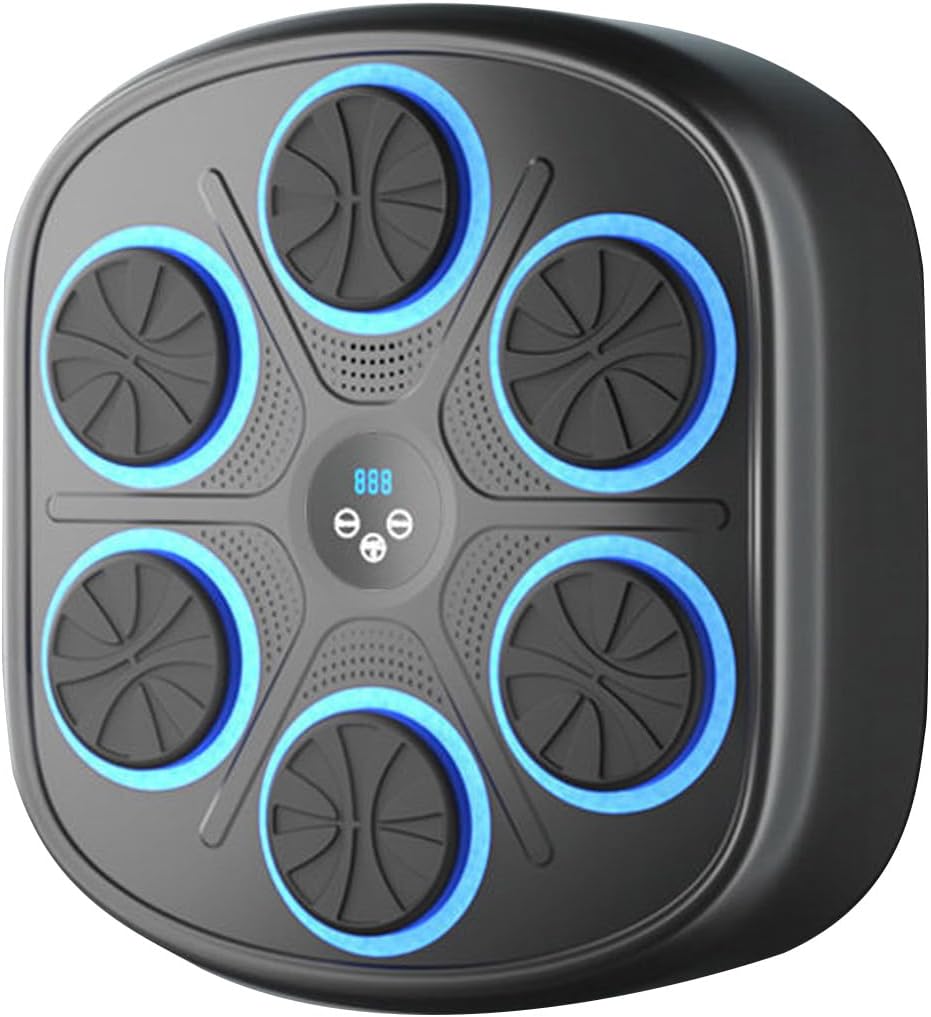
Image: Bluetooth connectivity for music playback.
4.3 Modes and Speeds
The machine offers 9 adjustable modes and 9 speed settings. The display shows the current mode (P01-P09) and speed (H01-H09).
- Mode Button: Press to cycle through the 9 available modes (e.g., Adult Mode, Children's Mode, Training Mode, High-Speed Mode). Each mode can be individually adjusted for speed.
- Speed Button: Press to adjust the speed within the selected mode (H01-H09).
- Punch Counter: The display accurately records the number of punches, providing real-time feedback on your performance.
4.4 Volume Control
- Volume Down: Long press the volume '-' button to decrease the volume.
- Volume Up: Long press the volume '+' button to increase the volume.

Image: Detailed operating instructions for controls.
4.5 Usage Examples

Image: Various users engaging with the boxing machine.
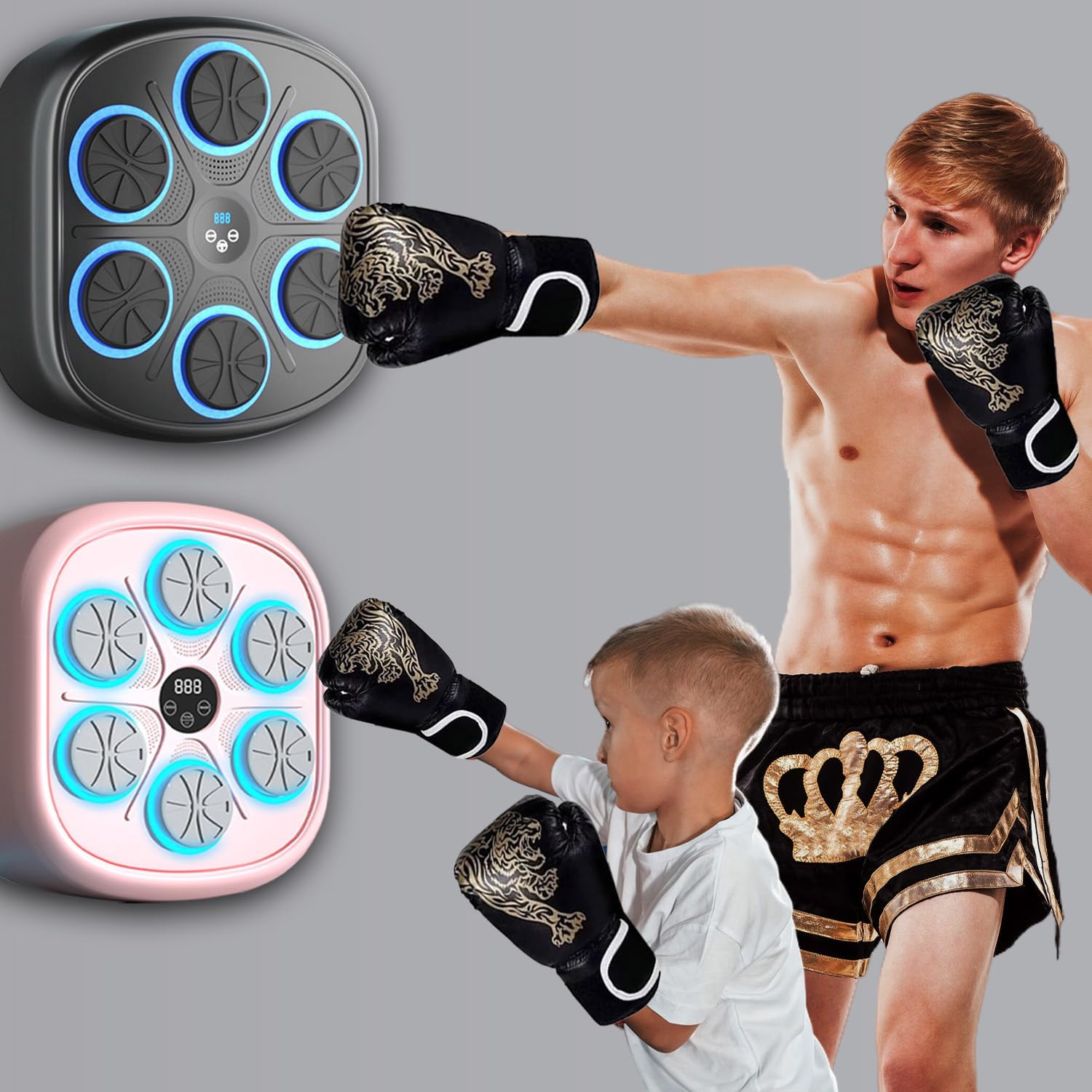
Image: Adult and child using the boxing machine.
Video: Demonstration of the Megelin musical boxing machine for girls, showcasing its interactive features and ease of use.
Video: Overview of the Megelin music boxing machine, highlighting its features and functionality.
5. Maintenance
5.1 Cleaning
To maintain the boxing machine, wipe its surface with a soft, damp cloth. Avoid using abrasive cleaners or solvents that could damage the material or electronic components.
5.2 Charging
The boxing machine supports wireless use and is charged via the included Type-C USB cable. Connect the cable to the charging port on the machine and to a standard USB power source. Ensure the machine is fully charged before extended use.
5.3 Storage
Store the machine in a cool, dry place away from direct sunlight and extreme temperatures when not in use for prolonged periods.
6. Troubleshooting
If you encounter issues with your MEGELIN Music Boxing Machine, refer to the following common problems and solutions:
| Problem | Possible Cause | Solution |
|---|---|---|
| Machine does not power on. | Low battery or power button not pressed correctly. | Charge the machine using the Type-C cable. Ensure the power button is long-pressed. |
| Bluetooth connection fails. | Bluetooth not enabled on device, machine not discoverable, or incorrect device selected. | Ensure Bluetooth is active on your phone. Turn the boxing machine off and on again. Select "Gerden 03" from your device's Bluetooth list. |
| Machine falls from the wall. | Inadequate adhesion of Velcro/adhesive, unsuitable wall surface, or excessive force during use. | Ensure wall surface is clean and dry before installation. Apply Velcro/adhesive firmly. Consider additional reinforcement for high-impact use, especially on drywall. |
| Modes or speeds are not changing. | Buttons not pressed correctly or a temporary software glitch. | Ensure buttons are pressed firmly. Try restarting the machine. If the issue persists, contact customer support. |
| Sound is too low or distorted. | Volume settings are low or Bluetooth connection issue. | Adjust volume using the '+' button on the machine. Check volume on your connected device. Reconnect Bluetooth if necessary. |
7. Specifications
Key technical specifications for the MEGELIN Music Boxing Machine Model B1:
| Feature | Detail |
|---|---|
| Model Name | B1 |
| Brand Name | MEGELIN |
| Color | Black |
| Material | PU foam polyurethane and ABS materials |
| Item Package Dimensions (L x W x H) | 19 x 17.5 x 4.63 inches |
| Product Dimensions (Approx.) | 16.46" x 17.56" x 2.95" |
| Package Weight | 2.34 Kilograms |
| Connectivity | Bluetooth |
| Display | Multifunctional display with punch counter |
| Modes | 9 adjustable modes (e.g., Adult, Children's, Training, High-Speed) |
| Speeds | 9 adjustable speed settings |
| Charging | Type-C USB cable |
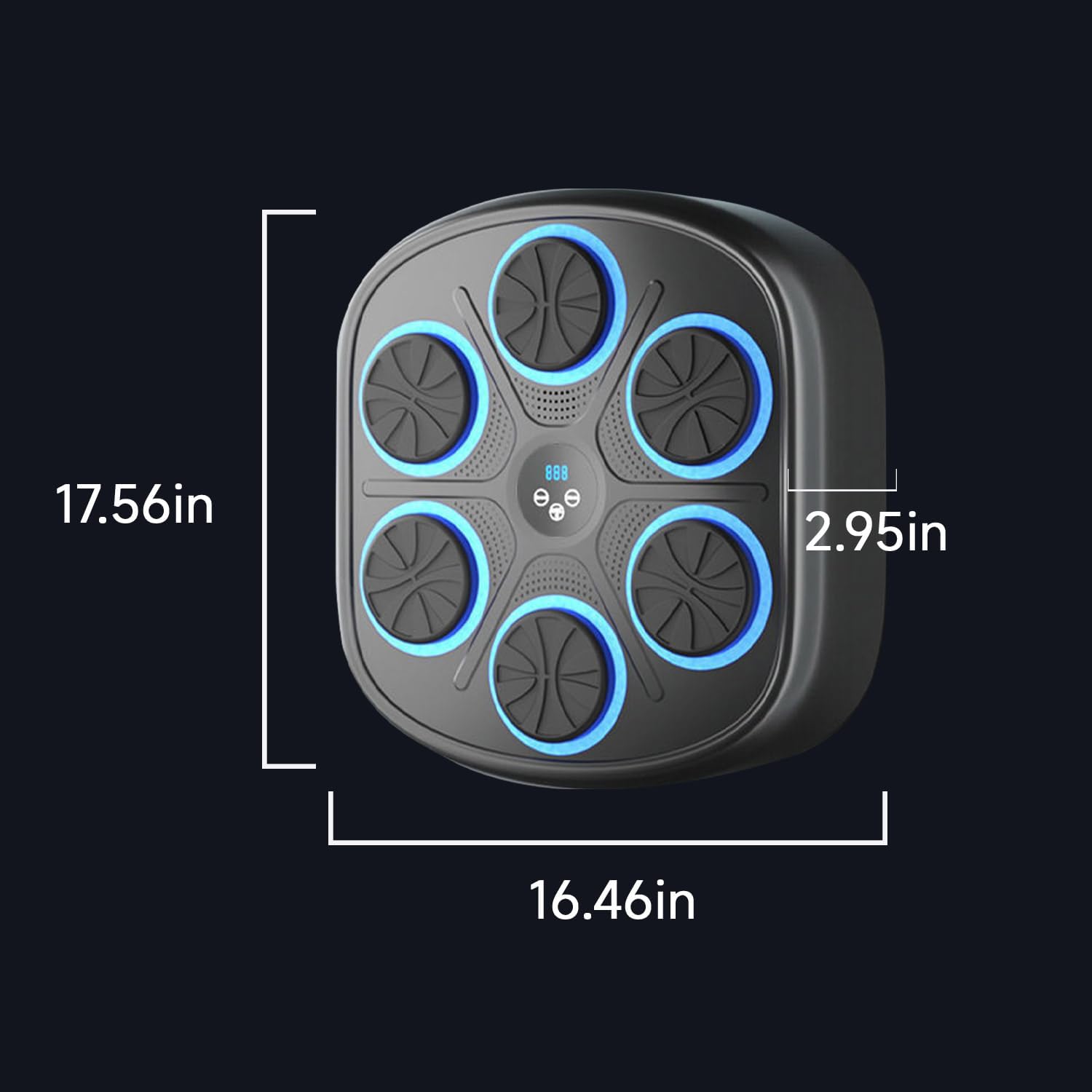
Image: Product dimensions.
8. Warranty Information
The MEGELIN Music Boxing Machine Model B1 comes with a 1-year warranty from the date of purchase. This warranty covers manufacturing defects and malfunctions under normal use. Please retain your proof of purchase for warranty claims.
The warranty does not cover damage caused by:
- Improper installation or use not in accordance with this manual.
- Accidental damage, misuse, abuse, or neglect.
- Unauthorized repairs or modifications.
- Normal wear and tear.
9. Customer Support
For any questions, concerns, or technical assistance regarding your MEGELIN Music Boxing Machine, please contact our customer support team. Refer to the contact information provided with your purchase or visit the official MEGELIN website for support details.