
Introduction
This manual provides detailed instructions for the installation, operation, and maintenance of your Slypadan 15" Motion Sensor Outdoor Wall Sconce. This product is designed for outdoor use, featuring a durable metal construction with a matte black finish and thick glass panels for weather resistance. It includes a motion sensor and offers multiple lighting modes to enhance your outdoor lighting experience.
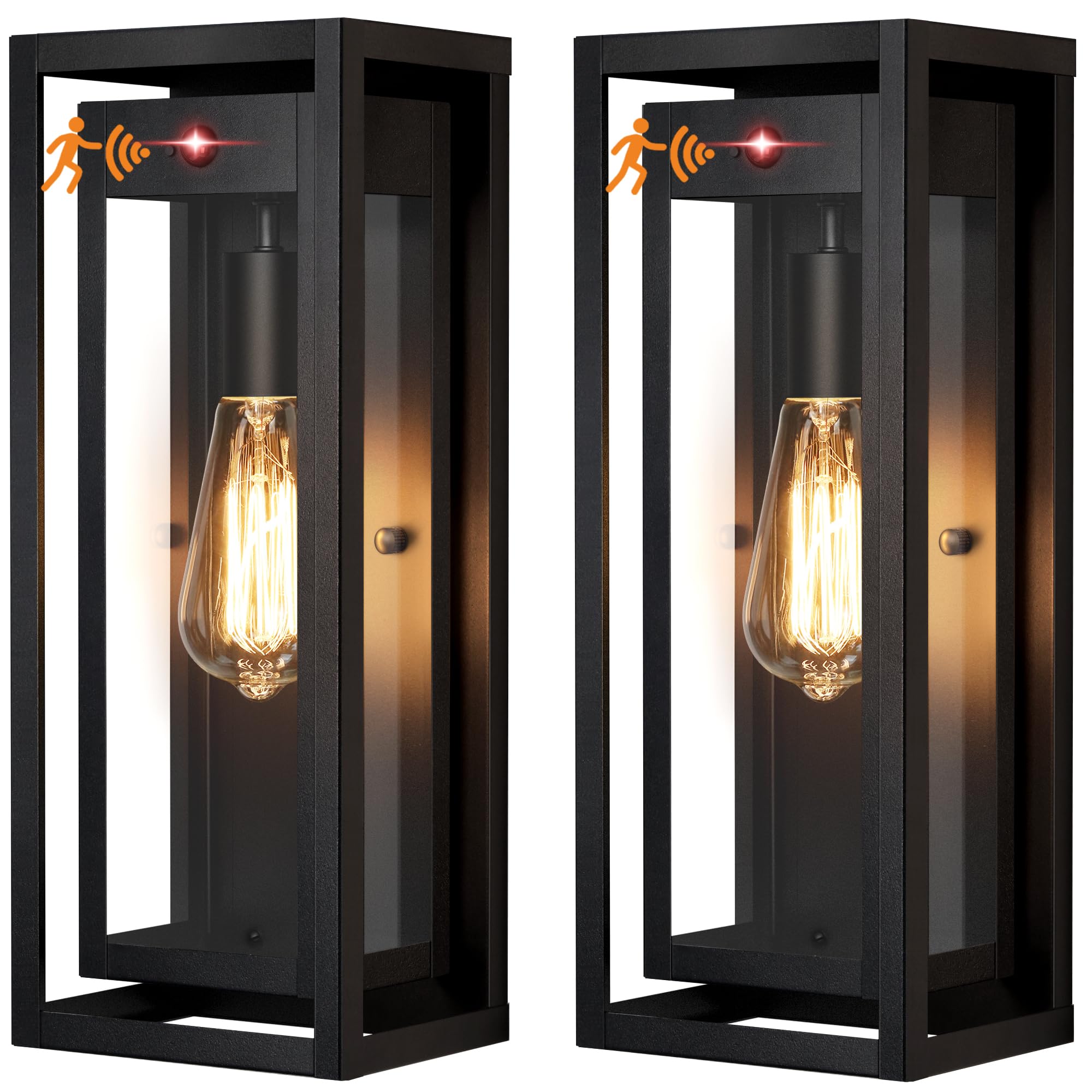
Image: Slypadan 15" Motion Sensor Outdoor Wall Sconce, showcasing its design and size.
Safety Information
Please read all instructions carefully before installation and use. Retain this manual for future reference.
- Always turn off the power at the circuit breaker before beginning installation.
- Consult a qualified electrician if you are not familiar with electrical installations.
- Ensure all connections are secure and properly insulated.
- Do not exceed the maximum wattage specified for the bulb (100W Max, E26 socket).
- This fixture is designed for outdoor use only.
What's in the Box
Your package should contain the following items:
- Slypadan 15" Motion Sensor Outdoor Wall Sconce (2 units)
- Instruction Manual
- Mounting Hardware
Specifications
| Brand | Slypadan |
| Model Number | SLY-15-MOTION-2PACK |
| Color | Black |
| Material | Metal, Glass |
| Dimensions (L x W x H) | 6.38" x 5" x 14.75" |
| Bulb Base | E26 (Bulb not included) |
| Max Wattage | 100W |
| Voltage | 120 Volts (AC) |
| Special Features | Motion Sensor, Dusk to Dawn |
| Water Resistance Level | Waterproof |
| Mounting Type | Wall Mount |

Image: Detailed product dimensions and specifications.
Setup and Installation
The outdoor wall sconces are designed for easy installation. Follow these general steps:
- Prepare for Installation: Turn off power at the main circuit breaker. Ensure the mounting surface is clean and stable.
- Mount the Bracket: Attach the provided mounting bracket to your existing electrical box using the included hardware.
- Wire Connections: Connect the fixture's wires to your household wiring according to local electrical codes. Typically, this involves connecting live to live, neutral to neutral, and ground to ground. Use wire nuts to secure connections.
- Attach the Fixture: Carefully align the fixture with the mounting bracket and secure it in place using the provided screws.
- Install Bulb: Insert an E26 base bulb (max 100W, not included) into the socket. The open-bottom design allows for easy bulb replacement.
- Restore Power: Turn the power back on at the circuit breaker.

Image: Close-up of the updated motion sensor, standard E26 bulb base, and open-bottom design for easy access.
Operating Instructions
Your Slypadan outdoor wall sconce features two primary lighting modes:
1. ON/OFF Mode (Motion Sensor)
In this mode, the light operates based on motion detection and ambient light levels:
- During the daytime, the light will remain off.
- At night, the light will stay at 0% brightness (off) without movement.
- When motion is detected, the light will turn on to 100% brightness.
- After a period of no detected motion, the light will return to 0% brightness (off).

Image: Visual representation of the motion sensor's ON/OFF mode, showing light behavior during day and night with motion.
2. Manual Override Mode
This mode allows you to keep the light continuously on for an extended period:
- While the light is in either the 'Dual-bright' mode (if applicable to your bulb) or the standard 'ON/OFF' motion sensor mode, quickly turn the wall switch 'OFF' and then 'ON' again within 2 seconds.
- The light will then turn on and stay at 100% brightness for approximately 8 hours.
- It will remain on until the Dusk-to-Dawn sensor detects sufficient ambient light in the morning, at which point it will revert to its default motion sensor operation.
Maintenance
Regular maintenance ensures optimal performance and longevity of your outdoor wall sconce.
Cleaning
To clean the fixture:
- Ensure power is off at the circuit breaker.
- Wipe the exterior surfaces with a soft, damp cloth. Avoid abrasive cleaners or solvents that could damage the finish or glass.
- The open-bottom design facilitates easy cleaning of the interior glass and bulb.
Bulb Replacement
To replace the bulb:
- Ensure power is off at the circuit breaker and the bulb has cooled completely.
- Unscrew the old E26 base bulb from the socket.
- Screw in a new E26 base bulb (max 100W).
- Restore power at the circuit breaker.

Image: Illustration of the fixture's weather-resistant features, including waterproof, snowproof, stormproof, and sunproof capabilities.
Troubleshooting
If you encounter issues with your outdoor wall sconce, refer to the following common problems and solutions:
| Problem | Possible Cause | Solution |
|---|---|---|
| Light does not turn on | No power, loose wiring, faulty bulb, sensor obstructed | Check circuit breaker. Verify wire connections. Replace bulb. Ensure sensor is clear. |
| Motion sensor not detecting | Sensor obstructed, incorrect mode, sensor range issues | Clear obstructions from sensor. Ensure light is in ON/OFF mode. Adjust sensor angle if possible. |
| Light stays on continuously | Manual override mode active, constant motion, faulty sensor | Toggle wall switch OFF/ON to exit manual override. Check for continuous motion in sensor range. Contact support if sensor is faulty. |
Warranty and Support
This Slypadan product comes with a 3-Year Warranty, guaranteeing its quality and performance under normal use. For any questions, technical assistance, or warranty claims, please contact Slypadan customer support through the retailer where the product was purchased.
Additionally, a 30-day refund/replacement policy is typically offered by the retailer for eligible returns.