
Kestanlora QC01
Kestanlora QC01 1080P Full HD Wireless Hidden Camera Wall Outlet User Manual
Model: QC01
1. Introduction
This manual provides detailed instructions for the Kestanlora QC01 1080P Full HD Wireless Hidden Camera Wall Outlet. This device integrates a high-definition camera with a functional wall outlet, offering home security monitoring, charging capabilities, and surge protection. Please read this manual thoroughly before operating the device to ensure proper usage and optimal performance.
2. Product Overview
The Kestanlora QC01 is a versatile 4-in-1 device designed for discreet home security and power management. It features:
- 1080P Full HD Camera: Provides clear video recording with a 140-degree wide-angle view.
- Motion Detection: Advanced sensor detects movement and sends alerts to your phone. Sensitivity is adjustable.
- 24/7 Loop Recording: Utilizes H.265 technology to save footage efficiently. Automatically overwrites older files when the SD card is full.
- Functional Wall Outlet: Includes 4 AC socket extenders (120V, 15A, 1200W) and 3 USB PD fast charging ports (3.4A, 20W).
- Surge Protection: Integrated 1700 Joule surge protector.

Image 2.1: The Kestanlora QC01 Hidden Camera Wall Outlet, displaying its integrated design and a smartphone screen showing a live video feed from the camera.

Image 2.2: A visual representation highlighting the key features of the Kestanlora QC01, including 1080P resolution, motion detection, smart operation, WiFi connection, loop recording, and SD card recording.
3. Package Contents
Verify that all items are present in the package:
- Kestanlora QC01 Hidden Camera Wall Outlet
- Charging Cable
- Instruction Manual (this document)
4. Setup Instructions
- Power On: Plug the Kestanlora QC01 device into a standard wall outlet. Ensure it is securely connected.
- Insert SD Card (Optional): For local video storage and loop recording, insert a compatible Micro SD card (not included) into the designated slot. The camera supports continuous recording by overwriting the oldest files when the card is full.
- Download the App: Scan the QR code provided in the quick start guide (or search for the recommended app name, typically mentioned in the packaging or quick start guide) on your smartphone to download the companion application.
- Connect to Wi-Fi:
- Open the downloaded app and follow the on-screen instructions to add a new device.
- Ensure your smartphone is connected to a 2.4 GHz Wi-Fi network. This device is not compatible with 5 GHz Wi-Fi networks.
- The app will guide you through connecting the camera to your home Wi-Fi network. This typically involves selecting your Wi-Fi network and entering the password.
- Device Placement: Position the device in an indoor location where you wish to monitor. The 140-degree wide-angle lens provides broad coverage.

Image 4.1: The Kestanlora QC01 device plugged into a wall outlet, demonstrating its dual functionality of charging devices and discreetly recording.
5. Operation
5.1 Live Video Monitoring
Once connected to your Wi-Fi network, open the app on your smartphone to view live video footage from the camera. You can access this feed from anywhere with an internet connection (Wi-Fi or mobile data).

Image 5.1.1: An illustration of the camera's wide-angle view capturing a large area of a living room, demonstrating its surveillance capability.
5.2 Motion Detection and Alerts
The camera is equipped with a motion sensor. When movement is detected, the camera can automatically begin recording and send an alert notification to your smartphone. You can adjust the sensitivity of the motion sensor within the app settings to minimize false alarms.
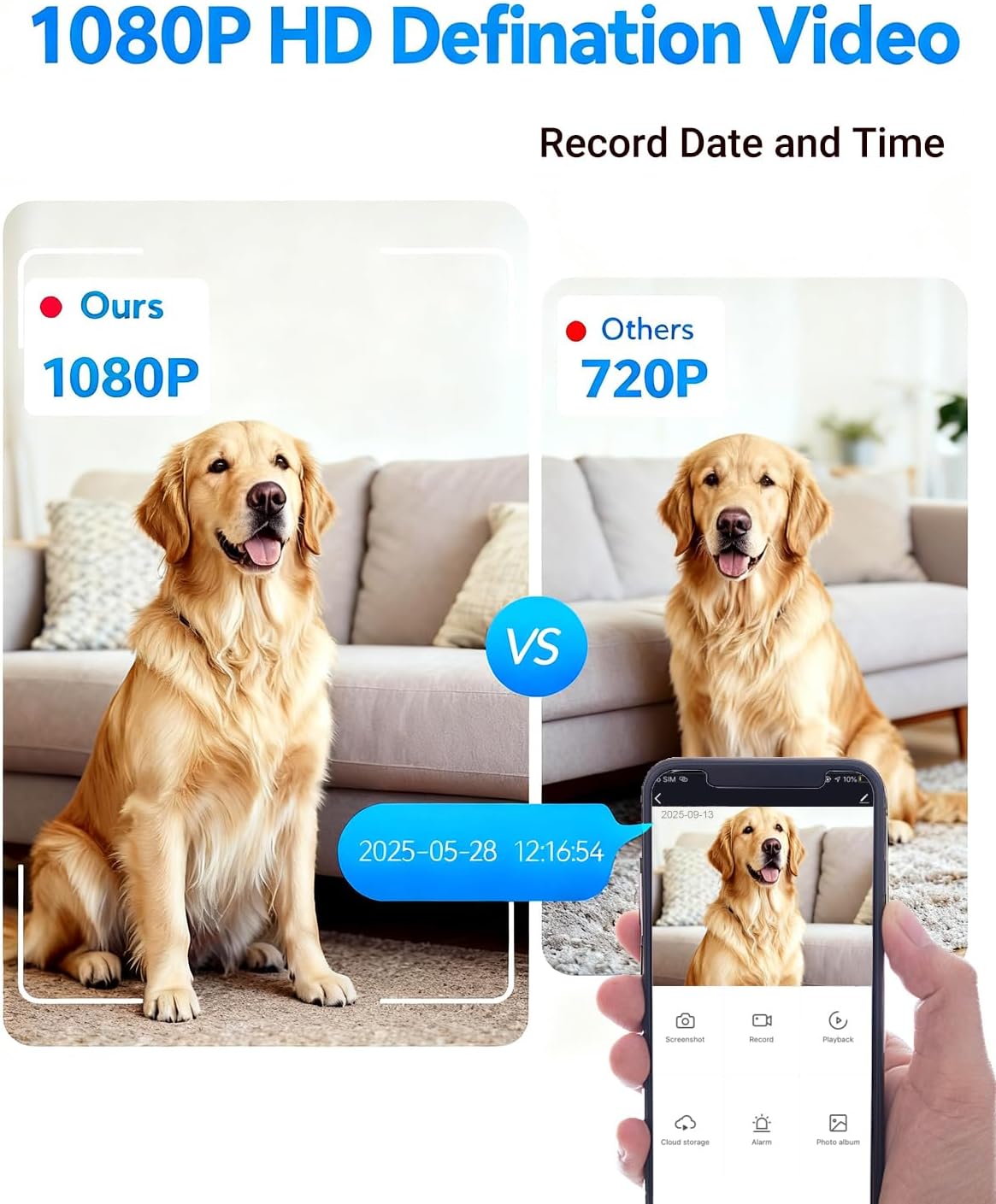
Image 5.2.1: A visual comparison demonstrating the superior clarity of 1080P video captured by the Kestanlora QC01 compared to a 720P recording, featuring a dog in a home setting.

Image 5.2.2: A smartphone screen showing an "Alert Message" from the "LOOK CAM" app, indicating motion detected, with a real-time capture of a person in a kitchen.
5.3 Recording Options
- Local Storage (SD Card): The camera supports continuous 24/7 loop recording to a Micro SD card. When the card's memory is full, the oldest footage will be automatically overwritten to ensure continuous operation.
- Cloud Storage: Cloud video recording services are available for 7 or 30 days. Please note that cloud services may incur additional charges, while other application features are free.
5.4 Charging Functionality
The device functions as a multi-port charger:
- AC Outlets: Four standard 120V, 15A AC outlets with a maximum capacity of 1200W. Do not use with high-power appliances such as electric kettles.
- USB Ports: Three USB PD fast charging ports providing 3.4A and 20W total output.
- Surge Protection: Built-in 1700 Joule surge protector safeguards connected devices.

Image 5.4.1: The Kestanlora QC01 device plugged into a wall, with a smartphone connected via USB for fast charging, illustrating its power delivery capabilities.
6. Maintenance
- Cleaning: Disconnect the device from the power outlet before cleaning. Use a dry, soft cloth to wipe the exterior. Do not use liquid cleaners or sprays.
- SD Card Management: Regularly check the SD card for proper function. If using loop recording, ensure the card is healthy. Periodically back up important footage.
- Firmware Updates: Check the app periodically for any available firmware updates for the device to ensure optimal performance and security.
7. Troubleshooting
| Problem | Possible Cause | Solution |
|---|---|---|
| Device not powering on. | Not properly plugged in; power outlet issue. | Ensure the device is fully inserted into a working wall outlet. Test the outlet with another device. |
| Cannot connect to Wi-Fi. | Incorrect Wi-Fi password; 5 GHz network used; device too far from router. | Verify Wi-Fi password. Ensure you are connecting to a 2.4 GHz network. Move the device closer to the Wi-Fi router. Restart the device and router. |
| No video recording. | No SD card inserted; SD card full; app settings incorrect. | Insert a Micro SD card. Check app settings for recording preferences. Ensure loop recording is enabled if desired. |
| Motion detection alerts not received. | Motion detection disabled in app; app notifications blocked; low sensitivity. | Enable motion detection and notifications in the app. Check phone's notification settings for the app. Adjust sensitivity. |
| Poor video quality. | Insufficient lighting; lens obstruction. | Ensure adequate lighting in the monitored area. Clean the camera lens if obstructed. |

Image 7.1: A visual comparison showing the device's performance in low light conditions (indicated as "Low Light" with a green checkmark) versus hard light conditions (indicated as "Hard" with a red cross), highlighting optimal lighting for operation.
8. Specifications
| Feature | Detail |
|---|---|
| Model Name | QC01 |
| Video Capture Resolution | 1080p |
| Viewing Angle | 140 Degrees |
| Frame Rate | 15 frames per second |
| Video Encoding | H.265 |
| Connectivity Technology | Wireless (Wi-Fi 2.4 GHz) |
| Power Source | Corded Electric |
| AC Outlets | 4 (120V, 15A, 1200W max) |
| USB Charging Ports | 3 (3.4A, 20W total) |
| Surge Protection | 1700 Joules |
| Motion Detection | Yes, with adjustable sensitivity |
| Local Recording | Micro SD Card (loop recording) |
| Cloud Recording | Supported (subscription may apply) |
| Indoor/Outdoor Usage | Indoor |
| Material | Acrylonitrile Butadiene Styrene (ABS) |
| Dimensions (L x W x H) | 4.1 x 3.1 x 2.1 inches |
| Item Weight | 5.8 ounces |
9. Warranty and Support
The Kestanlora QC01 comes with a full warranty. For specific warranty details, technical support, or service inquiries, please refer to the contact information provided on the product packaging or the official Kestanlora website. Do not attempt to repair the device yourself.
Ask a question about this manual
Ask about setup, troubleshooting, compatibility, parts, safety, or missing instructions. Manuals+ will review the question and use this page’s manual context to help answer it.