
WOPET CL11
WOPET Automatic Pet Feeder User Manual
Model: CL11
1. Introduction
Thank you for choosing the WOPET Automatic Pet Feeder. This device is designed to provide a convenient and reliable feeding solution for your cats and dogs, ensuring they receive their meals on schedule, even when you are away. Please read this manual thoroughly before operating the feeder to ensure proper use and maintenance.
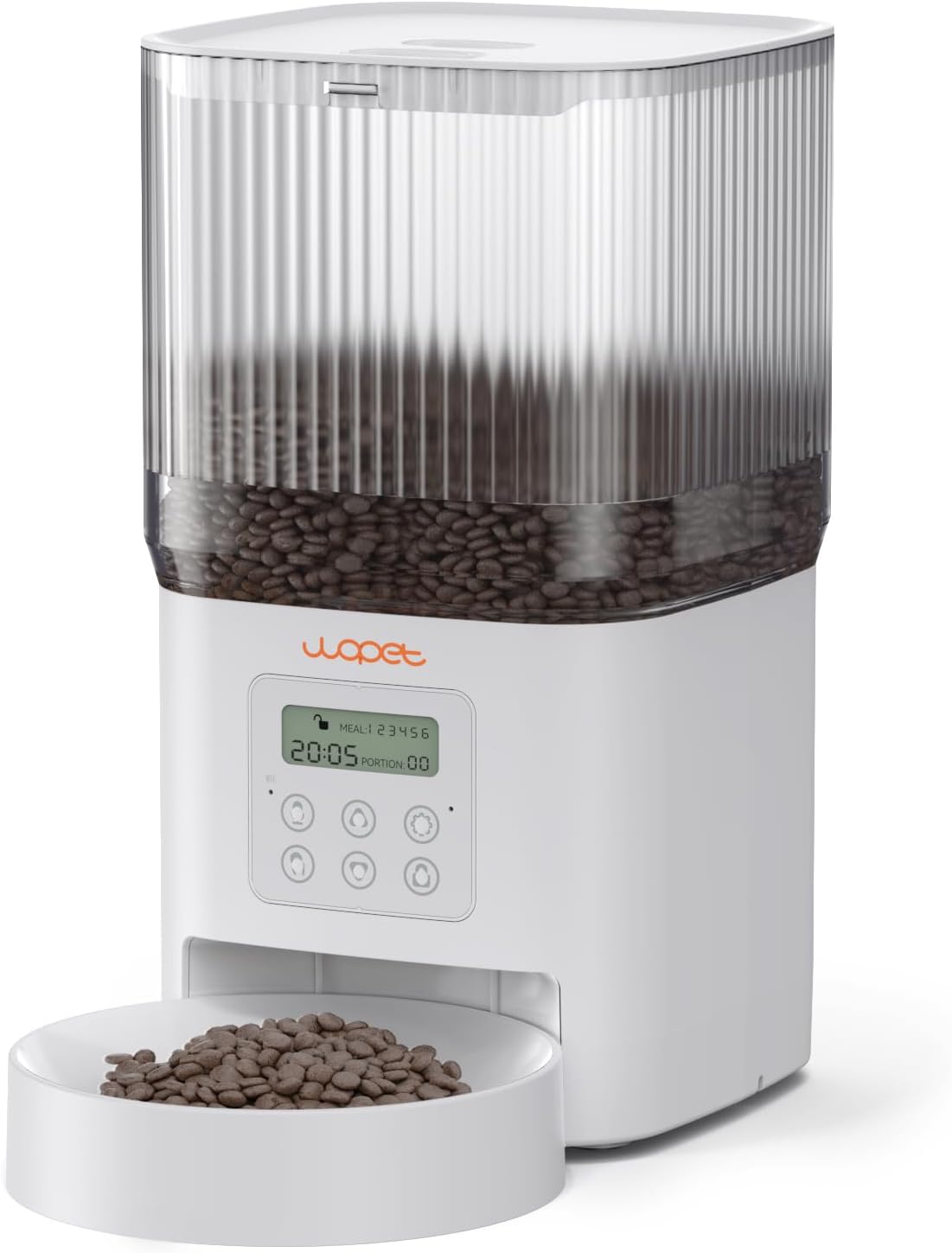
Figure 1: WOPET Automatic Pet Feeder (Model CL11)
2. Key Features
- Accurate Feeding Schedule: Program 1-6 meals per day, with up to 8 portions (10g per portion) per meal.
- 4L Food Storage Capacity: Holds approximately 4L (17 cups) of dry kibble, suitable for several days of feeding.
- Reliable Twist-Lock Storage: Secure lid design preserves food freshness and prevents pet access. Supports dry kibble sized 0.07-0.47 inches (2-12mm).
- Easy Assembly and Maintenance: Simple to disassemble for cleaning. Hopper and bowl are dishwasher-safe.
- Dual Power Supply: Operates via Type-C socket power supply or battery power (3 x D batteries, not included) for up to 180 days of battery life. Automatically switches to battery power during outages.
- 10-Second Voice Record: Record a personalized message to call your pet at meal times.
- Eye-Friendly LCD Screen: Automatically turns off at night for convenience.
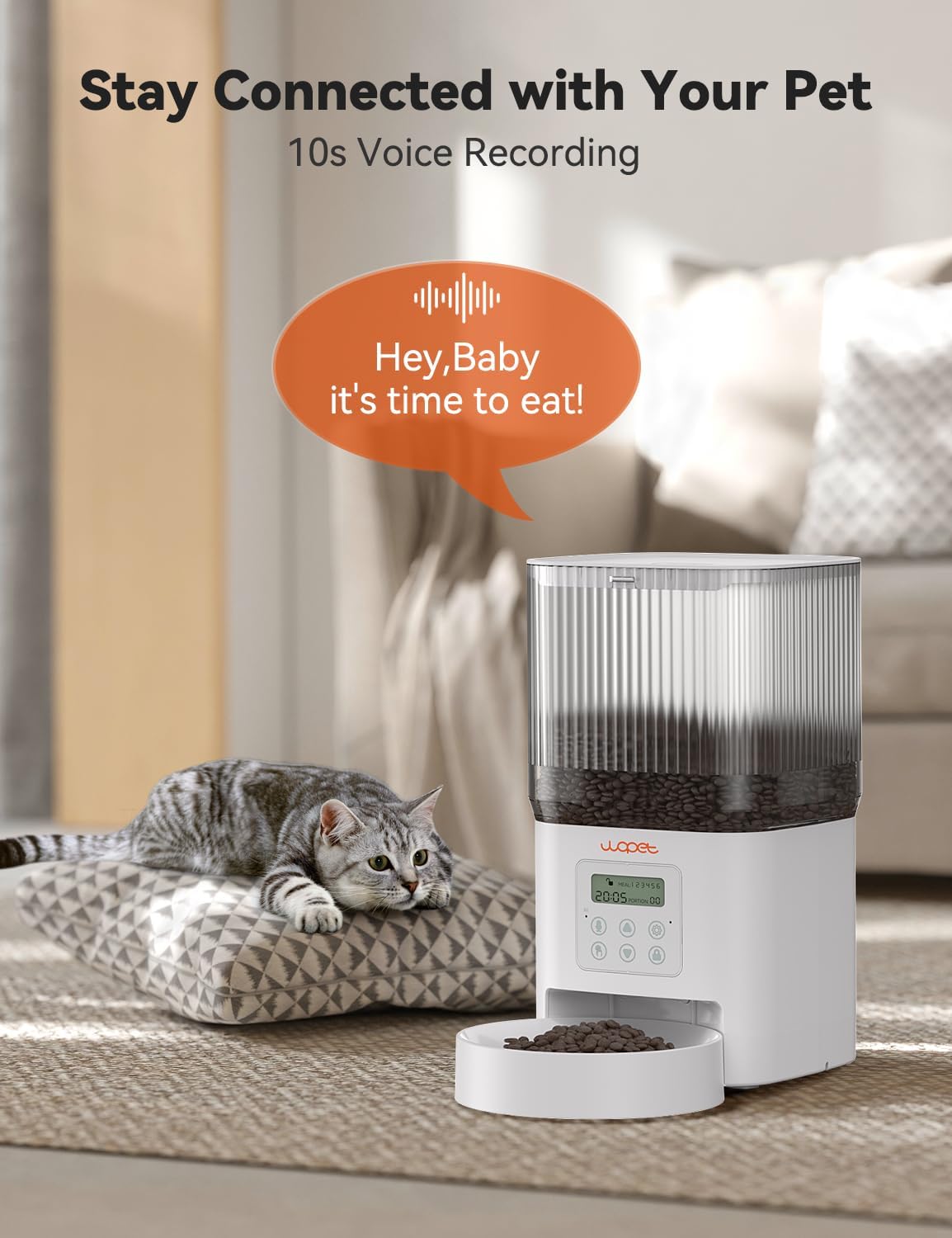
Figure 2: Voice Recording Feature

Figure 3: Detachable Components for Easy Cleaning
3. Package Contents
Please check the package contents upon opening to ensure all items are present and undamaged:
- WOPET Automatic Pet Feeder Unit
- Food Bowl
- USB Type-C Power Adapter
- User Manual (this document)
4. Setup Guide
- Unpack the Feeder: Carefully remove all components from the packaging.
- Assemble the Bowl: Attach the food bowl to the main feeder unit. Ensure it clicks securely into place.
- Power Connection:
- Connect the Type-C power adapter to the feeder and plug it into a wall outlet.
- For battery backup, insert 3 x D-size alkaline batteries (not included) into the battery compartment at the bottom of the unit. Ensure correct polarity.

Figure 4: Dual Power Supply Connection
- Fill the Food Hopper: Open the twist-lock lid and pour dry pet kibble into the hopper. Ensure the kibble size is between 0.07-0.47 inches (2-12mm) to prevent clogging. Close the lid securely.
5. Operating Instructions
5.1. Setting the Time
Refer to the LCD screen and control buttons on the front of the feeder. Use the navigation buttons to set the current time (hour and minute).
5.2. Programming Feeding Schedule
The feeder allows for up to 6 meals per day. For each meal, you can set the time and the number of portions (1-8 portions, 10g per portion).
- Press the "Program" button to enter programming mode.
- Use the "Up/Down" buttons to select the meal number (e.g., Meal 1).
- Set the desired feeding time for that meal.
- Set the number of portions for that meal.
- Repeat for additional meals as needed.
- Save settings and exit programming mode.
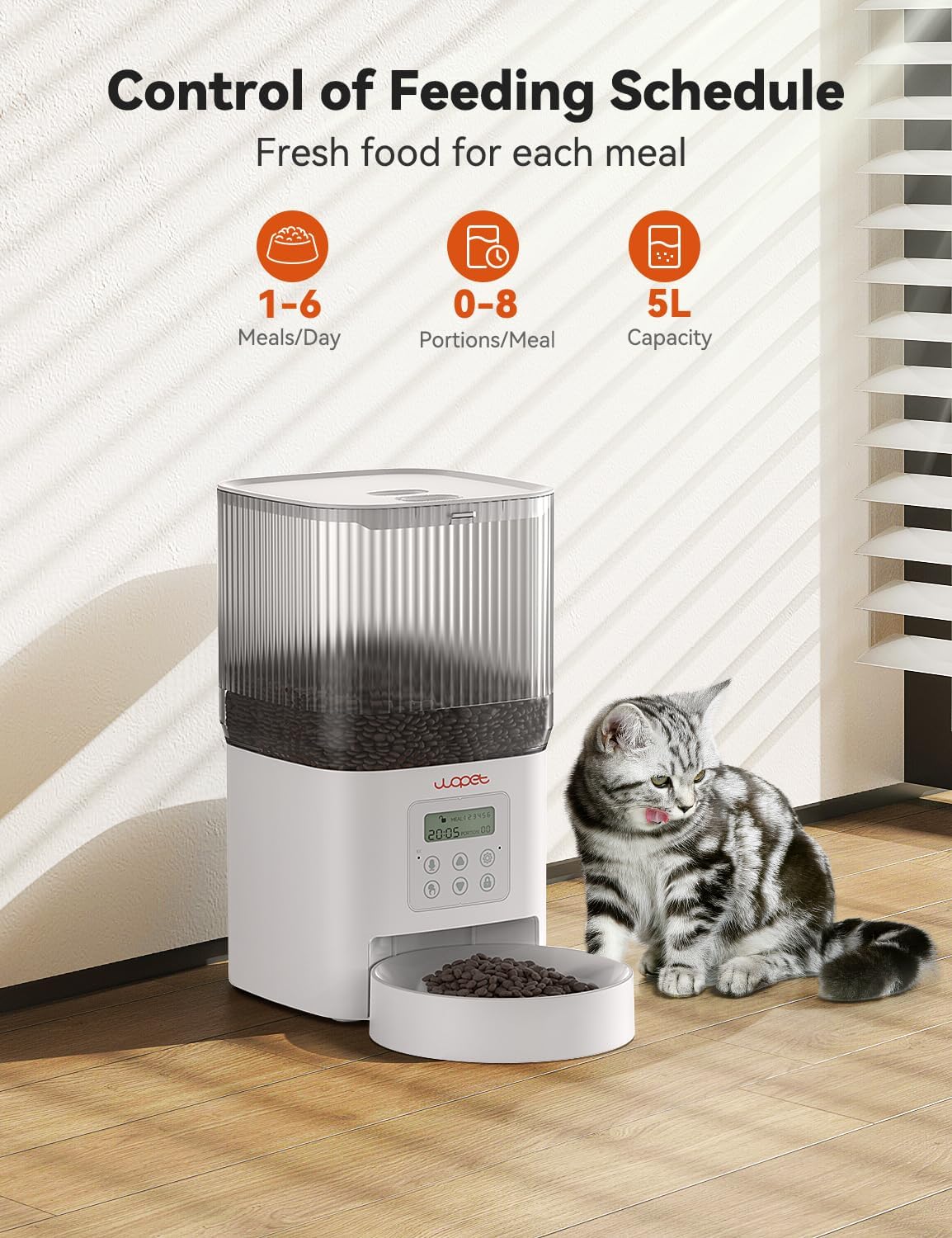
Figure 5: Control Panel and Feeding Schedule Display
5.3. Recording Voice Message
Press and hold the "Record" button. Speak your message (up to 10 seconds). Release the button to save. The message will play at each scheduled feeding time.
5.4. Manual Feeding
Press the "Manual Feed" button to dispense one portion of food immediately. This will not affect your programmed schedule.
6. Maintenance and Cleaning
Regular cleaning ensures hygiene and extends the life of your feeder.
- Disassembly: Unplug the feeder and remove any remaining food. Detach the food hopper and the food bowl from the main unit.
- Cleaning: The food hopper and bowl are dishwasher-safe. Alternatively, wash them with warm soapy water and rinse thoroughly.
- Main Unit: Wipe the main unit with a damp cloth. Do not submerge the main unit in water.
- Drying: Ensure all parts are completely dry before reassembling and refilling with food.
7. Troubleshooting
| Problem | Possible Cause | Solution |
|---|---|---|
| Feeder not dispensing food. |
|
|
| Voice recording not playing. |
|
|
| Feeder not turning on. |
|
|
8. Product Specifications
| Specification | Detail |
|---|---|
| Model Name | CL11 |
| Brand | WOPET |
| Capacity | 4L (approx. 17 cups) |
| Material | BPA Free |
| Dimensions (LxWxH) | 8 x 7.02 x 7 inches |
| Item Weight | 3.06 pounds (1.39 Kilograms) |
| Power Supply | Type-C Adapter, 3 x D Batteries (not included) |
| Battery Life | Up to 180 days (on battery power) |
| Kibble Size | 0.07-0.47 inches (2-12mm) |
| Meals Per Day | 1-6 meals |
| Portions Per Meal | 1-8 portions (10g per portion) |
| Voice Recording | 10 seconds |
| Target Species | Cat, Dog |
9. Warranty and Support
WOPET provides a standard warranty for this product. For detailed warranty information, please refer to the warranty card included in your package or visit the official WOPET website. If you encounter any issues or have questions regarding your WOPET Automatic Pet Feeder, please contact our customer support team:
- Email: support@wopet.com
- Website: WOPET Official Store on Amazon
Please have your model number (CL11) and purchase date ready when contacting support.