Introduction
This manual provides detailed instructions for the setup, operation, and maintenance of your Lotus Smartwatch 50050/4. Please read this manual thoroughly before using your device to ensure proper functionality and to maximize its features.
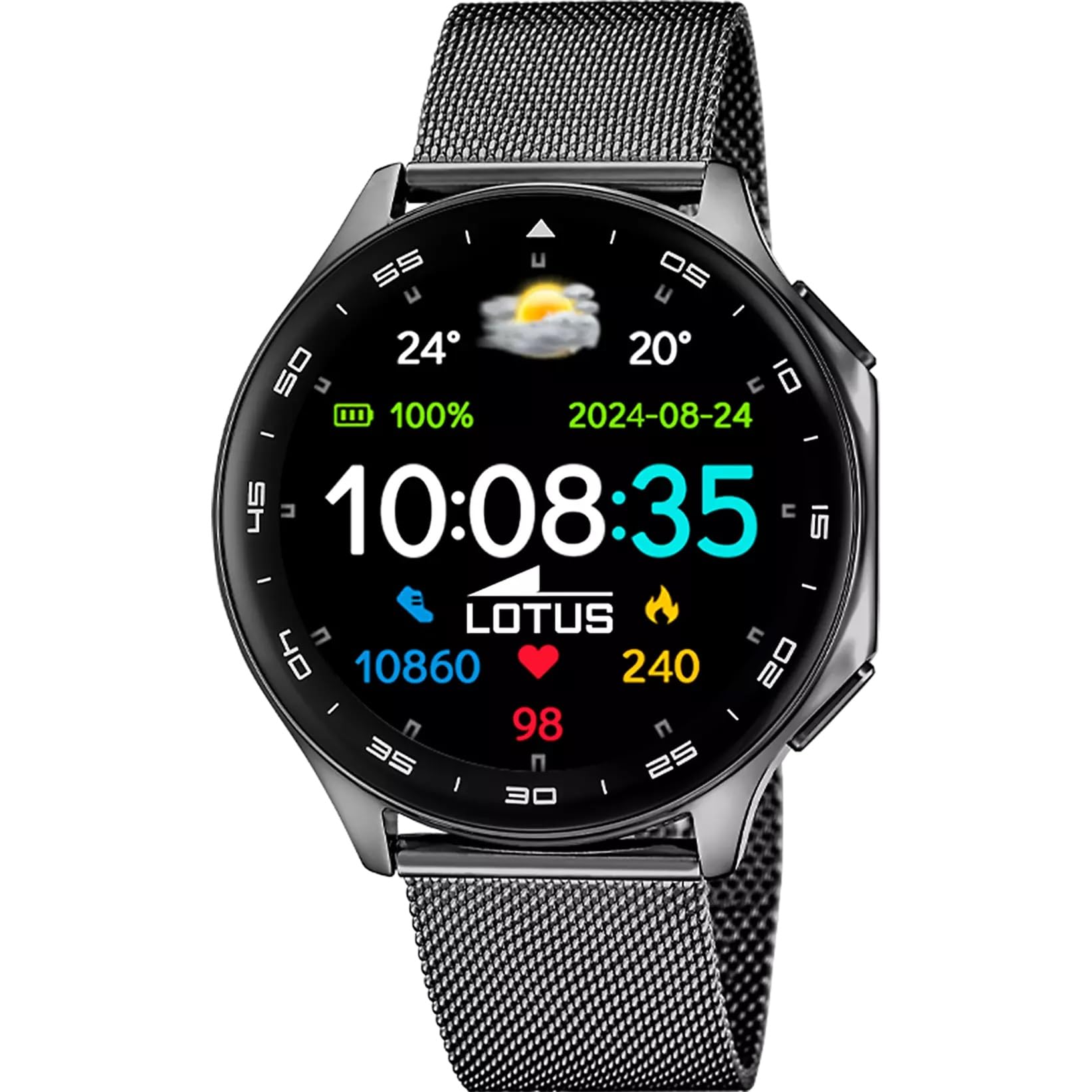
The Lotus Smartwatch 50050/4 is an outdoor sports watch designed for active lifestyles. It features a durable zinc alloy case, a black Milanese steel mesh strap, and a digital display. The watch offers a range of functions including sports tracking, health monitoring, and smart notifications.
What's in the Box
- Lotus Smartwatch 50050/4
- Charging Cable
- User Manual (this document)
- Additional Strap
Setup
1. Charging the Smartwatch
Before initial use, fully charge your smartwatch. Connect the charging cable to the charging port on the back of the watch and plug the other end into a USB power adapter (not included) or a computer's USB port. The watch display will indicate charging status.
Note: Use a standard 5V/1A USB charger. Overcharging or using incompatible chargers may damage the device.
2. Powering On/Off
- To Power On: Press and hold the side button for a few seconds until the Lotus logo appears.
- To Power Off: Press and hold the side button, then select "Power Off" on the screen.
3. App Installation and Pairing
To unlock the full potential of your smartwatch, download the official Lotus Smartwatch application on your smartphone. The app is compatible with Android devices.
- Search for the "Lotus Smartwatch" app in your smartphone's app store (Google Play Store for Android).
- Install the application.
- Open the app and follow the on-screen instructions to create an account or log in.
- Enable Bluetooth on your smartphone.
- In the app, navigate to the device pairing section and select your Lotus Smartwatch 50050/4 from the list of available devices.
- Confirm the pairing request on both your smartphone and the smartwatch.
Once paired, the watch will synchronize time, date, and other settings with your smartphone.
Operating Instructions
Basic Navigation
- Touch Screen: Swipe left, right, up, or down to navigate through menus and functions. Tap to select an item.
- Side Button: Press to return to the previous screen or to the watch face. Press and hold for power options.
Key Functions
- Sports Modes: Access various sports modes (e.g., running, walking, cycling) to track your activity, including steps, calories burned, and distance.
- Health Monitoring:
- Heart Rate: Monitor your heart rate in real-time.
- Blood Oxygen: Measure your blood oxygen levels.
- Sleep Tracking: Analyze your sleep patterns (deep sleep, light sleep, awake time).
- Breathing Exercises: Guided breathing exercises for relaxation.
- Notifications: Receive notifications for incoming calls, SMS messages, and app alerts directly on your watch. You can reject calls from the watch.
- Music Control: Control music playback on your connected smartphone (play, pause, skip tracks).
- Weather: View current weather conditions and forecasts.
- Alarms & Timers: Set alarms, use the stopwatch, or set a countdown timer.
- Camera Remote: Use your watch as a remote shutter for your smartphone camera.
- Video Calculator: Access a video calculator function.
- AI Voice Calculator: Utilize an AI voice-activated calculator.
- Phone Finder: Locate your paired smartphone by making it ring.
- Flashlight: Activate the screen as a flashlight.
- Dial Customization: Change the watch face (dial) through the watch settings or the companion app.
- Firmware Update: Update the watch's software via the companion app to ensure optimal performance and access new features.
- Language, Time, and Date: Adjust these settings through the watch or the companion app.
Maintenance
Cleaning and Care
- Wipe the watch screen and body with a soft, dry, lint-free cloth.
- For stubborn stains, slightly dampen the cloth with water. Do not use harsh chemicals or abrasive materials.
- Ensure the charging contacts are clean and dry before charging.
Water Resistance (IP65)
The Lotus Smartwatch 50050/4 has an IP65 rating, meaning it is protected against dust ingress and low-pressure water jets from any direction. This rating indicates resistance to splashes and light rain. It is not suitable for swimming, showering, or submersion in water. Exposure to high-pressure water or prolonged submersion may cause damage.
Strap Replacement
The watch comes with an additional strap. To replace the strap, locate the quick-release pins on the underside of the strap where it connects to the watch case. Slide the pin to detach the strap, then align the new strap and slide the pin back into place to secure it.
Troubleshooting
Watch Not Turning On
- Ensure the watch is fully charged. Connect it to the charger for at least 30 minutes.
- Try pressing and holding the side button for 10-15 seconds to force a restart.
Cannot Pair with Smartphone
- Make sure Bluetooth is enabled on your smartphone.
- Ensure the watch is within range of your smartphone (typically 10 meters).
- Restart both your smartphone and the smartwatch.
- Clear the Bluetooth cache on your smartphone (if applicable) and try pairing again.
- Ensure the Lotus Smartwatch app is updated to the latest version.
Inaccurate Health Data
- Ensure the watch is worn snugly on your wrist, but not too tight.
- Keep the sensor on the back of the watch clean and free from debris.
- Environmental factors and individual physiology can affect sensor accuracy.
Factory Reset
If you experience persistent issues, a factory reset may resolve them. This will erase all data on the watch and restore it to its original settings. Consult the watch's settings menu or the companion app for the factory reset option.
Specifications
| Model Number | 50050/4 |
| Brand | Lotus |
| Display Size | 46.7 mm |
| Shape | Round |
| Case Material | Zinc Alloy |
| Strap Material | Milanese Steel Mesh |
| Water Resistance | IP65 (Splash and dust resistant) |
| Connectivity | Bluetooth |
| Compatible OS | Android (for companion app) |
| GPS | No |
| Special Features | Advanced sport and health functions |
Warranty and Support
The Lotus Smartwatch 50050/4 comes with a 3-year warranty from the date of purchase. This warranty covers manufacturing defects. It does not cover damage caused by misuse, accidents, unauthorized modifications, or failure to follow the instructions in this manual, including water damage beyond the specified IP65 rating.
For warranty claims or technical support, please contact your authorized Lotus retailer or visit the official Lotus website for customer service information.
Return Policy: If purchased from Amazon, the product is subject to a 30-day return policy for refund or replacement, as per Amazon's terms.
Product Image