
Micool DY20PLUS
Micool DY20PLUS Bluetooth Headset V5.4 User Manual
Model: DY20PLUS | Brand: Micool
Introduction
Thank you for choosing the Micool DY20PLUS Bluetooth Headset V5.4. This manual provides comprehensive instructions to help you set up, operate, and maintain your new headset. Please read this manual carefully before use to ensure optimal performance and longevity of your device.
Package Contents
- Micool DY20PLUS Bluetooth Headset
- USB-C Charging Cable
- User Manual
- Multiple Sized Ear Tips (L, M, S)
Product Overview
Familiarize yourself with the components of your Micool DY20PLUS Bluetooth Headset.
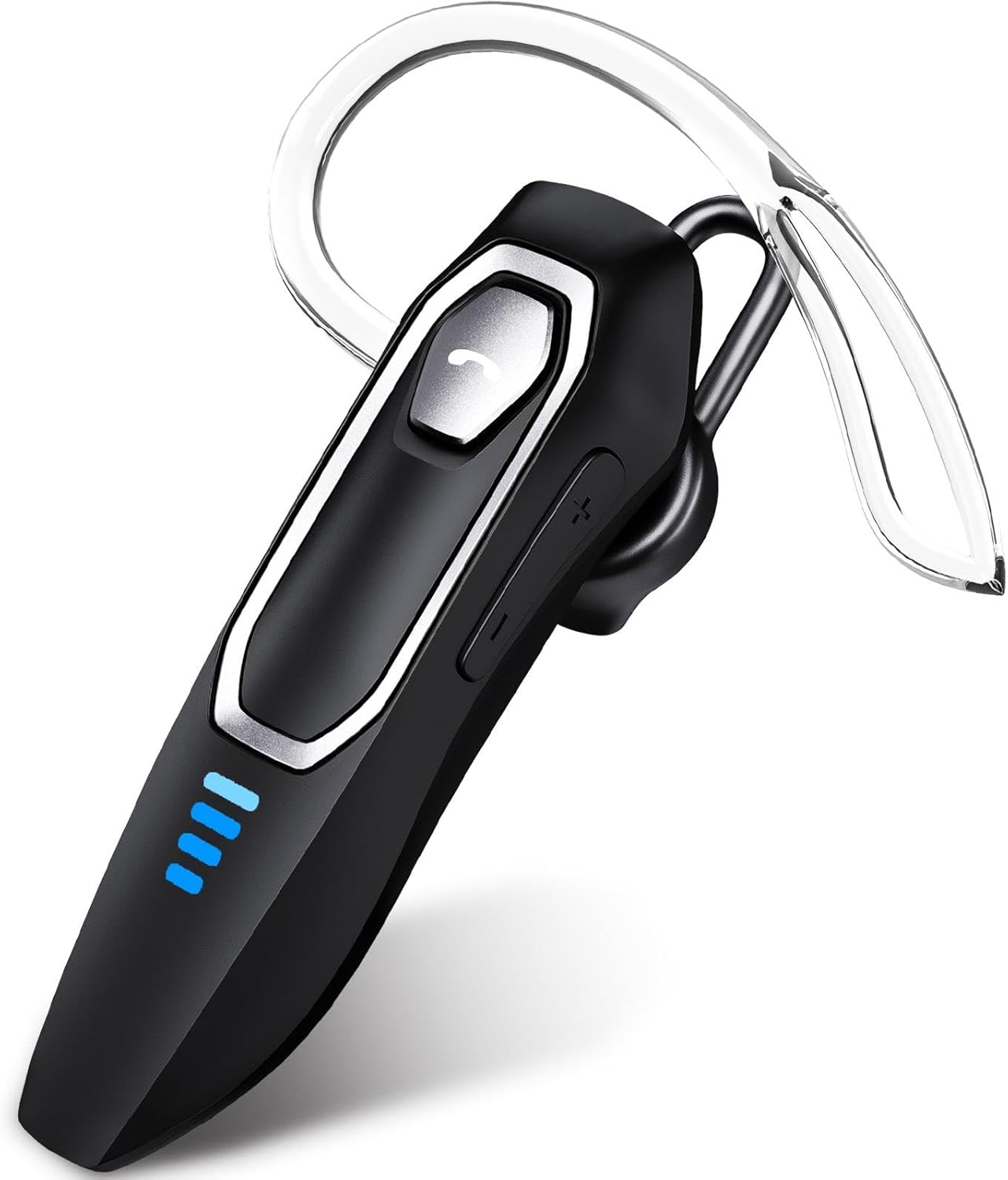
Image 1: Micool DY20PLUS Bluetooth Headset. This image displays the main headset unit, highlighting the call button, volume controls, and LED power indicators.

Image 2: Headset Controls Diagram. This diagram illustrates the Multi-Function Button (MFB) for power, play/pause, and Bluetooth pairing, along with volume controls and mute function.
Charging the Headset
Before first use, fully charge the headset.
- Connect the provided USB-C charging cable to the charging port on the headset.
- Connect the other end of the cable to a USB power source (e.g., computer, wall adapter).
- The LED indicators will show charging status. A full charge typically takes 1.5-2 hours.
- Once fully charged, the LED indicators will change or turn off (refer to LED Power Display section for details).
The headset offers up to 36 hours of talk time and 45 hours of music playback on a single charge.
Setup
Power On/Off
- Power On: Press and hold the Multi-Function Button (MFB) for approximately 3 seconds until the LED indicator flashes.
- Power Off: Press and hold the MFB for approximately 3 seconds until the LED indicator turns off.
Bluetooth Pairing
- Ensure the headset is powered off.
- Press and hold the MFB for approximately 3 seconds until the LED indicator flashes red and blue alternately, indicating pairing mode.
- On your device (smartphone, tablet, computer), enable Bluetooth and search for available devices.
- Select "DY20PLUS" from the list of found devices.
- Once connected, the LED indicator on the headset will flash blue slowly.
Multipoint Connection: The DY20PLUS headset can connect to two devices simultaneously. After pairing with the first device, disable Bluetooth on that device. Then, put the headset back into pairing mode and connect to the second device. Re-enable Bluetooth on the first device, and the headset should automatically connect to both.
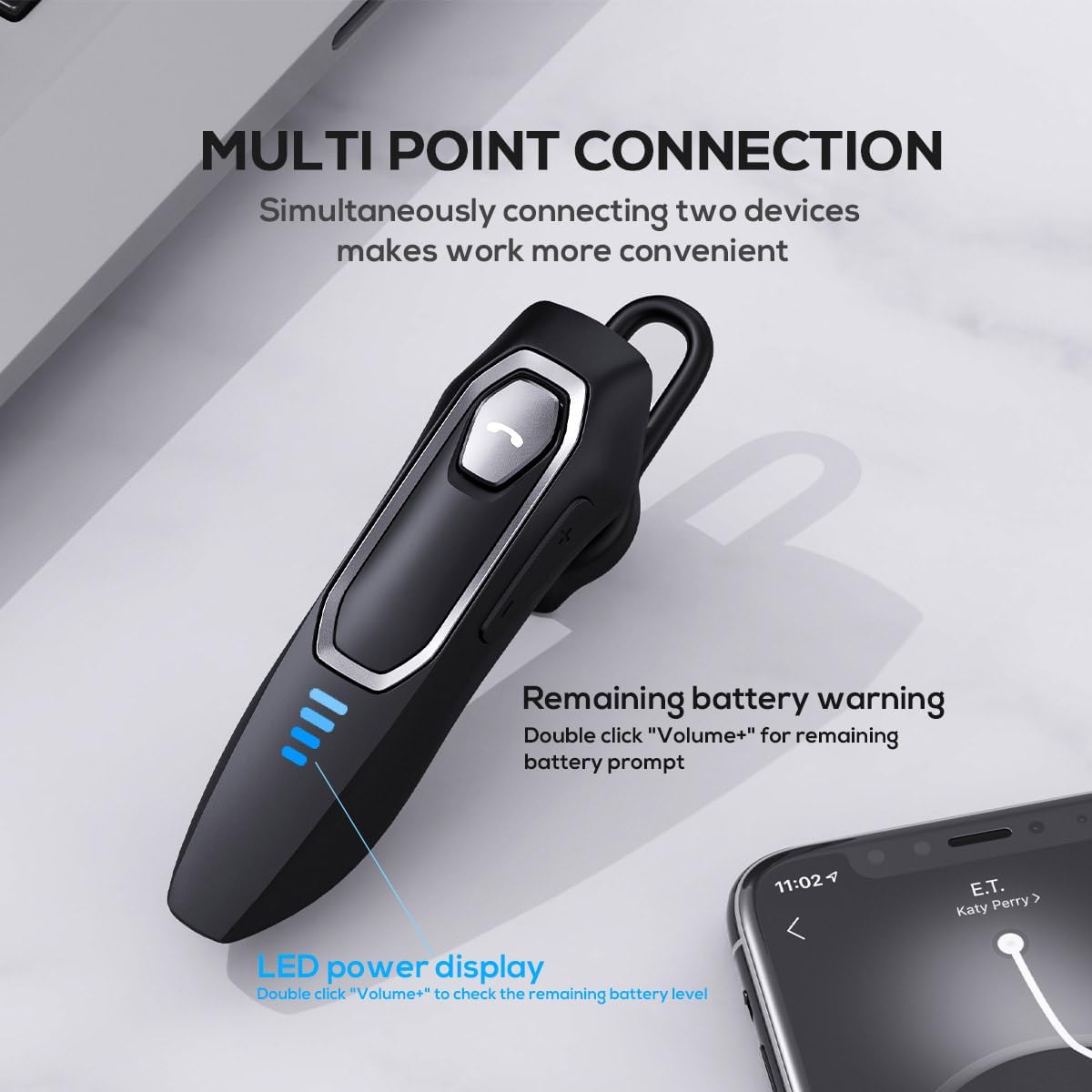
Image 3: Multi-Point Connection and LED Display. This image illustrates the headset's ability to connect to two devices simultaneously and the LED power display.
Operating Instructions
Call Management
- Answer/End Call: Press the MFB once.
- Reject Call: Press and hold the MFB for approximately 2 seconds.
- Mute/Unmute Microphone: During a call, press and hold the volume down button (marked with a microphone icon) for approximately 2 seconds.
- Redial Last Outgoing Call: Triple-tap the MFB.
Music Playback
- Play/Pause: Press the MFB once.
- Next Track: Press and hold the Volume + button for approximately 2 seconds.
- Previous Track: Press and hold the Volume - button for approximately 2 seconds.
- Volume Up/Down: Press the Volume + or Volume - button briefly.
Voice Assistant
- Activate Voice Assistant (Siri, Google Assistant, etc.): Double-tap the MFB.
LED Power Display
The headset features an LED power display with four levels, each representing 25% of the battery charge.
- To check the remaining power, double-click the Volume + button.
Comfort and Fit
The Micool DY20PLUS is designed for comfortable, all-day wear.
- The ergonomic design ensures a secure fit without causing ear fatigue.
- Interchangeable ear tips (L, M, S) are included to help you find the best fit for your ear canal, optimizing bass and overall sound quality.
- The headset can be worn on either the left or right ear.

Image 4: Ear Tips and Durability. This image shows the included ear tips in different sizes (L, M, S) and highlights the enhanced durability features of the headset.
Maintenance
- Cleaning: Use a soft, dry cloth to clean the headset. Do not use harsh chemicals or abrasive materials.
- Storage: When not in use, store the headset in a cool, dry place, away from direct sunlight and extreme temperatures.
- Battery Care: To prolong battery life, avoid fully discharging the headset frequently. Charge it regularly, even if not in constant use.
- Water Resistance: The headset is water-resistant, but not waterproof. Avoid submerging it in water or exposing it to heavy rain.
Troubleshooting
| Problem | Possible Solution |
|---|---|
| Headset does not power on. | Ensure the headset is charged. Connect it to a power source using the USB-C cable. |
| Cannot pair with device. |
|
| No sound or poor sound quality. |
|
| Microphone not working during calls. |
|
| Voice assistant not activating. | Ensure the headset is connected and double-tap the MFB firmly. Check your device settings for voice assistant activation. |
Specifications
| Feature | Detail |
|---|---|
| Model Name | DY20PLUS |
| Connectivity Technology | Wireless (Bluetooth) |
| Bluetooth Version | 5.4 |
| Bluetooth Range | Up to 50 meters (164 feet) |
| Battery Life (Talk Time) | Up to 36 hours |
| Battery Life (Music Playback) | Up to 45 hours |
| Charging Time | 1.5 - 2 hours |
| Charging Port | USB-C |
| Noise Cancelling | Dual Microphones with Noise Reduction Algorithm |
| Special Features | Voice Assistant, Multipoint Pairing, LED Power Display, Mute Function, Fast Charging |
| Weight | Approximately 12g (0.42 oz) |
| Water Resistance Level | Water Resistant |
| Compatible Devices | Smartphones, Tablets, Smart Speakers |
Warranty and Support
For warranty information or technical support, please refer to the documentation included with your purchase or contact Micool customer service through their official channels.
Ask a question about this manual
Ask about setup, troubleshooting, compatibility, parts, safety, or missing instructions. Manuals+ will review the question and use this page’s manual context to help answer it.