Introduction
The Douk Audio A5PRO Bluetooth Amplifier is a 2-channel HiFi stereo amplifier designed for home theater, desktop, and bookshelf speaker systems. Featuring the TPA3255 chip, it delivers 300W×2 power with Class D PFFB technology, ensuring clear and powerful audio. This manual provides comprehensive instructions for setting up, operating, and maintaining your A5PRO amplifier.
Safety Information
- Ensure proper ventilation around the amplifier to prevent overheating.
- Do not expose the unit to water, moisture, or excessive humidity.
- Avoid placing the amplifier near heat sources or in direct sunlight.
- Use only the provided 48V/5A power adapter.
- Disconnect power before making any connections or performing maintenance.
- Do not attempt to open or repair the unit yourself, as this will void the warranty.
What's in the Box
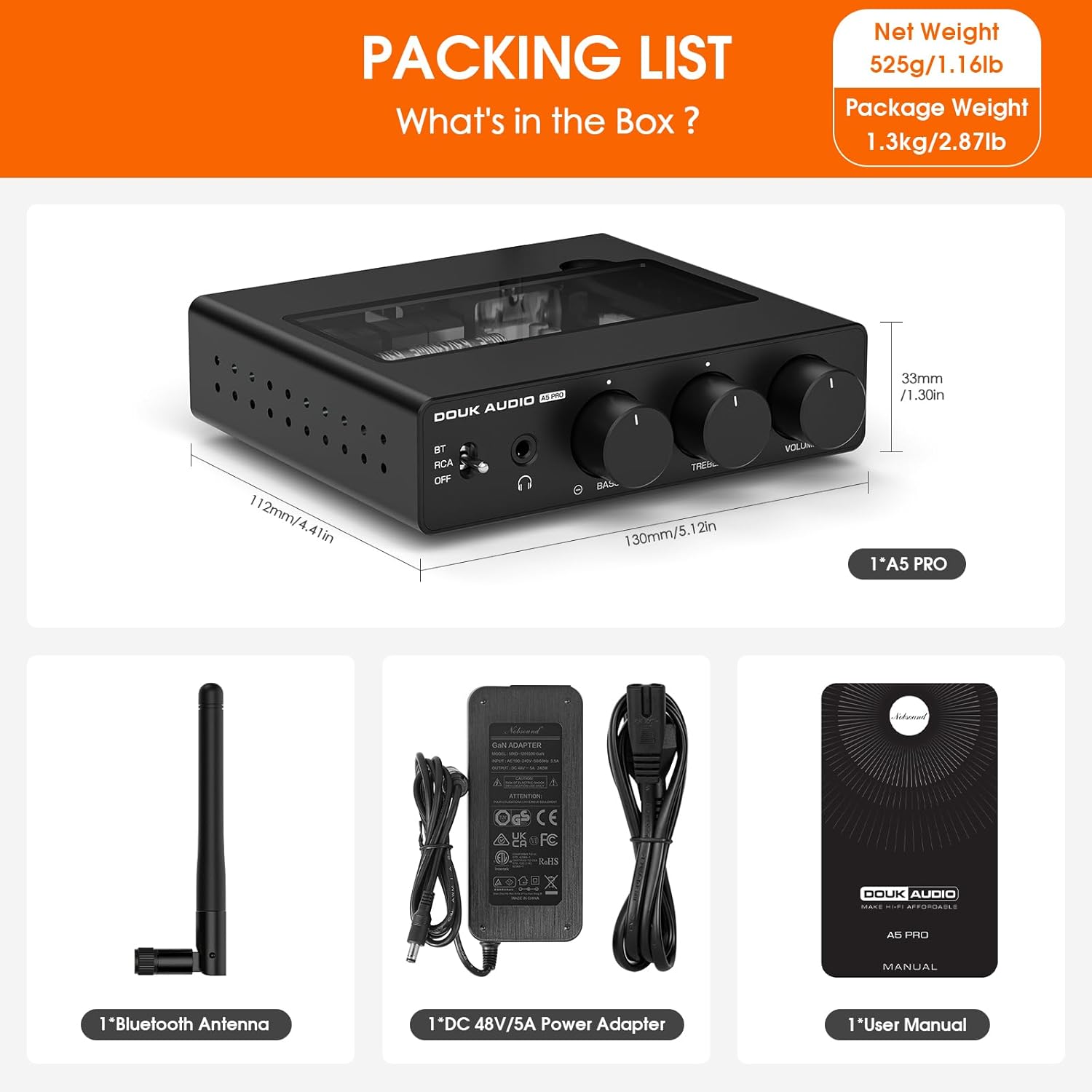
The image displays the complete packaging contents for the Douk Audio A5PRO amplifier. This includes the main A5 PRO amplifier unit, a DC 48V/5A power adapter, a Bluetooth antenna, and the user manual.
- 1 x Douk Audio A5PRO Amplifier
- 1 x DC 48V/5A Power Adapter
- 1 x Bluetooth Antenna
- 1 x User Manual
Product Overview
Front Panel
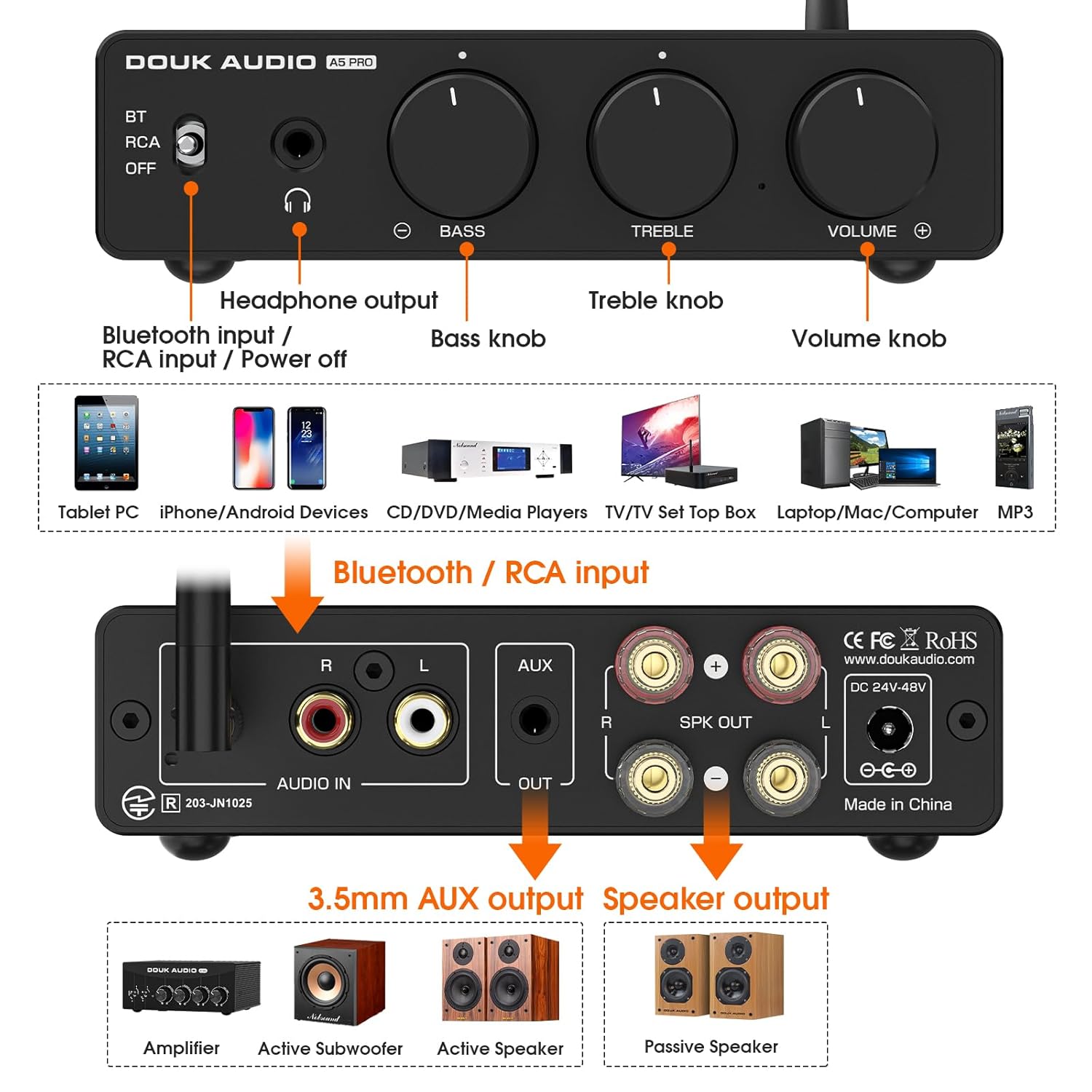
The image illustrates the front and rear panels of the A5PRO amplifier, highlighting key controls and connection points. The front panel features a multi-function switch for Bluetooth input, RCA input, and power off. It also includes a headphone output jack, a bass control knob, a treble control knob, and a master volume knob.
- Input/Power Switch: Selects between Bluetooth and RCA input, and powers the unit On/Off.
- Headphone Output: 3.5mm jack for connecting headphones.
- Bass Knob: Adjusts the low-frequency response.
- Treble Knob: Adjusts the high-frequency response.
- Volume Knob: Controls the overall output volume.
Rear Panel
- Bluetooth Antenna Port: Connect the included Bluetooth antenna here.
- RCA Audio Input (L/R): Connect audio sources via RCA cables.
- 3.5mm AUX Output: For connecting to an active subwoofer or active speakers.
- Speaker Output (L/R): Connect passive speakers using banana plugs or bare wire.
- DC Power Input (24V-48V): Connect the power adapter here.
Setup
- Connect Speakers: Connect your passive speakers to the "SPK OUT" terminals on the rear panel. Ensure correct polarity (+ to + and - to -).
- Connect Audio Source:
- For Bluetooth connection: Screw the Bluetooth antenna into its port on the rear panel.
- For RCA connection: Connect your audio source (e.g., CD player, TV, PC) to the "AUDIO IN" RCA ports.
- Connect Power: Connect the DC 48V/5A power adapter to the "DC 24V-48V" input on the rear panel, then plug the adapter into a wall outlet.
- Optional Subwoofer/Active Speaker Connection: If using an active subwoofer or active speakers, connect them to the "AUX OUT" 3.5mm jack.

This image shows the Douk Audio A5PRO amplifier set up with a pair of bookshelf speakers, illustrating a typical 2.0 stereo system configuration. The amplifier is centrally placed, connected to the speakers, and ready for an audio source.
Operating Instructions
- Power On: Turn the input/power switch on the front panel to either "BT" (Bluetooth) or "RCA" to power on the amplifier.
- Input Selection:
- For Bluetooth: Set the switch to "BT". The amplifier will enter pairing mode. Search for "Douk Audio A5PRO" on your device's Bluetooth settings and connect.
- For RCA: Set the switch to "RCA". Audio will be played from the device connected to the RCA input.
- Adjust Volume: Rotate the "VOLUME" knob clockwise to increase volume and counter-clockwise to decrease it.
- Adjust Tone: Use the "BASS" and "TREBLE" knobs to fine-tune the audio output to your preference. The knobs have a center detent for a flat response.
- Headphone Use: Plug your headphones into the 3.5mm headphone output jack. The speaker output will automatically mute when headphones are connected.
- LED Ambiance: The transparent top panel reveals internal LED lighting. You can adjust the LED color using the dip switches located inside the unit (refer to the Maintenance section for accessing the internal components).
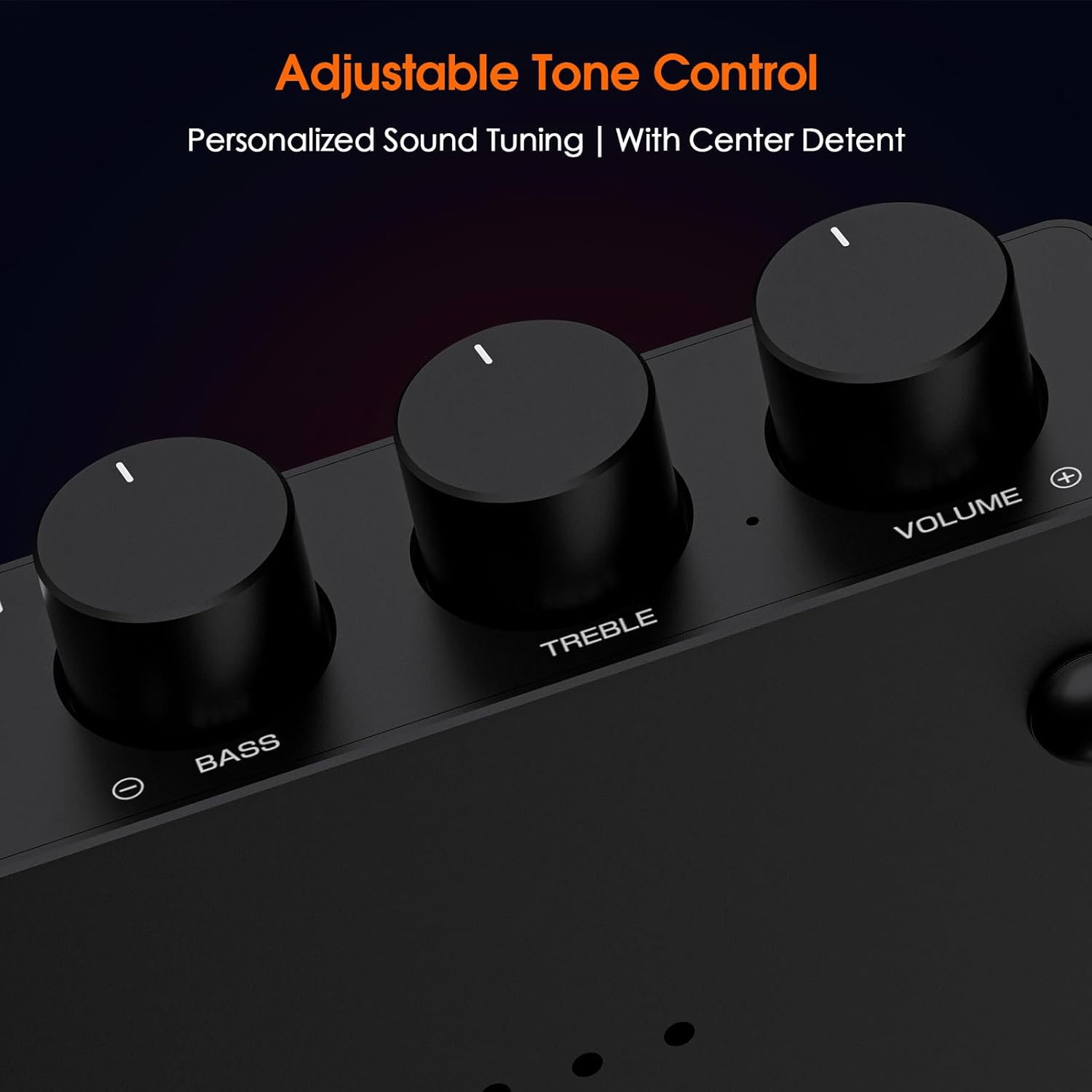
This image provides a close-up view of the bass, treble, and volume control knobs on the front panel of the A5PRO amplifier. Each knob features a clear indicator for precise adjustment, with a noticeable detent at the center position for the tone controls.

The image displays the transparent glass panel on top of the A5PRO amplifier, revealing the internal circuitry and LED lights. A diagram next to the amplifier shows the dip switches for controlling the LED colors, offering various combinations of Red, Green, and Blue to achieve different ambient lighting effects.
Maintenance
Cleaning
- Wipe the exterior with a soft, dry cloth.
- Do not use liquid cleaners or aerosol sprays.
Op-Amp Replacement (Customizable Sound)
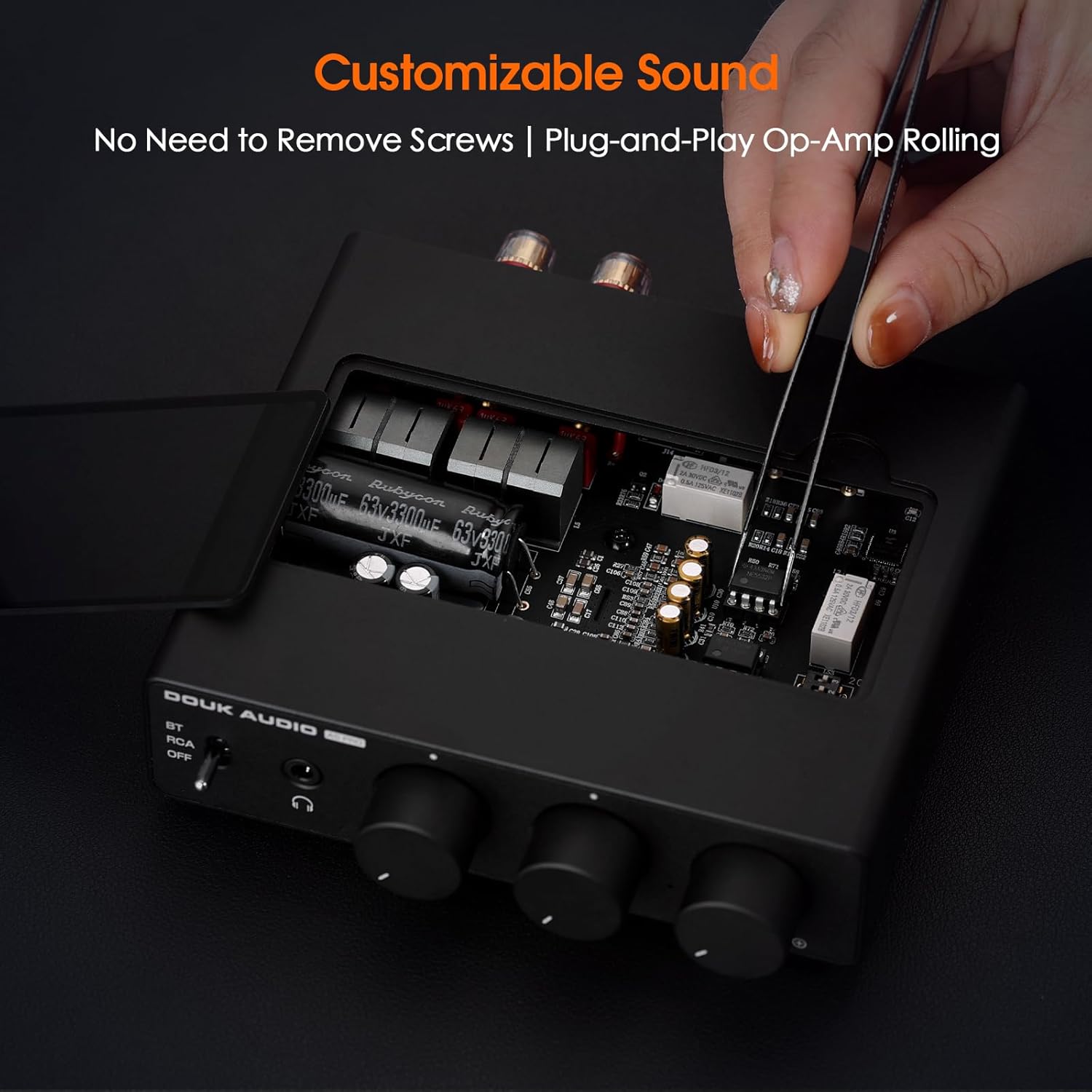
This image demonstrates the ease of customizing the sound of the A5PRO amplifier by replacing the op-amps. The transparent top panel can be removed without tools, allowing direct access to the op-amp sockets for plug-and-play replacement, enabling users to tailor the audio profile.
The A5PRO features a tempered glass access panel for easy op-amp replacement, allowing for sound customization. To replace op-amps:
- Ensure the amplifier is powered off and unplugged.
- Carefully lift the tempered glass panel from the top of the unit.
- Gently remove the existing op-amps using appropriate tools (e.g., IC extractor or fine tweezers).
- Insert the new op-amps, ensuring correct orientation.
- Replace the tempered glass panel.
Note: Only replace op-amps if you are familiar with electronic components. Incorrect installation can damage the unit.
Heat Dissipation

The image visually represents the advanced full-body heat dissipation design of the A5PRO amplifier. Orange arrows indicate the flow of heat away from the unit, highlighting its ability to maintain stable high-power output through effective thermal management. It is normal for the casing to feel warm during operation.
The A5PRO is designed with advanced full-body heat dissipation to ensure long-term stable high-power output. It is normal for the casing to heat up during operation.
Troubleshooting
| Problem | Possible Cause | Solution |
|---|---|---|
| No sound output | Incorrect input selected, loose connections, volume too low, source device issues. | Check input switch (BT/RCA), ensure all cables are securely connected, increase volume, verify audio source is playing. |
| Bluetooth not connecting | Amplifier not in pairing mode, device too far, interference, previous pairing issues. | Ensure switch is on "BT", move device closer, clear previous pairings on your device and try again. The A5PRO has a Bluetooth reset button. |
| Distorted sound | Volume too high, impedance mismatch with speakers, faulty cables. | Reduce volume, ensure speakers are within recommended impedance range, try different audio cables. |
| Unit feels hot | Normal operation, insufficient ventilation. | Ensure adequate airflow around the unit. If excessively hot or performance is affected, contact support. |
Specifications
| Feature | Detail |
|---|---|
| Model Number | A5 PRO 48V |
| Power Output | 300W×2 (TPA3255) |
| Headphone Output | 500mW@32Ω |
| Bluetooth Version | 5.1 |
| Input Voltage | DC 24V-48V |
| Technology | Class D PFFB, 4-layer immersion gold PCB |
| Dimensions | 112mm (W) x 33mm (H) x 130mm (D) / 4.41in (W) x 1.30in (H) x 5.12in (D) |
| Net Weight | 525g / 1.16lbs |
| Features | Bass/Treble Control, Headphone Out, Plug-and-Play Op-Amps, Adjustable Internal LED Lighting |
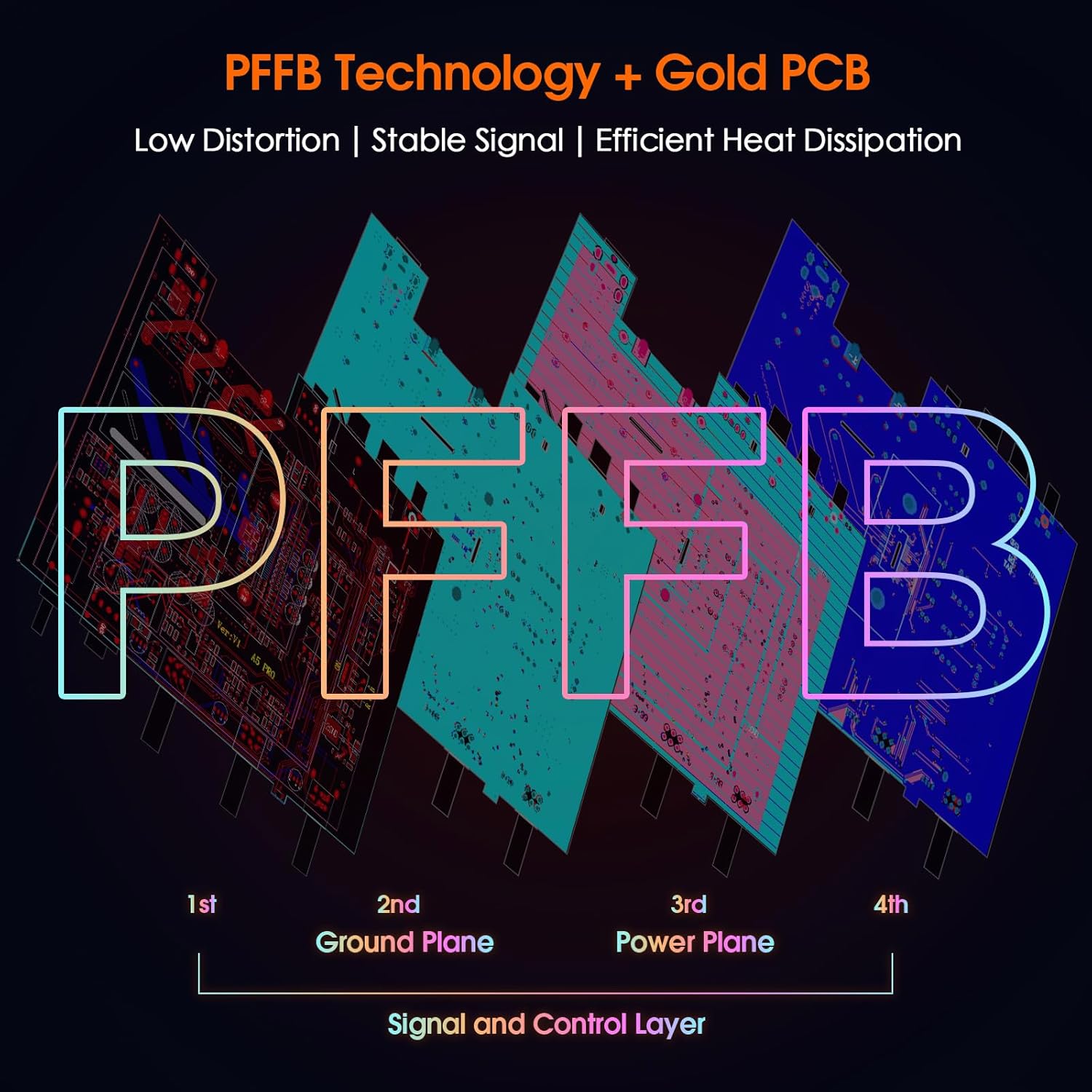
This image explains the PFFB (Post-Filter Feedback) Technology and the Gold PCB construction of the amplifier. It highlights the four layers of the PCB: 1st Ground Plane, 2nd Ground Plane, 3rd Power Plane, and 4th Signal and Control Layer, which contribute to reduced distortion, improved frequency response, and efficient heat management.
Warranty & Support
For warranty information and technical support, please refer to the official Douk Audio website or contact their customer service directly. Keep your purchase receipt for warranty claims.
Official Website: www.doukaudio.com


