Introduction
This manual provides essential information for the safe operation, maintenance, and troubleshooting of your DEERC 308E Brushless RC Truck. Please read this manual thoroughly before operating the vehicle to ensure proper function and longevity.

Image: The DEERC 308E Brushless RC Truck, remote control, two batteries, and spare parts.
Safety Information
Warning: This product contains small parts and is not suitable for children under 14 years old. Always operate the product under adult supervision, especially in areas with traffic or potential hazards. Failure to follow safety guidelines may result in injury or damage to the product.
- Keep hands, hair, and loose clothing away from moving parts.
- Do not operate the RC truck near people, pets, or obstacles.
- Avoid operating in wet conditions or near water unless specifically designed for it. The ESC is waterproof (IPX4), but other components may not be.
- Always turn off the vehicle and remote control when not in use.
- Use only approved batteries and chargers.
Package Contents
Verify that all items listed below are included in your package:
- 1 x DEERC RC Truck (Model 308E)
- 1 x 2.4GHz Remote Controller
- 2 x 7.4V 1500 mAh Rechargeable Batteries
- 1 x Charging Cable
- 1 x Product Manual (this document)
- 1 x Screwdriver
- 1 x Spare Parts Kit

Image: Visual representation of the DEERC 308E RC Truck, remote, batteries, charging cable, and user manual.
Setup and First Use
1. Battery Charging
- Connect the provided 7.4V 1500mAh rechargeable battery to the charging cable.
- Plug the charging cable into a suitable USB power adapter (not included).
- Allow the battery to charge fully. Refer to the charging cable's indicator light for charging status (e.g., red for charging, green for fully charged).
- Do not leave batteries unattended while charging.
2. Vehicle Battery Installation
- Carefully remove the body shell of the RC truck.
- Insert a fully charged 7.4V 1500mAh battery into the designated battery compartment.
- Connect the battery connector to the vehicle's power connector.
- Secure the battery and reattach the body shell.
3. Remote Control Battery Installation
- Open the battery compartment on the back of the remote control.
- Insert 2 CR5 batteries (included) according to the polarity markings.
- Close the battery compartment.
4. Pairing the Remote Control
- Turn on the RC truck by pressing its power button.
- Turn on the remote control.
- The remote control and truck should automatically pair. If not, refer to the remote control's specific pairing instructions (usually involves turning both on, then pressing a bind button on the remote or truck).
5. Pre-Operation Checks
- Ensure all connections are secure.
- Check for any loose screws or damaged parts.
- Verify that the steering and throttle respond correctly to remote control inputs.
Operation Guide
1. Basic Controls
- Throttle Trigger: Pull to accelerate forward, push to brake/reverse.
- Steering Wheel: Turn left or right to steer the vehicle.
- The 2.4GHz full proportional control system allows for precise steering and throttle adjustments.
2. Driving on Various Terrains
The DEERC 308E is designed for all-terrain performance with its 4x4 off-road system and heavy-duty tires. It can operate effectively on gravel, sand, mud, grass, and skate parks.

Image: The DEERC 308E RC Truck demonstrating its capability on diverse surfaces.
3. Speed and Performance Notes
- The vehicle can reach speeds of up to 55 KM/H (approximately 34 MPH) with the included 2S battery, and up to 43 MPH with a 3S LiPo battery (not included).
- The two included 7.4V 1500mAh batteries provide up to 50 minutes of continuous play time.
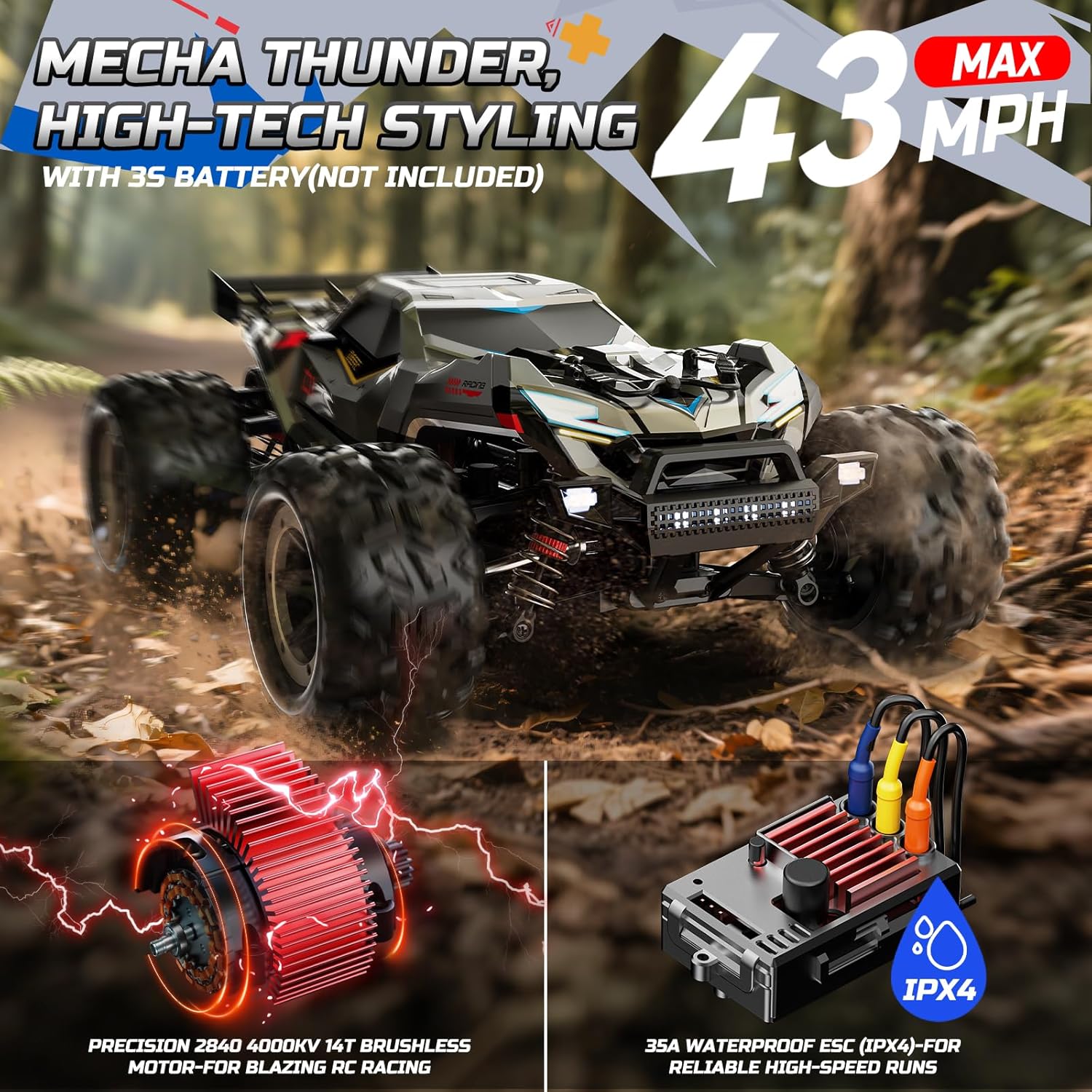
Image: The DEERC 308E RC Truck showcasing its speed capabilities, powered by a 2840 4000KV 14T brushless motor and 35A waterproof ESC.
Maintenance and Care
1. General Cleaning
- After each use, especially in dirty or dusty conditions, clean the vehicle to prevent debris from affecting performance.
- Use a soft brush or compressed air to remove dirt from the chassis, wheels, and suspension components.
- Wipe down the body with a damp cloth. Avoid using harsh chemicals.
2. Battery Care and Storage
- Always disconnect batteries from the vehicle when not in use.
- Store batteries in a cool, dry place, away from direct sunlight and extreme temperatures.
- The vehicle features a smart low-voltage cutoff system to protect the battery during operation.
3. Component Inspection
Regularly inspect the following components for wear or damage:
- Shocks: Check for leaks or damage to the adjustable oil-filled shocks.
- Drivetrain: Inspect the metal spur gear differential and full metal drive shafts for smooth operation and signs of wear.
- Servo: Ensure the pro-grade 3-wire copper gear servo operates freely and without excessive play.
- Tires and Bumpers: Check heavy-duty tires for punctures or excessive wear, and reinforced bumpers for structural integrity.

Image: Detailed view of the DEERC 308E's internal structure, highlighting the high-performance metal spur gear differential, pro-grade 3-wire copper gear servo, adjustable oil-filled shocks, and metal CVDs.
Troubleshooting
If you encounter issues with your DEERC 308E RC Truck, refer to the following common problems and solutions:
| Problem | Possible Cause | Solution |
|---|---|---|
| Vehicle does not turn on | Battery not charged or improperly connected; vehicle power switch off. | Charge battery fully, ensure proper connection, turn on vehicle power switch. |
| No response from remote control | Remote control batteries low or incorrectly installed; vehicle and remote not paired. | Replace remote control batteries, check polarity, re-pair remote and vehicle. |
| Reduced speed or power | Vehicle battery low; motor or ESC overheating; debris in drivetrain. | Recharge vehicle battery, allow components to cool, clean drivetrain. |
| Poor steering control | Servo damage or loose connections; steering trim incorrect. | Check servo connections, adjust steering trim on remote, inspect servo for damage. |
| Unusual noises during operation | Debris in gears; damaged gears or bearings. | Inspect and clean gears, replace any damaged components. |
If issues persist, contact DEERC customer support for further assistance. Spare parts are generally available for common components.
Product Specifications
| Feature | Specification |
|---|---|
| Model Number | AU-308E |
| Scale | 1:18 |
| Motor | 2840 4000KV 14T Brushless Motor |
| Electronic Speed Controller (ESC) | 35A Waterproof (IPX4) |
| Maximum Speed | Up to 55 KM/H (34 MPH) with 2S battery; Up to 43 MPH with 3S LiPo battery (not included) |
| Drive System | 4x4 All-Terrain |
| Control System | 2.4GHz Full Proportional |
| Batteries (Included) | 2 x 7.4V 1500mAh Rechargeable Batteries |
| Running Time | Up to 50 minutes (with 2 included batteries) |
| Remote Control Batteries | 2 x CR5 batteries (included) |
| Product Dimensions | 7.87 x 3.94 x 11.02 inches |
| Item Weight | 2.99 pounds |
| Recommended Age | 14 years and up |
| Key Durability Features | Metal spur gear differential, full metal drive shafts, adjustable oil-filled shocks, pro-grade 3-wire copper gear servo, reinforced bumpers, heavy-duty tires. |
Warranty and Support
For warranty information, please refer to the documentation included with your product packaging or visit the official DEERC website. DEERC strives to provide comprehensive customer support.
If you require assistance with your DEERC 308E RC Truck, have questions, or need to report an issue, please contact DEERC customer support. Contact details can typically be found on the product packaging or the official DEERC brand store online.
Image: A customer support representative, symbolizing available assistance for product users.


