
1. Introduction
This manual provides essential information for the safe and efficient operation of your TCL 65V6C 65-inch 4K Ultra HD Smart LED Google TV. Please read it thoroughly before using the product and retain it for future reference.
1.1 Package Contents
Verify that all items listed below are included in your package. If any items are missing or damaged, contact your retailer.
- 1N LED TV
- 1N Audio Cable
- 1N Stand
- 1N Power cord
- 1N Remote Control
- 2N Batteries (AAA)

2. Safety Information
Always adhere to the following safety precautions to prevent electric shock, fire, or damage to the product.
- Do not expose the TV to rain or moisture.
- Do not open the TV casing; refer all servicing to qualified personnel.
- Ensure proper ventilation around the TV.
- Avoid placing the TV near heat sources or in direct sunlight.
- Use only the power cord supplied with the TV.
- Keep batteries out of reach of children.
3. Setup
3.1 Stand Installation
To install the table-top stand:
- Carefully place the TV face-down on a soft, flat surface to prevent screen damage.
- Align the stand legs with the corresponding slots on the bottom of the TV.
- Secure the stand legs using the provided screws.
Alternatively, the TV supports wall mounting. Wall mount hardware is not included and must be purchased separately. Consult a professional for wall mounting installation.
3.2 Connecting Cables
Connect your external devices to the TV using the appropriate ports.
- HDMI Ports: For connecting devices like set-top boxes, gaming consoles, or Blu-ray players. The TV has 3 HDMI ports.
- USB Port: For connecting USB storage devices to play media files. The TV has 1 USB port.
- LAN Port: For a wired internet connection.
- Antenna Input: For connecting an antenna for terrestrial broadcasts.
- Satellite Input: For connecting a satellite dish.
- AV IN Adapter: For connecting older devices using composite video and stereo audio cables.

3.3 Power Connection
After connecting all necessary cables, plug the power cord into the TV's power inlet and then into a suitable wall outlet.
4. First-Time Use & Basic Operation
4.1 Initial Setup Wizard
Upon first power-on, the TV will guide you through an initial setup process. This includes:
- Language selection.
- Network connection (Wi-Fi or Ethernet).
- Google Account sign-in for Google TV features.
- Channel scanning.
4.2 Remote Control Functions
The included smart remote control provides quick access to various functions and streaming services.
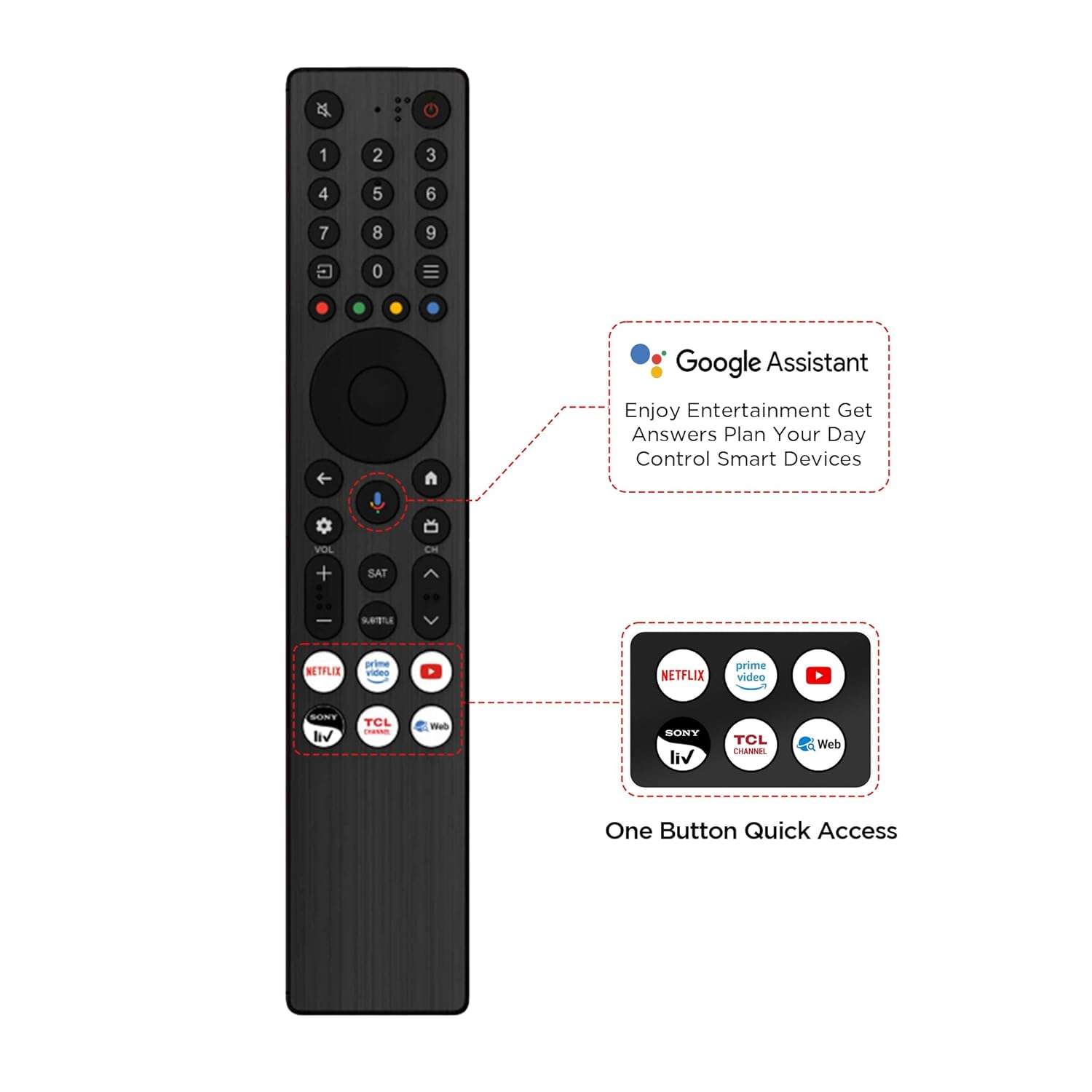
- Power Button: Turns the TV on or off.
- Google Assistant Button: Activates voice commands for search and control.
- Volume Up/Down: Adjusts the audio level.
- Channel Up/Down: Changes TV channels.
- Input/Source: Selects the input source (HDMI, USB, etc.).
- Navigation Pad: For menu navigation.
- App Hotkeys: Direct access buttons for popular streaming services.
5. Smart TV Features
Your TCL 65V6C TV is powered by Google TV, offering a personalized and integrated entertainment experience.

5.1 Google TV Interface
Google TV organizes movies, shows, and live TV from your subscriptions into a single, personalized interface. It learns your preferences to provide tailored recommendations.
5.2 Google Assistant
Use the built-in Google Assistant for voice control. Press the Google Assistant button on your remote and speak commands to search for content, control smart home devices, get information, and more.
5.3 Chromecast Built-in
Stream content directly from your compatible smartphone, tablet, or computer to your TV using Chromecast built-in. Ensure both devices are connected to the same Wi-Fi network.
5.4 Screen Mirroring
Mirror the screen of your compatible mobile device to the TV to share photos, videos, or presentations.
5.5 Kids Profile
Create a Kids Profile to manage content access and set viewing limits for younger users, ensuring a safe viewing environment.
6. Picture and Sound Settings
Optimize your viewing and listening experience by adjusting the picture and sound settings.
6.1 Picture Settings
Access the picture settings menu to adjust brightness, contrast, color, sharpness, and select preset picture modes (e.g., Standard, Movie, Sport, Vivid).
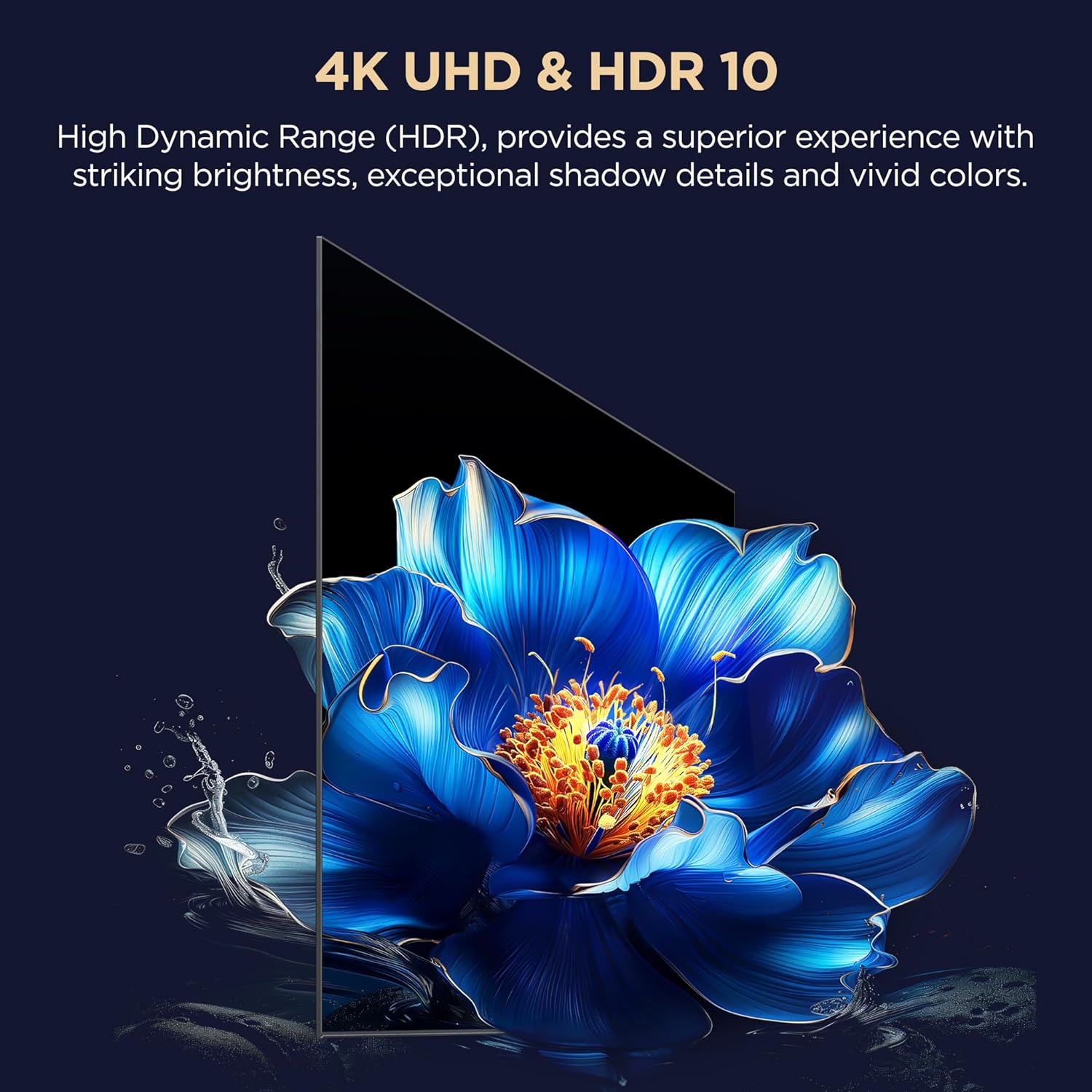
- HDR 10: Supports High Dynamic Range content for enhanced contrast and color.
- AiPQ Processor: TCL's proprietary processor optimizes image quality using AI algorithms.
- HVA Panel: Provides higher contrast and wider viewing angles.
- Dynamic Color Enhancement: Automatically optimizes color vibrancy.
- MEMC (Motion Estimation, Motion Compensation): Reduces motion blur in fast-moving scenes.


6.2 Sound Settings
Adjust audio settings such as bass, treble, balance, and select sound modes (e.g., Standard, Movie, Music, Voice, Game, Sport).
- Dolby Atmos, DTS-X: Provides immersive, multi-dimensional audio.
- 24 Watts Output: Delivers clear and powerful sound.

7. Maintenance
7.1 Cleaning the TV
- Always unplug the TV before cleaning.
- Use a soft, dry cloth to wipe the screen and cabinet.
- For stubborn marks, lightly dampen the cloth with water or a mild, non-abrasive screen cleaner.
- Never spray cleaner directly onto the screen.
7.2 Software Updates
Your Google TV may receive automatic software updates. Ensure your TV is connected to the internet to receive the latest features and security enhancements. You can also manually check for updates in the TV's settings menu.
8. Troubleshooting
If you encounter issues with your TV, refer to the following common problems and solutions. If the problem persists, contact customer support.
| Problem | Possible Solution |
|---|---|
| No Power | Ensure the power cord is securely plugged into the TV and the wall outlet. Check if the wall outlet is functioning. |
| No Picture, but Sound is Present | Check the input source. Ensure external devices are powered on and connected correctly. |
| No Sound, but Picture is Present | Check the volume level and mute status. Verify audio cable connections for external devices. |
| Remote Control Not Working | Replace the batteries (2 AAA). Ensure there are no obstructions between the remote and the TV. |
| Network Connection Issues | Restart your router/modem. Check Wi-Fi password. For wired connections, ensure the Ethernet cable is properly connected. |
9. Specifications
Detailed technical specifications for the TCL 65V6C 65-inch 4K Ultra HD Smart LED Google TV.
| Feature | Detail |
|---|---|
| Brand | TCL |
| Model | 65V6C |
| Screen Size | 65 Inches (164 cm) |
| Resolution | 4K UHD (3840 x 2160 Pixels) |
| Display Technology | LED, HDR 10, HVA Panel |
| Refresh Rate | 60 Hz |
| Operating System | Google TV |
| Processor | 64-bit Quad Core, AiPQ Processor |
| RAM | 2 GB |
| Internal Storage (ROM) | 16 GB |
| Sound Output | 24 Watts |
| Audio Technology | Dolby Atmos, DTS-X |
| Connectivity | 3 HDMI Ports, 1 USB Port, 1 LAN, Wi-Fi 5, Bluetooth, Antenna Input, Satellite Input, AV IN Adapter |
| Viewing Angle | 178 Degrees |
| Product Dimensions (LxWxH) | 144.6 x 30 x 87.8 cm (with stand) |
| Item Weight | 12.2 kg |
| Energy Rating | 4 Star |
| Annual Energy Consumption | 200 kWh/Year |


10. Warranty and Support
10.1 Warranty Information
The manufacturer provides a 2-year warranty for the TV from the date of purchase, and a 6-month warranty for the remote control. Warranty claims can be processed using your purchase invoice.
10.2 Customer Support
For further assistance, technical support, or service requests, please refer to the official TCL India website or contact their customer service directly. Additional user manual content may be available on the brand's website under the 'About this item' or 'Product details' section.


