1. Introduction
The HOGOKIDS SC8814 Robot Building Kit offers a versatile construction and play experience, allowing users to build five distinct robot models from a single set of components. This kit is designed to engage users in STEM learning through hands-on building and interactive control, featuring LED eyes and expressive digital panels. It supports both remote control and app-based programming for dynamic play.

Image 1.1: Overview of the HOGOKIDS 5-in-1 Robot Building Kit, displaying the various robot forms that can be constructed from the included parts, along with the product packaging.
2. Safety Information
WARNING: CHOKING HAZARD - Small Parts. Not for children under 3 years.
This product contains small parts and is intended for users aged 6 years and up. Adult supervision is recommended during assembly and play to ensure safe operation and prevent accidental ingestion of small components.
- Do not mix alkaline, standard (carbon zinc), rechargeable (nickel hydride) batteries.
- Do not mix old and new batteries.
- Non-rechargeable batteries should not be recharged.
- Exhausted batteries should be removed.
- The supply terminals should not be short-circuited.
- Only batteries of the same or equivalent type are recommended to be used.
- Batteries should be with the correct polarity.
- Controller operates on 1.5V AAA batteries (not included).
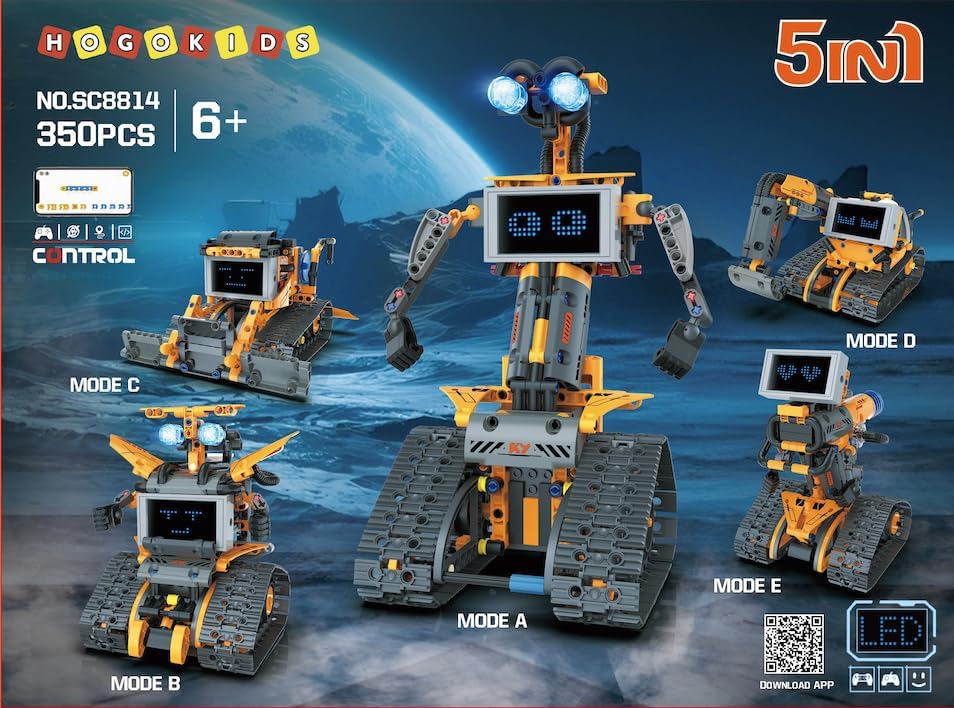
Image 2.1: Important battery safety warnings and general product safety symbols.
3. Package Contents
Verify that all components are present before beginning assembly. The package should contain:
- Building Blocks (350 pieces)
- Instruction Manual
- Remote Control
- Smart Creative Module (with built-in 1x 3.7V 300mAh Li-ion rechargeable battery)
- USB Charging Cable
- LED Eye Components

Image 3.1: Visual representation of the main components included in the HOGOKIDS robot building kit.
4. Assembly Instructions
This kit allows for the construction of five different robot models. Please refer to the included detailed instruction manual for step-by-step guidance on assembling your chosen robot. Each model is built sequentially, and only one model can be constructed at a time using the provided parts.
Ensure all connections are secure during assembly to guarantee proper functionality and stability of the robot.

Image 4.1: The five distinct robot configurations possible with the HOGOKIDS building kit.
5. Powering On and Charging
5.1 Robot Power Module
The robot is powered by a built-in 3.7V 300mAh Li-ion rechargeable battery located within the Smart Creative Module. To charge the module, connect it using the provided USB charging cable to a suitable USB power source. The charging port is typically located on the module itself.
5.2 Remote Control Batteries
The remote control requires 2x 1.5V AAA batteries (not included). Ensure batteries are inserted with correct polarity as indicated inside the battery compartment.

Image 5.1: Illustration of the robot's smart module battery and the remote control's battery installation.
6. Control Modes
The HOGOKIDS robot can be controlled using two methods: a dedicated 2.4GHz remote control or a smartphone application.
6.1 Remote Control Operation
The 2.4GHz remote control allows for direct manipulation of the robot's movements (forward, backward, left, right) and can activate special functions like 360-degree spins. Refer to the remote control diagram in the physical manual for specific button functions.
6.2 App Control and Programming
For advanced control and programming features, download the free companion app. The app offers various modes including programming, path mode, and gyro mode, enhancing interactive play and educational value.
To download the app, scan the QR code provided on the product packaging or in the manual, or visit the official app download page: http://apps.3mcloud.cc/powerbox/index.html
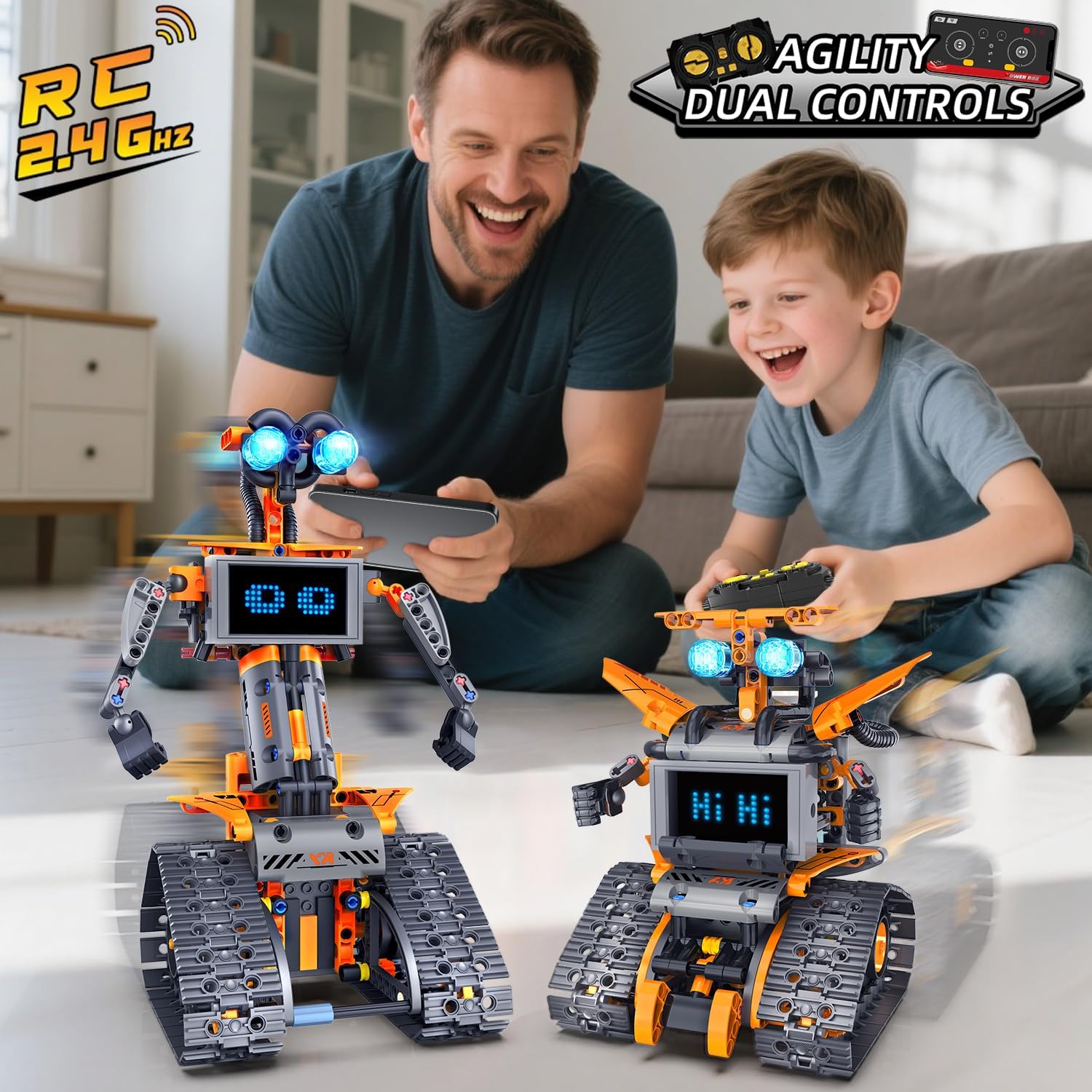
Image 6.1: Demonstrating dual control methods: remote control and smartphone app.

Image 6.2: Detailed view of the app's various control and programming interfaces.
Video 6.1: Official product video demonstrating the 5-in-1 App & Remote Control Rechargeable Robotics Set in action, showcasing its various forms and control capabilities.
7. LED Eyes and Digital Expressions
The robot features bright blue LED eyes and an advanced LED digital panel that can display 18 dynamic expressions. These expressions, including blinking and directional signals, change as the robot moves, adding personality and interactivity.
To activate the LED eyes, rotate them as indicated in the assembly instructions. Expressions on the digital panel can be cycled through using the remote control or selected via the app.

Image 7.1: Examples of the 18 changeable expressions displayed on the robot's digital panel.
Image 7.2: A comprehensive display of various emotion expressions available for the robot's screen.
Video 7.1: Official product video highlighting the LED eyes and 18 expression building toy features, demonstrating the robot's interactive facial expressions.
8. Operating Instructions
Once assembled and powered, use either the remote control or the app to operate your robot. The robot is capable of moving forward, backward, turning left, and turning right. It can also perform impressive 360-degree spins.
- Basic Movement: Use the directional controls on the remote or app to guide the robot.
- 360-Degree Spins: Activate the spin function for dynamic maneuvers.
- Movable Joints: Some robot configurations feature movable joints, allowing for additional posing and interaction.
- Rotatable Tracks: The track system provides robust movement across various surfaces.
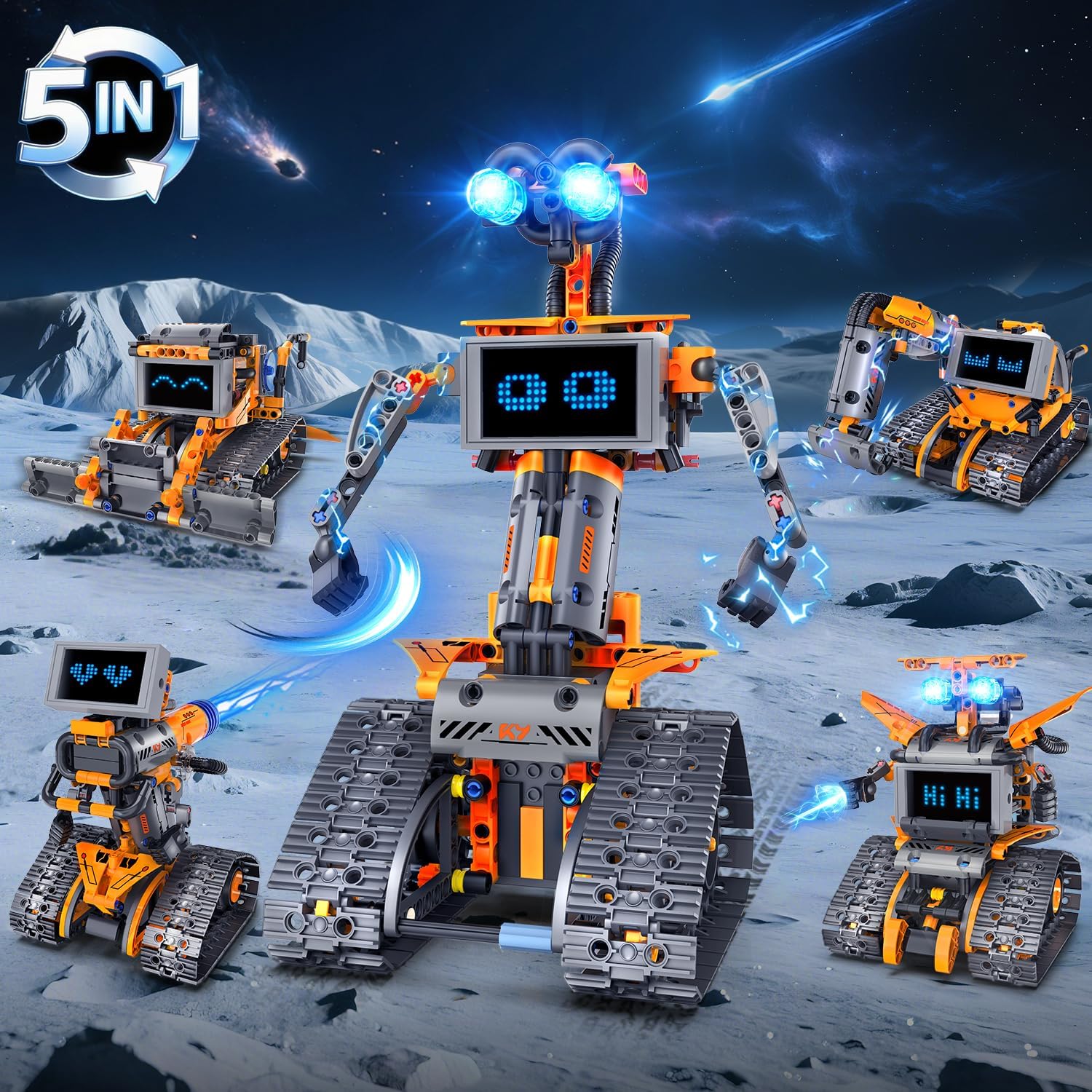
Image 8.1: The five robot models in a dynamic setting, highlighting their operational capabilities.

Image 8.2: Close-up of robot features such as movable joints, LED eyes, and tracks.
9. Maintenance
- Cleaning: Wipe the robot with a dry, soft cloth. Avoid using water or cleaning solutions directly on electronic components.
- Battery Care:
- Charge the robot's internal battery regularly to maintain its lifespan.
- Remove AAA batteries from the remote control if it will not be used for an extended period to prevent leakage.
- Storage: Store the robot and its components in a cool, dry place away from direct sunlight and extreme temperatures.
- Component Check: Periodically inspect all connections and parts for wear or damage. Replace any broken parts to ensure safe and optimal performance.
10. Troubleshooting
| Problem | Possible Cause | Solution |
|---|---|---|
| Robot does not move or respond. | Low battery in robot or remote control. Incorrect battery installation. Connection issue. | Charge the robot's smart module. Replace AAA batteries in the remote control, ensuring correct polarity. Re-establish connection between robot and controller/app. |
| LED eyes or digital panel not working. | LED eyes not twisted to activate. Power issue. | Ensure LED eyes are twisted to the 'ON' position. Check robot's main power. |
| Difficulty connecting to the app. | Bluetooth/wireless interference. App not updated. | Ensure Bluetooth is enabled on your device. Restart the app and robot. Check for app updates. |
| Robot is unstable or parts fall off. | Loose connections during assembly. | Review assembly steps in the manual and ensure all building blocks are securely connected. |
11. Specifications
- Product Name: Robot Building Blocks
- Model Number: SC8814
- Brand: HOGOKIDS
- Material: Plastic
- Number of Pieces: 350
- Recommended Age: 6 years and up
- Product Dimensions: Approximately 2 x 2 x 2 inches (assembled, varies by model)
- Item Weight: 1.94 pounds
- Control: 2.4GHz Remote Control, Smartphone App (Programming, Path Mode, Gyro Mode)
- Battery (Robot): Built-in 1x 3.7V 300mAh Li-ion rechargeable battery
- Battery (Remote Control): 2x 1.5V AAA batteries (not included)
- Features: LED Eyes, 18 Digital Expressions, 5-in-1 Build Options
Image 11.1: Dimensional details for the various robot configurations.
12. Warranty and Support
For warranty information, technical support, or inquiries regarding replacement parts, please contact HOGOKIDS customer service. Contact details can typically be found on the product packaging or the official HOGOKIDS website.
Email: info@hogokidstoys.com
