
Introduction
Thank you for choosing the Micool Mini Sleep Earbuds Wireless. These earbuds are designed for ultimate comfort and discretion, especially for sensitive sleepers. Featuring IPX5 waterproofing, Bluetooth 5.3 connectivity, and a lightweight, invisible design, they provide a peaceful audio experience for relaxation, sleep, or discreet listening.

Image: Micool Mini Sleep Earbuds in their charging case.
Package Contents
- Micool Mini Sleep Earbuds (Left and Right)
- Charging Case
- USB-C Charging Cable
- User Manual
Setup
1. Initial Charging
- Place both earbuds into the charging case.
- Connect the USB-C charging cable to the port on the charging case and to a power source.
- The digital display on the charging case will show the battery percentage. Ensure the earbuds are fully charged before first use.
2. Bluetooth Pairing
- Open the charging case. The earbuds will automatically enter pairing mode.
- On your device (e.g., smartphone, tablet, laptop), enable Bluetooth.
- Search for available Bluetooth devices and select "Micool Q26" (or similar name) from the list.
- Once connected, you will hear an audio prompt, and the earbuds will be ready for use.
Operating Instructions
Wearing the Earbuds
The Micool Mini Sleep Earbuds are designed to fit snugly and discreetly within your ear, making them ideal for side sleepers. Gently insert each earbud into your ear canal until it feels secure and comfortable. The soft silicone ear tips adapt to your ear shape, minimizing pressure for extended wear.
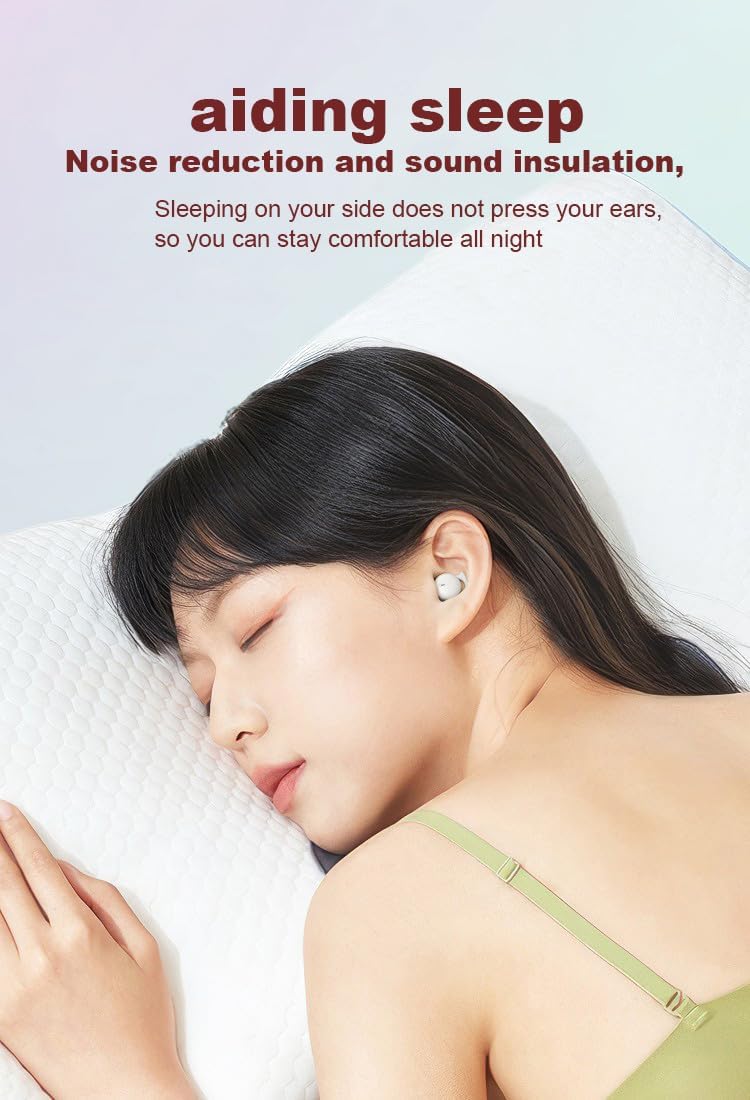
Image: Earbud worn discreetly for sleep.
Touch Controls
Each earbud features a touch-sensitive button for easy control of your audio and calls.

Image: Touch button controls diagram.
- Play/Pause: Single tap on either earbud.
- Answer/Hang up Call: Single tap on either earbud during an incoming call or active call.
- Next Song: Double tap on the right earbud.
- Previous Song: Double tap on the left earbud.
- Reject Call: Press and hold either earbud for 2 seconds during an incoming call.
- Activate Voice Assistant: Triple tap on either earbud.
Independent Earbud Use
Both earbuds can be used independently. You can use one earbud while the other charges in the case, effectively extending your listening time. Simply remove one earbud from the case to use it in mono mode.
Water Resistance (IPX5)
The earbuds are rated IPX5 water-resistant, meaning they can withstand splashes of water and sweat. They are suitable for use during light rain or workouts, but should not be submerged in water.
Maintenance
- Regularly clean the earbuds and charging case with a soft, dry cloth.
- Avoid using abrasive cleaners or solvents.
- Keep the charging contacts on both the earbuds and the case clean to ensure proper charging.
- Store the earbuds in their charging case when not in use to protect them and maintain battery life.
Troubleshooting
Earbuds Not Pairing
- Ensure both earbuds are fully charged.
- Turn off Bluetooth on your device, then turn it back on.
- Forget/delete "Micool Q26" from your device's Bluetooth list and attempt to pair again.
- Place earbuds back in the case, close the lid, wait a few seconds, then open to re-initiate pairing mode.
No Sound or Low Volume
- Check the volume levels on both your device and the earbuds.
- Ensure the earbuds are properly seated in your ears.
- Reconnect the earbuds to your device.
Charging Issues
- Verify the USB-C cable is securely connected to both the case and the power source.
- Ensure the charging contacts on the earbuds and inside the case are clean and free of debris.
- Try using a different USB-C cable or power adapter.
Specifications
| Model Name | Q26 |
| Brand | Micool |
| Connectivity Technology | Wireless (Bluetooth 5.3) |
| Water Resistance | IPX5 |
| Ear Placement | In Ear |
| Form Factor | In Ear |
| Material | Plastic |
| Included Components | Cable, User Manual |
| UPC | 770029329733 |
| Manufacturer | MICOOL |
| Date First Available | June 12, 2023 |
Warranty and Support
Specific warranty information for the Micool Mini Sleep Earbuds (Model Q26) is not provided in the product details. Please refer to the warranty card included in your package or contact Micool customer support for detailed warranty terms and conditions.
For further assistance, technical support, or inquiries, please visit the official Micool website or contact their customer service department. Contact information can typically be found in the included user manual or on the product packaging.