
1. Introduction
This manual provides detailed instructions for the assembly, operation, and maintenance of your Jocoevol Twin Daybed with Trundle and LED Light. Please read this manual thoroughly before assembly and use to ensure safe and correct operation. Keep this manual for future reference.
Product Features:
- Versatile Daybed with Pop-Up Trundle: Converts from a twin daybed to two twin beds or a king-size bed.
- Industrial Vintage Design: White metal frame with wood-colored MDF accents and upholstered headboard.
- Multi-Function RGB LED Light Strip: Controllable via buttons, app, or remote with 16 million colors and music sync mode.
- Storage Headboard with Charging Station: Includes 5.5-inch deep open shelf, 2 AC outlets, 2 USB ports, and 1 Type-C port.
- Foldable Tabletops: Convenient side tables on both sides for holding items.
- Heavy-Duty Metal Construction: Supports up to 880 lbs, with embedded design to prevent mattress sliding.
2. Safety Information
WARNING: Failure to follow these safety instructions could result in serious injury or property damage.
- Do not exceed the maximum weight limit of 880 pounds.
- Be cautious of sharp edges and potential pinch points, especially when operating the trundle bed.
- Follow all assembly instructions carefully to prevent instability or injury.
- Ensure all connections are secure before use. Regularly check and tighten fasteners.
- Keep children away from the assembly area.
- Only use mattresses of the recommended size (Twin) for both the main bed and the trundle.
3. Package Contents
Before beginning assembly, ensure all parts listed in the installation manual are present and undamaged. If any parts are missing or damaged, do not proceed with assembly and contact customer support.
Included Components: Headboard, Installation Manual, Trundle Bed (as per product specifications).

Figure 1: Exploded view of the Jocoevol Daybed with Trundle, showing all major components and dimensions.
4. Setup and Assembly
Assembly is designed to be straightforward. It is recommended to have two people for assembly. All necessary tools are included.
4.1. Preparation
- Clear a spacious area for assembly.
- Unpack all components and lay them out on a soft, clean surface to prevent scratches.
- Identify all parts using the provided parts list in the installation manual.
4.2. Assembly Steps (Refer to included Installation Manual for detailed diagrams)
- Assemble the main daybed frame according to the instructions. Ensure all bolts are finger-tightened initially.
- Attach the upholstered headboard and side panels.
- Install the LED light strip into the headboard channel. Connect the power cable.
- Mount the charging station into the designated slot on the headboard.
- Assemble the trundle bed frame. Ensure the lockable casters are correctly installed.
- Insert the assembled trundle bed under the main daybed frame.
- Once all components are in place, fully tighten all bolts and fasteners.
- Attach the foldable tabletops to the side rails.

Figure 2: Daybed with trundle extended, illustrating the overall dimensions and configuration.
5. Operating Instructions
5.1. Trundle Bed Operation
- To extend the trundle: Gently pull the trundle frame out from under the main daybed.
- To raise the trundle: Lift the trundle frame until the legs lock into place. Ensure both locking mechanisms are engaged for stability.
- To convert to a king-size bed: Position the raised trundle bed next to the main daybed.
- To retract the trundle: Disengage the leg locks, lower the trundle, and slide it back under the main daybed.

Figure 3: Illustration of the daybed's versatility, showing the trundle in its stored, pulled-out, and raised positions.
5.2. LED Light Operation
The RGB LED light strip can be controlled via the included remote, a dedicated app, or integrated buttons.
- Remote Control: Use the remote to turn the lights on/off, change colors (16 million options), adjust brightness, select from 20+ preset lighting effects, and activate music sync mode.
- App Control: Download the compatible app (refer to the headboard's QR code or manual for app details) to access advanced features, custom color settings, and music synchronization.
- Music Sync Mode: In this mode, the LED lights will flash and change rhythmically with music played through a connected device (via app).
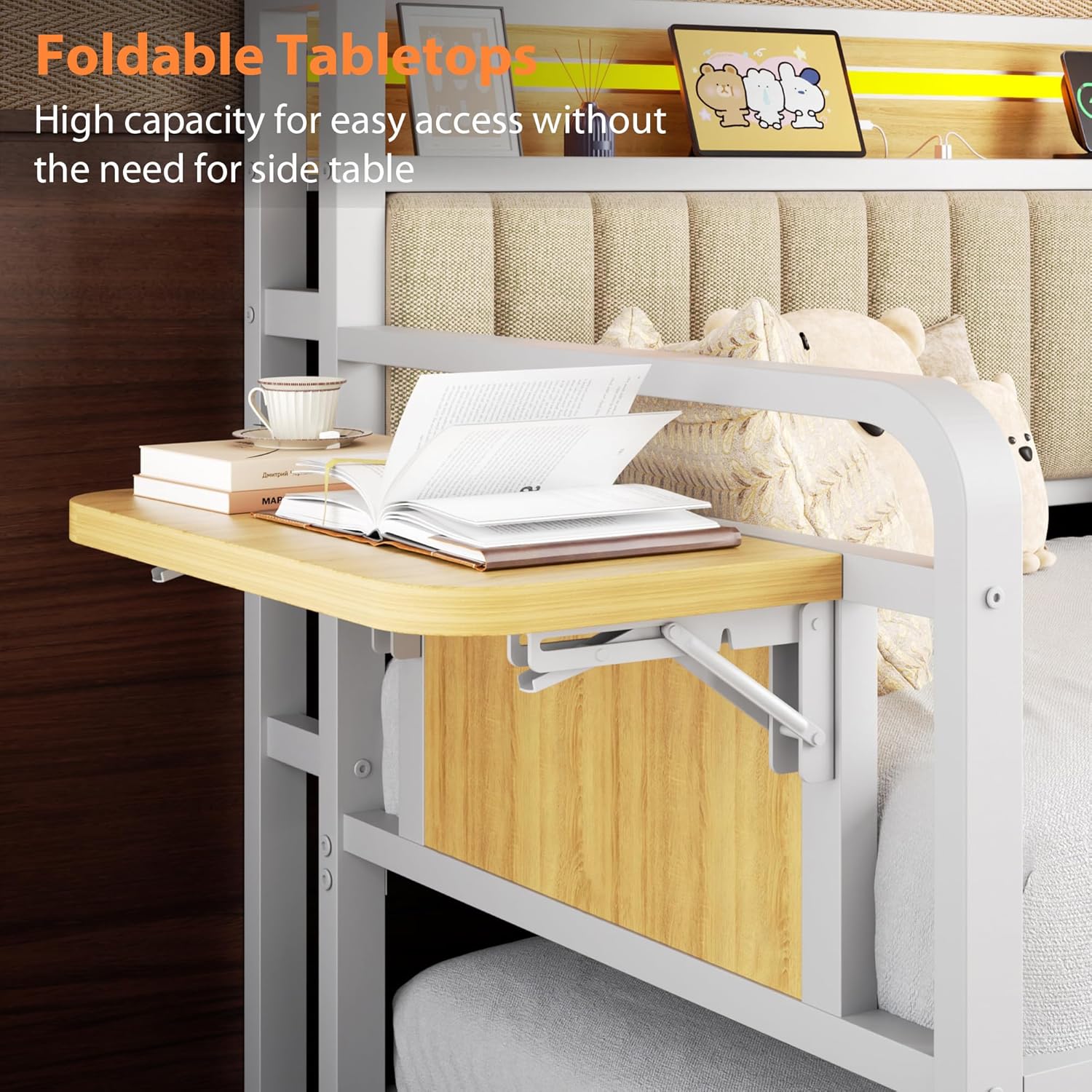
Figure 4: The LED light strip in the headboard, demonstrating its music synchronization feature and control options.
5.3. Charging Station Usage
The integrated charging station provides convenient power access.
- Connect the daybed's power cord to a standard wall outlet.
- Use the 2 standard AC outlets (125V/12A), 2 USB ports (5V/2A), and 1 Type-C port (5V/3A) to charge your electronic devices.
- Ensure devices are compatible with the provided power specifications.
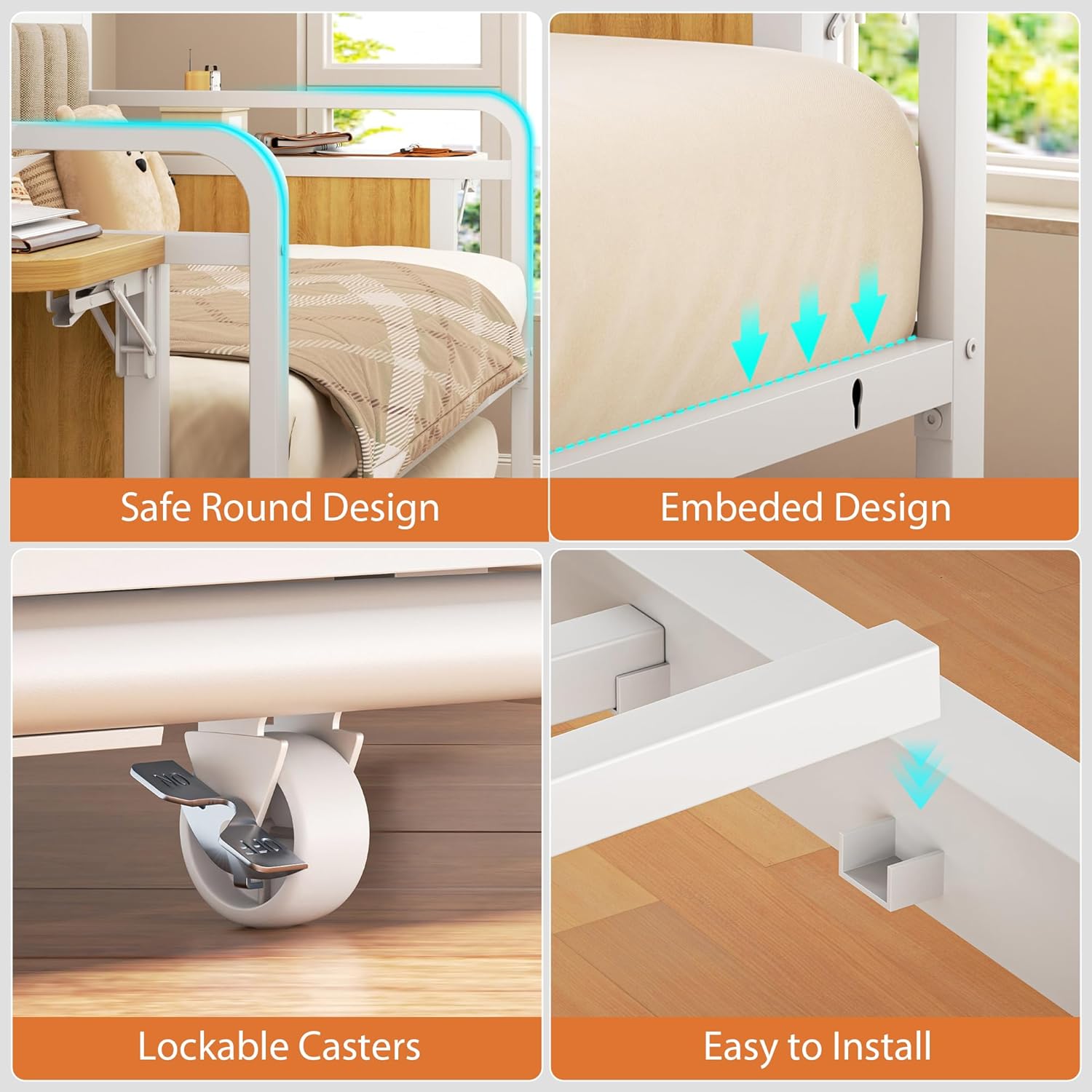
Figure 5: Detail of the storage headboard's charging station, featuring AC outlets, USB ports, and a Type-C port.
5.4. Foldable Tabletops
The foldable tabletops provide additional surface area.
- To deploy: Gently pull the tabletop outwards and lower the support arm until it locks into place.
- To fold: Release the support arm lock and fold the tabletop upwards against the bed frame.

Figure 6: The foldable tabletop in its extended position, offering convenient access to items.
6. Maintenance
- Cleaning: Wipe metal and wood surfaces with a soft, damp cloth. For upholstered parts, use a fabric cleaner suitable for linen, following product instructions. Avoid harsh chemicals.
- Fasteners: Periodically check all bolts and screws to ensure they are tight. Re-tighten as necessary to maintain stability.
- LED Lights: If LED lights malfunction, check the power connection. If issues persist, contact customer support. Do not attempt to repair the LED strip yourself.
- Trundle Mechanism: Keep the trundle's wheels and sliding mechanism free of debris to ensure smooth operation.
7. Troubleshooting
| Problem | Possible Cause | Solution |
|---|---|---|
| Trundle does not slide smoothly. | Debris in wheels or tracks; misaligned frame. | Clean wheels and tracks. Check for proper alignment during assembly. |
| LED lights not working. | Power cable disconnected; remote battery low; LED strip malfunction. | Ensure power cable is securely plugged in. Replace remote batteries. Contact support if issue persists. |
| Charging station not providing power. | Daybed not plugged in; device not compatible; internal wiring issue. | Verify daybed is plugged into a live outlet. Check device compatibility. Contact support if issue persists. |
| Bed frame feels unstable or wobbly. | Loose fasteners; incorrect assembly. | Check and tighten all bolts and screws. Review assembly instructions for any missed steps. |
8. Specifications
| Feature | Detail |
|---|---|
| Model Number | C-1691 |
| Brand | Jocoevol |
| Size | Twin (Daybed and Trundle) |
| Product Dimensions (L x W x H) | 77.4" x 45.1" x 44.5" |
| Weight Capacity | 880 lbs |
| Material | Heavy-Duty Metal, MDF, Linen Fabric |
| Color | White |
| Charging Station | 2 AC Outlets (125V/12A), 2 USB Ports (5V/2A), 1 Type-C Port (5V/3A) |
| LED Lighting | RGB, 16+ Million Colors, 20+ Preset Effects, Music Sync, Remote/App Control |
| Assembly Required | Yes (Instructions and tools included) |
9. Warranty and Support
9.1. Warranty Information
This product comes with a standard manufacturer's warranty. Please refer to the warranty card included in your package for specific terms and conditions. Keep your proof of purchase for warranty claims.
Protection plans are available for purchase separately:
- 2-Year Protection Plan
- 3-Year Protection Plan
9.2. Customer Support
For any questions, concerns, or assistance with assembly, operation, or troubleshooting, please contact Jocoevol customer support. Our dedicated support team is available to assist you and will respond within 24 hours.
Contact information can typically be found on the product packaging or the official Jocoevol website.