
Introduction
Welcome to the user manual for your EleksMaker EleksTube IPS PRO GEN3. This device is a sophisticated 6-bit digital clock designed to simulate the aesthetic of classic Nixie tubes using high-quality IPS displays. It features a precision-crafted CNC aluminum alloy base, offering both durability and an elegant appearance. This manual provides essential information for setting up, operating, maintaining, and troubleshooting your device to ensure optimal performance and enjoyment.
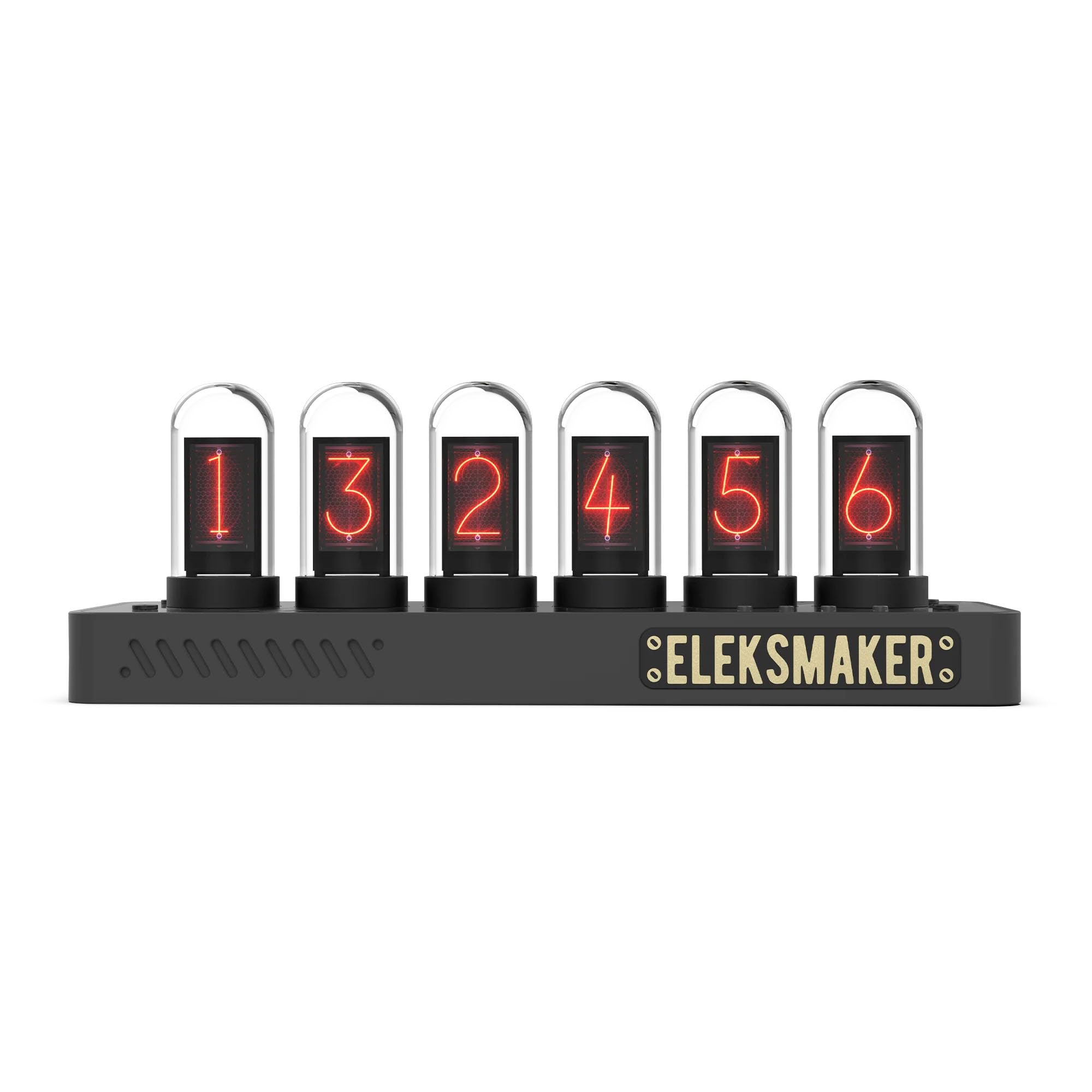
Image: The EleksMaker EleksTube IPS PRO GEN3 clock, showcasing its digital displays mimicking Nixie tubes with green numbers.
Key Features:
- Premium Limited Edition Nixie Tube Design: Exclusive 6-bit digital clock featuring high-quality IPS displays that perfectly simulate classic Nixie tubes, housed in a precision-crafted CNC aluminum alloy base for exceptional durability and elegance.
- Fully Customizable Display: Upload your own photos or choose from 40+ watch faces using the included software (Windows compatible). Six pre-installed themes with one-button switching for instant personalization.
- Smart WiFi Time Synchronization: Auto-syncs time via 2.4G WiFi connection to ensure perfect accuracy without manual adjustments. Clear 24-hour time format with adjustable brightness for any environment.
- Silent Operation & Versatile Placement: Zero noise operation makes it perfect for bedrooms, offices, or living spaces. Compact size (8.27"W x 2.83"H) fits perfectly on desks, nightstands, or shelves as a functional statement piece.
- Modern Connectivity & Easy Setup: Features USB-C power connection for stable performance. Complete package includes clock base, six IPS displays with quartz tubes, USB-C cable, and comprehensive user manual for simple setup.
Setup
1. Unboxing and Component Check:
Carefully remove all components from the packaging. Ensure you have the following items:
- EleksTube IPS PRO GEN3 Clock Base
- Six IPS Displays with Quartz Tubes
- USB-C Power Cable
- User Manual (this document)
2. Installing the IPS Displays:
Gently insert each IPS display into its designated slot on the clock base. Ensure they are seated firmly. The displays are designed for easy installation and removal.

Image: Overview of the EleksTube IPS PRO GEN3, highlighting the USB-C connection and the individual IPS display units.
3. Power Connection:
Connect the provided USB-C cable to the USB-C port on the back of the clock base. Plug the other end into a compatible USB power adapter (not included) or a powered USB port. The device will power on automatically.
4. Initial Wi-Fi Synchronization:
Upon first power-on, the device will attempt to connect to a 2.4G Wi-Fi network for time synchronization. Follow the on-screen prompts or refer to the included software instructions for connecting to your local Wi-Fi network. This ensures accurate time display without manual adjustments.
Operating Instructions
1. Basic Time Display:
Once connected to Wi-Fi, the clock will automatically display the current time in a 24-hour format. The IPS displays will show numbers mimicking the classic Nixie tube style.

Image: Detailed view of the IPS displays, showcasing the intricate digital representation of numbers.
2. Customizing Displays:
The EleksTube IPS PRO GEN3 offers extensive customization options:
- Software Customization: Use the dedicated Windows-compatible software to upload your own photos or select from over 40 pre-designed watch faces. This software allows for detailed control over display content.
- Theme Switching: The device comes with six pre-installed themes. Use the physical button(s) on the device (refer to the device diagram for exact button location) to cycle through these themes for instant personalization.
- Adjustable Brightness: Brightness can be adjusted via the software or, in some models, through dedicated buttons on the device. This allows you to optimize visibility for any lighting condition.

Image: The clock displaying red numbers, demonstrating one of the many customizable visual styles.
Maintenance
1. Cleaning:
To clean the device, gently wipe the aluminum base and glass tubes with a soft, dry, lint-free cloth. Avoid using abrasive cleaners, solvents, or sprays directly on the device, as these can damage the finish or electronic components.
2. General Care:
- Keep the device away from direct sunlight, extreme temperatures, and high humidity.
- Ensure the device is placed on a stable, flat surface to prevent accidental falls.
- Avoid dropping or subjecting the device to strong impacts.
Troubleshooting
If you encounter any issues with your EleksTube IPS PRO GEN3, please refer to the following common troubleshooting steps:
| Problem | Possible Cause | Solution |
|---|---|---|
| Device does not power on. | No power, faulty cable, or adapter. |
|
| Time is incorrect. | No Wi-Fi connection or incorrect time zone setting. |
|
| Displays are blank or flickering. | Loose display tubes, software issue, or power fluctuation. |
|
Specifications

Image: Dimensional drawing of the EleksTube IPS PRO GEN3 clock.
| Feature | Detail |
|---|---|
| Brand | EleksMaker |
| Model Number | EleksTube IPS PRO GEN3 |
| Display Type | Digital (IPS) |
| Material | Aluminum (Frame) |
| Product Dimensions | 8.27"W x 3.15"H (approx. 210mm W x 80mm H) |
| Item Weight | 14.1 ounces (approx. 0.4 kg) |
| Power Source | Corded Electric (USB-C) |
| Connectivity Technology | USB-C, 2.4G Wi-Fi |
| Special Features | Flip, LED Display, Large Display, Nixie Tube Simulation, Programmable |
| Indoor/Outdoor Usage | Indoor |
Warranty Information
The EleksMaker EleksTube IPS PRO GEN3 comes with a Limited Warranty. For specific terms and conditions, please refer to the warranty card included in your product packaging or visit the official EleksMaker website. This warranty typically covers manufacturing defects under normal use.
Support
For further assistance, technical support, or inquiries regarding your EleksMaker EleksTube IPS PRO GEN3, please contact EleksMaker customer service. You can often find contact information on the official EleksMaker website or through the retailer where you purchased the product.
You can also visit the EleksMaker Store on Amazon for product updates and additional resources.
