
1. Safety Information
Please read and understand all instructions before beginning installation. Failure to follow these instructions could result in electric shock, fire, or personal injury.
- Ensure the power is disconnected at the circuit breaker before installation or servicing.
- All wiring must be in accordance with national and local electrical codes.
- The fan must be mounted with a minimum of 7 feet (2.1 meters) clearance from the floor to the blade trailing edge.
- Do not operate the fan with damaged blades.
- Do not insert objects into the path of the fan blades.
- This fan is designed for indoor use only.
2. Package Contents
Verify that all components are present before proceeding with installation:
- Instruction Manual
- Mounting Hardware
- LED Lens
- Remote Control
- Shade
- 6-inch Downrod
- 10-inch Downrod
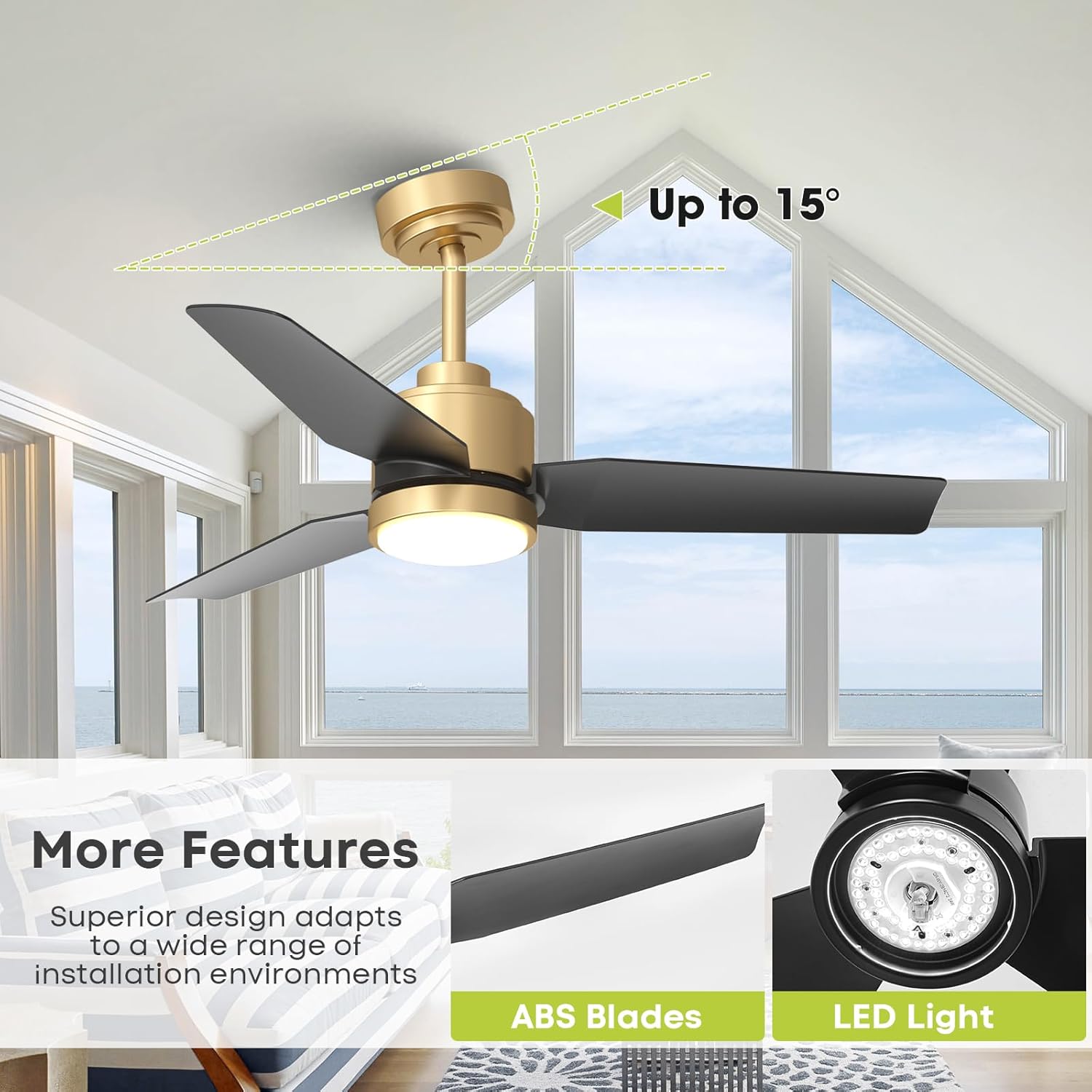
Image: Detailed dimensions of the Vaczon 42-inch ceiling fan, including downrod lengths.
3. Product Features
- Modern Design: 42-inch black and gold ceiling fan with a sleek minimalist body, ABS matte black blades, and an acrylic LED panel.
- Powerful & Energy-Efficient DC Motor: Delivers up to 3950 CFM airflow with 6 adjustable speeds. Operates quietly at 39 dB.
- Reversible Function: Provides cooling in summer and warm air circulation in winter.
- Dimmable LED with 3 Color Temperatures: Integrated 24W LED offers stepless dimming and 3 color temperatures (3000K warm light / 4000K neutral / 6500K daylight).
- Smart App & Remote Control: Control lighting and fan settings via the FanLamp Pro App or the included remote. Features include timers, brightness adjustment, speed changes, airflow direction switch, and memory function.
- Flexible Installation: Includes 6-inch and 10-inch downrods for ceilings up to a 15° slope.
- Durable Construction: Made from iron, aluminum, copper, and acrylic.
- Certifications: ETL/DOE/CEC certified.

Image: The fan's LED light displaying 3000K warm, 4000K neutral, and 6500K daylight color temperatures.

Image: Remote control for the Vaczon ceiling fan, showing various function buttons.
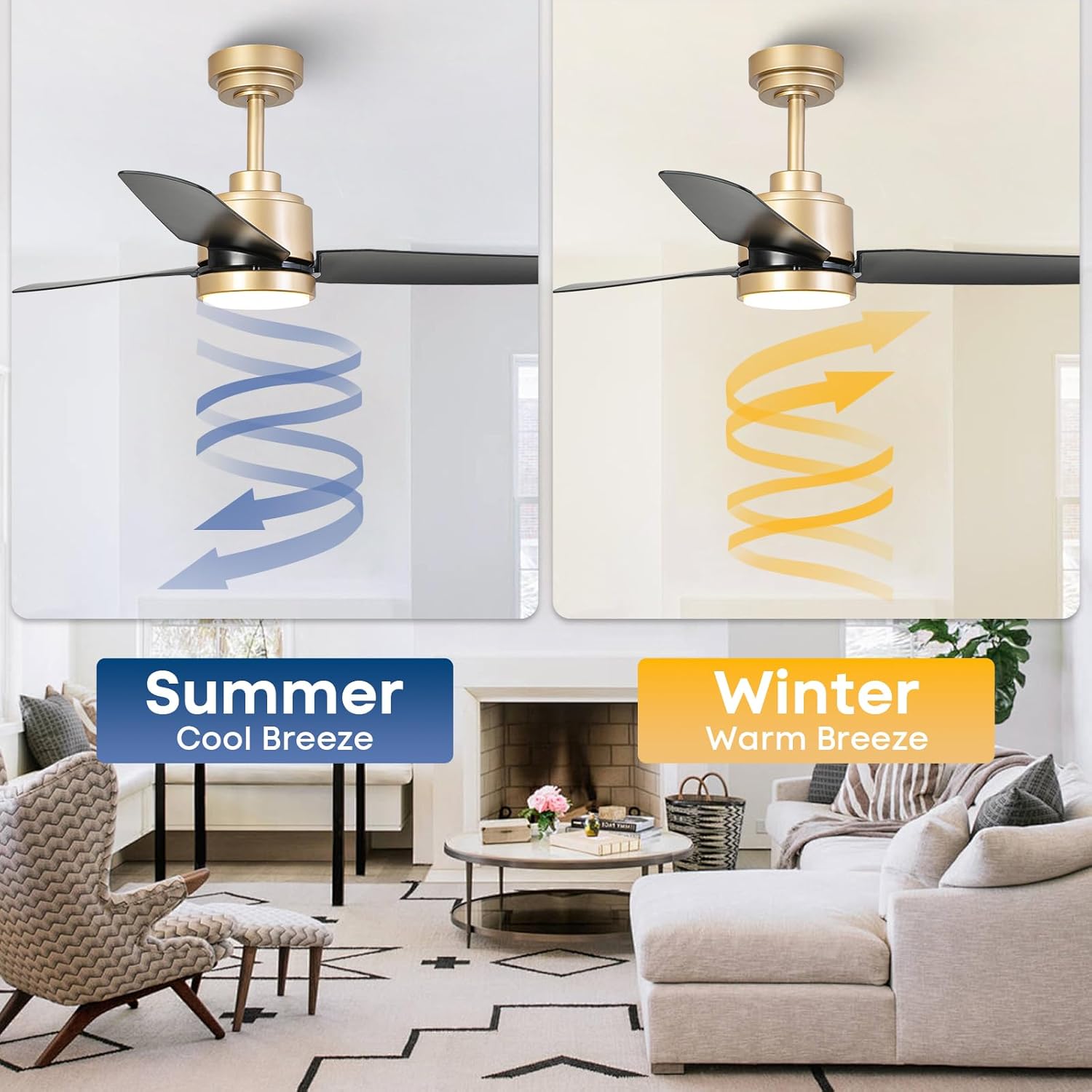
Image: Visual representation of the fan's reversible airflow for summer cooling and winter warming.
4. Setup and Installation
This section provides a general overview. Refer to the detailed instruction manual included in your package for specific step-by-step guidance.
- Prepare for Installation: Turn off power at the circuit breaker. Clear the installation area.
- Mounting Bracket: Securely attach the mounting bracket to the ceiling junction box. Ensure it can support the fan's weight.
- Assemble Downrod: Choose either the 6-inch or 10-inch downrod based on your ceiling height and preference. Feed the electrical wires through the downrod.
- Hang the Fan: Carefully lift the fan motor assembly and hang it onto the mounting bracket.
- Wiring: Connect the electrical wires from the fan to the supply wires in the junction box according to the wiring diagram in the full manual.
- Attach Blades: Securely attach the fan blades to the motor housing.
- Install Light Kit: Connect the light kit wiring and attach the LED lens/shade.
- Restore Power: Once installation is complete and all connections are secure, restore power at the circuit breaker.
The fan is designed for downrod mount and can accommodate sloped ceilings up to 15 degrees.
5. Operating Instructions
Your Vaczon ceiling fan can be operated using the included remote control or the FanLamp Pro smartphone application.
Remote Control Functions:
- Power On/Off: Press the power button to turn the fan and light on or off.
- Fan Speed: Use the speed buttons (1-6) to adjust the fan's rotation speed.
- Light On/Off: Toggle the light independently of the fan.
- Light Dimming: Use the brightness adjustment buttons to increase or decrease light intensity.
- Color Temperature: Cycle through 3000K (warm), 4000K (neutral), and 6500K (daylight) light settings.
- Reverse Function: Activate the reversible DC motor to change airflow direction for summer (downward) or winter (upward) use.
- Timer: Set the fan to turn off automatically after 1 or 2 hours.
- Memory Function: The fan remembers your last light and speed settings.
App Control (FanLamp Pro):
Download the FanLamp Pro app from your smartphone's app store. Follow the in-app instructions to pair your fan. The app provides all remote control functionalities, plus additional smart home integration features.

Image: A hand holding a smartphone showing the FanLamp Pro app interface for fan control.
6. Maintenance
Regular maintenance ensures optimal performance and longevity of your ceiling fan.
- Cleaning: Dust the fan blades and motor housing regularly with a soft, lint-free cloth. For deeper cleaning, wipe with a damp cloth and mild soap, then dry immediately. Do not use abrasive cleaners or solvents.
- Blade Balance: If the fan wobbles, check that all blade screws are tight. If wobbling persists, use a fan balancing kit (not included) to correct the balance.
- Tighten Fasteners: Periodically check all screws and fasteners on the fan and mounting hardware to ensure they are tight.
- Light Source: The integrated LED light source is designed for long life and is not user-replaceable.
7. Troubleshooting
If you encounter issues with your fan, refer to the following common problems and solutions:
| Problem | Possible Cause | Solution |
|---|---|---|
| Fan does not start | No power to the fan; Loose wire connections; Remote control battery low. | Check circuit breaker and wall switch; Verify all wire connections are secure; Replace remote control batteries. |
| Light does not work | Loose wire connection; LED driver failure. | Check light kit wiring; Contact customer support if LED driver is suspected. |
| Fan wobbles | Loose blade screws; Unbalanced blades; Loose mounting bracket. | Tighten all blade screws; Use a balancing kit; Ensure mounting bracket is securely fastened. |
| Remote control not working | Low battery; Incorrect pairing. | Replace batteries; Refer to the manual for remote pairing instructions. |
| Excessive noise | Loose screws; Motor issues. | Check and tighten all screws; If noise persists, contact customer support. |
If you cannot resolve the issue using these steps, please contact Vaczon customer support.
8. Specifications
| Feature | Detail |
|---|---|
| Brand | Vaczon |
| Model Number | VCZ007GD |
| Color | Gold Black |
| Size | 42 Inch |
| Material | Acrylonitrile Butadiene Styrene, Metal, Acrylic |
| Style | Modern |
| Motor Type | DC Motor (Reversible) |
| Fan Speeds | 6 Adjustable Speeds |
| Airflow (Max) | 3950 CFM |
| Noise Level | As low as 39 dB |
| Light Source | Integrated LED |
| Light Wattage | 24W |
| Brightness | 2700 Lumen |
| Color Temperatures | 3000K (Warm), 4000K (Neutral), 6500K (Daylight) |
| Control Method | Remote Control, App Control (FanLamp Pro) |
| Timer Function | 1H, 2H |
| Voltage | 120 Volts |
| Mounting Type | Downrod Mount (6" and 10" included) |
| Sloped Ceiling Compatibility | Up to 15 degrees |
| Certifications | ETL, DOE, CEC, FCC |
9. Warranty
This Vaczon ceiling fan comes with a 180-day manufacturer's warranty from the date of purchase. This warranty covers defects in materials and workmanship under normal use. Please retain your proof of purchase for warranty claims. The warranty does not cover damage resulting from improper installation, misuse, abuse, or natural disasters.
10. Support
For technical assistance, troubleshooting beyond this manual, or warranty inquiries, please contact Vaczon customer service. You can find contact information on the official Vaczon website or through your retailer.
Please have your model number (VCZ007GD) and proof of purchase ready when contacting support.