
1. Introduction
This manual provides essential information for the safe and efficient use of your FLEXISPOT EM37 35-inch Electric Standing Desk Converter. This motorized desk riser is designed to transform your existing desk into a dynamic sit-stand workstation, promoting better posture and reducing fatigue. Please read this manual thoroughly before setup and operation.
2. Safety Information
WARNING: Failure to follow these safety instructions may result in injury or damage to the product.
- Always ensure the desk riser is not overloaded beyond its weight limit of 55 lbs (44 lbs desktop + 11 lbs keyboard tray).
- Use caution when assembling the product and follow the provided instructions carefully to avoid potential hazards.
- Keep the work area clear of obstructions to prevent accidents during height adjustment.
- Ensure all cables are properly managed and secured to prevent pinching or damage during movement.
- Do not allow children to operate the desk converter without adult supervision.
3. Package Contents
Verify that all components are present before beginning assembly:
- FLEXISPOT EM37 Desk Converter Unit
- Detachable Keyboard Tray
- Power Adapter and Cable
- User Manual (this document)
4. Setup Instructions
The FLEXISPOT EM37 desk converter is designed for quick and simple setup, arriving nearly fully assembled.
- Unbox the Unit: Carefully remove the desk converter from its packaging and place it on your existing desk surface.
- Attach the Keyboard Tray: The keyboard tray features a quick-release design for easy attachment. Align the tray's brackets with the slots on the main unit and slide it into place until it locks securely. No tools are required.
- Connect Power: Plug the power adapter into the desk converter and then into a standard electrical outlet.
- Arrange Your Workspace: Place your monitors, laptop, keyboard, mouse, and other accessories on the designated surfaces. Ensure proper cable management to avoid interference with the lifting mechanism.

Your desk converter is now ready for use!
5. Operating Instructions
The FLEXISPOT EM37 offers smooth, electric height adjustment for seamless transitions between sitting and standing positions.
5.1 Height Adjustment
- To Raise: Press and hold the 'Up' arrow button on the control panel. The desk converter will smoothly ascend. Release the button at your desired height.
- To Lower: Press and hold the 'Down' arrow button on the control panel. The desk converter will smoothly descend. Release the button at your desired height.


5.2 Workspace Utilization
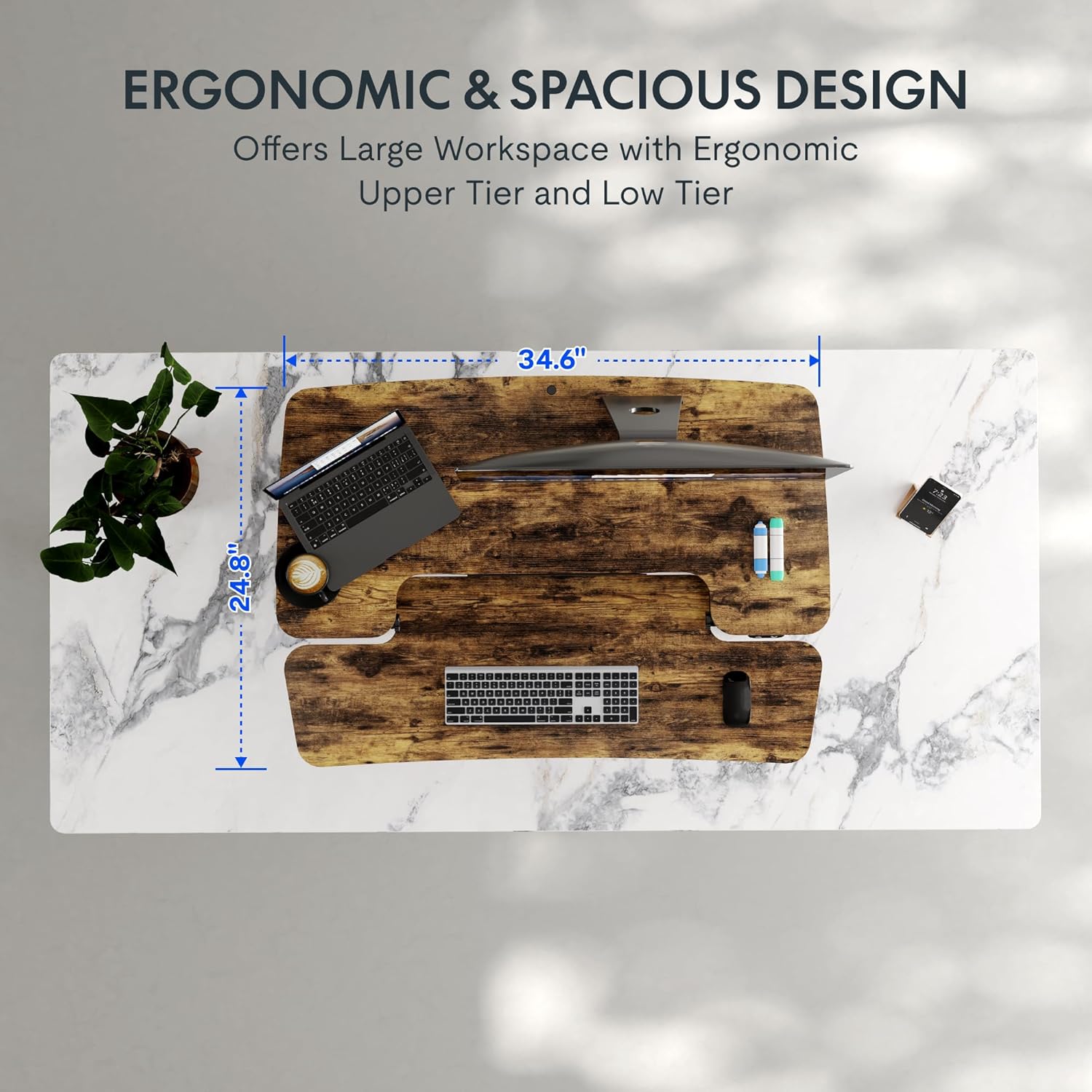
The U-shaped desktop and keyboard tray provide ample space for various setups:
- Desktop: Accommodates dual monitors, laptops, and other essential office items.
- Keyboard Tray: Designed to hold your keyboard and mouse comfortably, promoting ergonomic wrist positioning.
5.3 Product Videos
Video 5.1: Official product video demonstrating the assembly and electric height adjustment of the FLEXISPOT EM37 Electric Standing Desk Converter.
Video 5.2: Official product video showcasing key features and benefits of the FLEXISPOT EM37 Electric Standing Desk Converter, including its electric lift and spacious design.
6. Maintenance
To ensure the longevity and optimal performance of your FLEXISPOT EM37 desk converter, follow these maintenance guidelines:
- Cleaning: Wipe surfaces with a soft, damp cloth. Avoid harsh chemicals or abrasive cleaners.
- Cable Management: Regularly check and organize cables to prevent tangling or damage during height adjustments.
- Inspection: Periodically inspect all moving parts and connections for any signs of wear or looseness. Tighten fasteners if necessary.
- Weight Limits: Adhere strictly to the maximum weight capacity to prevent strain on the motor and structure.
7. Troubleshooting
If you encounter any issues with your desk converter, refer to the following common troubleshooting steps:
- Desk Not Moving:
- Check if the power cable is securely plugged into both the desk converter and the wall outlet.
- Ensure the wall outlet is functional by testing it with another device.
- Uneven Movement:
- Verify that the weight on the desktop is evenly distributed and does not exceed the maximum capacity.
- Ensure the desk converter is placed on a flat, stable surface.
- Unusual Noises:
- A slight motor hum is normal during operation. If you hear grinding or loud noises, discontinue use and contact customer support.
For persistent issues not covered here, please contact FLEXISPOT customer support.
8. Specifications
| Feature | Detail |
|---|---|
| Brand | FLEXISPOT |
| Model Number | EMT137 (35R) |
| Product Dimensions | 16.3"D x 35"W x 19.7"H |
| Minimum Height | 5.7 Inches |
| Maximum Height | 19.7 Inches |
| Item Weight | 38 Pounds |
| Maximum Weight Recommendation | 44 lbs (Desktop) + 11 lbs (Keyboard Tray) = 55 lbs Total |
| Material Type | Metal, Wood |
| Color | Rustic |
| Special Features | Adjustable, Adjustable Height, Electric, Ergonomic, Keyboard Tray Included |
| Assembly Instructions Description | None required, comes already assembled. |
9. Warranty and Support
Your FLEXISPOT EM37 Electric Standing Desk Converter comes with a limited warranty. For specific warranty details, please refer to the product packaging or contact FLEXISPOT directly.
- Returns: Enjoy 30-day easy returns.
- Customer Support: For any questions, technical assistance, or warranty claims, please contact FLEXISPOT customer support.
