1. Product Overview and Components
The Shark PowerPro Flex Reveal Plus Cordless Vacuum is designed for efficient cleaning across various surfaces. This section details the main components of your vacuum.

Image: The Shark PowerPro Flex Reveal Plus Cordless Vacuum shown with its main body, flexible wand, floor nozzle, and included accessories like the crevice tool and upholstery tool.
Included Accessories:
- 8-inch Crevice Tool
- Upholstery Tool
2. Setup and Initial Use
Assembly
- Insert the wand into the floor nozzle until it clicks securely into place.
- Insert the handheld vacuum into the top of the wand until it clicks securely into place.
- Ensure all connections are firm before operation.
Charging the Battery
The vacuum is powered by a removable battery. For optimal performance, fully charge the battery before first use.
- Remove the battery by pressing the release button and sliding it out.
- Connect the charger to the battery and plug it into a power outlet.
- The battery indicator lights will show charging status. A full charge provides up to 50 minutes of runtime (measured at the handvac in standard mode).
- Once charged, reinsert the battery into the handheld vacuum until it clicks.
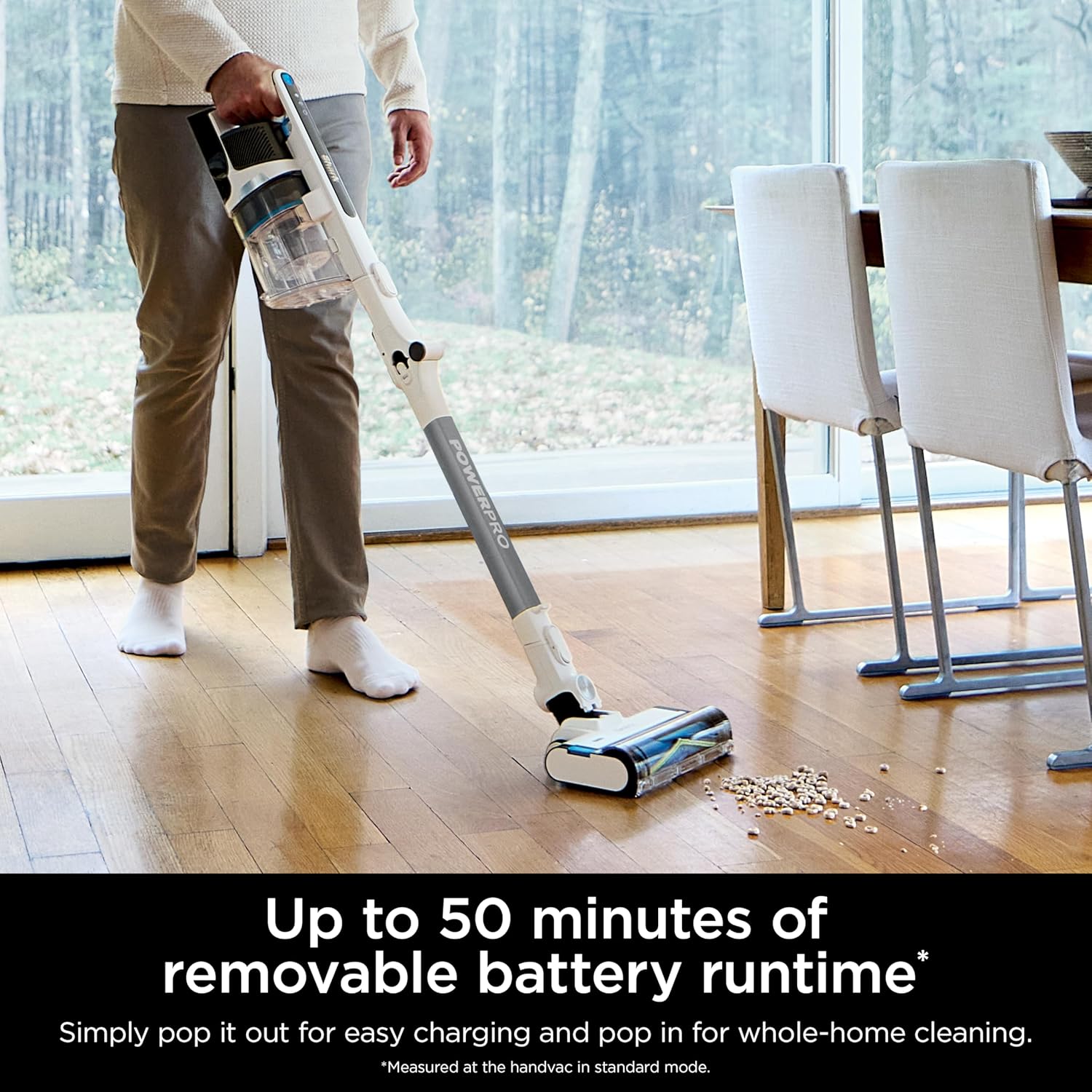
Image: The Shark PowerPro Flex Reveal Plus vacuum in use, illustrating its cordless operation and highlighting the removable battery for charging.
3. Operating Instructions
Powering On/Off
Press the power button located on the handheld unit to turn the vacuum on or off.
FloorDetect Technology
The vacuum automatically detects the floor type and adjusts the brushroll speed for optimized cleaning performance on both carpets and hard floors. No manual adjustments are required when transitioning between surfaces.

Image: An overhead view of the vacuum head on a floor, with an overlay illustrating the FloorDetect technology sensing the surface and adjusting brushroll speed.
Dirt-Reveal Technology and LED Headlights
Integrated LED headlights illuminate hidden dust and debris on your floors, ensuring no spot is missed during cleaning. This feature works in conjunction with Dirt-Reveal Technology to make invisible dirt visible.
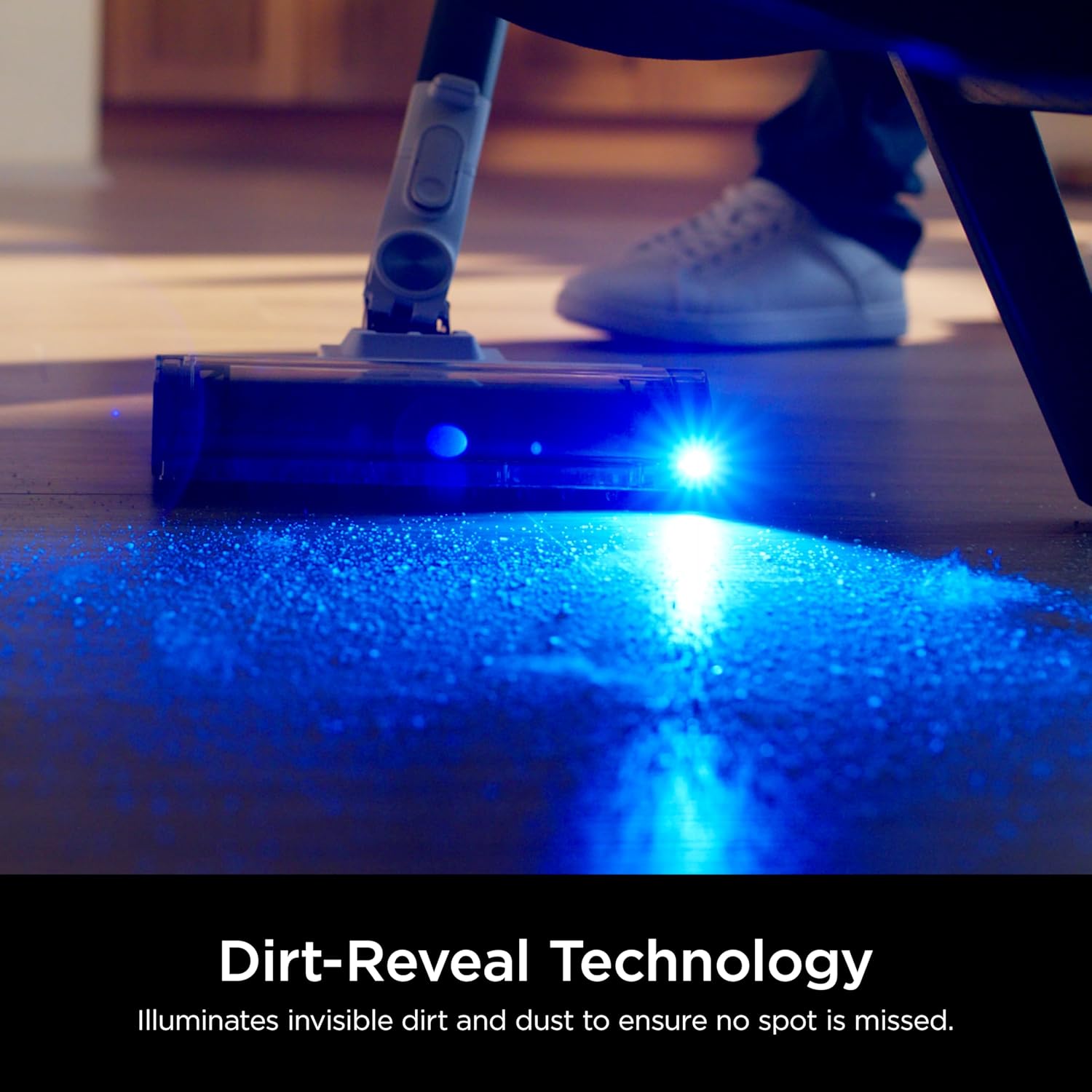
Image: The vacuum head with its LED light shining on a dark floor, revealing illuminated dust particles.

Image: A close-up of the vacuum head's LED headlights illuminating debris on a dark surface.
MultiFLEX Technology
The flexible wand allows you to bend the vacuum to easily clean under furniture without needing to move it. It also folds over for compact storage.
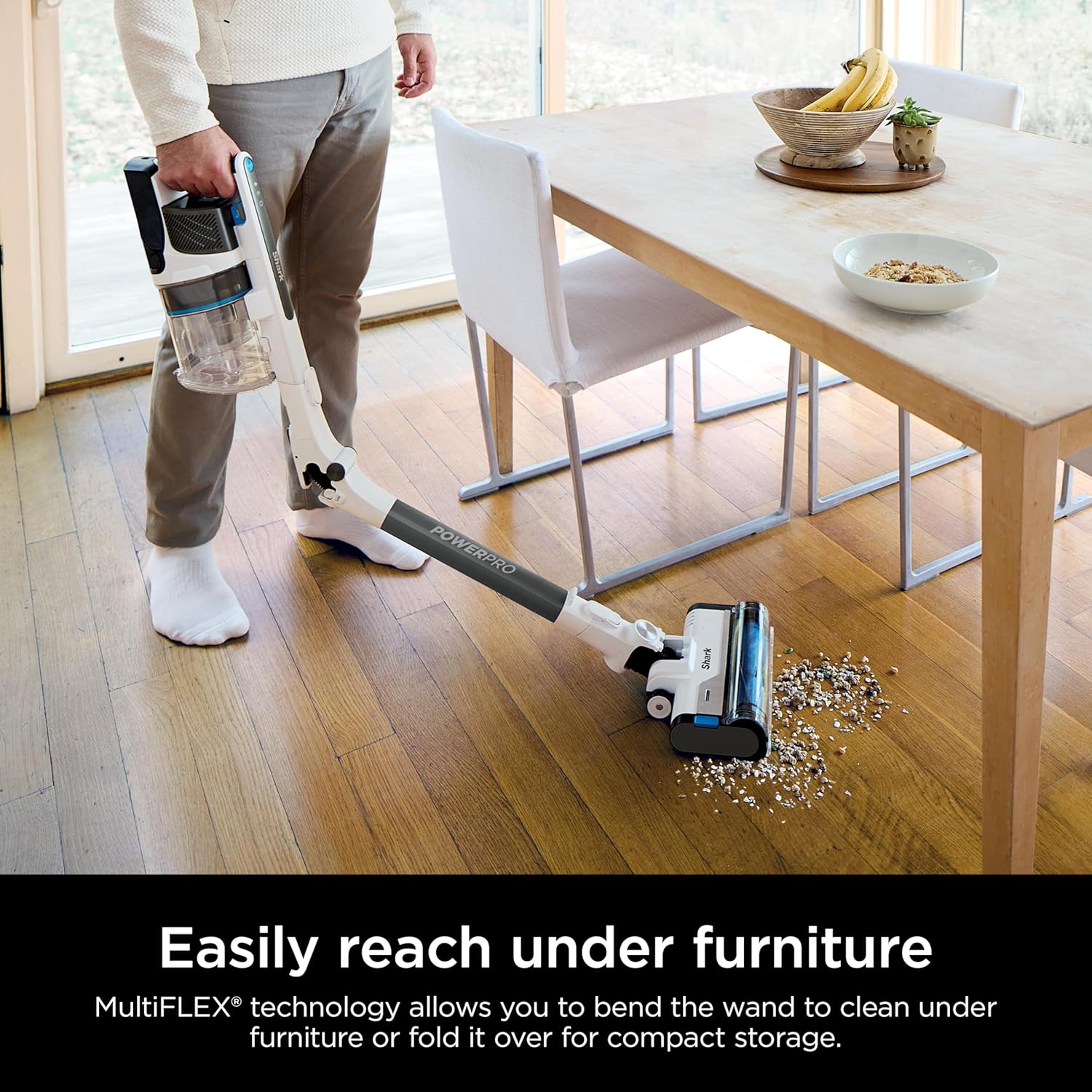
Image: A person using the vacuum with the wand bent to clean underneath a table, demonstrating the MultiFLEX feature.
Handheld Vacuum Conversion
The main unit easily detaches from the wand to convert into a handheld vacuum, ideal for cleaning countertops, furniture, and hard-to-reach areas.

Image: A split image showing the vacuum in full stick mode reaching high, and then converted to a handheld unit cleaning a sofa with pet hair.
Multi-Surface Cleaning
The PowerFins multi-surface nozzle is designed to engage floors with continuous contact, providing deep cleaning on both carpets and hard floors without the need to switch nozzles.
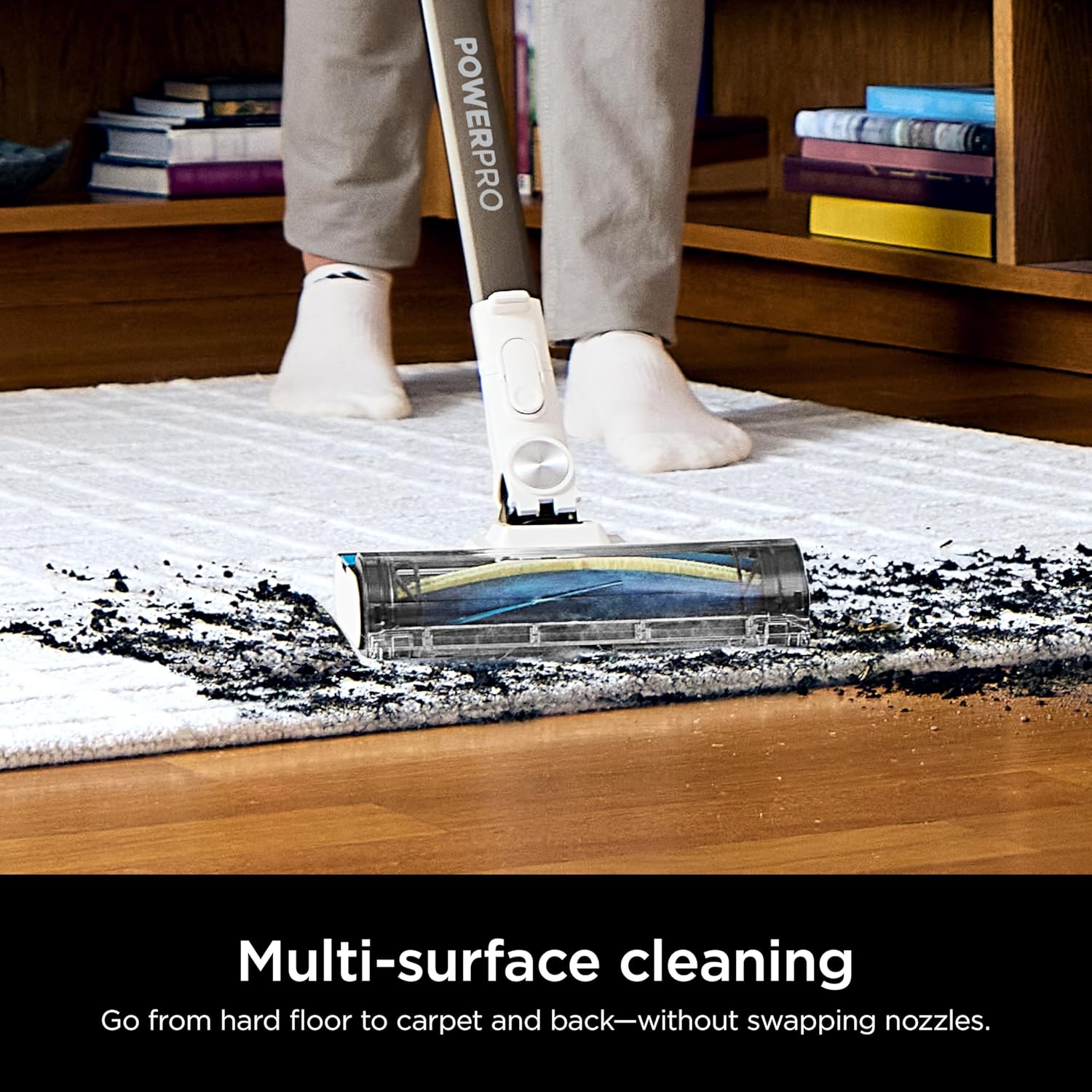
Image: The vacuum head cleaning a rug that transitions onto a hard floor, demonstrating its multi-surface capability.
Pet Hair Pickup
The vacuum is engineered for powerful pet hair pickup, effectively removing pet hair from various surfaces.

Image: A person vacuuming a carpet with the Shark PowerPro Flex Reveal Plus, showing a pile of pet hair being collected.
4. Maintenance
Emptying the Dust Cup
The CleanTouch Dirt Ejector allows for effortless emptying of debris without direct contact with dirt.
- Ensure the vacuum is turned off.
- Position the dust cup over a trash receptacle.
- Press the dust cup release button to open the bottom flap and empty contents.
- Close the flap securely after emptying.
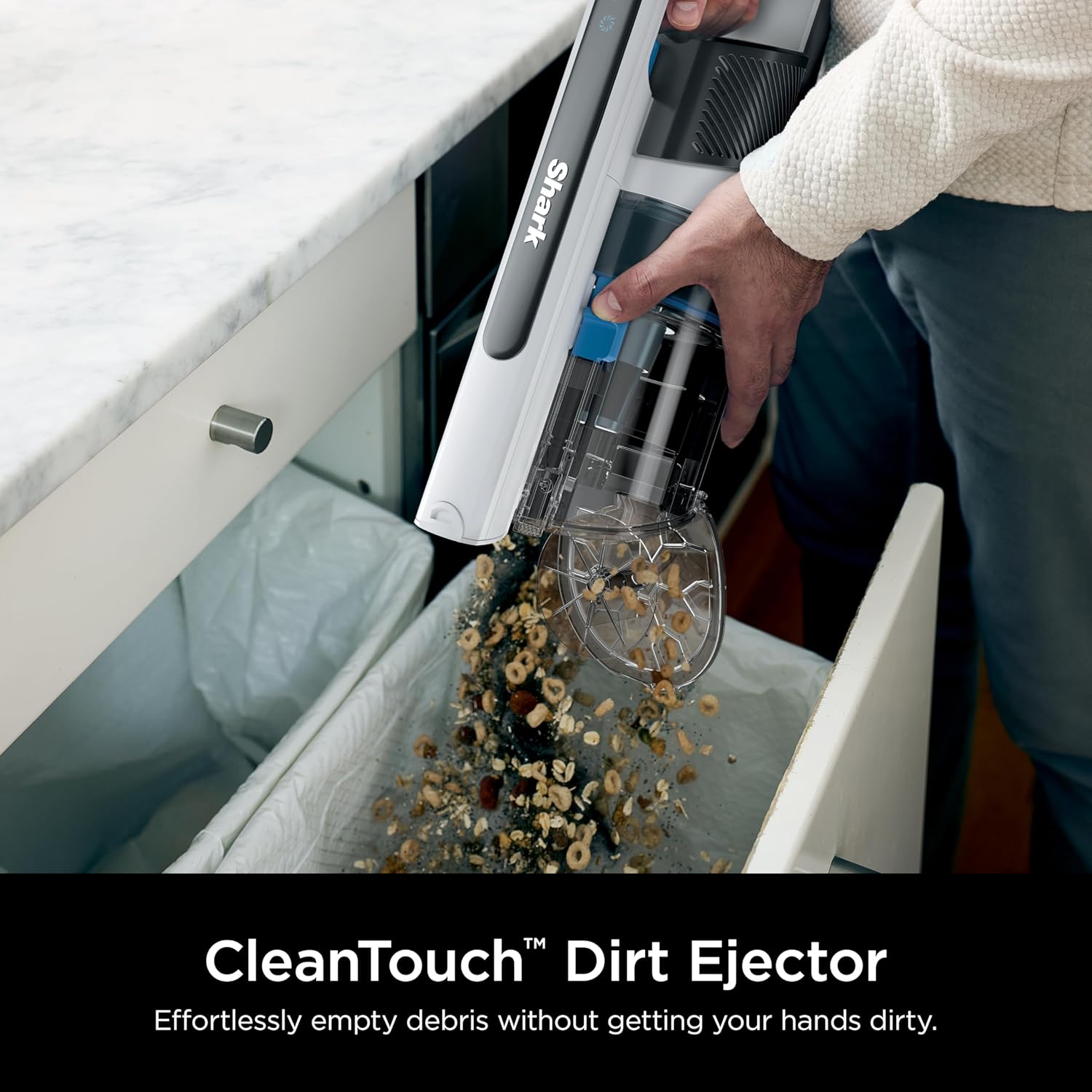
Image: A hand holding the handheld vacuum over a trash can, demonstrating the CleanTouch Dirt Ejector releasing debris.
Cleaning the Brushroll
The self-cleaning PowerFins brushroll is designed to prevent hair wrap. Periodically inspect the brushroll for any trapped debris and remove as necessary.

Image: A comparison showing a traditional bristled brushroll with tangled hair versus the PowerFins brushroll, highlighting its self-cleaning design.
HEPA Filtration System
The Anti-Allergen Complete Seal with True HEPA Filtration captures and traps over 99.97% of dust and allergens (based on ASTM F1977 of particles 0.3 microns and larger). Regularly clean or replace the HEPA filter according to the instructions provided in the full user manual to maintain optimal performance.
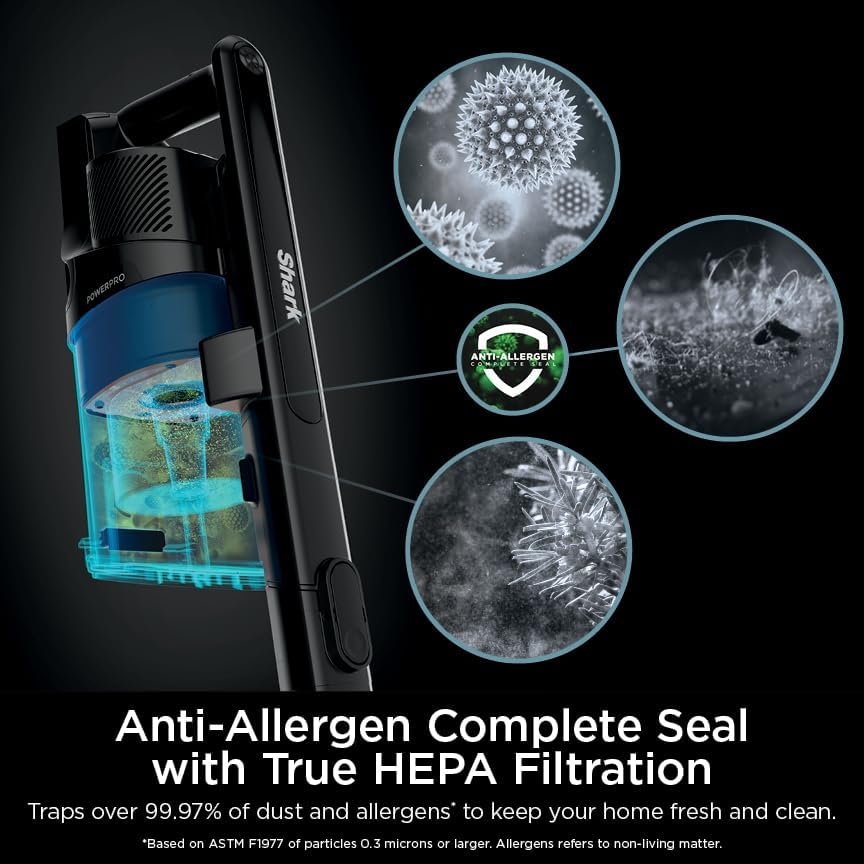
Image: A diagram illustrating the vacuum's HEPA filtration system, showing how it traps dust, allergens, and other particles.
5. Troubleshooting
If you encounter issues with your Shark PowerPro Flex Reveal Plus, refer to the following common solutions:
- Reduced Suction: Check if the dust cup is full and needs emptying. Inspect the nozzle, wand, and hose for any blockages. Ensure all connections are secure.
- Vacuum Not Turning On: Ensure the battery is fully charged and correctly inserted. Check if the power button is pressed firmly.
- Brushroll Not Spinning: Verify that the vacuum is in the correct mode for the floor type. Check the brushroll for any obstructions or hair wrap.
- Battery Not Charging: Ensure the charger is properly connected to both the battery and a working power outlet.
For more detailed troubleshooting, consult the comprehensive user manual or contact customer support.
6. Specifications
| Feature | Detail |
|---|---|
| Brand | Shark |
| Model Name | PowerPro Flex Reveal Cordless Vacuum |
| Item Model Number | IZ382H |
| Special Features | Cordless, HEPA, Lightweight, Portable, Rechargeable |
| Filter Type | HEPA Filter |
| Included Components | 8-inch Duster Crevice Tool, Upholstery Tool |
| Capacity | 0.79 Quarts |
| Wattage | 181 watts |
| Form Factor | Stick |
| Product Dimensions | 13.5"L x 10.4"W x 44.68"H |
| Item Weight | 7.4 pounds |
| Battery Life | Up to 50 minutes (handvac in standard mode) |
| UPC | 622356665193 |
7. Warranty Information
Warranty details for the Shark PowerPro Flex Reveal Plus Cordless Vacuum are typically included with your purchase documentation. Please refer to the warranty card or the official Shark website for specific terms, conditions, and registration information.
8. Customer Support
For further assistance, product registration, or to purchase replacement parts and accessories, please visit the official Shark website or contact their customer service department. Contact information can usually be found on the product packaging or the manufacturer's website.