
Introduction
The Milwaukee M18 Bluetooth Jobsite Radio is engineered to deliver high-quality audio in demanding work environments. Featuring robust construction, versatile power options, and advanced connectivity, this radio provides entertainment and utility on any jobsite. It includes dual 3.5-inch woofers and two high-range tweeters for balanced sound, Bluetooth 5.0 for extended wireless range, and AM/FM radio capabilities with 18 presets. The unit is designed to withstand water, dust, and impact, ensuring durability and reliable performance.
Safety Information
Always read and understand all instructions before using this product. Failure to follow all instructions listed below may result in electric shock, fire, and/or serious injury. Keep this manual for future reference.
- Power Source: Use only with Milwaukee M18 batteries or the provided AC adapter.
- Environment: Do not expose to rain or wet conditions. Keep the work area well-lit.
- Maintenance: Refer all servicing to qualified service personnel. Servicing is required when the apparatus has been damaged in any way.
- Hearing Protection: Prolonged exposure to loud music may cause hearing damage. Use appropriate hearing protection in noisy environments.
What's in the Box
- Milwaukee M18 Bluetooth Jobsite Radio (Model 2952-20)
- Power Adapter
- Operator's Manual
Setup
1. Powering the Radio
The M18 Bluetooth Jobsite Radio can be powered by a Milwaukee M18 battery or the included AC adapter.
Using an M18 Battery:
- Open the battery compartment located on the back of the radio.
- Slide a charged Milwaukee M18 battery into the compartment until it clicks securely into place.
- Close the battery compartment cover.
Note: The radio is sold as a bare tool; M18 batteries are sold separately.
Using the AC Adapter:
- Locate the AC adapter port on the side of the radio, protected by a rubber cover.
- Open the rubber cover and insert the AC adapter plug firmly.
- Plug the other end of the AC adapter into a standard electrical outlet.
2. Antenna Setup
For optimal AM/FM radio reception, extend the flexible antenna located on the back of the unit. Adjust its position for the best signal quality.
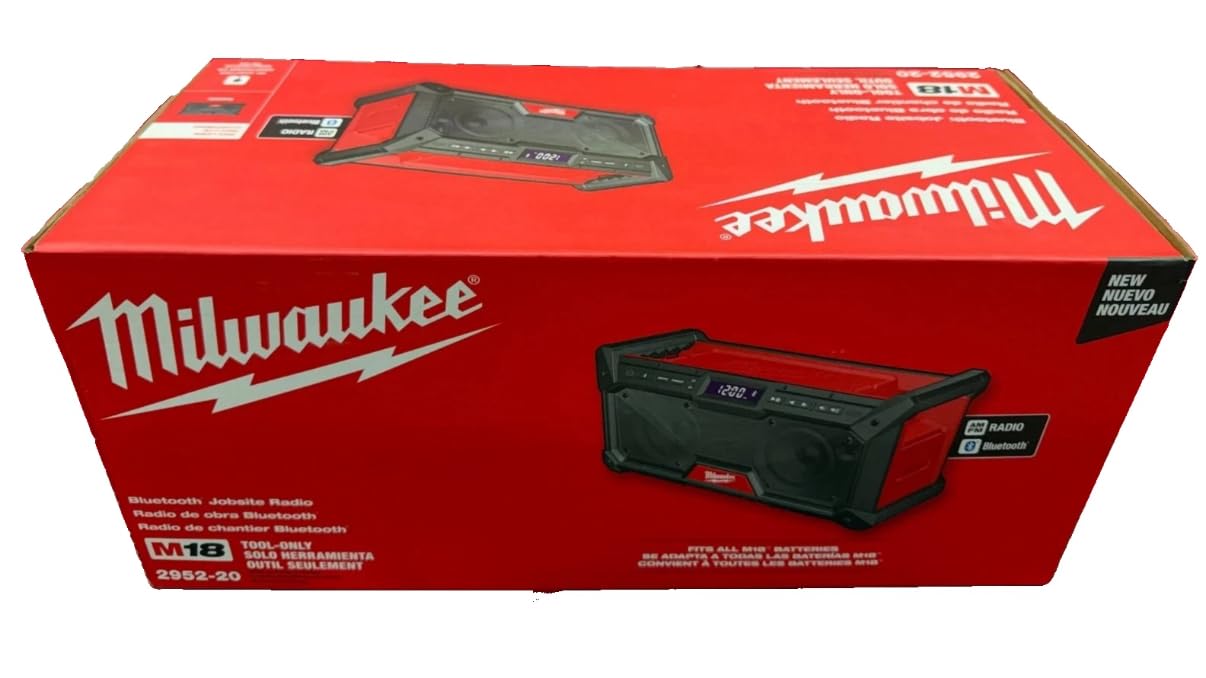
Image: Milwaukee M18 Bluetooth Jobsite Radio showing the extended antenna and control panel.
Operating Instructions
1. Basic Controls
- Power Button (U): Press to turn the radio ON or OFF.
- Volume Up/Down (+/-): Use the dedicated buttons to adjust the audio volume.
- Play/Pause (||): In Bluetooth mode, press to play or pause audio.
- Track Skip (<< / >>): In Bluetooth mode, press to skip to the previous or next track.
2. Radio Operation (AM/FM)
- Press the AM/FM button to switch between AM and FM bands.
- Use the Tune Up/Down buttons (often integrated with track skip) to manually tune to a station or press and hold to auto-scan for the next available station.
- To save a preset, tune to the desired station, then press and hold the PRESET button until the display flashes. Use the tune buttons to select a preset number (1-18), then press PRESET again to confirm.
- To recall a preset, briefly press the PRESET button and then use the tune buttons to select the desired preset number.
3. Bluetooth Connectivity
- Press the Bluetooth button on the control panel. The Bluetooth indicator light will flash, indicating pairing mode.
- On your mobile device, enable Bluetooth and search for available devices. Select "Milwaukee Radio" from the list.
- Once connected, the Bluetooth indicator light will become solid. You can now stream audio from your device to the radio.
4. Device Charging
The radio features a USB-C 3.0A port for charging personal devices.
- Locate the USB-C port on the side of the radio, under the protective rubber cover.
- Connect your device's USB-C charging cable to the port.
- Ensure the radio is powered on for charging to occur.
Features
- Balanced Sound: Dual 3.5-inch woofers and two high-range tweeters deliver clear and balanced audio.
- Extended Bluetooth Range: Bluetooth 5.0 offers up to 120 feet of connectivity.
- AM/FM Radio: Equipped with AM/FM capabilities and 18 customizable presets.
- Customizable Sound: Built-in equalizer settings allow adjustment of bass and treble.
- Durable Design: Constructed with a durable design and metal grille for water, dust, and impact resistance.
- Versatile Power: Operates on any Milwaukee M18 battery or the included AC adapter.
- Device Charging: Integrated USB-C 3.0A port for charging smartphones and other devices.
- Portable: Features convenient carrying handles for easy transport around the jobsite.
Maintenance
Regular maintenance ensures optimal performance and longevity of your Milwaukee M18 Bluetooth Jobsite Radio.
- Cleaning: Use a soft, damp cloth to clean the exterior of the radio. Do not use harsh chemicals or abrasive cleaners.
- Battery Care: Always remove the M18 battery when the radio is not in use for extended periods. Store batteries in a cool, dry place.
- Storage: When not in use, store the radio in a clean, dry area away from direct sunlight and extreme temperatures.
- Antenna Care: Gently extend and retract the antenna. Avoid excessive force to prevent damage.
Troubleshooting
| Problem | Possible Cause | Solution |
|---|---|---|
| Radio does not power on. | Battery is not charged or improperly inserted. AC adapter is not connected or faulty. | Ensure M18 battery is fully charged and correctly inserted. Verify AC adapter connection and power source. |
| No sound from speakers. | Volume is too low. Mute function is active. Bluetooth device not connected or audio paused. | Increase volume. Check if mute is active. Reconnect Bluetooth device or resume playback. |
| Poor radio reception. | Antenna not extended or positioned incorrectly. Interference from other electronics. | Fully extend and adjust the antenna. Move the radio away from potential sources of interference. |
| Bluetooth device fails to pair. | Radio is not in pairing mode. Device is out of range. Bluetooth on device is off. | Press the Bluetooth button to enter pairing mode. Ensure device is within 120 ft. Activate Bluetooth on your device. |
| Device not charging via USB-C. | Radio is off. Cable is faulty. | Turn on the radio. Try a different USB-C cable. |
Specifications
| Feature | Detail |
|---|---|
| Brand | Milwaukee |
| Model Number | 2952-20 |
| Connectivity Technology | Bluetooth 5.0 |
| Bluetooth Range | Up to 120 ft |
| Audio Output | Dual 3.5" Woofers, 2 High Range Tweeters |
| Radio Bands Supported | AM/FM (18 Presets) |
| Power Source | M18 Battery (sold separately) or AC Adapter (included) |
| Device Charging | USB-C 3.0A |
| Product Dimensions (L x W x H) | 12"L x 5"W x 6"H |
| Item Weight | 10.8 Pounds |
| Enclosure Material | Metal |
| Color | Red |
| Display Type | LED |
| UPC | 045242725168 |
Warranty and Support
This Milwaukee M18 Bluetooth Jobsite Radio is covered by a MANUFACTURER warranty. For specific warranty details, registration, or technical support, please refer to the official Milwaukee website or contact their customer service directly. Keep your purchase receipt as proof of purchase for warranty claims.


