
1. Introduction
This manual provides essential information for the safe and efficient use of your LG 50UA73 50-inch 4K UHD AI Smart TV. Please read it thoroughly before operating the device and retain it for future reference.
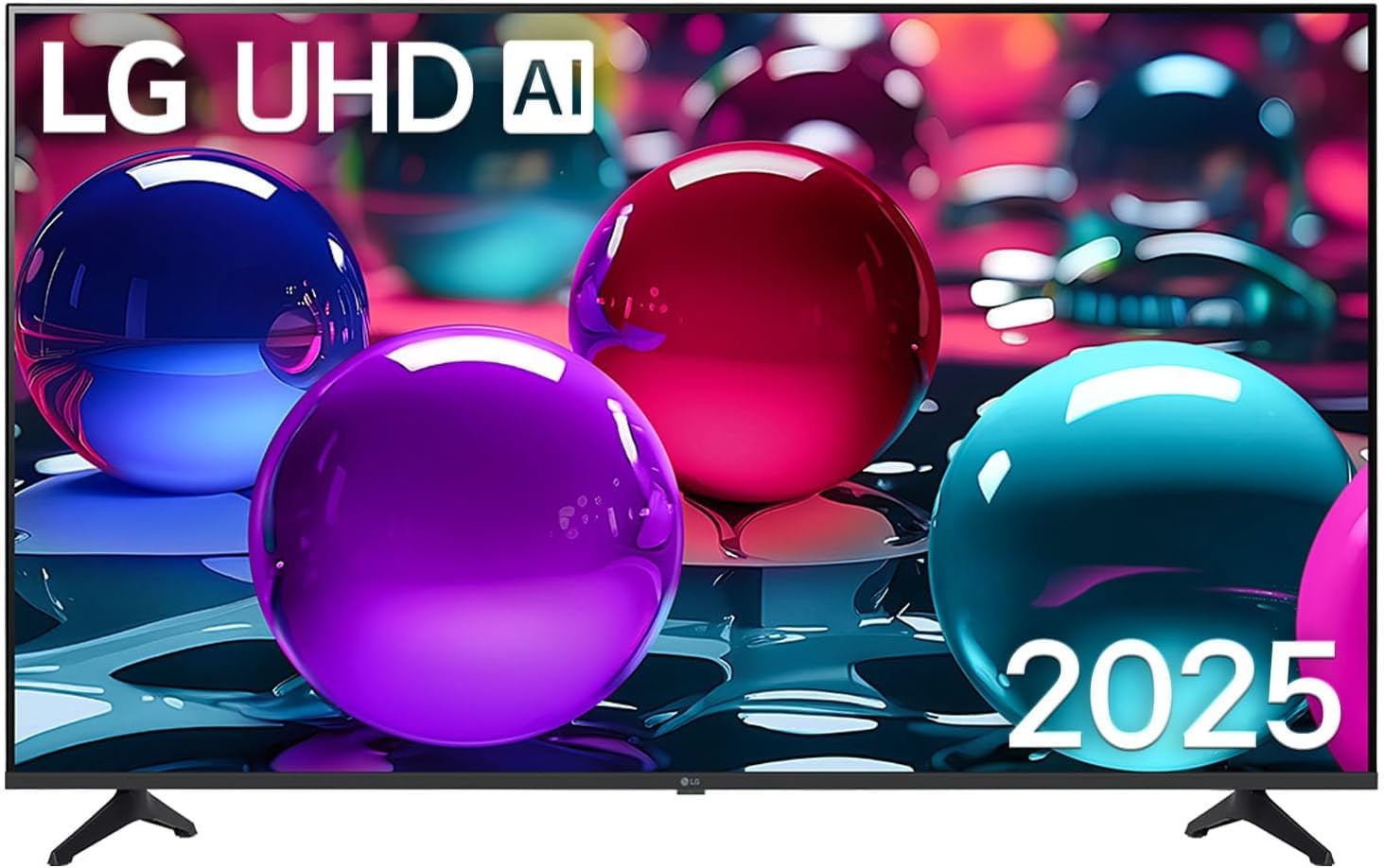
Front view of the LG 50UA73 50-inch 4K UHD AI Smart TV, showcasing its slim bezel and stand.
2. Safety Information
Always follow basic safety precautions to reduce the risk of fire, electric shock, and injury. Keep the TV away from water and moisture. Do not block ventilation openings. Use only specified attachments and accessories. Disconnect the power plug during lightning storms or when unused for long periods.
For detailed safety guidelines, refer to the official safety document provided by LG.
3. Setup
3.1. Unboxing and Package Contents
Carefully remove the TV from its packaging. Ensure all components are present:
- LG 50UA73 50-inch 4K UHD AI Smart TV
- Power Cable
- Remote Control
- Batteries for Remote Control
- TV Stands (2 units)
- Documentation (Quick Start Guide, Safety Information)
3.2. Physical Installation
You can install your TV using the included stands or by wall-mounting it. For wall mounting, ensure you use a VESA compatible mount (400 x 400 mm).
Attaching the Stands:
- Place the TV face down on a soft, flat surface to prevent screen damage.
- Align each stand with the corresponding slots on the bottom of the TV.
- Secure the stands using the provided screws.

The LG 50UA73 TV with its dimensions: 111.1 cm (width), 70 cm (height with stand), and 27.5 cm (depth with stand).
3.3. Connecting Peripherals
Connect your external devices to the appropriate ports on the TV. The LG 50UA73 features multiple connectivity options:
- HDMI Ports (3 total): For connecting Blu-ray players, game consoles, soundbars, etc. Supports eARC on one port.
- USB Ports (2 total): For connecting USB storage devices or other USB peripherals.
- Ethernet (LAN) Port: For a wired internet connection.
- RF Input: For connecting an antenna or cable.
- Optical Digital Audio Out: For connecting to an external audio system.

Rear view of the LG 50UA73 TV showing the LAN, Optical Audio Out, RF, and Satellite input ports.

Side view of the LG 50UA73 TV displaying the HDMI and USB input ports for easy access.
3.4. Initial Power On and First-Time Setup
- Connect the power cable to the TV and a wall outlet.
- Press the power button on the remote control or the TV.
- Follow the on-screen instructions to set up your TV:
- Select your preferred language.
- Connect to your Wi-Fi network or use the wired Ethernet connection.
- Agree to the terms and conditions for webOS 25 Smart TV features.
- Scan for available channels (DVB-T2/T, DVB-C, DVB-S2/S).
- Log in to your LG account or create a new one.
- Configure voice assistants like Alexa or Google Assistant.
4. Operating Your TV
4.1. Remote Control Functions
The included remote control allows you to navigate the webOS 25 interface, adjust settings, and control connected devices. Familiarize yourself with the buttons for power, volume, channel, input selection, and smart features.
4.2. webOS 25 Smart TV Features
Your LG 50UA73 TV runs on webOS 25, providing access to a wide range of streaming services and applications. Navigate the home screen to find apps like Netflix, Amazon Prime Video, X-Cloud, GeForce Now, Luna, Utomik, Boosteroid, and Blacknut.

The LG Smart TV interface showing the Xbox Cloud Gaming application, allowing access to various games.
4.3. AI Features and Voice Control
The TV is equipped with an α7 AI 4K Gen8 Processor that enhances both picture and sound quality. Utilize the built-in AI features for a more intuitive experience:
- AI Picture: Automatically optimizes picture settings based on content.
- AI Sound Pro: Virtualizes 11.1.2 channel audio for an immersive sound experience.
- Voice Assistants: Use Alexa or Google Assistant for hands-free control, searching content, and managing smart home devices.
- AI Chatbot: Interact with the TV using natural language for assistance with settings or content recommendations.

The α7 AI Processor Gen8, developed by LG, is central to the TV's enhanced visual and audio experience.

AI Sound Pro virtualizes 11.1.2 channel audio, creating an immersive sound experience for content like music performances.
4.4. Picture and Sound Settings
Access the settings menu to customize your viewing and listening experience:
- Picture Mode: Select from various presets (e.g., Standard, Vivid, Cinema, Game) or customize brightness, contrast, color, and sharpness.
- HDR10: Enjoy enhanced contrast and color with HDR10 content.
- Filmmaker Mode: Preserves the director's original vision by disabling motion smoothing and maintaining original aspect ratios and frame rates.
- Sound Mode: Choose from sound presets (e.g., Standard, Cinema, Clear Voice) or enable AI Sound Pro for automatic optimization.

A visual comparison illustrating the difference between SDR and HDR10 Pro, with HDR10 Pro offering superior detail and color reproduction.
4.5. Gaming Features
The LG 50UA73 is optimized for gaming with features designed to provide a smooth and responsive experience:
- Variable Refresh Rate (VRR): Reduces screen tearing and stuttering for fluid gameplay.
- Auto Low Latency Mode (ALLM): Automatically switches the TV to a low-latency mode when a game console is detected.
- eARC (Enhanced Audio Return Channel): Allows for high-quality audio passthrough to compatible sound systems.

A racing game displayed on the LG TV, demonstrating the benefits of Variable Refresh Rate (VRR) for smooth, tear-free gaming.
4.6. Screen Sharing and Casting
Share content from your mobile devices or computer to the TV:
- AirPlay 2: Stream videos, photos, music, and more directly from your Apple devices.
- Google Cast: Cast content from compatible Android devices and Chrome browser tabs.
5. Maintenance
5.1. Cleaning Your TV
- Screen: Gently wipe the screen with a soft, dry microfiber cloth. For stubborn marks, lightly dampen the cloth with water or a specialized screen cleaner (do not spray directly on the screen).
- Body: Wipe the TV frame and stand with a soft, dry cloth.
- Do not use: Alcohol, benzene, thinners, or other volatile substances, as they may damage the TV surface.
5.2. Software Updates (webOS Re:New Program)
Your LG TV supports the webOS Re:New Program, offering up to 4 major interface evolutions over 5 years from the initial webOS version. Ensure your TV is connected to the internet to receive automatic software updates. Regular updates provide new features, performance improvements, and security enhancements.

The webOS Re:New Program ensures your TV's software remains updated with new features and security enhancements.
6. Troubleshooting
If you encounter issues with your TV, refer to the following common problems and solutions:
- No Power: Check if the power cable is securely connected and the wall outlet is functioning. Try a different outlet.
- No Picture/Sound: Ensure the correct input source is selected. Check cable connections to external devices.
- Remote Control Not Working: Replace the batteries. Ensure there are no obstructions between the remote and the TV.
- Network Connection Issues: Restart your router and modem. Check Wi-Fi password. For wired connections, ensure the Ethernet cable is properly connected.
- Picture Quality Issues: Adjust picture settings. Ensure the content source is high quality.
For more complex issues, consult the full electronic manual available on the LG support website or contact LG customer service.
7. Specifications
| Feature | Specification |
|---|---|
| Model Name | 50UA73 |
| Screen Size | 50 inches (126 cm) |
| Display Technology | LED |
| Resolution | 4K UHD (3840 x 2160) |
| Refresh Rate | 60 Hz |
| Processor | α7 AI 4K Gen8 |
| HDR Support | HDR10 |
| Smart TV Platform | webOS 25 |
| Audio Output | 2.1 channels, Dolby Digital Plus, AI Sound Pro |
| Connectivity | Wi-Fi, Bluetooth, Ethernet, 3x HDMI, 2x USB, RF |
| Special Features | AirPlay 2, Google Assistant, Alexa, VRR, ALLM, eARC, Filmmaker Mode |
| Dimensions (W x H x D with stand) | 111.1 cm x 70 cm x 27.5 cm |
| Weight (with stand) | 9.1 kg |
| VESA Mount Standard | 400 x 400 mm |
| Included Components | Power cable, Remote control, Batteries, Stands |
8. Warranty
Your LG 50UA73 TV comes with a 2-year manufacturer's warranty. This warranty covers defects in materials and workmanship under normal use. Please retain your proof of purchase for warranty claims. For full terms and conditions, refer to the warranty card included with your product or visit the official LG website.
9. Support
For further assistance, technical support, or service requests, please contact LG Customer Service. You can find contact information and additional resources on the official LG website. Have your TV model number (50UA73) and serial number ready when contacting support.


