
1. Introduction
The PROHEAR EP02 Shooting Ear Buds are designed to provide superior hearing protection and enhanced situational awareness for shooting, hunting, and other outdoor activities. Featuring advanced sound compression technology, Bluetooth 5.4 connectivity, and a rechargeable system, these earbuds offer comfort, convenience, and reliable performance.

Figure 1: PROHEAR EP02 Ear Buds and Charging Case.
2. What's Included
Your PROHEAR EP02 package contains the following items:
- Bluetooth Earbuds (Left & Right)
- Charging Case
- Memory Foam Ear Tips (3 Sizes: S, M, L)
- Silicone Ear Tips (1 Pair)
- USB-C Charging Cable
- User Manual

Figure 2: All components included in the PROHEAR EP02 package.
3. Setup
3.1 Initial Charging
Before first use, ensure both the charging case and earbuds are fully charged. The charging case extends total use to 24 hours, with fast charging capabilities.
- Connect the provided USB-C charging cable to the charging port on the back of the case.
- Plug the other end into a compatible USB power source.
- The blue LED indicators on the case will show the battery level.
- When the earbuds are placed in the case, their individual red LEDs will illuminate, indicating they are charging. A flashing red light followed by auto-shutoff indicates full charge.
Video 1: Demonstrates the charging process for the PROHEAR EP02 earbuds and case, including LED indicators for battery level and charging status.

Figure 3: Visual guide to the charging indicators on the PROHEAR EP02 case and earbuds.
3.2 Ear Tip Selection and Installation
For optimal noise reduction and comfort, select the ear tips that provide a snug and secure fit in your ear canal. The EP02 comes with three sizes of ultra-soft memory foam tips and one pair of silicone ear tips.
- Gently remove the pre-installed ear tips by peeling them off.
- Choose the size (S, M, L) that best fits your ear. Memory foam tips can be compressed before insertion for a better seal.
- Align the new ear tip with the earbud's nozzle and push it firmly into place.
- Ensure the silicone earbud covers are also properly fitted, as they help secure the earbuds in your ear's contours.
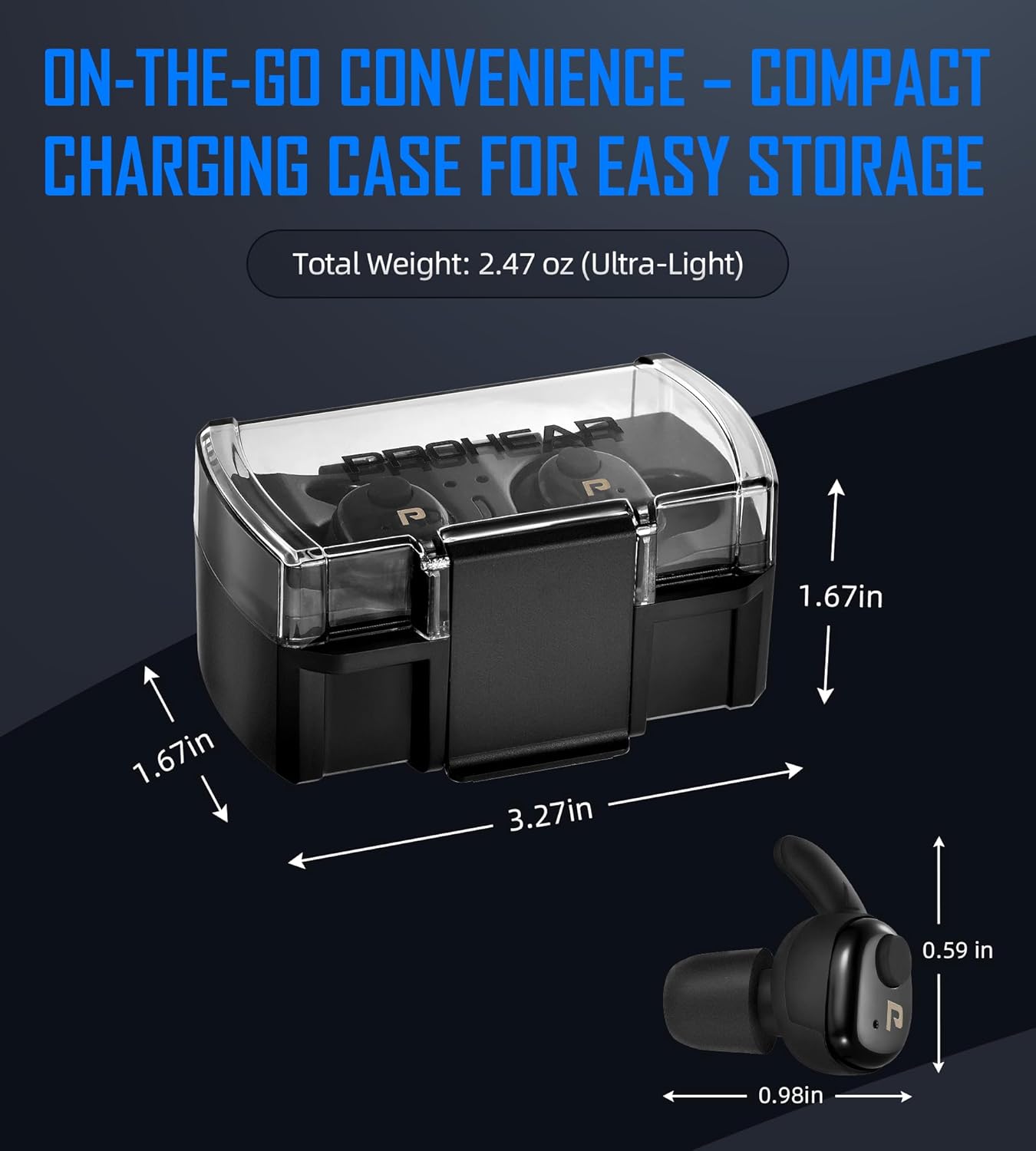
Figure 4: Various ear tip sizes and silicone covers for customized fit and comfort.
3.3 Bluetooth Pairing
The EP02 earbuds feature Bluetooth 5.4 for stable, low-latency connections.
- Remove both earbuds from the charging case. They will automatically power on.
- Press and hold either the left or right earbud's button for approximately 6 seconds to activate them and enter Bluetooth pairing mode (indicated by a green light).
- On your device (smartphone, tablet, etc.), go to Bluetooth settings and select "PROHEAR EP02" from the list of available devices.
- Once paired, the earbuds will automatically reconnect to your device when taken out of the case.

Figure 5: The PROHEAR EP02 offers one-step pairing and auto-reconnection with various Bluetooth-enabled devices.
4. Operating Instructions
4.1 Power On/Off
- Power On: Remove earbuds from the charging case. They will automatically power on. Alternatively, press and hold the button on either earbud for 6 seconds.
- Power Off: Place earbuds back into the charging case. They will automatically power off.
4.2 Intelligent Sound Modes & Noise Reduction
The EP02 features two optimized modes and instant noise suppression with a 27dB NRR (Noise Reduction Rating).
- Shooting Mode: Instantly suppresses high-frequency gunshot noise while preserving speech clarity.
- Hunting Mode: Amplifies low-frequency sounds to help detect distant game and improve situational awareness.
- Instant Gunshot Noise Suppression: Reacts in just 0.1ms, reducing harmful gunshot noise while allowing safe ambient sounds to pass through.

Figure 6: Key features of the PROHEAR EP02, including 27dB NRR, 4X amplification, and instant noise suppression.

Figure 7: The EP02's 0.1ms reaction core for rapid noise reduction.
4.3 Button Controls
The earbuds feature intuitive button controls for various functions:
- Power On: Press and hold the button.
- Amplification Function: Single press to cycle through 4 levels of ambient sound amplification (300Hz, 500Hz, 700Hz, 1000Hz).

Figure 8: Detailed view of the press-button controls for power and amplification levels.
4.4 Bluetooth Touch Controls
When connected via Bluetooth, you can control your device with simple double taps:
- Play/Pause Music: Double-tap.
- Answer Calls: Double-tap (music pauses).
- Hang Up Calls: Double-tap (music resumes).
- Answer/Hang Up Calls: Double press.

Figure 9: Illustration of touch controls for music and call management in Bluetooth mode.
5. Maintenance
5.1 Cleaning
Regular cleaning ensures optimal performance and hygiene. The ear tips and silicone covers can accumulate earwax and debris.
- Gently pull off the foam ear tips and silicone covers from the earbuds.
- Wash the ear tips and covers with warm, soapy water. Rinse thoroughly and allow them to air dry completely before reattaching.
- Wipe the earbuds themselves with a soft, dry cloth. Avoid using harsh chemicals or abrasive materials.
Video 2: Demonstrates how to remove and clean the ear tips and silicone covers, and how to reattach them. Also shows the charging contacts.
5.2 Storage
Store the earbuds in their charging case when not in use to protect them and ensure they are always charged and ready.
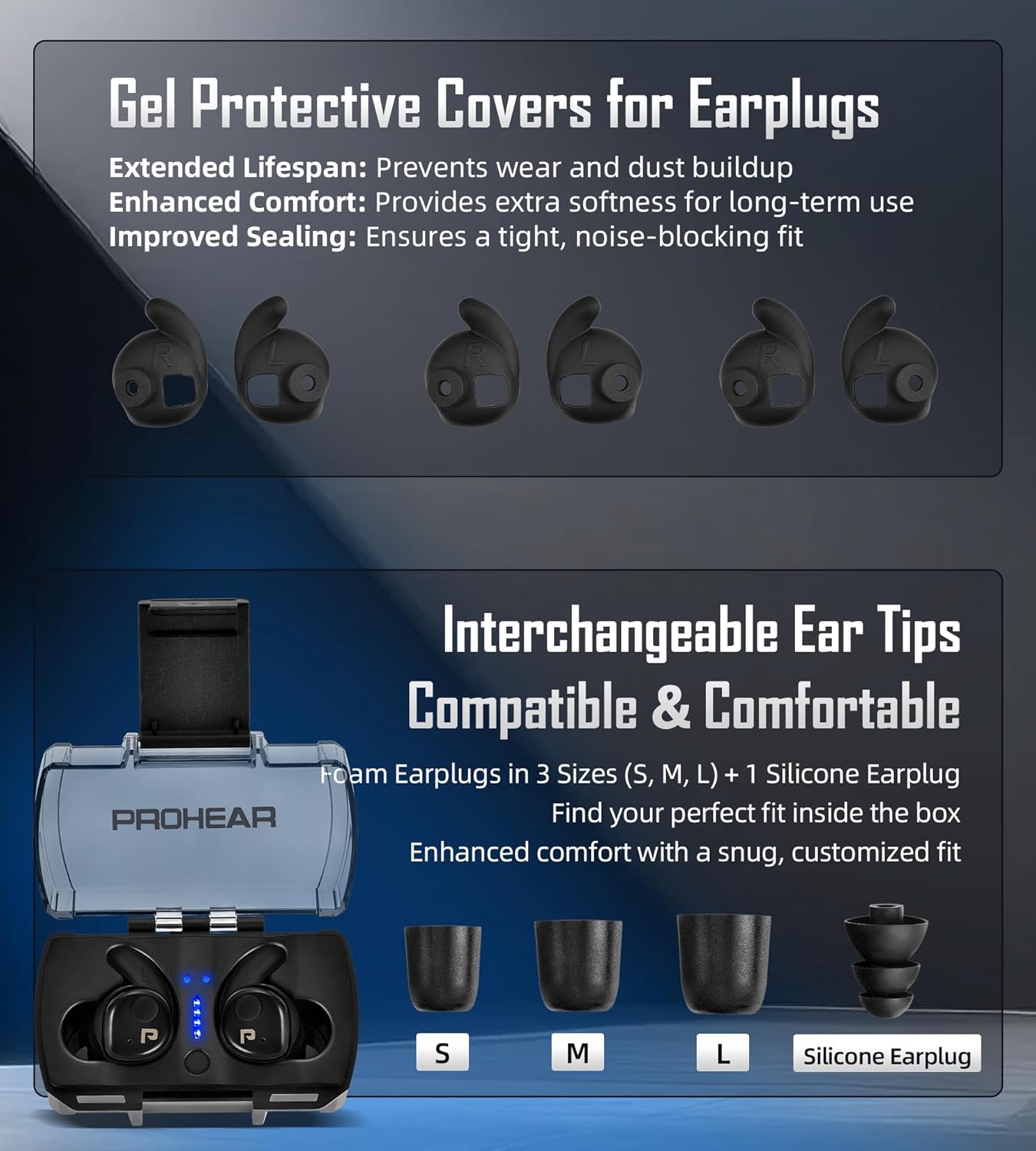
Figure 10: The compact charging case provides convenient storage and portability for the earbuds.
6. Troubleshooting
| Problem | Possible Cause | Solution |
|---|---|---|
| Earbuds not charging in case. | Charging contacts are not aligned or plastic covers are still on. | Ensure earbuds are properly seated in the case. Remove any protective plastic films from the charging contacts on the earbuds. |
| Earbuds not pairing with device. | Earbuds not in pairing mode or device Bluetooth is off. | Ensure earbuds are removed from case and activated. Check your device's Bluetooth settings and ensure it's discoverable. Try re-entering pairing mode by pressing both earbuds simultaneously for 4 times. |
| No sound or low sound from earbuds. | Volume too low, ear tips not sealed, or earbuds not powered on. | Adjust volume using the earbud buttons or your connected device. Ensure ear tips are properly fitted and create a tight seal. Confirm earbuds are powered on. |
| Intermittent connection. | Interference or distance from device. | Move closer to your connected device. Avoid environments with strong electromagnetic interference. |
7. Specifications
| Feature | Detail |
|---|---|
| Model Name | EP02 |
| Noise Control | Active Noise Cancellation, 27dB NRR |
| Sound Amplification | 4X Tactical Sound Control (300Hz, 500Hz, 700Hz, 1000Hz) |
| Cutoff Response Time | 0.1ms |
| Connectivity Technology | Bluetooth 5.4 |
| Earbud Runtime | Up to 13 hours |
| Total Runtime (with case) | Up to 24 hours |
| Charging Time | 3 Hours (for case) |
| Charging Port | USB-C |
| Water Resistance Level | Water Repellent |
| Material | Durable ABS Shell & Comfortable Foam Earplugs |
| Item Weight | 5.3 ounces |
| Product Dimensions | 3.15 x 1.78 x 1.5 inches (Charging Case) |
8. Warranty & Support
PROHEAR stands by the quality of its products. Your EP02 earbuds come with a 1-year warranty.
- Money Back Guarantee: 50 days.
- Warranty: 1 Year.
- Support: 24/7 customer support is available. If you have any questions or problems, you can contact PROHEAR via Amazon or email "support@proheartac.com".
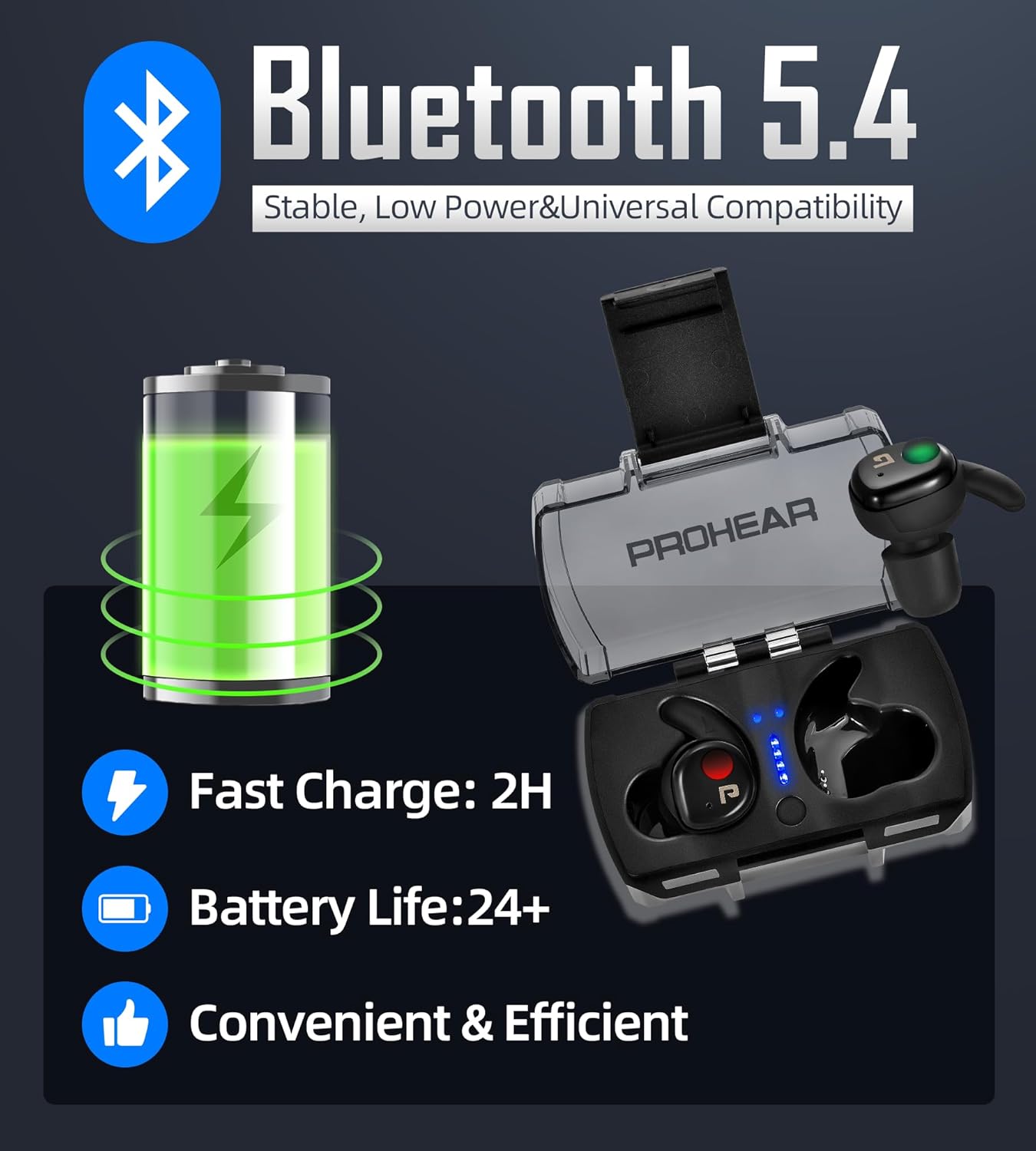
Figure 11: PROHEAR's commitment to customer satisfaction, including warranty and support details.