
EONON GMX6S-U
Eonon GMX6S 8" QLED Car Stereo User Manual
Model: GMX6S-U
1. Introduction
The Eonon GMX6S is an advanced 8-inch QLED car stereo system designed to seamlessly integrate with select Chevrolet, GMC, and Buick vehicles. This unit enhances your driving experience with its powerful Qualcomm QCM6225 Octa-core processor, ample memory (6GB RAM + 64GB ROM), and a suite of modern features including wireless Apple CarPlay, Android Auto, 4G LTE connectivity, and superior DSP audio processing. Its plug-and-play design ensures straightforward installation while retaining many original equipment manufacturer (OEM) functionalities.
2. Applicable Models
The GMX6S head unit is compatible with the following vehicle models:
- Chevrolet: Silverado (2007-2013), Avalanche (2007-2013), Tahoe (2007-2014), Impala (2006-2013), Traverse (2008-2012), Suburban (2007-2012), Express Van (2008-2019), Equinox (2007-2009), Monte Carlo (2006-2007), HHR (2006-2011), Silverado 1500 (2007-2013), Silverado 2500HD (2007-2013), Silverado 3500HD (2007-2013)
- GMC: Sierra (2007-2013), Yukon (2007-2014), Acadia (2007-2012), Savana (2008-2019)
- Buick: Enclave (2008-2012)
- Hummer: H2 (2008-2009)
Note: If you wish to retain the original rear entertainment system, an Eonon A0595 video output adapter (not included) may be required. Please verify your car's radio plug type for compatibility; the unit is not suitable if your car radio plug matches the 'Not Fit' example shown in the image below.
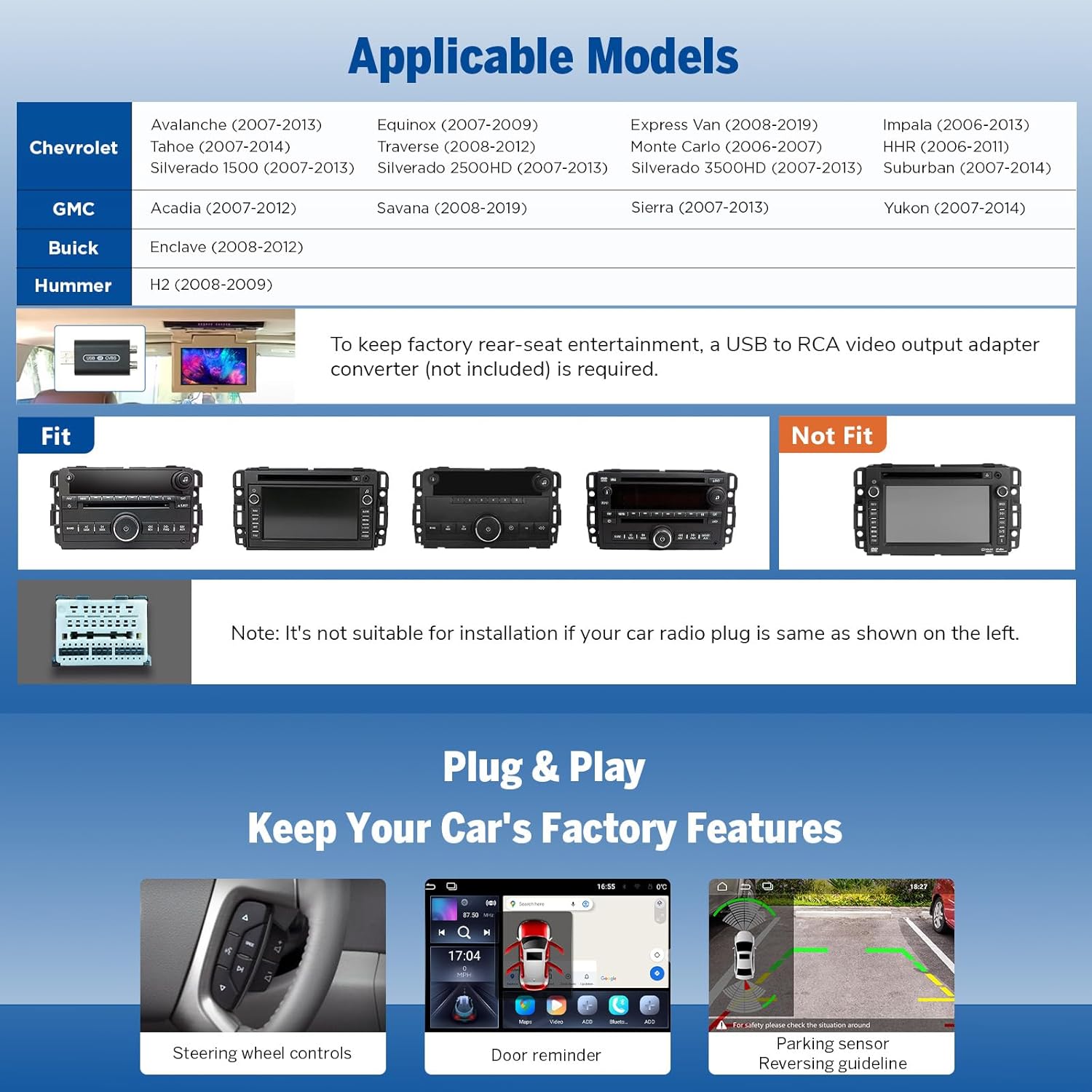
Image: Compatible and incompatible car stereo models for installation.
3. Package Contents
Upon opening the package, ensure all the following components are present:
- GMX6S Head Unit (x1)
- A0127 Reversing Camera (x1)
- Power Cord (x1)
- GPS Antenna (x1)
- 4G Antenna (x1)
- USB Adapter Cable (x2)
- Audio/Video Adapter Cable (x2)
- Reverse Video Input Cable (x1)
- 15A Fuse (x1)
- SIM Card Holder (x1)
- External Microphone (x1)
- CANBUS Decoder (x1)
- User Manual (x1)
- Double-sided Adhesive Sticker (x1)
- Radio Antenna Adapter (x1)
- Speaker (x1)

Image: All components included in the Eonon GMX6S package.
4. Product Features
- 8-Inch QLED Display: Experience vibrant colors, brighter visuals, and higher contrast with a 1280*720 HD resolution and a wide 178° viewing angle.
- High Performance: Powered by a Qualcomm QCM6225 Octa-core processor (6nm LPP technology) with 6GB RAM and 64GB ROM, ensuring smooth operation and fast response times.
- Built-in DSP Audio: Digital Signal Processing (DSP) with a RHOM 32107 chip and 48-band graphic equalizer provides enhanced sound quality and precision, including 4x48W max output power and optical/coaxial HD audio output.
- Wireless CarPlay & Android Auto: Effortlessly connect your iPhone or Android device for seamless wireless CarPlay (via Bluetooth) and full-featured Android Auto (via Bluetooth and USB).
- Screen Mirroring: Project content from your mobile phone onto the large screen for an immersive entertainment experience.
- Bluetooth 5.1 & 4G LTE: Features an independent Bluetooth module with an extra antenna for quick and stable connections, along with built-in 4G LTE and Wi-Fi 6 readiness for robust connectivity.
- OEM Features Retention: Retains factory features such as steering wheel controls, door information display, and driving data display.
- Over-the-Air (OTA) Updates: Keep your car stereo up-to-date with software fixes and security enhancements via OTA updates. Note that these updates are for software and do not upgrade the Android system version.
- Customizable UI: Choose from 3 built-in UI themes and personalize button colors, boot logos, and wallpapers to match your preference.

Image: Features of the 8-inch QLED display.

Image: Qualcomm QCM6225 8-Core processor details.

Image: Built-in DSP and audio output capabilities.
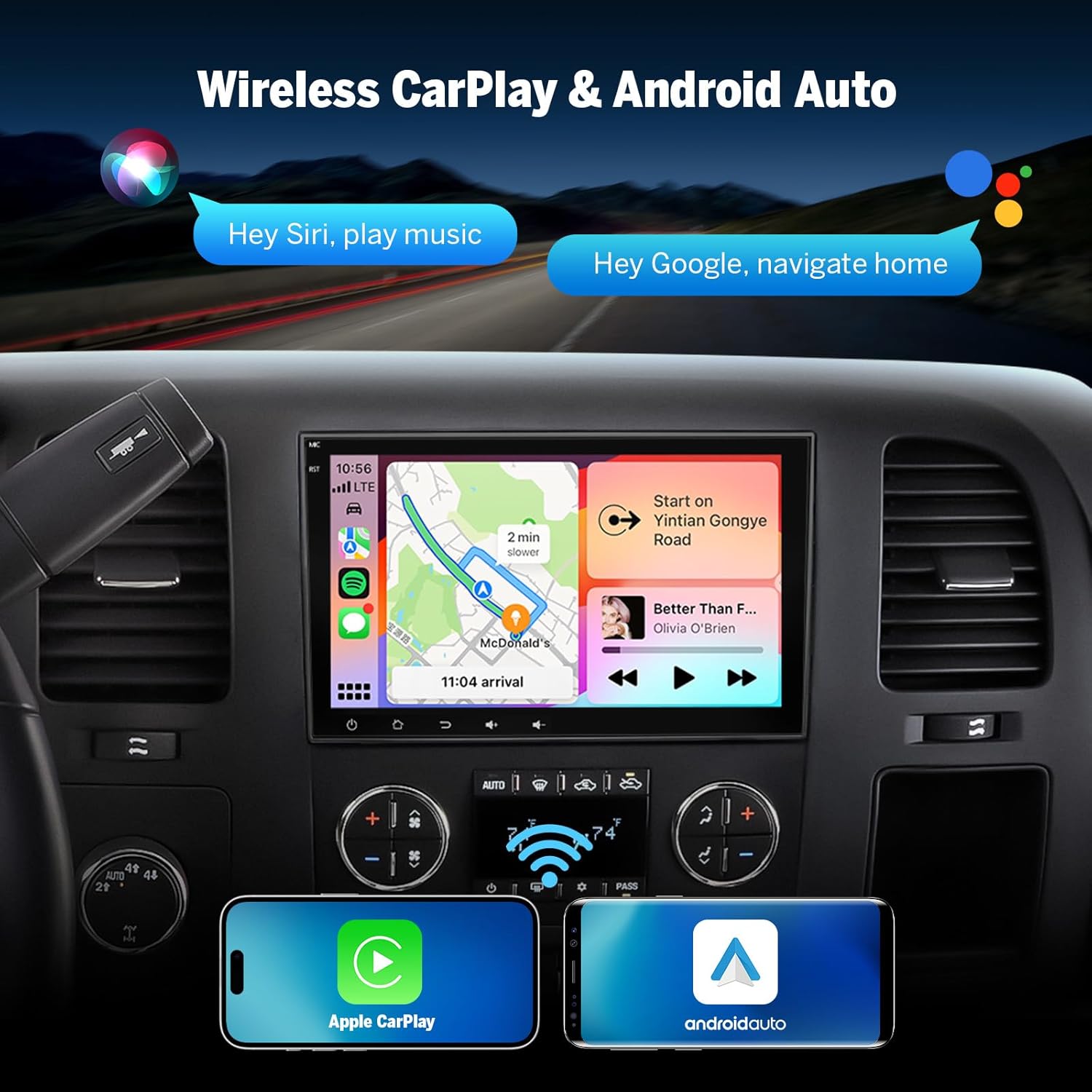
Image: Wireless CarPlay and Android Auto in action.

Image: Bluetooth 5.1 and backup camera features.

Image: Retained OEM features.

Image: Over-the-air firmware update capability.

Image: UI customization options.
5. Setup & Installation
The Eonon GMX6S is designed for a straightforward plug-and-play installation, requiring no cutting, splicing, or soldering of wires. The process typically involves:
- Carefully remove the trim panel surrounding your factory radio.
- Unscrew the four bolts securing the original radio on each side.
- Gently pull out the factory radio and disconnect all existing wires.
- Connect the provided wiring harnesses from the GMX6S to your vehicle's existing connections. Ensure all connections are secure.
- Slide the new GMX6S head unit into place and secure it with the bolts.
- Reattach the trim panel.
The unit comes with a comprehensive wiring diagram to assist with connections. The CANBUS system ensures compatibility with your vehicle's existing features, such as door information and gear recognition.
Image: Detailed wiring diagram for the GMX6S.
6. Operating Instructions
The Eonon GMX6S features an intuitive Android-based interface with a responsive QLED touchscreen. Upon starting your vehicle, the unit boots up quickly and automatically connects to configured devices.
- Wireless CarPlay & Android Auto: Once configured, your smartphone will automatically connect wirelessly. The interface will display familiar apps like Phone, Maps, Messages, Music, and more. You can customize the layout of these apps as desired.
- App Access: As an Android-based system, you can download and install compatible applications from the Google Play Store, including navigation apps, streaming services (e.g., YouTube, Netflix), and vehicle diagnostic tools (e.g., Torque).
- Split-Screen Multitasking: Utilize the split-screen function to view and use two applications simultaneously, such as navigation and music playback.
- Brightness Modes: The unit offers three brightness modes (Light, Dark, and Auto) for a safer and more comfortable driving experience, especially at night.
- Bluetooth Functions: The upgraded built-in Bluetooth system supports hands-free calls, contact synchronization, and music playback. An external microphone is included for clear call quality.
- GPS Navigation: Supports both offline and online GPS navigation.
- Radio: Includes RDS/FM radio functionality.
- Steering Wheel Controls: Retains compatibility with your vehicle's original steering wheel controls for convenient operation.
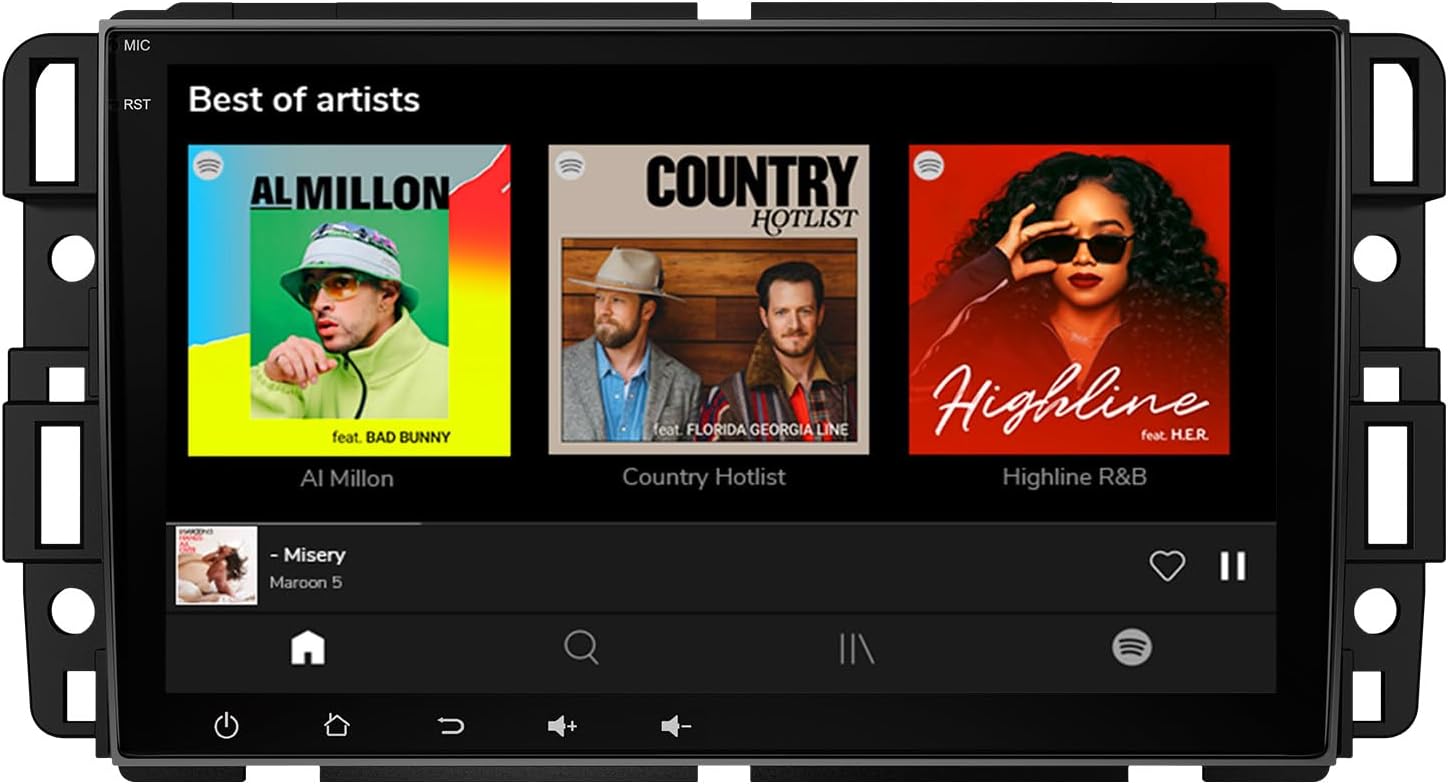
Image: Eonon GMX6S main interface.
7. Maintenance
To ensure the longevity and optimal performance of your Eonon GMX6S car stereo, consider the following maintenance tips:
- Cleaning: Regularly wipe the QLED touchscreen with a soft, lint-free cloth. Avoid abrasive cleaners or harsh chemicals that could damage the screen.
- Software Updates: Periodically check for and install Over-the-Air (OTA) software updates. These updates provide bug fixes, performance improvements, and security enhancements. Access the update feature through the unit's settings menu.
- Environmental Conditions: Avoid exposing the unit to extreme temperatures or direct sunlight for prolonged periods when the vehicle is parked.
- Cable Connections: Ensure all cables remain securely connected to prevent intermittent issues.
8. Troubleshooting
If you encounter issues with your Eonon GMX6S, try the following troubleshooting steps:
- No Power: Check the power cord connection and the 15A fuse. Ensure the vehicle's ignition is on.
- No Audio: Verify speaker connections and audio output settings. Check DSP settings and equalizer bands.
- CarPlay/Android Auto Connectivity Issues: Ensure Bluetooth and Wi-Fi are enabled on both the head unit and your smartphone. Re-pair the devices if necessary. For Android Auto, try both Bluetooth and USB connections.
- Unresponsive Touchscreen: Perform a soft reset of the unit (refer to the full manual for specific reset procedures). Ensure the screen is clean and free of debris.
- GPS Signal Loss: Ensure the GPS antenna is properly installed and has a clear line of sight to the sky.
- App Performance Issues: If an app is slow or crashing, try clearing its cache or reinstalling it from the Play Store. Ensure sufficient storage space is available.
- OEM Feature Malfunction: Verify the CANBUS connection. If issues persist, consult the full user manual or Eonon support.
- Verify Specifications: If you suspect discrepancies in performance or specifications, Eonon recommends using verification tools to confirm the unit's hardware and software details.
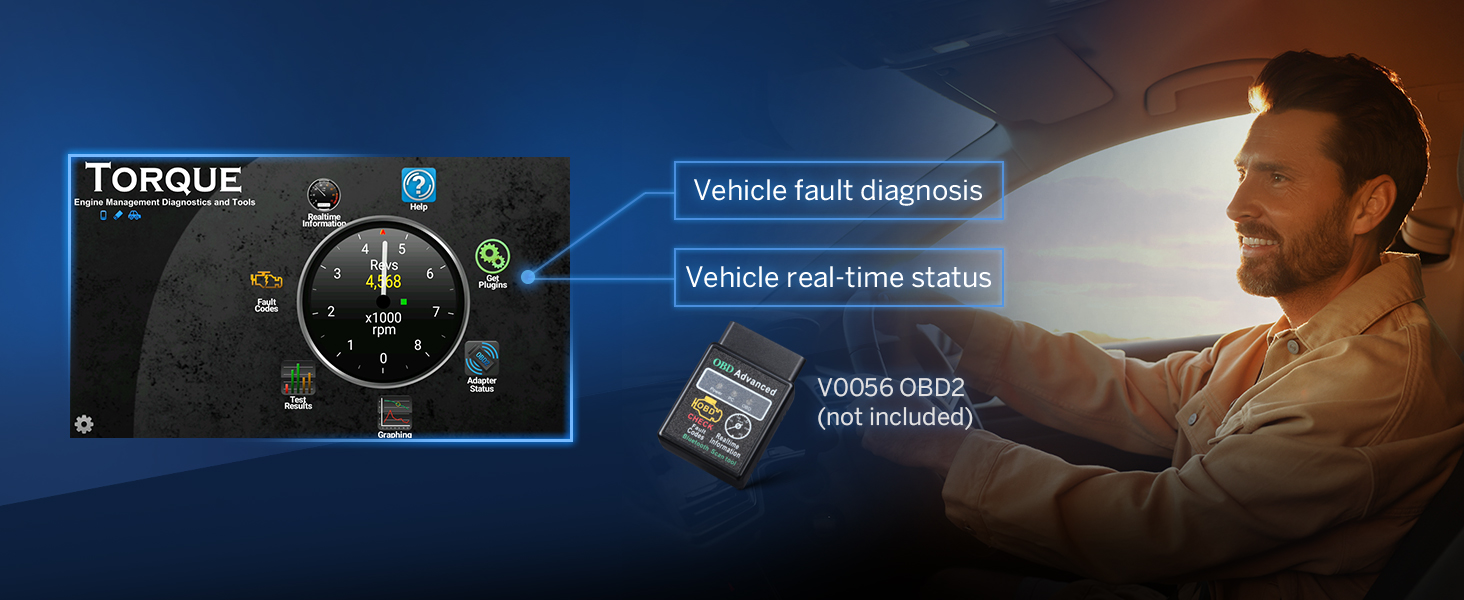
Image: Verification of device specifications.
9. Specifications
| Feature | Specification |
|---|---|
| Model Number | GMX6S-U |
| Screen Size | 8 Inches |
| Display Type | QLED Touch Screen |
| Resolution | 1280*720 HD |
| Processor | Qualcomm QCM6225 Octa-core (6nm LPP) |
| RAM | 6GB |
| ROM | 64GB |
| GPU | Adreno 610 |
| Operating System | Android 13 |
| Wireless Connectivity | Wireless CarPlay, Android Auto, 4G LTE, WiFi 6 (2.4/5 GHz) |
| Bluetooth Version | 5.1 |
| Audio Output | DSP, 4x48W Max Output, Optical + Coaxial + RCA |
| Dimensions (L x W x H) | 7.91" x 1.26" x 4.72" |
| Item Weight | 3.3 pounds |

Image: Detailed specifications comparison.
10. Warranty and Support
Eonon products are designed for reliability and performance. For specific warranty details, including coverage period and terms, please refer to the warranty card included in your product packaging or visit the official Eonon website. For technical support, troubleshooting assistance, or any inquiries regarding your GMX6S car stereo, please contact Eonon customer service through their official channels. Keep your purchase receipt as proof of purchase for warranty claims.
For the latest information and support resources, please visit the EONON Store.
Related documentsGMX6S-U


Ask a question about this manual
Ask about setup, troubleshooting, compatibility, parts, safety, or missing instructions. Manuals+ will review the question and use this page’s manual context to help answer it.