
Anker SOLIX C300
Anker SOLIX C300 Portable Power Station User Manual
Model: SOLIX C300 | Brand: Anker
Introduction
This manual provides essential information for the safe and efficient operation of your Anker SOLIX C300 Portable Power Station. Please read it thoroughly before use.
What's in the Box
- Anker SOLIX C300 Portable Power Station
- Adjustable Strap
- AC Charging Cable
- Safety Manual
- Warranty Info
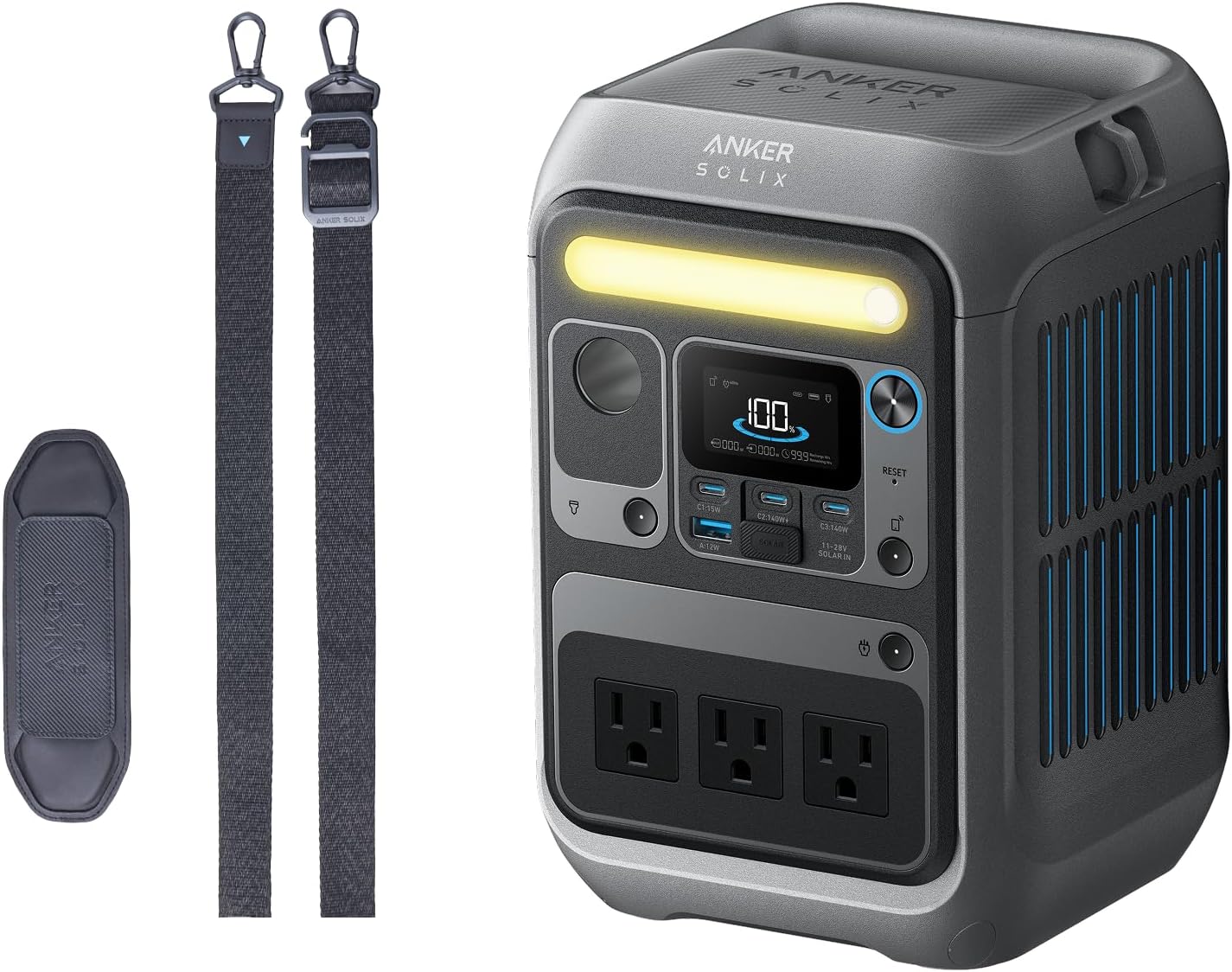
Anker SOLIX C300 Portable Power Station and included adjustable strap.
Setup
Initial Charge
Before first use, fully charge your Anker SOLIX C300. Use the provided AC charging cable to connect the power station to a wall outlet. The display will indicate charging progress.

Connecting the Anker SOLIX C300 to a wall outlet for charging.
Attaching the Adjustable Strap
The adjustable strap can be attached to the designated loops on the power station for easier portability and reduced shoulder strain.

The Anker SOLIX C300 with its adjustable strap attached for convenient carrying.
Operating Your Power Station
Powering On/Off
Press and hold the main power button to turn the unit on or off.
Connecting Devices
The Anker SOLIX C300 offers multiple output ports to power your devices:
- 3x AC Outlets (300W continuous, 600W surge)
- 1x Car Socket (120W)
- 2x USB-C Ports (140W Two-Way Fast Charging)
- 1x USB-C Port (15W)
- 1x USB-A Port (12W)
Simply plug your devices into the appropriate ports. The display will show the current power output.

Close-up view of the Anker SOLIX C300's various charging ports, including AC, USB-C, and USB-A.
LED Light Function
The built-in LED light can be activated by pressing its dedicated button. It provides illumination for various situations, such as camping or emergencies.

The Anker SOLIX C300 with its integrated LED light illuminated, providing ambient light.
Charging the Anker SOLIX C300
Your power station can be recharged using several convenient methods:
AC Wall Charging
Connect the provided AC charging cable to a standard wall outlet. The unit can recharge to 80% in approximately 50 minutes.
The Anker SOLIX C300 connected to a wall outlet for rapid recharging.
Car Charging
Use a compatible car charger (not included) to recharge the unit via your vehicle's car socket. It can reach 80% in approximately 2.5 hours.

The Anker SOLIX C300 being charged inside a vehicle using the car socket.
Solar Charging
The Anker SOLIX C300 supports solar panel input (up to 100W). Connect a compatible solar panel (not included) to the designated solar input port. Charging to 80% via solar takes approximately 2.5 hours with a 100W panel.

The Anker SOLIX C300 connected to a solar panel for sustainable outdoor charging.
Maintenance
Storage
Store the power station in a cool, dry place away from direct sunlight and extreme temperatures. For long-term storage, recharge the unit to 50-80% every 3-6 months to preserve battery health.
Cleaning
Use a soft, dry cloth to clean the exterior of the unit. Do not use abrasive cleaners or immerse the unit in water.
Troubleshooting
Unit Not Turning On
- Ensure the power button is pressed and held for a few seconds.
- Check the battery level. If it's critically low, connect it to a power source.
Devices Not Charging
- Verify the power station is turned on.
- Check if the device is properly connected to the correct port.
- Ensure the device's power requirements do not exceed the power station's output capacity (300W continuous, 600W surge).
- If using 15W USB-C and 12W USB-A simultaneously, note that total output is limited to 20W.
Overheating
- If the unit feels excessively hot, disconnect all devices and allow it to cool down in a well-ventilated area.
- Ensure ventilation vents are not blocked.
Specifications
| Feature | Detail |
|---|---|
| Model | Anker SOLIX C300 |
| Battery Type | LiFePO4 |
| Capacity | 288Wh |
| AC Output | 300W (600W Surge) |
| USB-C Output | 2x 140W (Two-Way), 1x 15W |
| USB-A Output | 1x 12W |
| Car Socket Output | 1x 120W |
| Solar Input | Up to 100W |
| Dimensions | Approx. 5 x 5 x 8 inches |
| Weight | Just over 6 lbs |
| Lifespan | 3,000+ cycles, up to 10 years |
| Warranty | 5 Year |
Warranty and Support
The Anker SOLIX C300 Portable Power Station comes with a 5-year warranty. For warranty claims or technical support, please contact AnkerDirect, the authorized seller.
Seller: AnkerDirect
Please refer to the included "Safety Manual" and "Warranty Info" documents for complete details.
Related Documents - SOLIX C300
 |
Anker SOLIX C300 Portable Power Station User Manual User manual for the Anker SOLIX C300 Portable Power Station, detailing its features, charging methods (AC, Solar, USB-C, Car), operation, UPS, SurgePad, app control, LCD screen guide, FAQ, and technical specifications. Learn how to recharge, power devices, and maintain your portable power station. |
 |
Anker SOLIX C300 DC Portable Power Station: User Guide & Specifications Comprehensive user guide for the Anker SOLIX C300 DC Portable Power Station. Learn about its features, charging methods (solar, USB-C, car), device powering, app control, specifications, and troubleshooting. |
 |
Anker SOLIX C300X Portable Power Station User Manual and Specifications Detailed user guide for the Anker SOLIX C300X Portable Power Station, covering its features, operation, charging methods, app control, troubleshooting, and technical specifications. |
 |
Anker SOLIX C300 Portable Power Station User Manual User manual for the Anker SOLIX C300 Portable Power Station, covering features, charging, operation, and specifications. |
 |
Anker SOLIX C300 Portable Power Station User Manual and Specifications Comprehensive guide to the Anker SOLIX C300 Portable Power Station, covering its features, charging methods, device powering, app control, FAQ, and technical specifications. |
 |
Anker SOLIX C300 Portable Power Station User Manual User manual for the Anker SOLIX C300 Portable Power Station, covering setup, operation, charging, app control, FAQ, and specifications. |