
1. Introduction
This manual provides instructions for the safe and efficient use of your KU XIU Solid-State Portable Charger, Model K1. This device is designed to provide portable power for compatible electronic devices, primarily iPhones and AirPods with wireless charging capabilities.

Image 1.1: Front and back view of the KU XIU K1 Solid-State Portable Charger.
2. Key Features
- Solid-State Battery Technology: Utilizes advanced solid-state battery technology for enhanced safety, reducing risks of leakage, explosions, or burns compared to traditional lithium-ion batteries.
- Efficient Charging: Qi2-certified 15W wireless charging and 20W wired (USB-C) fast charging capabilities.
- Optimized Lifespan: Maintains 80% capacity after over 1,000 charge cycles, extending the device's operational life.
- Temperature Control: Integrated intelligent thermal control system keeps the battery temperature below 99°F (37°C) during operation.
- Compact Design: Ultra-slim profile (0.39 inches thick) and lightweight (5.11 ounces) for portability.
- Strong Magnetic Attachment: Equipped with powerful magnets for secure and precise alignment with MagSafe-compatible devices.
- Premium Construction: Crafted with double-sided American Corning glass and an aerospace-grade aluminum frame.
3. Package Contents
Verify that all items are present in your package:
- KU XIU Solid-State Portable Charger (Model K1)
- USB-C to USB-C Charging Cable
- User Manual (this document)
4. Setup and Initial Use
4.1 Charging the Power Bank
- Connect the provided USB-C to USB-C cable to the power bank's USB-C port.
- Connect the other end of the cable to a compatible USB-C power adapter (not included).
- The LED indicator lights on the power bank will illuminate to show the charging status. A full charge is indicated when all LEDs are solid.
- For optimal performance, fully charge the power bank before its first use.

Image 4.1: The KU XIU K1 power bank, illustrating its compact design and connection points.
4.2 LED Indicator Lights
The LED lights provide information about the power bank's battery level:
- Solid LEDs: Indicates remaining battery capacity. (Typically 4 LEDs, each representing 25% charge).
- Flashing LEDs: Indicates the power bank is currently charging.
5. Operating Instructions
5.1 Wireless Charging (MagSafe)
- Ensure your device is MagSafe-compatible (iPhone 12 series or newer) or has a MagSafe-compatible case.
- Align the power bank with the back of your iPhone. The strong magnets will snap it into place.
- Charging will begin automatically. The power bank's LED indicators may show activity.
- To stop charging, simply detach the power bank from your device.
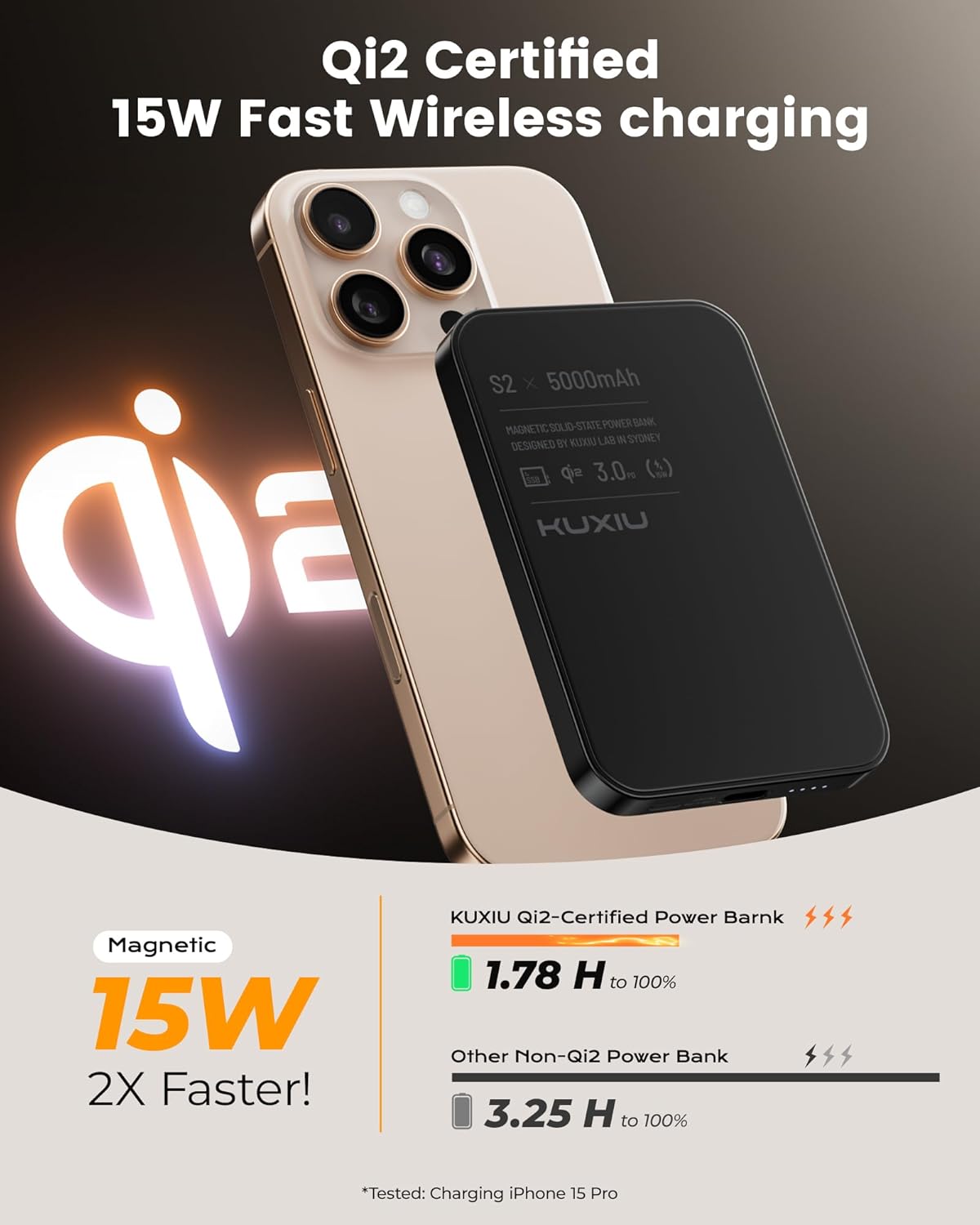
Image 5.1: Wireless charging an iPhone using the KU XIU K1 power bank.
Note: For optimal magnetic attachment and charging efficiency, it is recommended to use the power bank directly with a MagSafe-compatible iPhone or with a magnetic phone case. Non-magnetic cases may hinder attachment and charging performance.

Image 5.2: Compatibility with magnetic and non-magnetic phone cases.
5.2 Wired Charging
- Connect one end of a USB-C cable (the provided cable or another compatible cable) to the power bank's USB-C port.
- Connect the other end of the cable to your device's charging port.
- Charging will commence automatically.
5.3 Simultaneous Charging
The KU XIU K1 power bank supports simultaneous charging of multiple devices:
- Wirelessly charge your iPhone while simultaneously charging AirPods (with a wireless charging case) via the power bank's USB-C port.

Image 5.3: Simultaneous charging of an iPhone and AirPods.
6. Maintenance and Care
- Cleaning: Wipe the surface of the power bank with a soft, dry cloth. Avoid using harsh chemicals or abrasive materials.
- Storage: Store the power bank in a cool, dry place away from direct sunlight and extreme temperatures.
- Protection: Due to its glass construction, handle the power bank with care. Consider using a protective carrying case to prevent scratches or damage, especially when transporting it with other items like keys.
- Battery Lifespan: The solid-state battery is designed for longevity, retaining 80% capacity after over 1,000 charge cycles.
7. Safety Information and Warnings
Please read and follow these safety guidelines to ensure safe operation and prevent damage to the device or injury:
- Do not expose the power bank to high temperatures, such as leaving it in a hot vehicle or near heat sources.
- Avoid dropping or subjecting the power bank to severe impacts, as this may damage the internal components or the glass exterior.
- Keep the power bank away from metal objects, keys, or bank cards when stored or carried, as these can cause scratches or interfere with magnetic functions.
- Do not attempt to disassemble, repair, or modify the power bank. This will void the warranty and may pose safety risks.
- Keep out of reach of children.
- Dispose of the power bank responsibly according to local regulations for electronic waste.
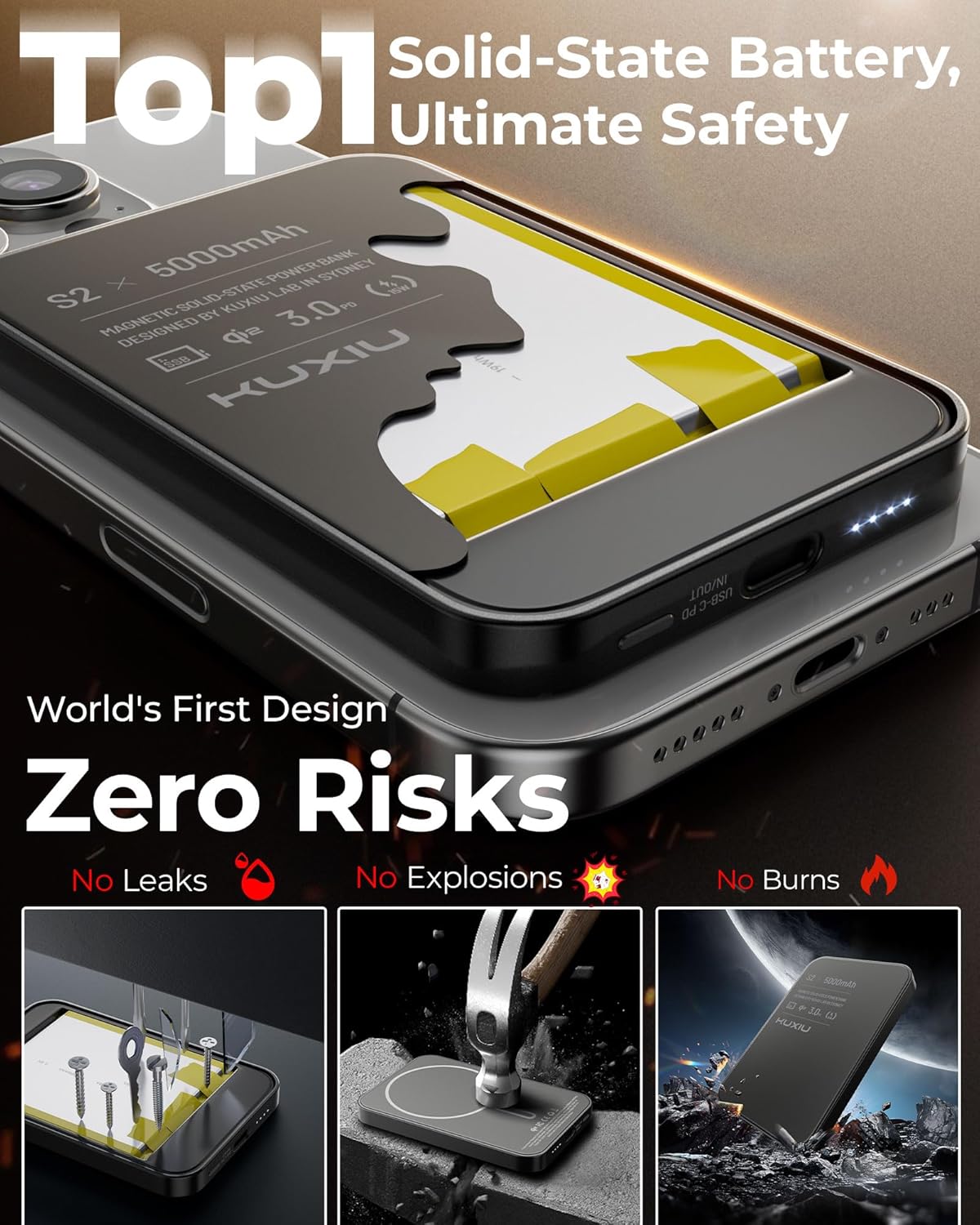
Image 7.1: Solid-state battery safety features.
8. Troubleshooting
| Problem | Possible Cause | Solution |
|---|---|---|
| Device not charging wirelessly. |
|
|
| Device not charging via cable. |
|
|
| Power bank feels warm during charging. |
|
|
| Magnetic attachment is weak. |
|
|
9. Specifications
| Model Number | K1 |
| Battery Type | Solid-State Battery |
| Battery Capacity | 5000mAh |
| Wireless Output | 15W (Qi2 Certified) |
| Wired Output (USB-C) | 20W Power Delivery (PD) |
| Input (USB-C) | 5V/3A, 9V/2A |
| Dimensions (Power Bank) | 4.17" x 2.74" x 0.39" (10.6 cm x 7.0 cm x 1.0 cm) |
| Weight (Power Bank) | 5.11 oz (145 g) |
| Compatibility | iPhone 12/13/14/15/16 Series (MagSafe), AirPods 3/2/Pro/Pro (with wireless charging case) |
| Manufacturer | Shenzhen Kuxiu Communication Co., Ltd. |
10. Contact and Support
For further assistance, technical support, or warranty inquiries, please contact KU XIU customer service through the retailer's platform or visit the official KU XIU website.
Website: KU XIU Store on Amazon