
1. Introduction
Thank you for choosing the GOBOULT Flex On-Ear Bluetooth Headphones. This manual provides essential information for setting up, operating, and maintaining your headphones. Please read it carefully before use to ensure optimal performance and longevity of your device.

Image: GOBOULT Flex On-Ear Bluetooth Headphones in Jet Black, showcasing the sleek design.
2. What's in the Box
Verify that all items are present in your package:
- GOBOULT Flex On-Ear Bluetooth Headphones
- Type-C Fast Charging Cable
- AUX Cable (for wired connection)
- User Manual (this document)
- Warranty Card
3. Product Overview
The GOBOULT Flex headphones feature an adjustable headband and soft earcups designed for comfort during extended use. Key components include:
- Adjustable Headband: For a customized fit.
- Earcups: Padded for comfort, housing the 40mm audio drivers.
- Control Buttons: Power, Volume Up/Down, Multi-function Button.
- Type-C Charging Port: For recharging the internal battery.
- AUX Port: For wired audio connection.
- Microphone: Integrated Zen™ ENC mic for clear calls.

Image: Close-up of the GOBOULT Flex headphones highlighting the adjustable headband and earcups for comfortable wear.
4. Setup
4.1 Charging the Headphones
Before first use, fully charge your headphones. Connect the provided Type-C charging cable to the headphone's charging port and the other end to a USB power source (e.g., wall adapter, computer USB port).
- A full charge takes approximately 60 minutes.
- A 10-minute charge provides up to 5 hours of playtime.
- The LED indicator will show charging status (e.g., red for charging, blue for fully charged).
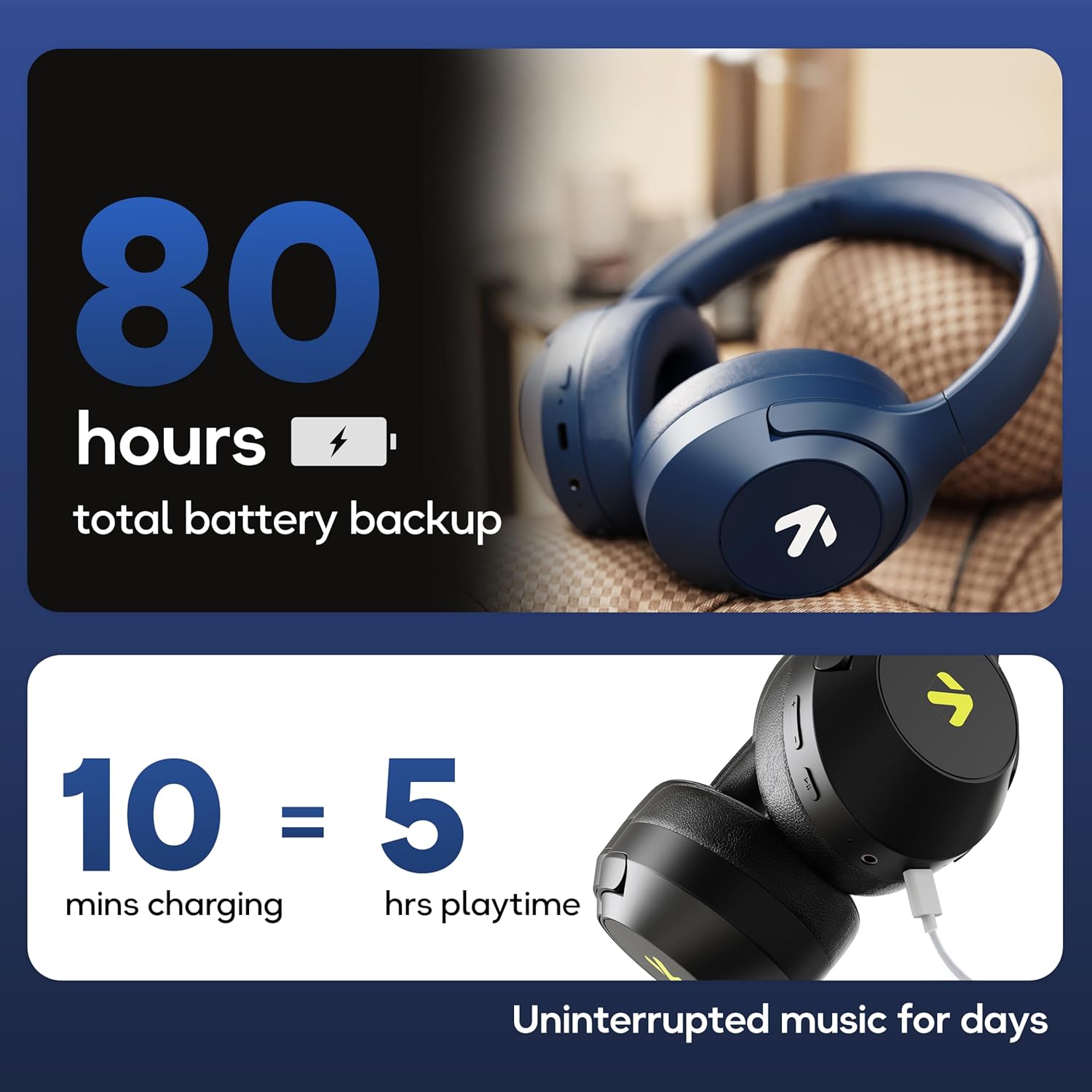
Image: Visual representation of the GOBOULT Flex headphones' battery life and fast charging capability.
4.2 Powering On/Off
- To Power On: Press and hold the Power button for 3 seconds. The LED indicator will flash.
- To Power Off: Press and hold the Power button for 5 seconds. The LED indicator will turn off.
4.3 Bluetooth Pairing
The GOBOULT Flex headphones utilize Bluetooth 5.4 for stable and fast connections.
- Ensure the headphones are powered off.
- Press and hold the Power button for approximately 5-7 seconds until the LED indicator flashes red and blue alternately, indicating pairing mode.
- On your device (smartphone, tablet, laptop), enable Bluetooth and search for available devices.
- Select "GOBOULT Flex" from the list of devices.
- Once connected, the LED indicator will flash blue slowly.

Image: Illustration of the GOBOULT Flex headphones connecting via Bluetooth 5.4, highlighting the fast pairing feature.
4.4 AUX Connection
You can use the headphones with a wired connection when the battery is low or for devices without Bluetooth. Connect one end of the 3.5mm AUX cable to the headphone's AUX port and the other end to your audio source's 3.5mm jack.
5. Operating Instructions
5.1 Basic Controls
| Function | Action |
|---|---|
| Play/Pause | Press the Multi-function Button once. |
| Volume Up | Press the Volume Up (+) button. |
| Volume Down | Press the Volume Down (-) button. |
| Next Track | Press and hold the Volume Up (+) button. |
| Previous Track | Press and hold the Volume Down (-) button. |
5.2 Call Management
The integrated Zen™ ENC (Environmental Noise Cancellation) microphone ensures clear communication during calls.

Image: Detailed view of the GOBOULT Flex headphones highlighting the Zen™ ENC mic for noise-reduced calls.
| Function | Action |
|---|---|
| Answer/End Call | Press the Multi-function Button once. |
| Reject Call | Press and hold the Multi-function Button for 2 seconds. |
5.3 Voice Assistant
Activate your device's voice assistant (e.g., Google Assistant, Siri) directly from your headphones.
- Activate Voice Assistant: Double-press the Multi-function Button.

Image: GOBOULT Flex headphones showing compatibility with voice assistants and IPX5 water resistance.
5.4 Gaming Mode (Low Latency)
For an optimized gaming experience, activate the 60ms ultra-low latency Combat™ Gaming Mode.
- Activate Gaming Mode: Refer to your device's specific instructions or the product's quick start guide for the button combination to toggle gaming mode.

Image: GOBOULT Flex headphones illustrating the Combat™ Gaming Mode with 60ms ultra-low latency for mobile gaming.
5.5 EQ Modes
The headphones feature 4 EQ modes to customize your audio experience:
- Bass
- Rock
- Pop
- Vocal
To switch between EQ modes, refer to the specific button press sequence in your quick start guide or product packaging. This functionality allows you to tailor the sound profile to your preference.

Image: Overview of GOBOULT Flex features, including the 4 EQ modes for sound customization.
6. Maintenance
6.1 Cleaning
Wipe the headphones with a soft, dry cloth. Do not use abrasive cleaners or solvents. For earcups, gently wipe with a damp cloth and allow to air dry completely before use.
6.2 Storage
Store the headphones in a cool, dry place away from direct sunlight and extreme temperatures. The foldable design allows for compact storage.
6.3 Water Resistance (IPX5)
The GOBOULT Flex headphones are rated IPX5, meaning they are resistant to sweat and light splashes of water. They are not designed for submersion in water. Avoid exposing them to heavy rain or showering.
7. Troubleshooting
| Problem | Possible Solution |
|---|---|
| Headphones do not power on. | Ensure the headphones are charged. Connect to a power source using the Type-C cable. |
| Cannot pair via Bluetooth. | Ensure headphones are in pairing mode (flashing red/blue). Turn off and on your device's Bluetooth. Move closer to the device. |
| No sound. | Check volume levels on both headphones and connected device. Ensure headphones are properly paired or AUX cable is fully inserted. |
| Poor call quality. | Ensure the microphone is not obstructed. Move to a quieter environment. |
8. Specifications
| Feature | Detail |
|---|---|
| Model Name | Flex (ProBass) |
| Connectivity | Bluetooth 5.4, AUX |
| Audio Driver Size | 40mm |
| Playtime | Up to 80 hours |
| Charging Port | Type-C |
| Charging Time | Approx. 60 minutes |
| Microphone | Zen™ ENC Mic |
| Low Latency Mode | 60ms (Combat™ Gaming Mode) |
| Water Resistance | IPX5 |
| Frequency Response | 20 Hz |
| Sensitivity | 118 dB |
| Impedance | 32 Ohm |
| Item Weight | 214 Grams |
9. Warranty and Support
The GOBOULT Flex headphones come with a 1-year warranty. To avail of the extended warranty and for any support inquiries, please register your product on the official GOBOULT website. For technical assistance or customer service, refer to the contact information provided on your warranty card or the GOBOULT official website.
Manufacturer: Exotic Mile Private Limited
Country of Origin: China