
Introduction
This manual provides essential information for the installation, operation, and maintenance of your Slevoo SJ-RO75R Reverse Osmosis (RO) water filtration system. Please read these instructions carefully before installation and retain them for future reference. Proper installation and maintenance ensure optimal performance and longevity of your system.
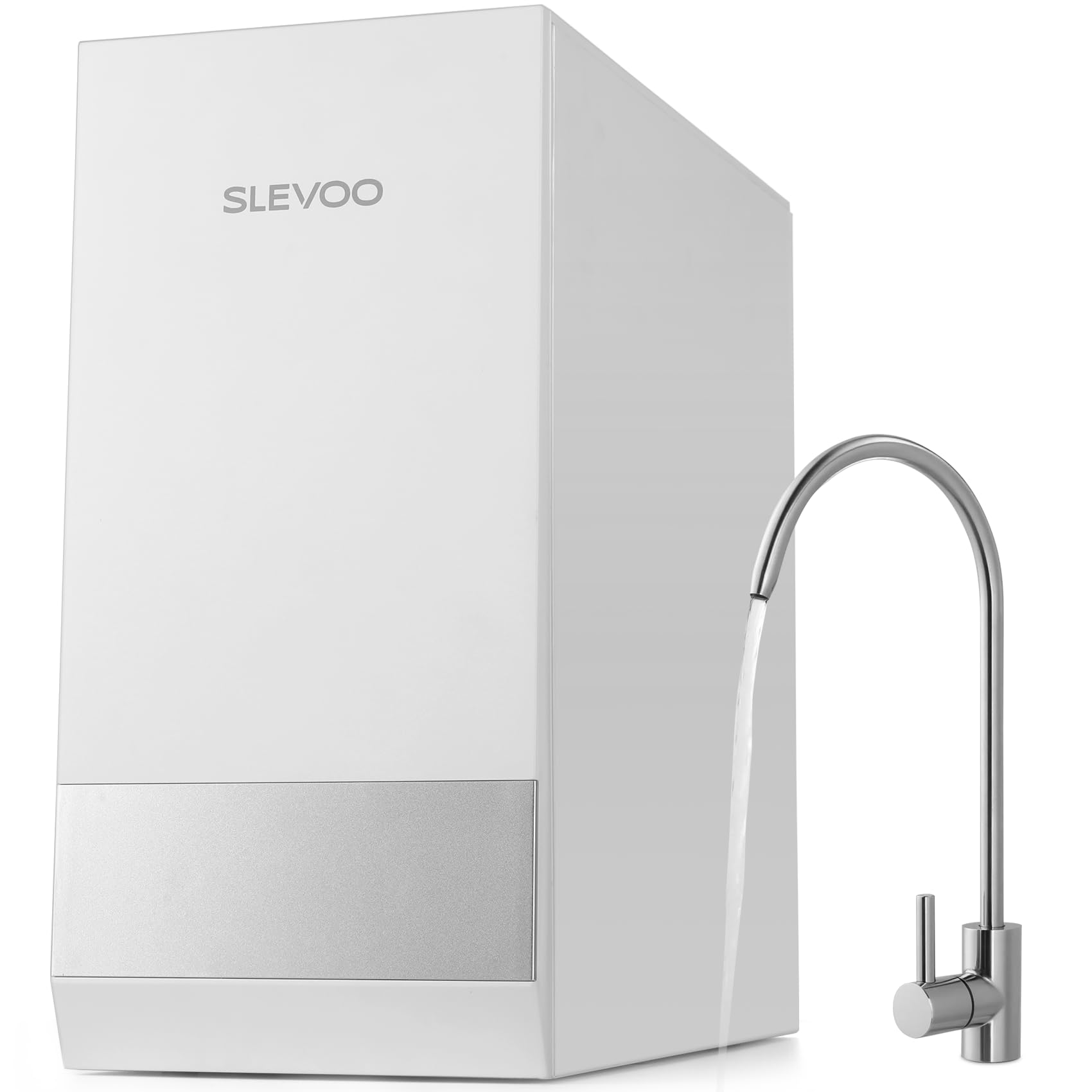
Image: The Slevoo SJ-RO75R Reverse Osmosis System, showing the main unit and the dedicated faucet.
Safety Information
- Electrical Safety: The system requires an electrical outlet. Ensure the outlet is properly grounded and located in a dry area under the sink. Do not operate the system with a damaged power cord or plug.
- Water Pressure: Ensure your water supply pressure is within the system's recommended operating range. Excessive pressure can damage components.
- Leak Prevention: Carefully follow all plumbing instructions. Check for leaks immediately after installation and periodically thereafter. Tighten connections as needed.
- Installation Environment: Install the system in an area protected from freezing temperatures and direct sunlight.
- Children and Pets: Keep packaging materials and small components out of reach of children and pets.
Package Contents
Verify that all components are present before beginning installation:
- Slevoo SJ-RO75R Main Unit
- Dedicated Faucet
- PPC Filter Cartridge (Pre-installed or separate)
- RO Filter Cartridge (Pre-installed or separate)
- GAC Filter Cartridge (Pre-installed or separate)
- Water Supply Adapter
- Drain Saddle Valve
- Tubing and Connectors
- User Manual (This document)
Product Features
- NSF/ANSI 58 Certified Filtration: The Slevoo reverse osmosis system utilizes a 0.0001µm RO membrane, certified by NSF/ANSI 58, to effectively remove over 1,000 contaminants including heavy metals (lead, arsenic, aluminum), fluoride, PFAS, chlorine, and chloramines.
- High Flow Rate: With a maximum flow rate of 700 GPD (Gallons Per Day), the system can dispense a 200ml cup of filtered water in approximately 8 seconds.
- Efficient Water Usage: The system operates with a 3:1 pure to drain ratio, which is more water-efficient compared to traditional RO systems.
- Compact Design: Measuring 7.3''W x 15.2''H x 16.1''D, the system is designed to fit into compact under-sink spaces.
- Intuitive Control Panel: Features filter life indicators to notify you when filter replacement is necessary.

Image: Illustration of the system's fast water flow, indicating a 200ml cup can be filled in 8 seconds.

Image: Detailed diagram illustrating the 8-stage filtration process, including PP Cotton, Activated Carbon Block, and RO Reverse Osmosis Membrane layers.

Image: Visual representation of the 3:1 pure water to waste water ratio, highlighting the system's efficiency.
Setup and Installation
Installation typically takes around 30 minutes for individuals with basic plumbing knowledge. If you are unsure, professional installation is recommended.
- Prepare the Installation Area: Clear space under your sink. The unit dimensions are 7.3''W x 15.2''H x 16.1''D. Ensure an electrical outlet is available nearby.
- Install the Faucet: Drill a 1-inch hole in your sink countertop for the dedicated faucet. Ensure your countertop thickness is compatible (typically less than 1 inch for standard faucet mounting). Secure the faucet.
- Connect to Water Supply: Turn off the main cold water supply. Install the water supply adapter to your cold water line.
- Install the Drain Saddle Valve: Attach the drain saddle valve to the drain pipe. Ensure a secure, leak-free connection. Some installations may require drilling a hole in the drain pipe for the saddle valve.
- Connect Tubing: Connect the appropriate tubing from the water supply, faucet, and drain saddle valve to the corresponding ports on the Slevoo RO unit.
- Insert Filters: Ensure the PPC, RO, and GAC filters are correctly inserted into the system. The easy pull and twist design facilitates this.
- Power On: Plug the system into the electrical outlet.
- Flush the System: Turn on the cold water supply. Open the RO faucet and allow the system to flush for at least 15-30 minutes to remove air and carbon fines. Check for any leaks during this process.

Image: The Slevoo RO system installed under a kitchen sink, highlighting its compact dimensions and the necessity of an electrical outlet.
Operating Instructions
Once installed and flushed, your Slevoo SJ-RO75R system is ready for use.
- Dispensing Water: Simply open the dedicated RO faucet to dispense purified water. The system will automatically produce water as needed.
- Water Production Indicator: The control panel will indicate when the system is actively producing water or is in standby mode.
- Filter Life Indicators: Monitor the filter life indicators on the control panel. These lights will signal when a filter needs replacement.

Image: The intuitive control panel of the Slevoo RO system, showing indicators for water production, maintenance, and individual filter status (PPC, RO).
Maintenance
Regular maintenance, primarily filter replacement, is crucial for maintaining water quality and system performance.
- Filter Replacement: The system features an easy pull and twist design for filter replacement, which can be done in approximately 3 seconds per filter.
- Filter Life Indicators: When a red light on the control panel is continuously illuminated for a specific filter (PPC, RO, or GAC), it indicates that the filter needs to be replaced.
- Replacement Filters: For replacement filters, search for "Replacement Cartridge for SJ-RO75R" to find the correct PPC, RO, and GAC filter cartridges.
- Cleaning: Periodically wipe down the exterior of the unit with a clean, damp cloth. Do not use harsh chemicals.
Troubleshooting
| Problem | Possible Cause | Solution |
|---|---|---|
| Low water flow from faucet | Clogged filters, low water pressure, air in system | Check filter life indicators and replace if necessary. Ensure main water supply is fully open. Flush the system. |
| Water has an unusual taste or odor | Expired filters, new system not fully flushed | Replace GAC or RO filter. Flush the system for a longer period (up to 24 hours for new systems). |
| System is leaking | Loose connections, damaged O-rings or tubing | Turn off water supply. Inspect all connections and tighten. Check for visible damage to tubing or filter housings. |
| Filter indicator light remains red after replacement | Filter life reset not performed | Refer to the control panel instructions to reset the filter life indicator after replacing a filter. |
| No water production | No power, water supply off, severe clog | Check power connection. Ensure water supply is on. Check all filters for severe clogging. |
Specifications
| Feature | Detail |
|---|---|
| Model Name | SJ-RO75R |
| Brand | Slevoo |
| Filtration Method | Reverse Osmosis, Activated Carbon |
| Capacity (GPD) | 700 Gallons Per Day |
| Pure to Drain Ratio | 3:1 |
| Installation Type | Under Sink |
| Product Dimensions (L x W x H) | 38.6L x 18.5W x 40.9H centimetres (15.2"L x 7.3"W x 16.1"H) |
| Item Weight | 8.07 Kilograms |
| Power Source | Water Pressure (with electrical assistance for pump) |
| Special Features | Change Filter Indicator |
| Supported Water TDS Level Maximum | 2000 PPM |
| Certifications | NSF/ANSI 58 Certified |
Warranty and Support
For warranty information and customer support, please refer to the documentation provided with your purchase or contact Slevoo customer service directly. Keep your purchase receipt as proof of purchase for any warranty claims.