
1. Introduction and Overview
The MOVE SPEED 0.3'' Ultra Slim MagSafe Portable Charger (Model YSPBS05) is a compact and efficient power solution designed for on-the-go charging. Engineered with aerospace-grade N52 magnets, it provides a strong and secure attachment to compatible devices. With a 5,000mAh battery capacity, it offers reliable power to extend your device's usage time.
This power bank is ultra-slim at just 0.3 inches thick and weighs 113 grams, making it highly portable. It supports both 7.5W MagSafe wireless charging and 18W Power Delivery wired charging, catering to a variety of devices including iPhones, earbuds, and tablets. The device is designed for quick charging, reaching a full charge in approximately 60 minutes, and can boost an iPhone from 15% to 55% in just 30 minutes.

Figure 1: MOVE SPEED 0.3'' Ultra Slim MagSafe Portable Charger attached to an iPhone.
2. Product Features
2.1. Design and Portability
The power bank features a sleek, curved aluminum design that is only 0.3 inches thick and weighs 113 grams. Its compact size allows it to slip effortlessly into pockets without obstructing the device's camera. The premium, skin-friendly feel enhances user comfort.

Figure 2: The ultra-slim and lightweight design of the power bank.
2.2. Magnetic Attachment
Equipped with N52 magnets, the charger provides a strong and secure hold, ensuring it stays attached to your iPhone (12/13/14/15/16/17 series) or MagSafe-compatible case during various activities.
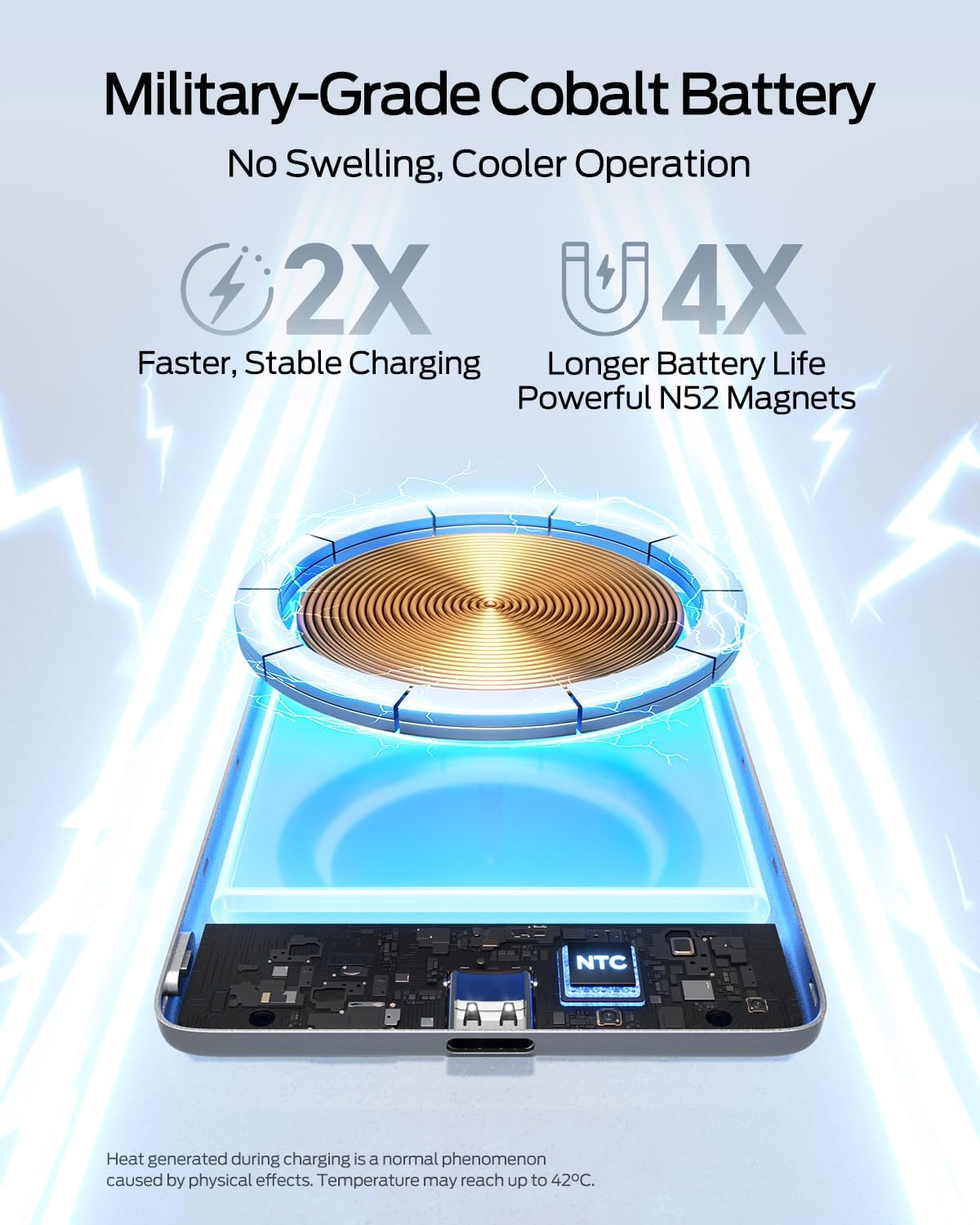
Figure 3: Magnetic attachment of the power bank to an iPhone.
2.3. Battery and Charging Capabilities
The 5,000mAh battery is built with high-quality cells designed to withstand over 800 charging cycles while maintaining over 80% health. It is 3C certified and flight-safe, making it suitable for travel. The power bank supports 7.5W MagSafe wireless charging and 18W Power Delivery wired charging via its USB-C port.

Figure 4: Dual charging options: wireless and wired.
2.4. Smart Temperature Control
The power bank features a gray aluminum shell with graphene cooling and an NTC temperature control system. This design helps maintain a cool operating temperature, distinguishing it from plastic alternatives. The 5A safety battery core enhances overall safety.

Figure 5: Internal cooling system for optimal temperature management.
3. Setup
3.1. Charging the Power Bank
To charge the MOVE SPEED portable charger, connect the provided USB-C cable to the power bank's USB-C port and plug the other end into a compatible power adapter (not included). The LED indicators on the side will illuminate to show the charging status. A full charge typically takes 60 minutes.
3.2. Checking Battery Level
Press the small power button located on the side of the power bank. The LED indicators will light up to display the current battery level.
3.3. Attaching to Device for Wireless Charging
Align the power bank with the MagSafe area on the back of your iPhone (iPhone 12/13/14/15/16/17 series) or MagSafe-compatible case. The magnets will securely snap the power bank into place, initiating wireless charging automatically.
4. Operating Instructions
4.1. Wireless Charging
Once magnetically attached to a compatible iPhone or MagSafe case, the power bank will begin providing 7.5W wireless charging. Ensure the power bank is sufficiently charged for optimal performance.
4.2. Wired Charging
For wired charging, connect your device (phone, earbuds, tablet) to the power bank's USB-C port using a compatible USB-C cable. The power bank supports up to 18W Power Delivery for fast wired charging.

Figure 6: Wired charging via USB-C port.
5. Safety and Maintenance
- Always use the original cable provided or a certified third-party cable. Unapproved accessories may compromise safety.
- Avoid severe impacts or dropping the device to prevent damage to the Type-C port or internal components.
- Charge the power bank and your devices in open, well-ventilated areas.
- Never charge unattended or near combustible materials such as on beds, sofas, or inside backpacks.
- A slight warmth during fast charging is normal and indicates the power management system is operating within safe parameters.

Figure 7: Important safety guidelines for product usage.
6. Specifications
| Feature | Detail |
|---|---|
| Product Dimensions | 4.03 x 2.6 x 0.31 inches |
| Item Weight | 5.6 ounces |
| Item Model Number | YSPBS05 |
| Battery Capacity | 5000 Milliamp Hours |
| Voltage | 3.87 Volts |
| Max Wireless Output | 7.5W |
| Max Wired Output | 18W Power Delivery |
| Material | Aluminum Alloy |
| Color | Starry Gray |
| Manufacturer | Shenzhen Speedmobile Technology Co., Ltd |
| Date First Available | April 11, 2025 |

Figure 8: Compatibility details for the MagSafe charger.
7. Troubleshooting
7.1. Device Not Charging
- Ensure the power bank is adequately charged.
- Verify that your device is compatible with MagSafe wireless charging or the USB-C wired connection.
- For wireless charging, ensure proper magnetic alignment between the power bank and your device.
- For wired charging, check that the USB-C cable is securely connected to both the power bank and your device.
7.2. Slow Charging
- Confirm that your charging cable and wall adapter support fast charging protocols (e.g., Power Delivery).
- Ensure your device itself supports fast charging.
- Avoid using your device extensively while charging, as this can slow down the charging process.
7.3. Overheating
- If the power bank or your device becomes excessively hot, discontinue use immediately.
- Ensure the charging environment is well-ventilated and not exposed to direct sunlight or confined spaces.
- Remove any thick cases from your device that might impede heat dissipation during wireless charging.
8. Warranty and Support
MOVE SPEED offers a 365-day exchange policy for product issues. If you encounter any problems such as color mismatch, slow charging, MagSafe not working, damaged on arrival, or battery not charging, please contact customer support for assistance. It is recommended to reach out to customer support before returning the product for a hassle-free solution.
For further support or inquiries, please refer to the contact information provided with your product packaging or visit the official MOVE SPEED website.

Figure 9: Warranty and support information.

