
AMBITFUL Ambitful T14 PRO
Ambitful T14Pro 14-inch Teleprompter User Manual
Model: Ambitful T14 PRO | Brand: AMBITFUL
1. Introduction
The Ambitful T14 PRO is a 14-inch teleprompter designed for professional video recording, interviews, live streaming, and online teaching. It features an ultra-high perspective and a crystal-clear reflective optical glass lens with 97% light transmission, ensuring your script is clearly visible without distortion. This teleprompter is foldable for easy setup and portability, requiring no complex assembly. It supports a wide range of devices, including cameras, iPads, Android tablets, and smartphones up to 12.9 inches, and offers smart app control via Bluetooth for seamless script management.
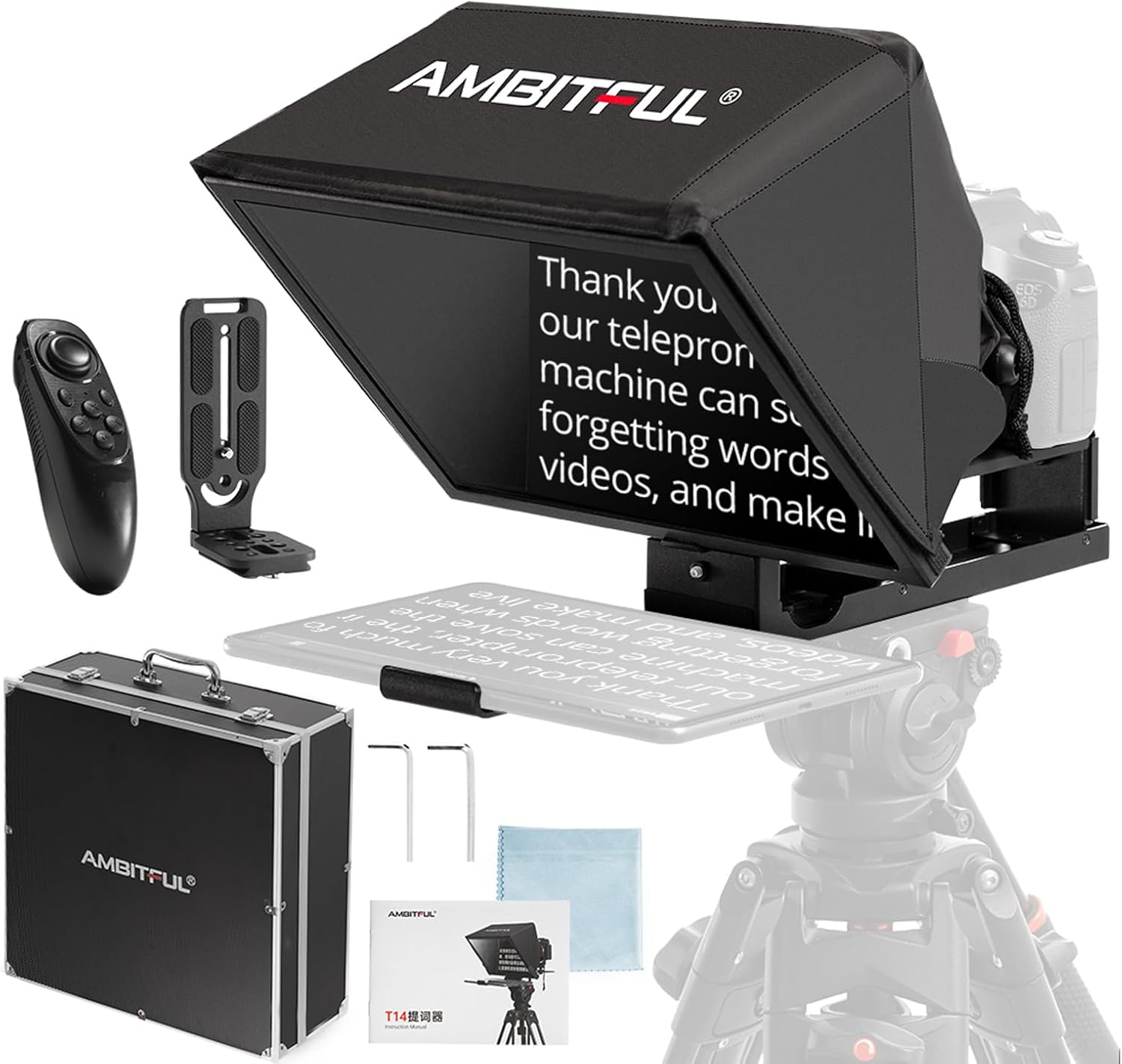
Image 1.1: Ambitful T14Pro Teleprompter and included accessories.
2. What's in the Box
Please verify that all the following components are included in your package:
- Teleprompter x 1
- Storage Box x 1
- Remote Control x 1
- L-Bracket x 1
- Wrench Screw x 2
- Dust Cloth x 1
- Manual x 1

Image 2.1: Visual representation of all items included in the product package.
3. Setup
The Ambitful T14 PRO teleprompter is designed for quick setup with no complex assembly required. Follow these steps to prepare your teleprompter for use:
- Unfold the Teleprompter: Gently unfold the teleprompter from its compact storage position.
- Mount on Tripod: Attach the teleprompter to a tripod using the integrated 1/4-inch or 3/8-inch threads on its base. Ensure it is securely fastened for stability during recording.
- Adjust Screen Height (Lift Gimbal): The teleprompter is equipped with a screen head that allows you to adjust the height of the reflective screen. The camera height can also be adjusted by installing a camera lifting head, providing approximately 8cm of vertical adjustment range.
- Insert Your Device: The teleprompter's telescopic splint can be adjusted to accommodate mobile phones or tablets up to 12.9 inches. Extend the splint to fit your device securely.
- Mount Your Camera: Position your camera behind the teleprompter. The teleprompter supports both vertical and horizontal shooting styles, which can be achieved by changing the position of the L-shaped quick release plate mounted on the camera.

Image 3.1: Adjusting the screen and camera height using the lift gimbal.
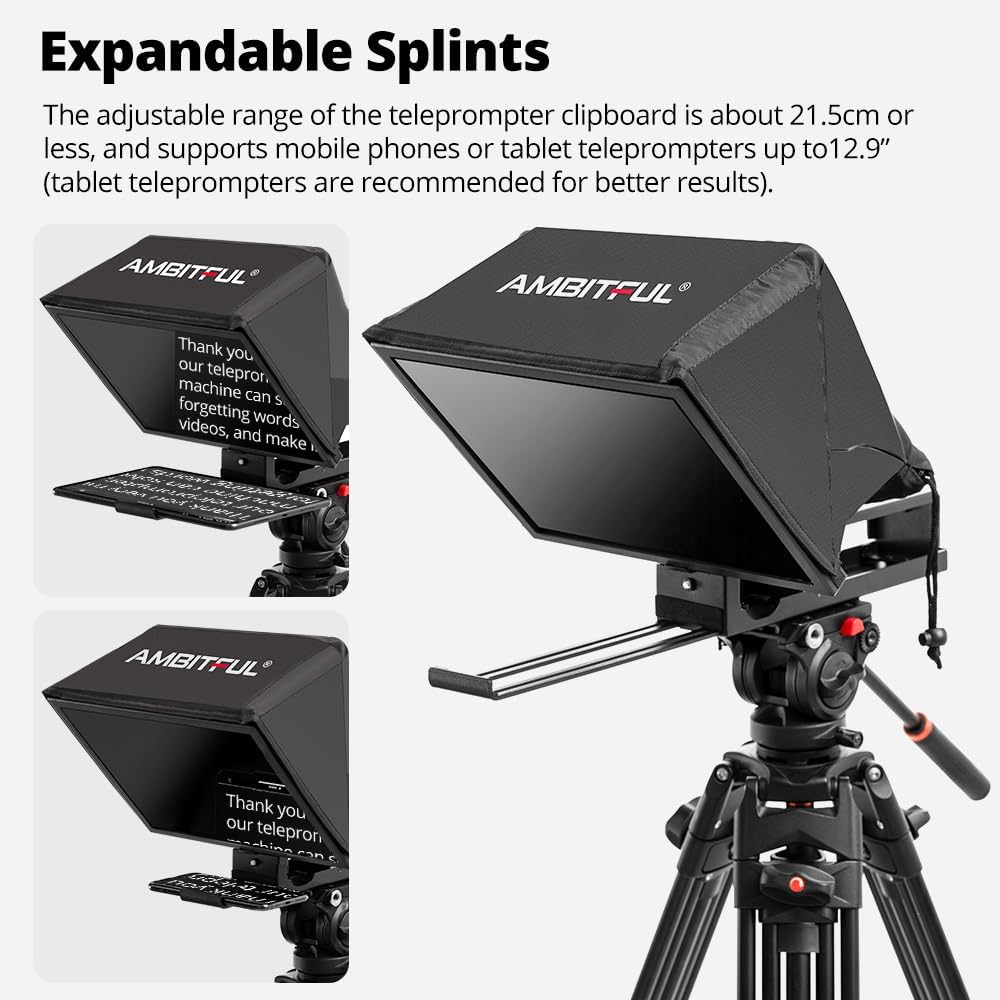
Image 3.2: The adjustable splints accommodate various mobile devices.

Image 3.3: The teleprompter supports both vertical and horizontal camera orientations.
4. Operation
Operating your Ambitful T14 PRO teleprompter is intuitive, especially with the dedicated app control.
4.1. Display and Clarity
The 14-inch ultra-high perspective display and crystal-clear reflective optical glass lens ensure your script is reflected with remarkable clarity. With a 97% light transmission rate, you can effortlessly read your script without any visual obstruction or impurities.

Image 4.1: The 14-inch screen provides clear and readable text.
4.2. Smart App Control
Enhance your teleprompting experience by pairing your smartphone or tablet with the Ambitful teleprompter app via Bluetooth. The app allows for comprehensive control over your script:
- Play/Pause: Start or stop the script scrolling.
- Adjust Scrolling Speed: Control the pace of the text to match your speaking speed.
- Turn Pages: Navigate through your script.
- Change Font Size: Adjust text size for optimal readability.
- Change Background Color: Customize the background for better contrast.

Image 4.2: The included remote control facilitates app-based script management.
4.3. Wide-Angle Lens Support
The teleprompter supports wide-angle lens shooting with a focal length of no less than 35mm, providing a bigger field of view and capturing larger scenes without dark corners in the picture.

Image 4.3: The teleprompter is compatible with wide-angle lenses for broader shots.
4.4. Applicable Scenarios
The Ambitful T14 PRO teleprompter is versatile and suitable for various professional applications:
- Video Recording
- Interviews
- Live Streaming
- Online Courses
- Speeches and Presentations
- News Broadcasts
- Tutorials

Image 4.4: Examples of the teleprompter in use across different professional settings.
5. Maintenance
Proper care and maintenance will ensure the longevity and optimal performance of your Ambitful T14 PRO teleprompter.
- Cleaning the Reflective Glass: Use the provided dust cloth or a soft, lint-free microfiber cloth to gently wipe the reflective glass. For stubborn smudges, a small amount of lens cleaning solution designed for optical surfaces can be applied to the cloth (not directly to the glass). Avoid abrasive materials or harsh chemicals.
- Cleaning the Body: Wipe the exterior surfaces of the teleprompter with a soft, damp cloth. Do not use excessive moisture or immerse any part of the device in water.
- Storage: When not in use, fold the teleprompter flat and store it in the provided carrying case. This protects the optical components and prevents dust accumulation. Store in a cool, dry place away from direct sunlight and extreme temperatures.
- Avoid Impact: Handle the teleprompter with care to prevent drops or impacts, which could damage the optical glass or internal components.
6. Troubleshooting
If you encounter issues with your Ambitful T14 PRO teleprompter, refer to the following common problems and solutions:
| Problem | Possible Cause | Solution |
|---|---|---|
| Text appears blurry or unclear on the screen. | Dust or smudges on the reflective glass; incorrect device placement. | Clean the reflective glass with the provided dust cloth. Ensure your tablet/phone is placed correctly and securely on the splint. |
| Remote control not connecting to the app. | Bluetooth not enabled; remote battery low; app not open or paired. | Ensure Bluetooth is enabled on your device. Check remote battery and replace if necessary. Open the Ambitful teleprompter app and follow pairing instructions. |
| Device (phone/tablet) does not fit the splint. | Device size exceeds maximum compatibility. | The teleprompter supports devices up to 12.9 inches. Ensure your device is within this size limit. |
| Camera view shows dark corners (vignetting). | Using a lens with a focal length less than 35mm. | Use a wide-angle lens with a focal length of 35mm or greater to avoid vignetting. |
7. Specifications
| Product Name | Ambitful T14 PRO Teleprompter |
| Model Number | Ambitful T14 PRO |
| Display Size | 14 inches |
| Light Transmission Rate | 97% |
| Compatible Device Size | Mobile phones or tablets under 12.9 inches (telescopic splint adjustable up to 21.5 cm) |
| Connectivity | Bluetooth (for app control) |
| Mounting Threads | 1/4-inch and 3/8-inch |
| Product Dimensions | 20 x 14 x 14 inches (approximate assembled) |
| Item Weight | 6.84 pounds (approx. 3.1 kg) |
| Manufacturer | AMBITFUL |

Image 7.1: Key dimensions of the Ambitful T14Pro Teleprompter.
8. Warranty & Support
For detailed warranty information and customer support, please refer to the official AMBITFUL website or contact their customer service directly. Keep your purchase receipt as proof of purchase for any warranty claims.
For further assistance, you may visit the AMBITFUL store on Amazon: AMBITFUL Store
Related documentsAmbitful T14 PRO


Ask a question about this manual
Ask about setup, troubleshooting, compatibility, parts, safety, or missing instructions. Manuals+ will review the question and use this page’s manual context to help answer it.