
1. Introduction
This manual provides essential information for the safe and effective use of your Kircuit 18V AC/DC Adapter. This adapter is designed to convert AC power from a wall outlet into the DC power required by compatible electronic devices, such as RIOWOIS DS6341 and DS6341M Sound Bars, Smart TV Subwoofers, and Home Theater Surround Systems.
The Kircuit AC/DC Adapter is engineered to meet the power needs of your device, allowing you to operate your equipment or charge its battery from standard electrical power outlets. It features built-in protections including Over Voltage Protection (OVP), Over Current Protection (OCP), and Short Circuit Protection (SCP) to ensure safe operation.
2. Setup
Follow these steps to set up your Kircuit 18V AC/DC Adapter:
- Verify Compatibility: Ensure your device requires an 18V DC power input and has a compatible barrel connector. This adapter is specifically designed for RIOWOIS DS6341 and DS6341M models.
- Connect to Device: Insert the barrel connector of the adapter cord firmly into the DC input port of your electronic device.
- Connect to Power Outlet: Plug the AC prongs of the adapter into a standard 100-240VAC, 50/60Hz electrical wall outlet. Ensure the outlet is easily accessible.

Image: The Kircuit 18V AC/DC Adapter showing the main unit and its attached power cord with a barrel connector.
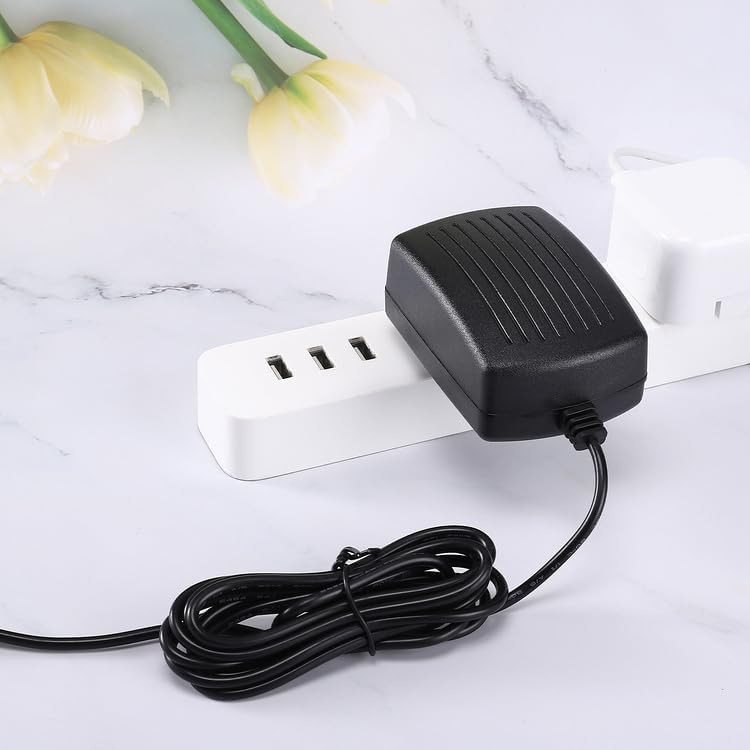
Image: The Kircuit 18V AC/DC Adapter plugged into a multi-outlet power strip, demonstrating a typical setup.
3. Operating
Once properly connected, the Kircuit 18V AC/DC Adapter will supply power to your device. Operation is automatic:
- The adapter will begin powering your device or charging its battery as soon as it is plugged into a live electrical outlet and connected to the device.
- No additional controls or settings are required on the adapter itself.
- To disconnect, first unplug the adapter from the wall outlet, then disconnect the barrel connector from your device.

Image: Two Kircuit 18V AC/DC Adapters shown from different perspectives, highlighting their compact design.
4. Maintenance
Proper maintenance ensures the longevity and safe operation of your adapter:
- Cleaning: Disconnect the adapter from all power sources before cleaning. Use a soft, dry cloth to wipe the exterior. Do not use liquid cleaners or sprays.
- Storage: When not in use, store the adapter in a cool, dry place away from direct sunlight and extreme temperatures. Avoid tightly winding the cord to prevent damage.
- Handling: Do not drop, disassemble, or attempt to repair the adapter. Avoid exposing it to water or high humidity.
- Cord Care: Regularly inspect the power cord and connector for any signs of damage, such as fraying, cuts, or bent pins. If damage is observed, discontinue use immediately.

Image: The Kircuit 18V AC/DC Adapter with its cord, indicating a length of 6.5 feet, which is important for proper placement and care.
5. Troubleshooting
If you encounter issues with your Kircuit 18V AC/DC Adapter, refer to the following common problems and solutions:
- No Power to Device:
- Ensure the adapter is securely plugged into a working electrical outlet. Test the outlet with another device.
- Verify that the barrel connector is fully inserted into your device's power input port.
- Check the adapter's cord for any visible damage. If damaged, discontinue use.
- Device Not Charging (if applicable):
- Confirm that your device is designed to charge via its power input port when connected to an external power supply.
- Ensure the device's battery is not fully charged or defective.
- Adapter Overheating:
- It is normal for the adapter to feel warm during operation. However, if it becomes excessively hot, disconnect it immediately.
- Ensure the adapter is not covered or placed in an area with poor ventilation.
- Verify that the connected device's power requirements do not exceed the adapter's output capabilities.
If problems persist after attempting these troubleshooting steps, contact the manufacturer or seller for further assistance.
6. Specifications
| Feature | Description |
|---|---|
| Brand | Kircuit |
| Model Compatibility | RIOWOIS DS6341, DS6341M Sound Bars |
| Input Voltage | 100-240VAC, 50/60Hz |
| Output Voltage | 18VDC |
| Connector Type | Barrel |
| Special Features | OVP (Over Voltage Protection), OCP (Over Current Protection), SCP (Short Circuit Protection) |
| Color | Black |
| Power Source | Corded Electric |
| Manufacturer | Shenzhen Waweis Technology Co., Ltd |
| Date First Available | March 25, 2025 |
| ASIN | B0F2DZLFBC |
7. Warranty and Support
For information regarding product warranty, returns, or technical support, please refer to the documentation provided at the time of purchase or contact the seller directly. The manufacturer of this product is Shenzhen Waweis Technology Co., Ltd.