
Redkey W15
Redkey W15 Wet Dry Vacuum Cleaner User Manual
Model: W15 | Brand: Redkey
1. Introduction
Thank you for choosing the Redkey W15 Wet Dry Vacuum Cleaner. This 3-in-1 cordless vacuum mop is designed to simplify your cleaning routine by washing, vacuuming, and mopping in one step. It is ideal for various sealed hard floor types, including hardwood, tile, and marble, effectively handling kitchen stains, liquid spills, and pet hair. This manual provides essential information for safe and efficient operation, maintenance, and troubleshooting.
2. Product Overview
2.1 Package Contents
- Redkey W15 Wet Dry Vacuum Cleaner (Main Unit)
- Roller Brush (x2)
- HEPA Filter (x2)
- Cleaning Brush (x1)
- Adapter (x1)
- Charging Station (x1)

Image: The Redkey W15 vacuum cleaner shown with its complete set of accessories, including extra roller brushes, HEPA filters, a cleaning brush, and the charging station.

Image: A detailed view of the individual accessories: two HEPA filters, a cleaning brush, two rolling brushes, and the charging station.
3. Setup
3.1 Initial Assembly
Connect the handle to the main body of the vacuum cleaner until it clicks into place. Ensure all components are securely attached before use.
3.2 Charging the Battery
Place the Redkey W15 on its charging station. Connect the adapter to the charging station and plug it into a power outlet. The LED display will indicate the charging status. A full charge provides approximately 35 minutes of runtime.
3.3 Filling the Clean Water Tank
Remove the clean water tank (910ml capacity) from the main unit. Fill it with clean water, optionally adding a suitable floor cleaning solution. Reattach the tank securely.

Image: The Redkey W15 highlighting its dual water tanks: a 910ml clean water tank and a 600ml dirty water tank, designed for long, uninterrupted cleaning sessions.
4. Operating Instructions
4.1 Power On/Off and Mode Selection
Press the power button on the handle to turn the unit on or off. Use the mode button to cycle through the three cleaning modes: Standard, Water, and Strong Suction. The LED display will show the current mode and battery life.
4.2 Cleaning Performance
- 3-in-1 Cleaning: The W15 simultaneously vacuums, mops, and washes your floors, eliminating the need for multiple cleaning steps.
- Self-Propelled: The self-propelled brush roller makes maneuvering the vacuum effortless, requiring minimal pushing or pulling.
- Edge Cleaning: Designed to clean precisely up to 0.2 inches from edges, walls, and baseboards, ensuring thorough cleaning in hard-to-reach areas.
- LED Display & Voice Control: The vibrant LED screen provides real-time status updates, including battery life and cleaning modes. Voice prompts offer hands-free guidance during operation.

Image: The Redkey W15 showcasing its 0.2-inch edge cleaning capability, effectively reaching corners and skirting boards.

Image: A close-up of the Redkey W15's LED display, showing battery percentage and cleaning mode indicators, along with a description of its voice assistant features.

Image: The Redkey W15 demonstrating its ability to clean various sealed hard floor types, including hardwood, marble, and tile, handling both wet and dry messes.
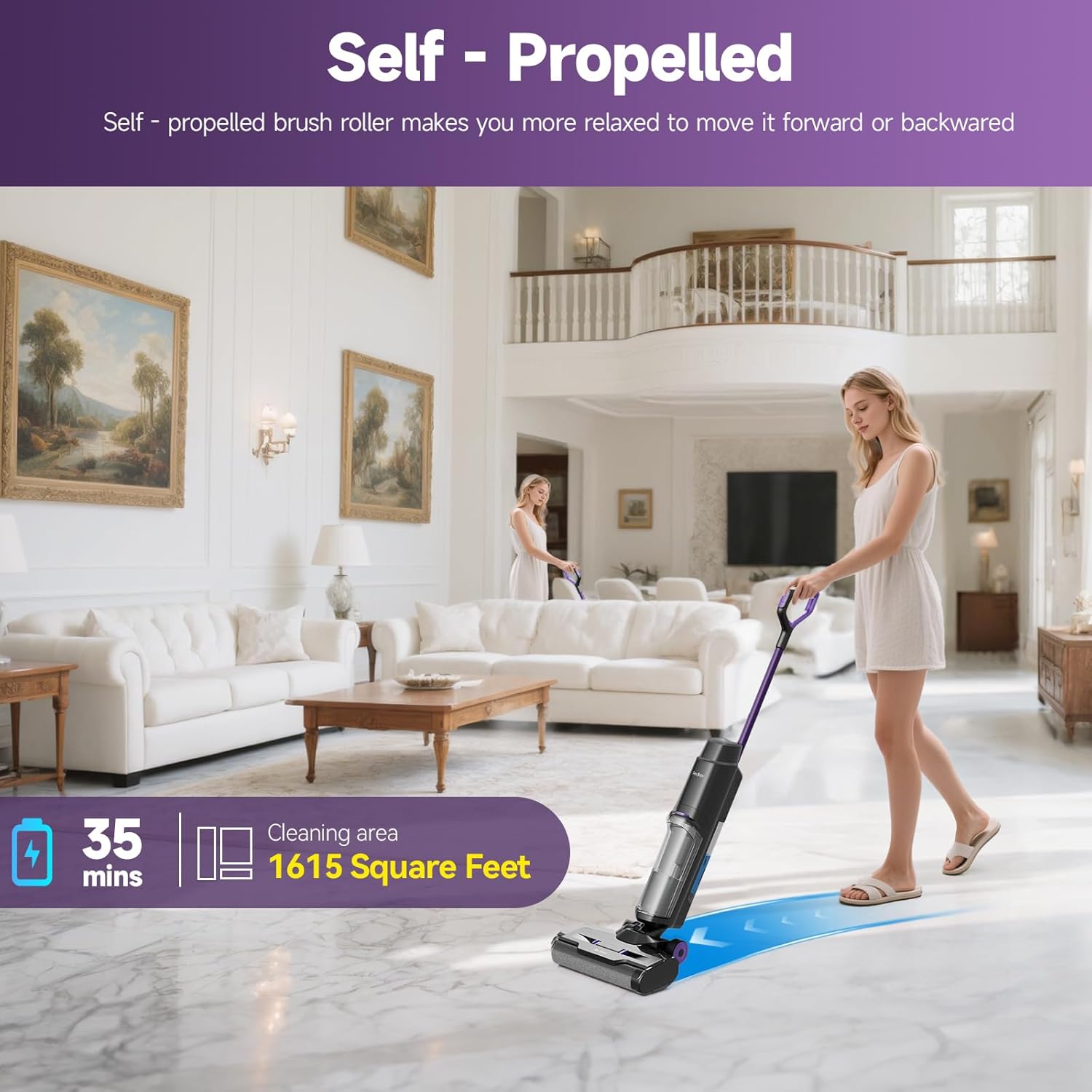
Image: A user effortlessly guiding the self-propelled Redkey W15 across a large living area, highlighting its ease of use and coverage of up to 1615 square feet on a single charge.
4.3 Official Product Video
Video: An official demonstration of the Redkey W15 Wet Dry Vacuum Cleaner, showcasing its 3-in-1 cleaning capabilities, self-propelled movement, and ease of use on various floor types.
5. Maintenance
5.1 Hands-Free Self-Cleaning Cycle
After each cleaning session, place the vacuum on its charging base and press the self-cleaning button. The unit will automatically clean the roller brush and internal tubing, keeping your hands clean and preparing the device for its next use.
Image: The Redkey W15 on its charging base, illustrating the hands-free self-cleaning system that flushes the brush roller and internal components for mess-free maintenance.
5.2 Emptying the Dirty Water Tank
Regularly empty the dirty water tank (600ml capacity) after each use to prevent odors and maintain optimal suction. Remove the tank, dispose of the contents, rinse thoroughly, and reattach.
5.3 Cleaning and Replacing Filters/Brushes
The HEPA filter and roller brushes should be cleaned regularly and replaced as needed to ensure efficient operation. The package includes extra filters and brushes for convenience.
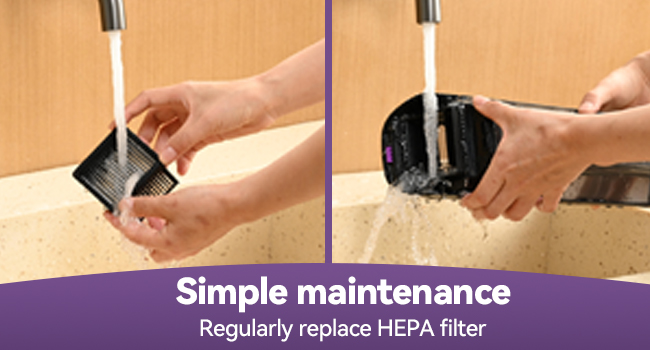
Image: A demonstration of simple maintenance, showing how to remove and rinse the HEPA filter under running water to ensure optimal performance.
6. Troubleshooting
If you encounter any issues with your Redkey W15, please refer to the following common solutions. The LED display and voice prompts may provide specific error codes or messages to guide you.
- No Power: Ensure the unit is fully charged and properly seated on the charging station. Check the power adapter connection.
- Poor Suction: Check if the dirty water tank is full or if the clean water tank is empty. Clean or replace the HEPA filter and roller brush. Ensure there are no blockages in the air ducts.
- Abnormal Noise: Inspect the roller brush for any tangled hair or debris. Ensure all components are securely assembled.
- Self-Cleaning Not Working: Ensure the unit is on the charging base and has sufficient battery charge. Check for any blockages in the self-cleaning water path.
For persistent issues or specific error codes, please contact Redkey customer support.
7. Specifications
| Feature | Specification |
|---|---|
| Brand | Redkey |
| Model Name | W15 |
| Special Features | Self-Propelled, Self-Cleaner, 0.2 IN Edge-Cleaning, 3-in-1 Wet Dry Vacuum, Dual Large Water Tank, 35 min Running Time |
| Filter Type | HEPA Filter |
| Is Cordless? | Yes |
| Clean Water Tank Capacity | 910 Milliliters |
| Dirty Water Tank Capacity | 600 Milliliters |
| Runtime | 35 minutes |
| Recommended Uses | Home Vacuum Cleaner, Pet Hair |
| Form Factor | Upright |
| Color | White |
| Product Dimensions | 9.64"L x 2.67"W x 43.9"H |
| Battery Type | Lithium-Ion (7 Lithium Polymer batteries included) |
| Noise Level | 70 dB |
| Control Method | Voice |
| Number of Speeds | 3 |
| Cleaning Path Width | 0.2 Inches (Edge Cleaning) |
| UPC | 765150878373 |
8. Warranty and Support
Redkey offers a comprehensive service for your W15 Wet Dry Vacuum Cleaner.
- Warranty: The Redkey W15 comes with a 2-year warranty.
- Customer Service: Our customer service team is available 24/7 to assist you with any concerns or questions.
How to Reach Us:
If you have any concerns about your product, please contact us via the following channel:
Amazon Account > Orders > Order Detail > Sold by: JS-Damai > Ask a question
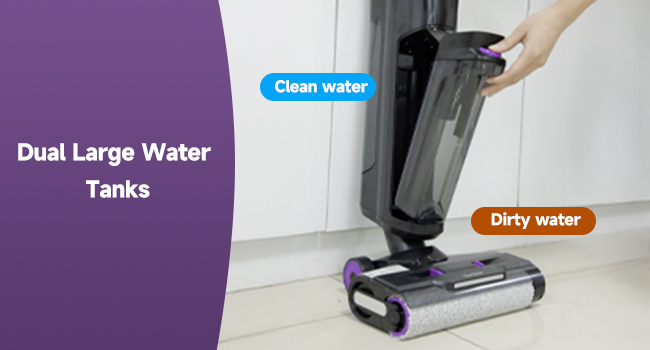
Image: Redkey Support information, highlighting 12 hours fast support, 24/7 availability, and 2-year product protection with no repairs needed.
Related documentsW15

Ask a question about this manual
Ask about setup, troubleshooting, compatibility, parts, safety, or missing instructions. Manuals+ will review the question and use this page’s manual context to help answer it.