
Introduction
Thank you for choosing the Soundcore P41i Adaptive Noise Cancelling Earbuds. This manual provides essential information for setting up, operating, and maintaining your earbuds to ensure optimal performance and longevity. Please read this manual thoroughly before use.
What's in the Box
- Soundcore P41i Earbuds
- Charging Case with Built-In USB-C Cable
- Eartips (XS/S/M/L/XL)

Image: The Soundcore P41i package contents, showing the earbuds, charging case with integrated USB-C cable, and multiple sizes of eartips.
Product Overview
The Soundcore P41i earbuds feature an ergonomic design for comfortable wear and are housed in a versatile charging case that also functions as a portable phone charger and phone stand. The case includes a digital display for battery status.

Image: The Soundcore P41i earbuds and their charging case, presented in black.

Image: The Soundcore P41i earbuds placed within their open charging case.
Setup
1. Charging the Earbuds and Case
Before first use, fully charge the earbuds and the charging case. Connect the charging case to a power source using the built-in USB-C cable. The digital display on the case will show the charging status.
- Earbud Charging: Place the earbuds into the charging case. The case will automatically charge the earbuds.
- Case Charging: Connect the built-in USB-C cable to a power adapter (not included).
- Battery Life: Earbuds provide up to 12 hours of playtime on a single charge (ANC off), and the case extends total playtime to 192 hours. A 10-minute charge provides 5 hours of listening.
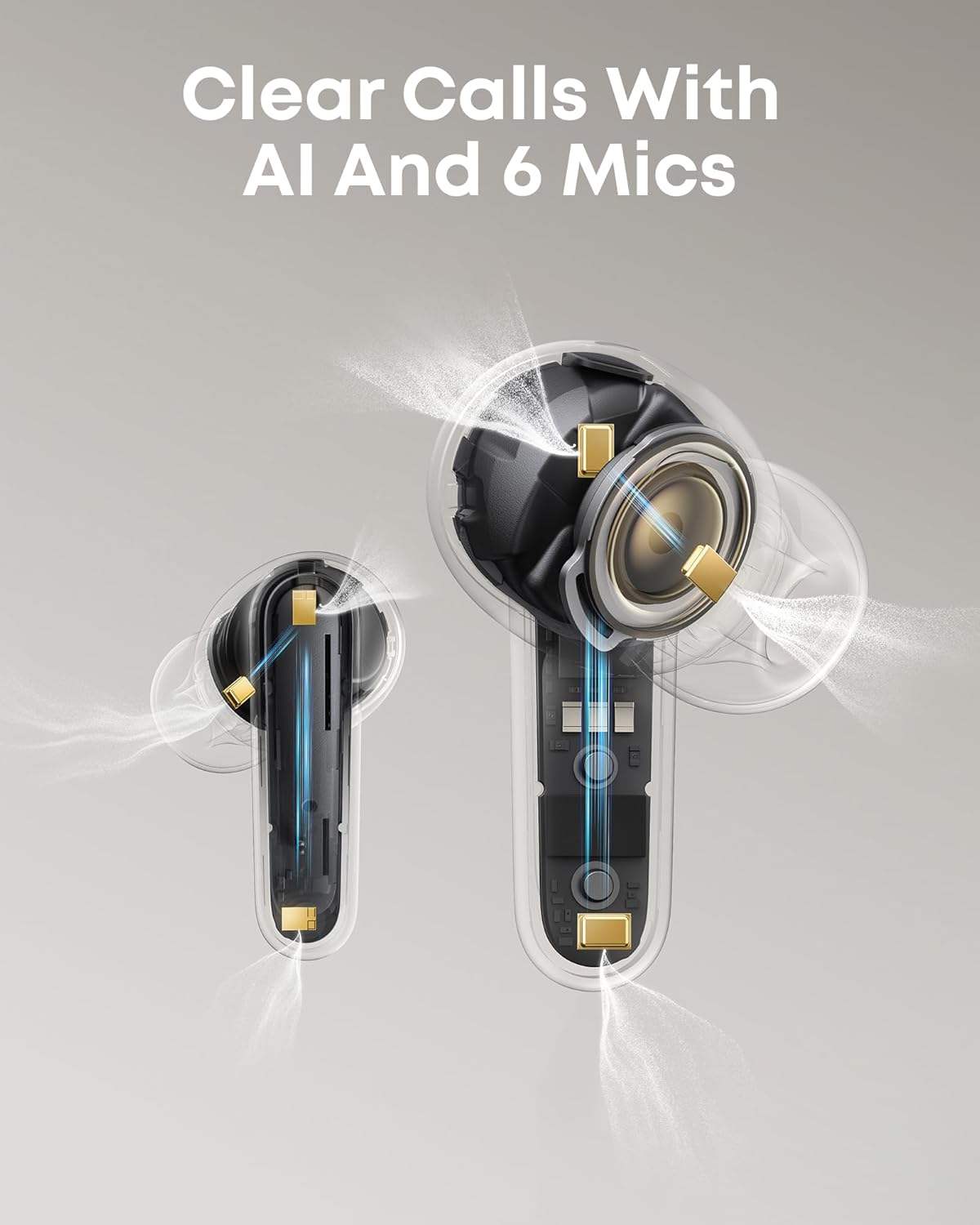
Image: The charging case display indicating battery levels and charging status for both earbuds and the case itself.
2. Powering On/Off
- Power On: Open the charging case, and the earbuds will automatically power on.
- Power Off: Place the earbuds back into the charging case and close the lid. They will automatically power off.
3. Bluetooth Pairing
- Open the charging case. The earbuds will enter Bluetooth pairing mode automatically (indicated by flashing lights).
- On your device, enable Bluetooth and search for "Soundcore P41i".
- Select "Soundcore P41i" to connect. Once connected, the indicator lights on the earbuds will turn off.
Fast Pair: For Android devices, Soundcore P41i supports Fast Pair for quick, effortless connection.
Multipoint Connection: The earbuds support connecting to two devices simultaneously. After connecting to the first device, put the earbuds back in the case, close and reopen the lid to re-enter pairing mode. Connect to the second device. To switch between devices, pause audio on one and play on the other.
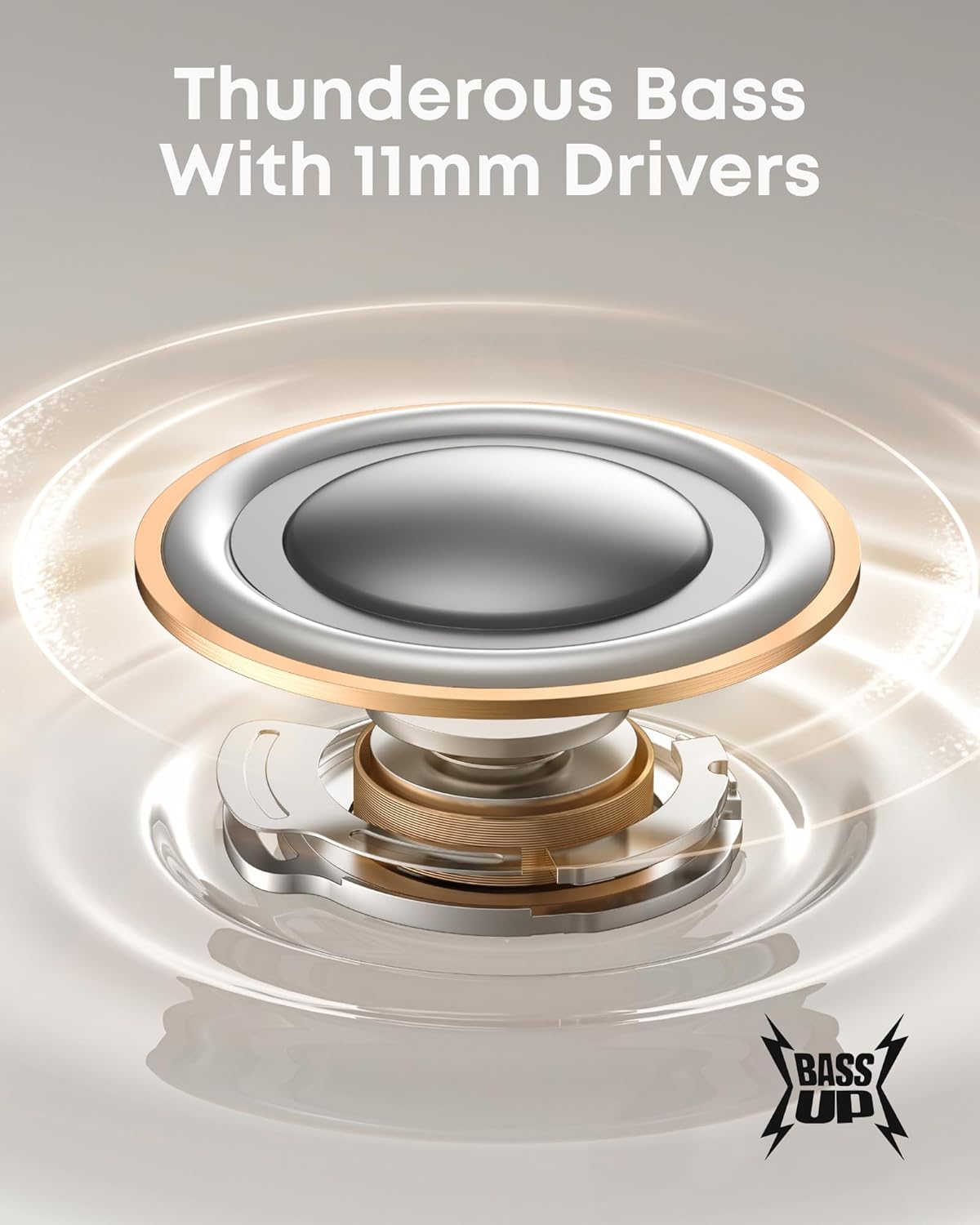
Image: A user wearing the Soundcore P41i earbuds.
Operating Instructions
1. Wearing the Earbuds
Choose the eartips that provide the best seal and comfort for your ears. Insert the earbuds into your ear canals and gently twist to secure them.
2. Touch Controls
The Soundcore P41i earbuds feature touch-sensitive controls. You can customize these controls via the Soundcore app.
| Action | Left Earbud | Right Earbud |
|---|---|---|
| Play/Pause | Double-tap | Double-tap |
| Next Track | Triple-tap | Triple-tap |
| Answer/End Call | Double-tap | Double-tap |
| Reject Call | Press and hold 2s | Press and hold 2s |
| Switch ANC Mode | Press and hold 2s | Press and hold 2s |
3. Adaptive Noise Cancelling (ANC)
The Soundcore P41i features Adaptive Noise Cancelling technology, which monitors your surroundings and adjusts noise cancellation levels automatically. You can switch between ANC, Normal, and Transparency modes by pressing and holding the touch control area on either earbud for 2 seconds. Further customization is available through the Soundcore app.

Image: A user utilizing the Adaptive Noise Cancelling feature of the Soundcore P41i earbuds in a busy environment.
4. Portable Phone Charging Function
The charging case can be used as a portable power bank to charge your smartphone. Connect your phone to the USB-C port on the charging case using the built-in cable or your own compatible cable. The case has a 3,000mAh capacity and provides up to 10W output.
- Charges iPhone 16 Pro to 50% or Samsung S24 to 45%.
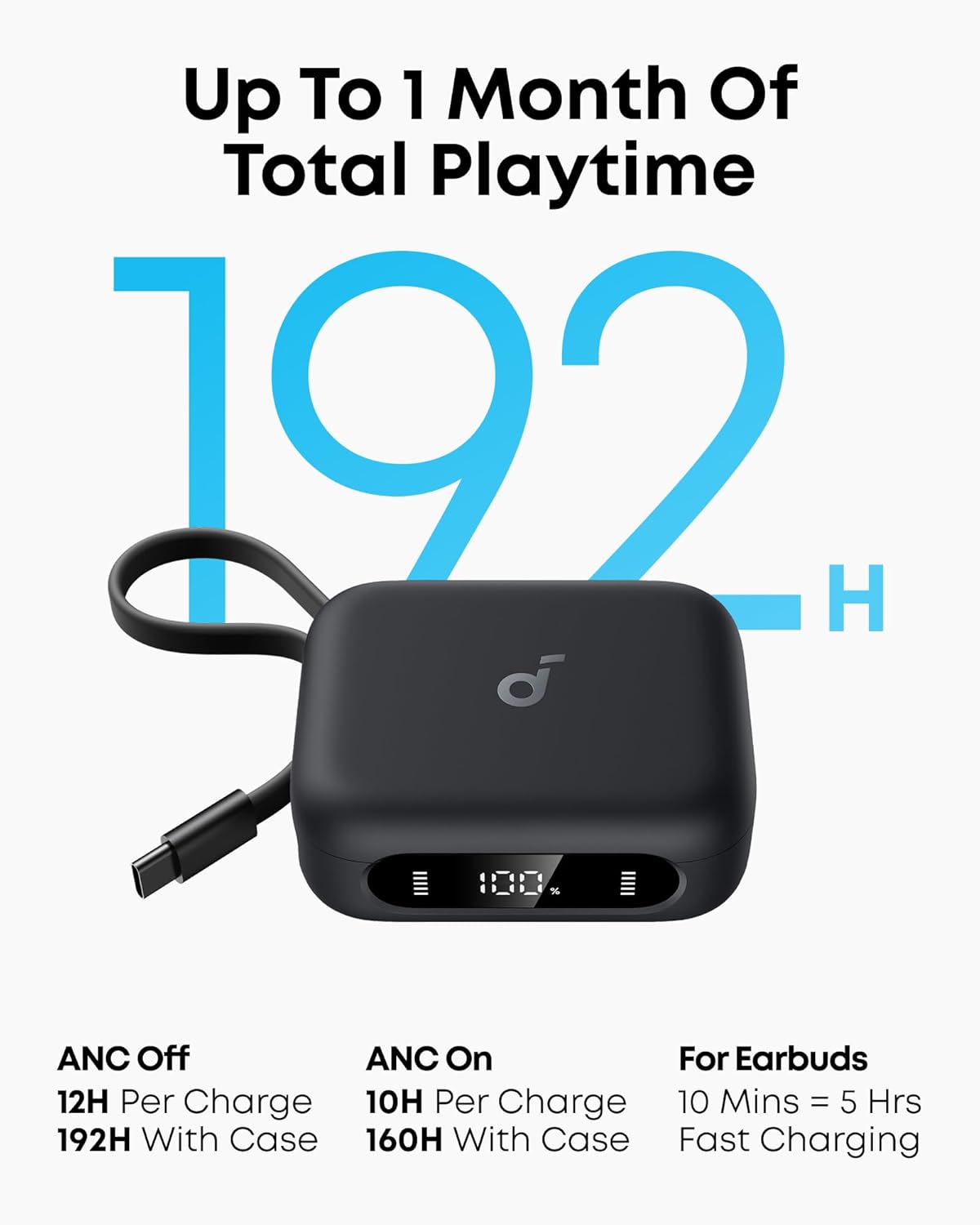
Image: The Soundcore P41i charging case actively charging a smartphone.
5. Phone Stand Function
The charging case features a built-in phone stand for hands-free viewing. Simply pull out the integrated stand from the case and place your phone horizontally. This feature is ideal for watching videos or making video calls.
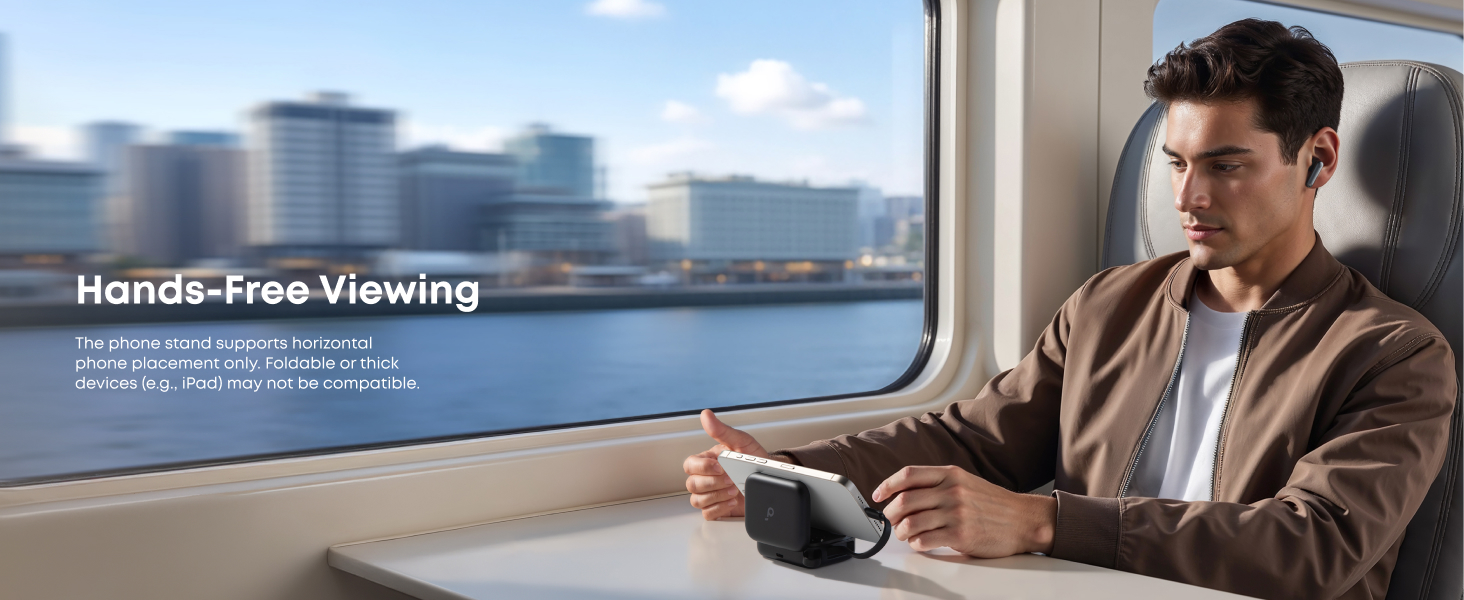
Image: The Soundcore P41i charging case demonstrating its phone stand functionality.
6. Call Functions
The earbuds are equipped with 6 microphones and AI noise reduction technology to ensure clear calls, even in noisy environments.
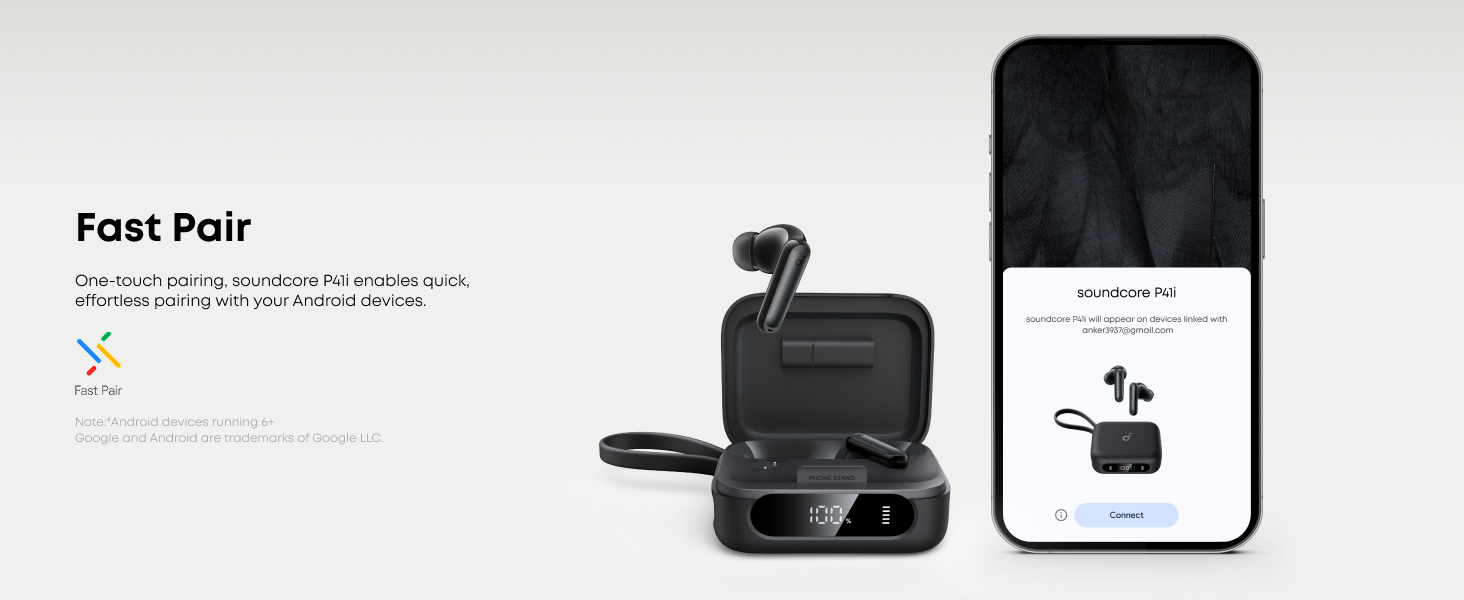
Image: A user making a clear call with Soundcore P41i earbuds.
7. Sound Modes
The 11mm composite drivers deliver rich audio, enhanced by BassUp technology for deep bass. The Soundcore app allows for further sound customization, including Gaming Mode and Movie Mode for optimized audio experiences.
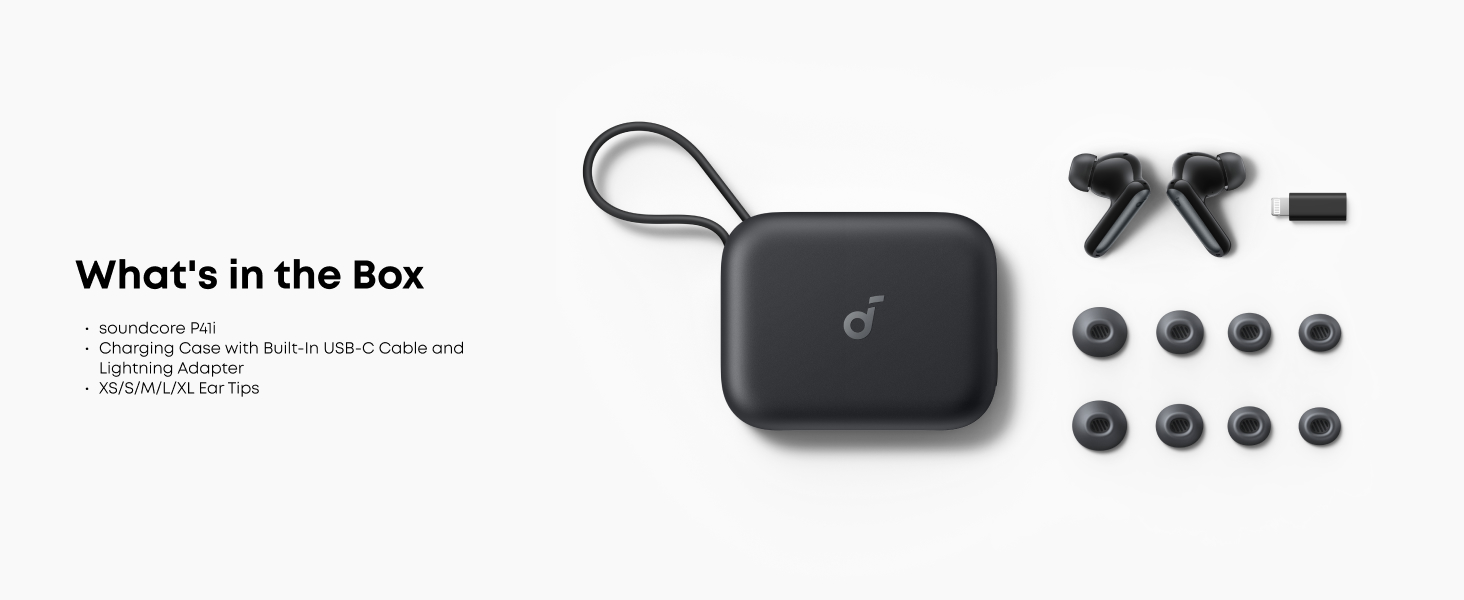
Image: Detailed view of the 11mm audio driver with BassUp technology.
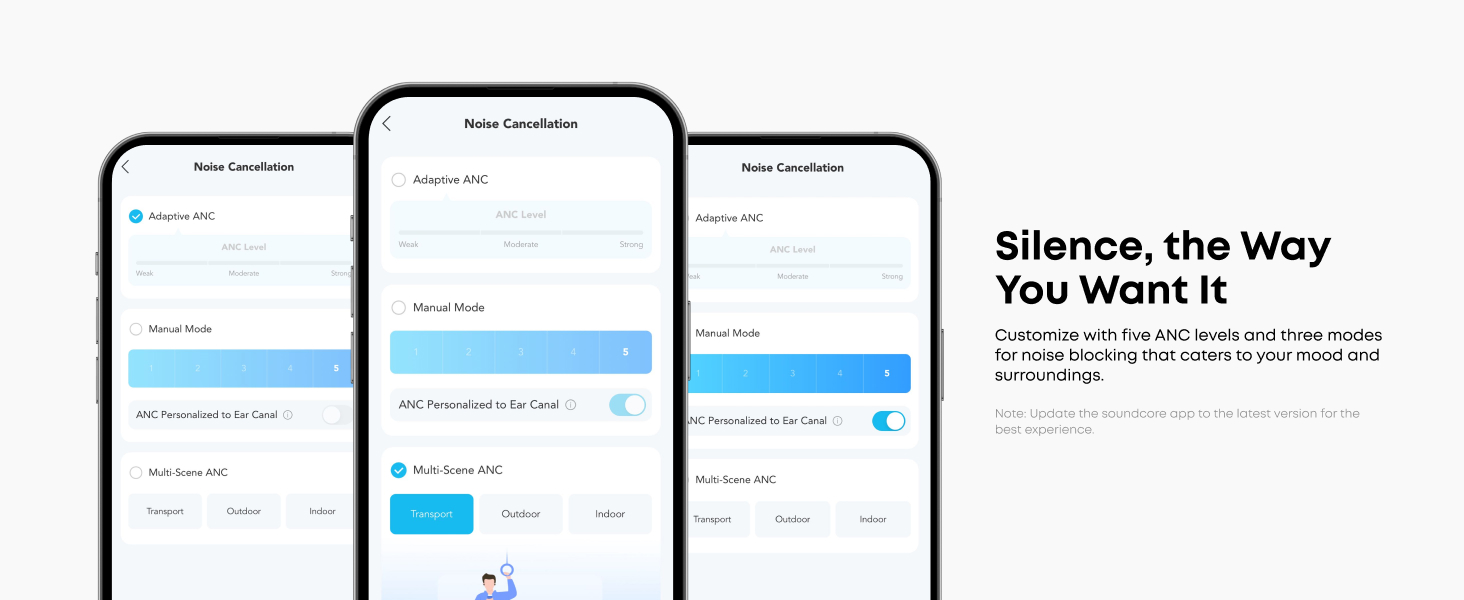
Image: Illustration of Gaming Mode and Movie Mode for enhanced audio experiences.
Maintenance
1. Cleaning
- Regularly clean the earbuds and charging case with a soft, dry, lint-free cloth.
- Remove eartips and clean them with water and mild soap if necessary. Ensure they are completely dry before reattaching.
- Clean the charging contacts on both the earbuds and the case to ensure proper charging.
2. Storage
When not in use, store the earbuds in their charging case to protect them from dust and damage.
3. Water Resistance
The Soundcore P41i earbuds are IPX5 rated, meaning they are protected against light rain and water splashes. They are not designed for submersion in water.

Image: The IPX5 splash-proof rating of the Soundcore P41i earbuds.
Troubleshooting
- Earbuds not pairing: Ensure earbuds are charged and in pairing mode. Turn off and on your device's Bluetooth. Try resetting the earbuds (refer to the Soundcore app for specific reset instructions).
- No sound from one earbud: Place both earbuds back into the charging case, close the lid, and then reopen it. Check if both earbuds are connected.
- Charging issues: Clean the charging contacts on both earbuds and the case. Ensure the charging cable is securely connected.
- Poor call quality: Ensure the microphones are not obstructed. Try adjusting the earbuds' position.
- ANC not effective: Ensure the earbuds are properly seated in your ears with a good seal. Adjust ANC levels in the Soundcore app.
Specifications
| Feature | Specification |
|---|---|
| Model Name | P41i |
| Noise Control | Adaptive Noise Cancellation |
| Connectivity Technology | Wireless (Bluetooth 5.3) |
| Audio Driver Size | 11 Millimeters |
| Frequency Range | 20 Hz - 20,000 Hz |
| Earbud Battery Life | Up to 12 hours (ANC off) |
| Total Playtime with Case | Up to 192 hours |
| Charging Case Battery Capacity | 3000 Milliamp Hours |
| Water Resistance Level | IPX5 |
| Microphones | 6 (with AI noise reduction) |
| Weight (Earbuds and Case) | 159 Grams (approx. 5.6 ounces) |
| Dimensions (Case) | 2.97 x 2.34 x 1.17 inches |
Safety Information
- Do not disassemble or modify the product.
- Do not expose to extreme temperatures.
- Avoid using the earbuds at high volume for extended periods to prevent hearing damage.
- Keep out of reach of children.
- Dispose of the product responsibly according to local regulations.
Warranty and Support
Soundcore products are covered by a limited warranty. For detailed warranty information, technical support, or customer service, please visit the official Soundcore website or contact your local distributor. Please retain your proof of purchase for warranty claims.


