
1. Safety Information
Please read this instruction manual carefully before using the Philips Sonicare Series 5300 electric toothbrush. Keep it for future reference.
- Genuine Philips Brush Heads: Only use genuine Philips toothbrush heads with this device. Use of non-Philips brush heads may result in reduced effectiveness or damage to the device.
- Battery Disposal: Do not dispose of batteries with household waste. Follow local regulations for proper battery recycling.
- Small Parts Warning: This product contains small parts. It is not suitable for children under 3 years of age.
- Medical Conditions: Consult your dentist or physician before using this product if you have had oral surgery or gum disease in the past few months, or if you have any other medical concerns.
- Charging: Ensure the charger is placed away from water and moisture. Do not handle the charger with wet hands.
2. Product Overview
The Philips Sonicare Series 5300 electric toothbrush is designed to provide an effective and gentle cleaning experience using advanced Sonicare technology. This model features a single cleaning mode with two intensity settings, a BrushSync technology for optimal performance, and an Optimal White W2 brush head.
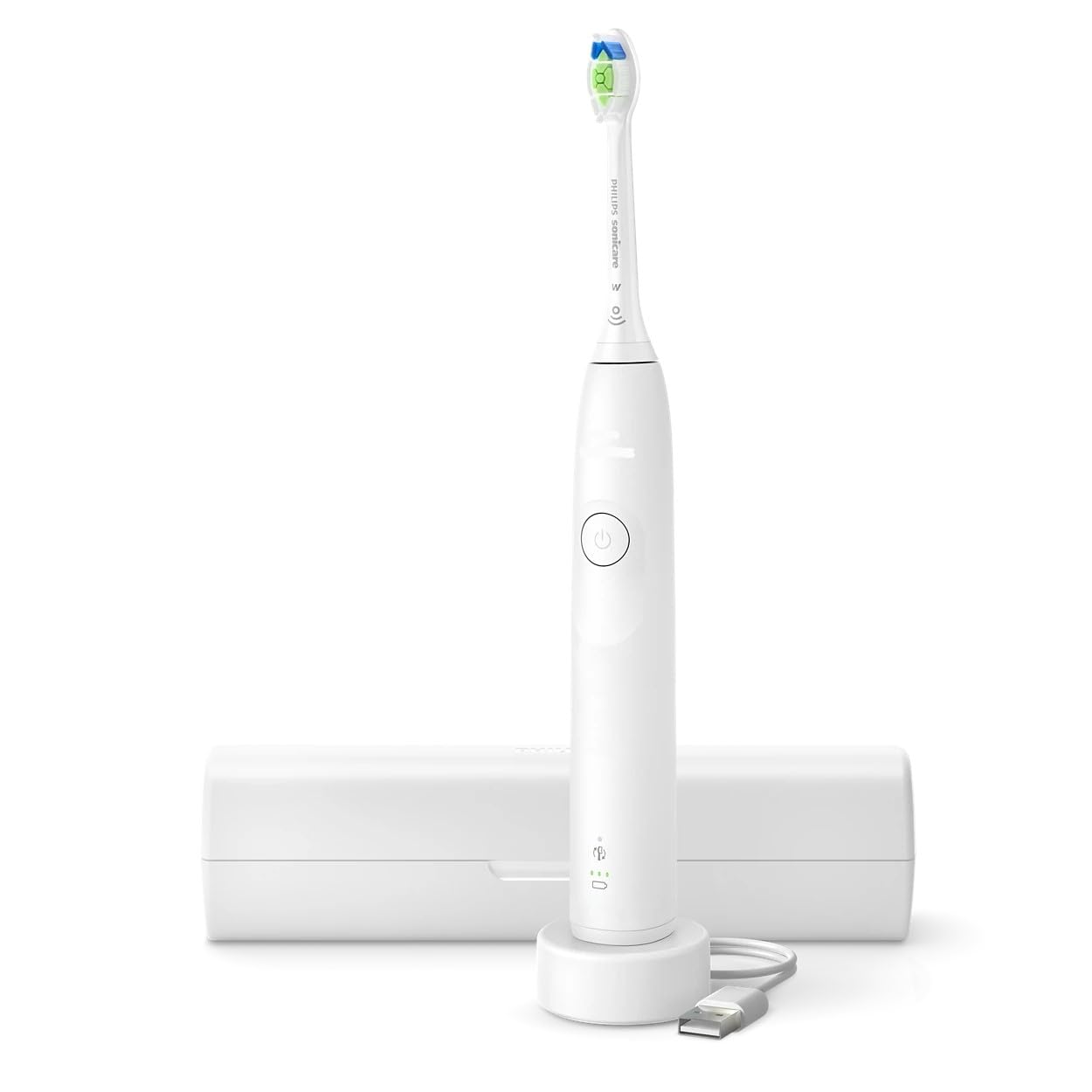
Image: Philips Sonicare Series 5300 Electric Toothbrush. This image displays the white handle of the electric toothbrush with an attached brush head, showcasing its ergonomic design.
Key Features:
- Sonicare Technology: Delivers up to 31,000 brush strokes per minute for dynamic cleaning action.
- 1 Cleaning Mode: Standard cleaning mode for daily use.
- 2 Intensities: Choose between high and low intensity settings for personalized comfort.
- BrushSync Technology: Automatically tracks brush head usage and alerts you when it's time for a replacement.
- Optimal White W2 Brush Head: Designed to remove surface stains for a brighter smile.
- Smartimer: Guides you to brush for the dentist-recommended 2 minutes.
- QuadPacer: An interval timer that signals when to move to the next quadrant of your mouth.
- Pressure Sensor: Vibrates gently to alert you if you are brushing too hard, protecting your gums and teeth.
- Long Battery Life: Up to 3 weeks of battery life on a single charge.
- Travel Case: Convenient for storage and travel.
3. Setup
3.1 Initial Charging
- Place the handle on the charger base.
- Plug the charger into a power outlet.
- The battery indicator light will flash to indicate charging. A full charge takes approximately 24 hours.
- The battery indicator will stop flashing and remain solid green when fully charged.
3.2 Attaching the Brush Head
- Align the brush head with the metal shaft on the handle.
- Push the brush head down firmly until it clicks into place.
- To remove, pull the brush head straight up from the handle.
4. Operating Instructions
4.1 Brushing Your Teeth
- Wet the brush head and apply a small amount of toothpaste.
- Place the brush head against your teeth at a slight angle towards the gum line.
- Press the power button to turn on the toothbrush.
- Gently move the brush head slowly across your teeth in small back-and-forth motions, allowing the Sonicare technology to do the work.
- The QuadPacer will beep and pause briefly every 30 seconds to indicate when to move to the next quadrant of your mouth.
- The Smartimer will automatically turn off the toothbrush after 2 minutes of brushing.
- If you apply too much pressure, the pressure sensor will cause the handle to vibrate differently. Reduce pressure to stop the vibration.
4.2 Changing Intensity Settings
- While the toothbrush is on, press the power button again to cycle between the two intensity settings (high and low).
- The selected intensity will be indicated by the light on the handle.
5. Maintenance
5.1 Cleaning After Each Use
- Rinse the brush head thoroughly under running water while the handle is still on.
- Turn off the handle and remove the brush head.
- Rinse the brush head separately under running water.
- Rinse the handle under running water, wiping off any toothpaste residue.
- Wipe the handle dry with a soft cloth.
5.2 Replacing the Brush Head
- The BrushSync feature will alert you when it's time to replace your brush head, typically every 3 months.
- A brush head replacement icon will illuminate on the handle.
- To replace, simply pull the old brush head off and push a new Philips Sonicare brush head onto the handle.
5.3 Cleaning the Charger
- Unplug the charger before cleaning.
- Wipe the surface of the charger with a damp cloth. Do not immerse the charger in water.
6. Troubleshooting
| Problem | Possible Cause | Solution |
|---|---|---|
| Toothbrush does not turn on. | Battery is depleted. | Charge the toothbrush for at least 24 hours. |
| Reduced brushing power. | Low battery. | Recharge the toothbrush. |
| Brush head feels loose. | Brush head not properly attached. | Remove and re-attach the brush head, ensuring it clicks into place. |
| Pressure sensor activates too often. | Brushing too hard. | Reduce the pressure applied during brushing. |
7. Specifications
- Model Number: HX7108/02 (881710802020)
- Brand: PHILIPS
- Age Group: Adult
- Special Feature: Sonicare Technology
- Power Source: Battery Powered
- Bristle Firmness: Soft
- Color: White
- Number of Items: 1
- Brush Head Shape: Round (Optimal White W2)
- Bristle Material: Nylon
- Battery Life: Up to 3 weeks
8. Warranty and Support
Philips offers a standard warranty for this product. Please refer to the warranty card included in your product packaging for specific terms and conditions, including the warranty period and coverage details.
For technical support, product registration, or to find authorized service centers, please visit the official Philips website or contact Philips customer service in your region. Contact information can typically be found in the product packaging or on the Philips website.
Always ensure you have your product model number (HX7108/02) and proof of purchase available when contacting support.


