
1. Introduction
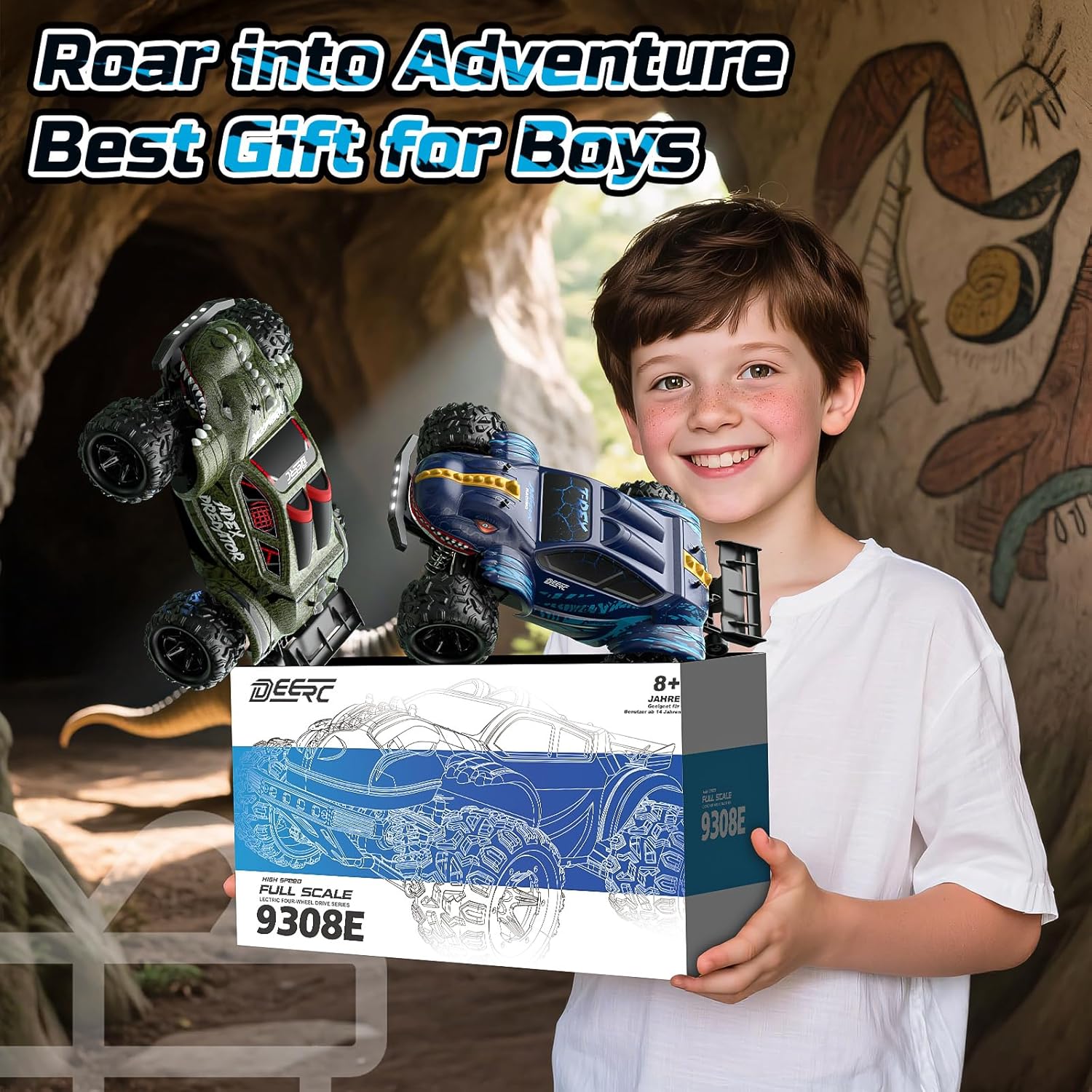
This manual provides essential information for the safe and effective operation, maintenance, and troubleshooting of your DEERC 9308E 1:16 Scale High-Speed 4WD RC Monster Truck. Please read this manual thoroughly before using the product to ensure optimal performance and longevity.
2. Safety Information
Warning:
This product contains small parts and is not suitable for children under 8 years old as it may pose a choking hazard. Always operate the product under adult supervision, especially in areas with traffic or hazards. Keep fingers, hair, and loose clothing away from moving parts. Do not operate near water or in wet conditions to prevent electrical damage. Always turn off the vehicle and remote control when not in use.
3. Package Contents
Verify that all items listed below are included in your package:
- 1 x DEERC Heavy-Duty RC Truck
- 1 x 2.4Ghz Remote Control
- 2 x 7.4V 1500 mAh Rechargeable Batteries
- 1 x Charging Cable
- 1 x Product Manual (this document)
- 1 x Screwdriver
- 1 x Spare Parts Kit
- 2 x Dinosaur Car Shells (one pre-installed, one spare)

This image displays the complete set of items included with your DEERC 9308E RC Monster Truck, ensuring you have all necessary components for operation and maintenance.
4. Setup
4.1. Charging the Battery
The DEERC 9308E comes with two 7.4V 1500mAh rechargeable Lithium Ion batteries. Ensure batteries are fully charged before first use for optimal performance.
- Connect the charging cable to the battery.
- Plug the USB end of the charging cable into a suitable USB power adapter (not included).
- The indicator light on the charging cable will show the charging status. Refer to the charging cable's specific instructions for light indications.
- Once fully charged, disconnect the battery from the charging cable.
This image illustrates the included batteries and charging cable, highlighting the power source for extended playtime.
4.2. Installing Batteries in the Remote Control
The remote control requires 2 AA batteries (not included).
- Open the battery compartment on the back of the remote control.
- Insert 2 AA batteries, ensuring correct polarity (+/-).
- Close the battery compartment securely.
4.3. Attaching/Changing Car Shell
Your DEERC 9308E comes with two interchangeable dinosaur-themed car shells, allowing for customization.
- To remove the current shell, gently pull out the four body clips located on the top of the chassis.
- Lift the shell off the chassis.
- Align the desired shell with the chassis posts.
- Secure the shell by re-inserting the four body clips into the posts.
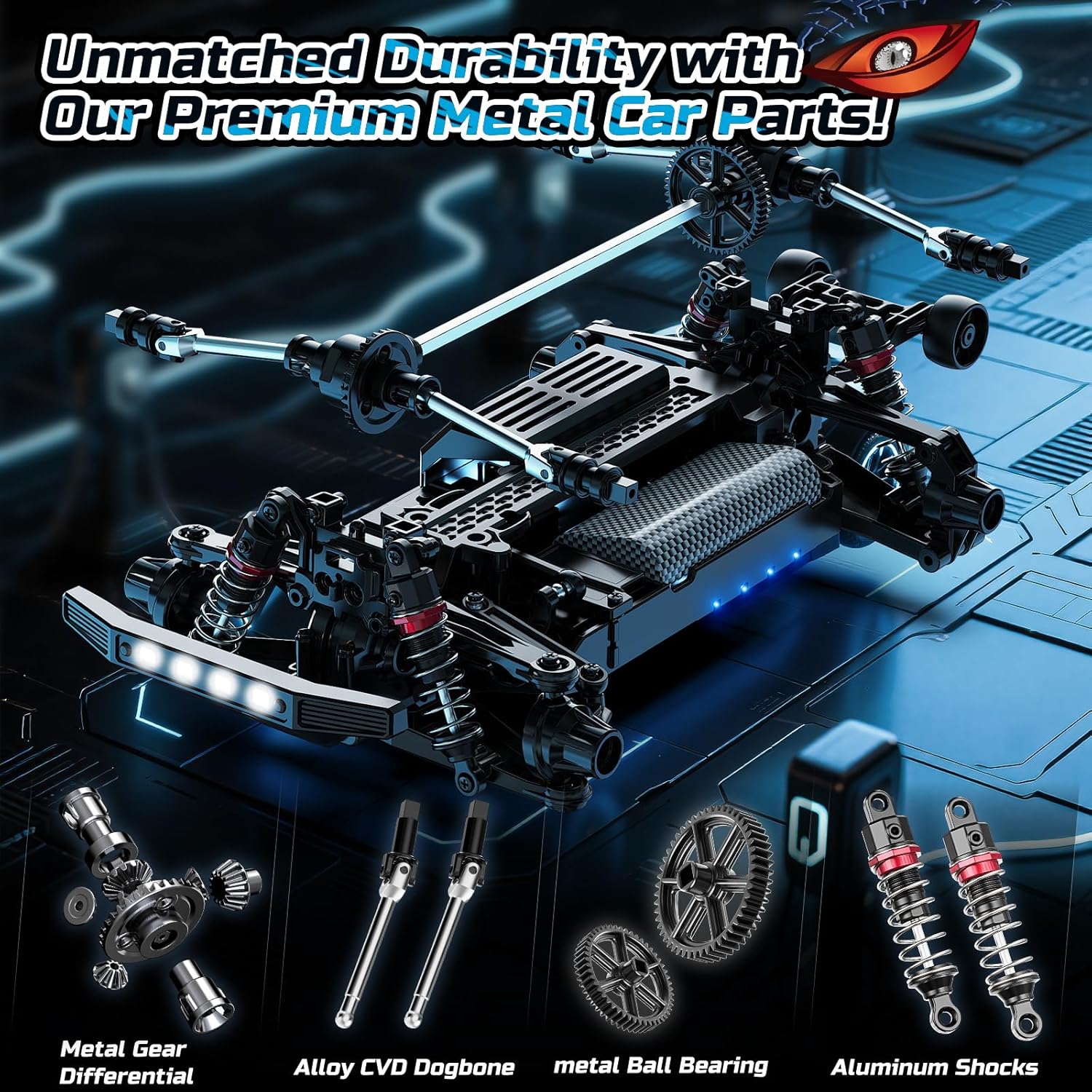
This image showcases the two distinct car shells, demonstrating the product's customizable appearance.
5. Operating Instructions
5.1. Remote Control Overview
The 2.4Ghz remote control offers stable and precise control over your RC truck.
- Steering Wheel: Rotate left or right to control the direction of the truck.
- Throttle Trigger: Pull to move forward, push to brake/reverse.
- Speed Adjustment Dial: Adjusts the maximum speed of the truck (Min to Max).
- Steering Trim Dial: Fine-tunes the steering to ensure the truck drives straight when the steering wheel is centered.
- Power Switch: Turns the remote control on/off.
- Indicator Light: Shows power and connection status.

This image details the remote control, illustrating its various buttons and dials for comprehensive operation.
5.2. Driving the RC Car
- Ensure both the truck and remote control batteries are charged and installed.
- Turn on the remote control first, then the RC truck. The indicator lights on both devices should confirm a successful connection.
- Use the throttle trigger to accelerate forward or reverse.
- Use the steering wheel to turn the truck left or right.
- Adjust the speed dial as needed for different terrains or skill levels.
- The 4WD system and high-traction tires allow for excellent performance on various surfaces, including grass, dirt, and pavement.

This image captures the RC truck in motion on a dirt track, showcasing its dynamic performance and suitability for various environments.
6. Maintenance
6.1. Cleaning
After each use, especially in dusty or dirty conditions, clean the truck to prevent debris from affecting performance. Use a soft brush or cloth to remove dirt from the chassis, wheels, and suspension components. Avoid using water directly on electronic components.
6.2. Battery Care
To prolong battery life:
- Do not overcharge or over-discharge the batteries.
- Store batteries in a cool, dry place away from direct sunlight.
- If storing for extended periods, charge batteries to approximately 50% capacity.
6.3. Part Replacement
The DEERC 9308E is built with a full-metal drivetrain, including metal adjustable shocks, differentials, and drive shafts for enhanced durability. In case of damage, a spare parts kit is included for common replacements. Refer to the 'Device Explosion Diagram' in the printed manual for detailed part identification and assembly instructions.
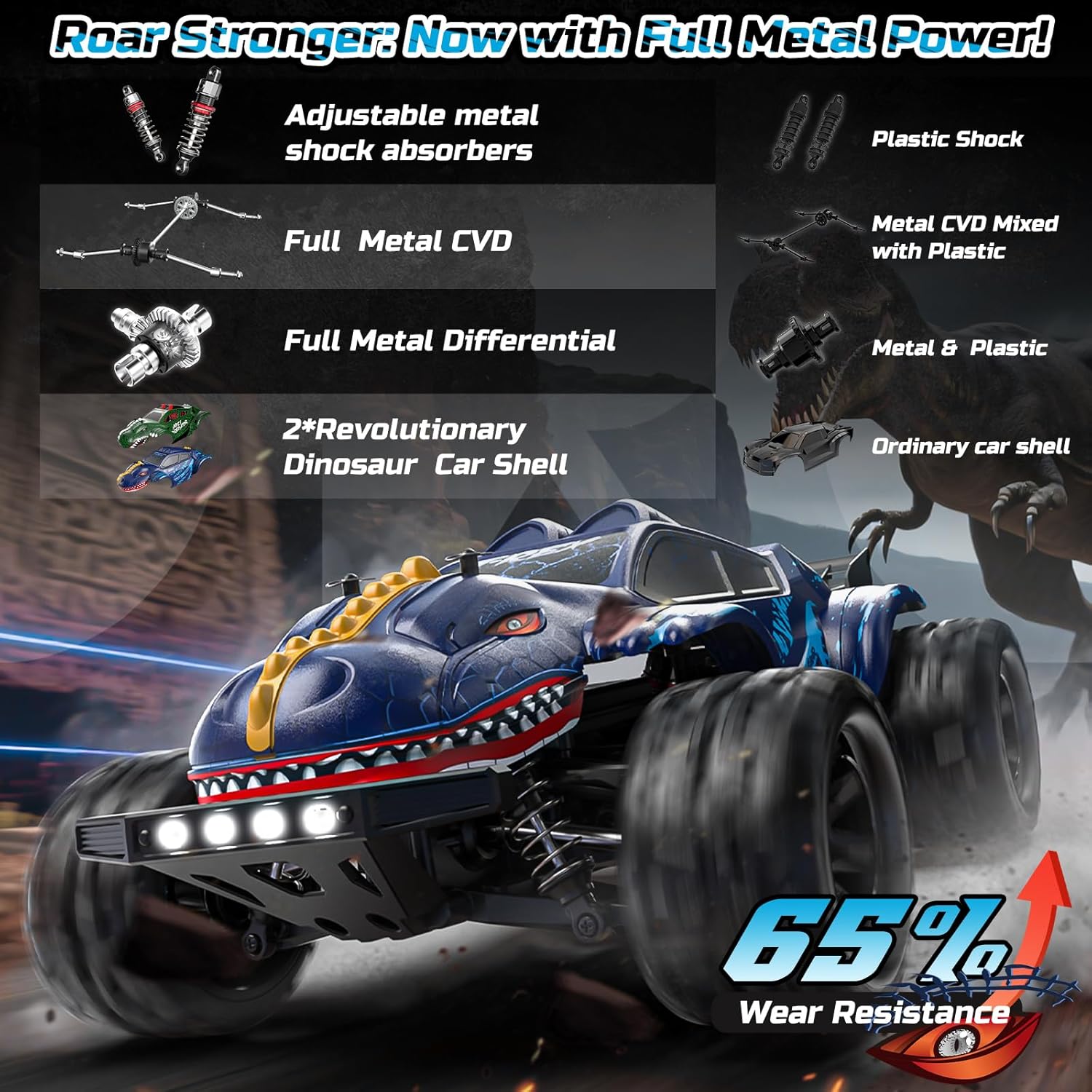
This image provides a detailed look at the metal components of the RC truck's drivetrain, illustrating the quality and durability of its internal parts.
7. Troubleshooting
If you encounter issues with your DEERC 9308E, refer to the following common problems and solutions:
| Problem | Possible Cause | Solution |
|---|---|---|
| Truck not responding to remote. | Low battery in truck or remote; not paired correctly. | Charge/replace batteries. Re-pair remote and truck (turn on remote first, then truck). |
| Truck moves slowly or lacks power. | Low battery in truck; speed dial set to minimum. | Recharge truck battery. Adjust speed dial on remote to a higher setting. |
| Truck pulls to one side. | Steering trim is off-center. | Adjust the steering trim dial on the remote control until the truck drives straight. |
| Unusual noise during operation. | Debris in gears; damaged internal component. | Inspect and clean gears. If noise persists, contact customer support. |
8. Specifications
| Feature | Detail |
|---|---|
| Product Dimensions | 11.42 x 7.9 x 4.92 inches |
| Item Weight | 2.86 pounds |
| Item Model Number | 9308E-US |
| Manufacturer Recommended Age | 8 years and up |
| Batteries | 2 Lithium Ion batteries required (included) |
| Manufacturer | DEERC |
| Max Speed | Up to 25 MPH (40 KM/H) |
| Drivetrain | 4WD, Full-metal drivetrain |
| ESC | Water-resistant (IPX4) |
9. Warranty and Support
DEERC is committed to customer satisfaction. If you are not completely satisfied with any of our products, please do not hesitate to contact us. We take full responsibility for product quality and will do our utmost to resolve your issue quickly and effectively. For support, please refer to the contact information provided with your product packaging or visit the official DEERC website.


