
MINISO MS150
Contents
MINISO MS150 AI Language Translation Earbuds User Manual
Model: MS150
1. Introduction
Thank you for choosing the MINISO MS150 AI Language Translation Earbuds. These open-ear headphones are designed to provide real-time language translation for up to 148 languages, combined with high-quality audio for music and communication. Featuring Bluetooth 5.4 connectivity and a long-lasting battery, the MS150 is compatible with both iOS and Android devices, making it ideal for business, travel, and daily use.

Figure 1.1: The MINISO MS150 AI Language Translation Earbuds and their charging case. The earbuds feature an open-ear design, and the case includes a display screen.
2. Package Contents
Please check the package contents upon unboxing to ensure all items are present:
- MINISO MS150 AI Language Translation Earbuds (Left and Right)
- Charging Station (Case)
- USB Charging Cable
- User Manual (This document)
3. Setup
3.1 Charging the Earbuds and Case
Before first use, fully charge the earbuds and the charging case. The case provides extended playtime for the earbuds.
- Place the earbuds into their respective slots in the charging case.
- Connect the USB charging cable to the charging port on the case and to a compatible USB power source (e.g., computer, wall adapter).
- The display on the charging case will indicate the charging status. Ensure both earbuds and the case are fully charged for optimal battery life.
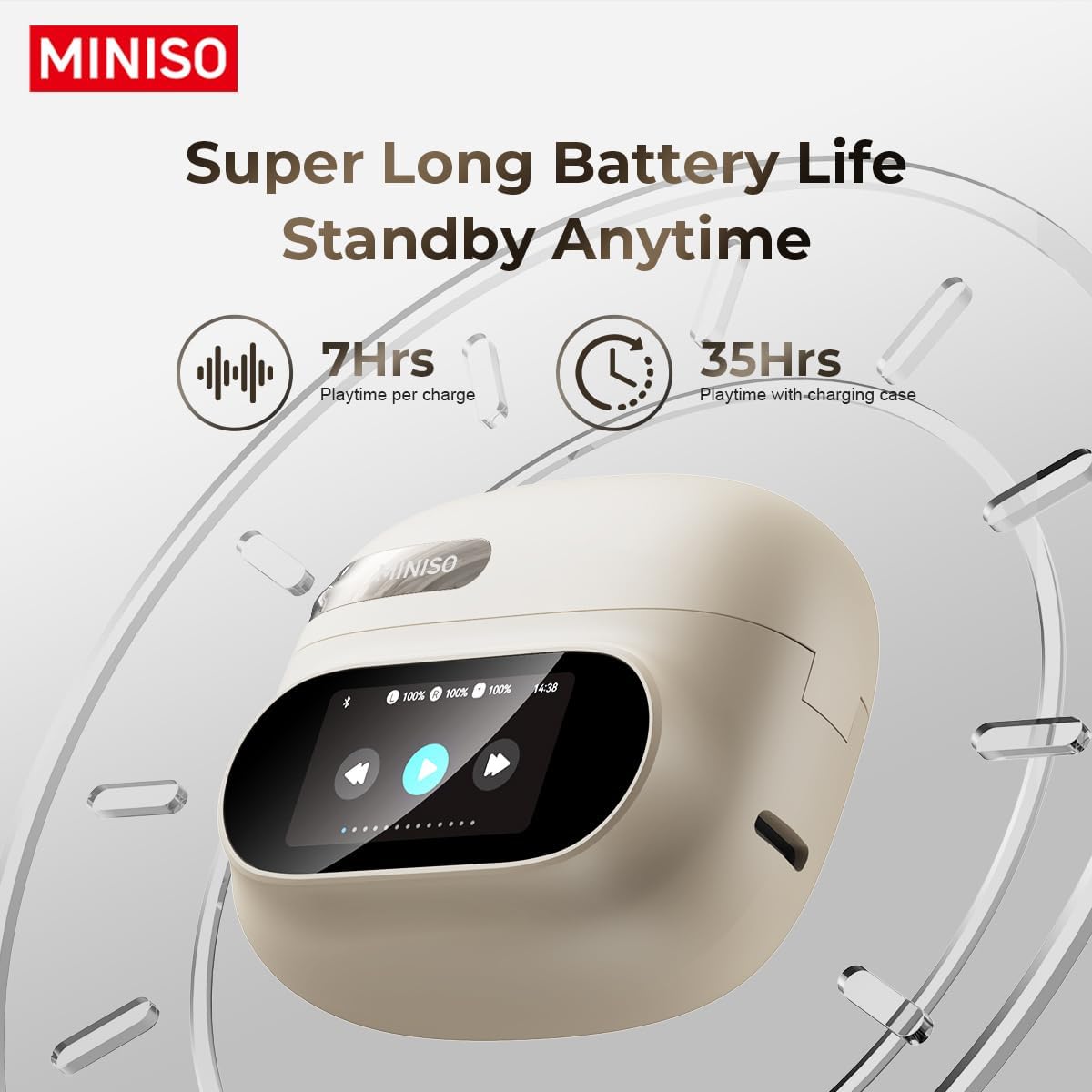
Figure 3.1: The charging case display showing battery levels for the earbuds and the case. The earbuds offer 7 hours of playtime per charge, with the case extending total playtime to 35 hours.
3.2 Bluetooth Pairing
To connect your MS150 earbuds to your device:
- Ensure the earbuds are charged and placed in the charging case.
- Open the charging case lid. The earbuds will automatically enter pairing mode.
- On your smartphone or device, go to Bluetooth settings and turn Bluetooth on.
- Search for available devices and select "MINISO MS150" from the list.
- Once connected, the display on the charging case may show a connection indicator, and you will hear an audio prompt from the earbuds.
4. Operating Instructions
4.1 Wearing the Earbuds
The MS150 earbuds feature an open-ear design for comfort and situational awareness.
- Gently place each earbud over your ear, ensuring the speaker is positioned correctly for clear audio.
- Adjust for a comfortable and secure fit.

Figure 4.1: Proper wearing of the MINISO MS150 earbud, designed for comfort and allowing awareness of surroundings.
4.2 Touch Controls and Display Features
The MS150 earbuds and charging case feature intuitive touch controls and a full-color LED display for various functions.

Figure 4.2: Overview of the various functions accessible via the charging case's full-color LED display and touch controls. These include Screen Lock, Equalizer settings (Normal, Rock, Pop, Classic, Jazz), 'Like' function, Diverse Wallpapers, 'Find My Earphone', Volume adjustment, Alarm clock setup, Date setting, Language Switch, Photogarap (camera remote), Flashlight, Phone Music control, and Screen Brightness adjustment.
Common functions include:
- Music Playback: Play/Pause, Next/Previous Track.
- Call Management: Answer/End Call, Reject Call.
- Volume Control: Adjust volume directly from the earbuds or case display.
- Voice Assistant: Activate your device's voice assistant.
- Language Translation: Initiate real-time translation via the dedicated app or earbud controls.
- Sound Effects: Select from 5 sound effects including Standard, Rock, Pop, Classic, and Jazz.

Figure 4.3: The MINISO MS150 earbuds support 5 distinct sound effects: Standard, Rock, Pop, Classic, and Jazz, enhancing the audio experience for various content like listening to songs, watching films, or playing games.
4.3 AI Language Translation
The core feature of the MS150 is its AI-powered real-time language translation. This function typically requires a companion application on your smartphone.
- Download and install the official MINISO translation app from your device's app store.
- Open the app and follow the on-screen instructions to set up the translation feature.
- Select the source and target languages (supports up to 148 languages).
- Use the designated touch control on the earbuds or the app interface to initiate translation. Your speech will be translated and played through the other person's device or the earbuds, and vice-versa.
5. Maintenance
5.1 Cleaning
Regular cleaning helps maintain the performance and longevity of your earbuds.
- Use a soft, dry, lint-free cloth to wipe the earbuds and charging case.
- For stubborn dirt, slightly dampen the cloth with water. Avoid using harsh chemicals or abrasive materials.
- Do not allow liquid to enter any openings.
5.2 Water Resistance
The MS150 earbuds are rated IPX5 water-resistant, meaning they can withstand a sustained, low-pressure water jet spray. This makes them suitable for sports and light rain exposure.

Figure 5.1: The MINISO MS150 earbuds are IPX5 water-resistant, making them suitable for use during sports or in light rain conditions.
Important: IPX5 rating does not mean they are waterproof for submersion. Do not submerge the earbuds in water or expose them to high-pressure water jets.
5.3 Storage
When not in use, store the earbuds in their charging case to protect them and keep them charged. Store in a cool, dry place away from extreme temperatures.
6. Troubleshooting
If you encounter issues with your MINISO MS150 earbuds, please refer to the following common solutions:
| Problem | Possible Solution |
|---|---|
| Earbuds not pairing | Ensure earbuds are charged. Turn off and on Bluetooth on your device. Forget the device in Bluetooth settings and re-pair. |
| No sound from earbuds | Check volume levels on both earbuds and connected device. Ensure earbuds are properly connected. Try playing different audio. |
| Translation not working | Ensure the translation app is open and configured correctly. Check internet connection for real-time translation. Verify microphone access for the app. |
| Charging issues | Check the charging cable and power source. Ensure earbuds are correctly seated in the charging case. Clean charging contacts if necessary. |
| Short battery life | Ensure earbuds and case are fully charged before use. Battery life can vary based on volume and usage. |
If the problem persists, please contact MINISO customer support.
7. Specifications
- Model: MS150
- Connectivity: Bluetooth 5.4
- Translation Languages: Up to 148 languages (via companion app)
- Earbud Playtime: Approximately 7 hours per charge
- Total Playtime (with Charging Case): Up to 35 hours
- Design: Open Ear Headphone (OWS)
- Water Resistance: IPX5
- Compatibility: iOS and Android devices
- Manufacturer: MINISO
- ASIN: B0F29DPDM8
8. Warranty and Support
MINISO products are manufactured to high-quality standards. For information regarding warranty coverage, technical support, or service inquiries, please refer to the warranty card included in your product packaging or visit the official MINISO website. Please retain your proof of purchase for warranty claims.
Documents and downloads
Ask a question about this manual
Ask about setup, troubleshooting, compatibility, parts, safety, or missing instructions. Manuals+ will review the question and use this page’s manual context to help answer it.