
1. Introduction
Welcome to the PTHTECHUS M91 Open-Ear Bluetooth Earbuds user manual. These earbuds are designed to provide a comfortable and secure listening experience, especially for sports and active lifestyles, while allowing you to stay aware of your surroundings. Featuring advanced Bluetooth 5.4 technology, directional sound transmission, and long battery life, the M91 earbuds offer clear audio and reliable performance.
Please read this manual carefully to ensure proper use, optimal performance, and longevity of your device.
2. Product Overview
The PTHTECHUS M91 earbuds feature an innovative open-ear design that clips securely to your ear, avoiding insertion into the ear canal for enhanced comfort and awareness. The package includes the earbuds and a charging case.
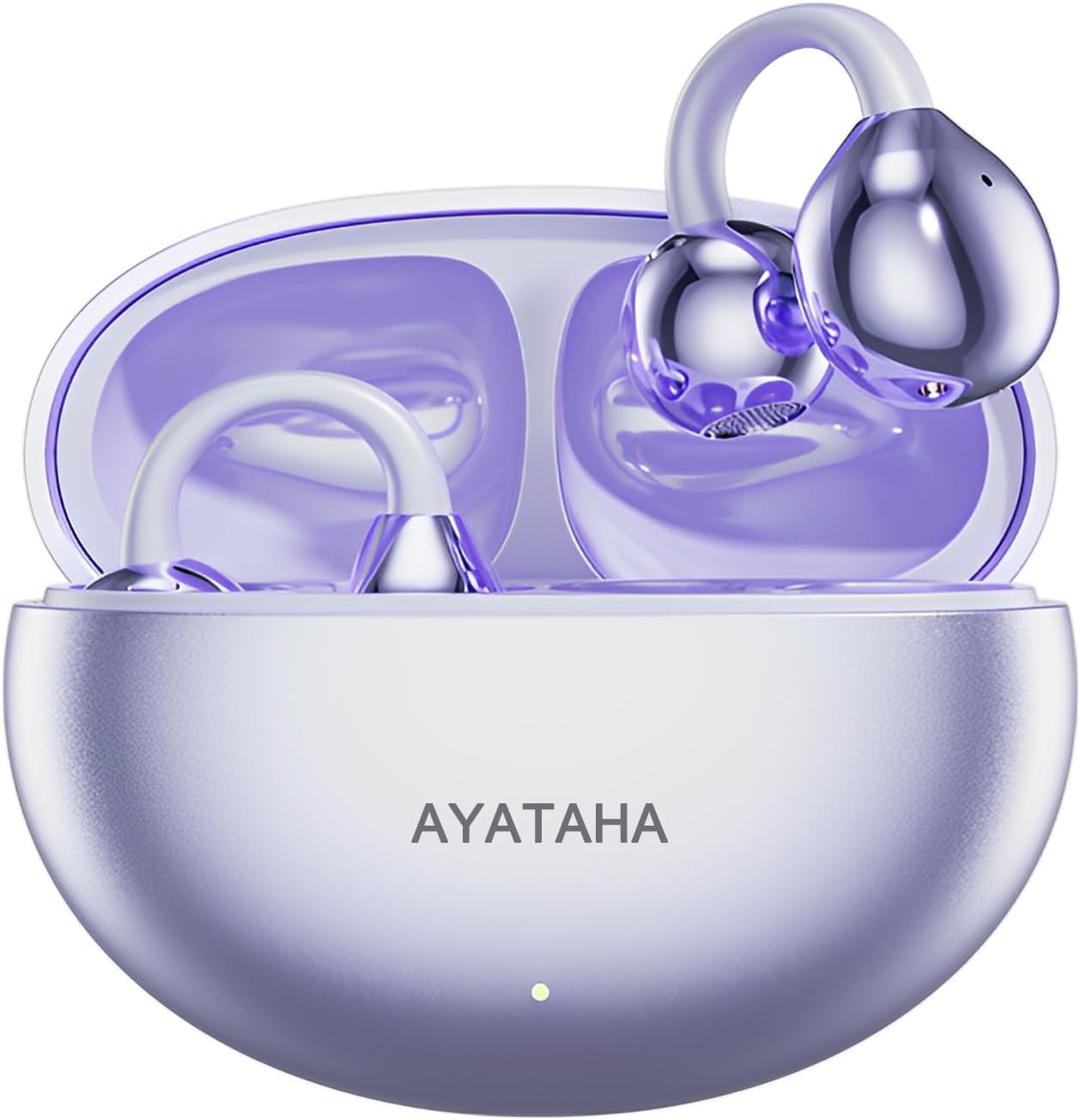
Image: PTHTECHUS M91 Open-Ear Bluetooth Earbuds (Purple) in their charging case, showcasing the sleek design and compact form factor.
Components:
- PTHTECHUS M91 Open-Ear Bluetooth Earbuds (Left and Right)
- Portable Charging Case
- USB Charging Cable
- User Manual (this document)
3. Setup
3.1 Charging the Earbuds and Case
Before first use, fully charge the earbuds and the charging case. The earbuds charge automatically when placed inside the case. The case itself is charged via a USB cable.
- Connect the charging case to a power source using a compatible USB cable.
- The charging indicator light on the case will show charging status.
- A full charge for the earbuds takes approximately 1.5 hours.
- The earbuds offer up to 30 hours of playback time with the charging case.
- The standby time for the earbuds is up to 90 days.

Image: The PTHTECHUS M91 charging case connected to a laptop, illustrating smart connection and compatibility with various devices like mobile phones, tablets, and laptops.
3.2 Bluetooth Pairing
The earbuds utilize Bluetooth 5.4 for stable and interference-free transmission.
- Open the charging case. The earbuds will automatically enter pairing mode.
- On your device (smartphone, tablet, etc.), enable Bluetooth.
- Search for "PTHTECHUS M91" or a similar name in the list of available Bluetooth devices.
- Select the earbuds to connect. Once connected, a voice prompt will confirm the pairing.
- The earbuds will automatically reconnect to the last paired device when taken out of the case.

Image: Diagram illustrating the advanced Bluetooth 5.4 chip inside the earbud, highlighting stable and fast wireless transmission for an enhanced user experience.
3.3 Wearing the Earbuds
The open-ear design ensures comfort and stability without entering the ear canal.
- Gently clip the earbuds onto your outer ear, ensuring the speaker part is positioned towards your ear canal.
- Adjust for a secure and comfortable fit. The design is intended to prevent ear pain even during prolonged use.

Image: Illustration demonstrating the lightweight and secure fit of the open-ear earbuds on the ear, emphasizing comfort and stability compared to traditional in-ear designs.
4. Operating Instructions
4.1 Smart Touch Controls
The earbuds feature intuitive touch controls for easy management of music and calls.

Image: Visual guide to the smart touch controls on the earbuds, detailing gestures for previous/next track, play/pause, volume adjustment, answering/hanging up calls, and activating voice assistant.
| Action | Function |
|---|---|
| Press and hold Left earbud | Previous Song |
| Press and hold Right earbud | Next Song |
| Double click (either earbud) | Play/Pause Music, Answer/Hang up Call |
| Long press (either earbud) | Volume +/- (cycle through volume levels) |
| Triple click (either earbud) | Activate Voice Assistant |
4.2 Directional Sound and Call Clarity
The M91 earbuds employ directional sound transmission technology, focusing sound waves towards your ear to reduce sound leakage by up to 89%, ensuring privacy during calls and an immersive listening experience.

Image: Diagram illustrating the directional sound transmission technology, showing how sound waves are focused into the ear canal to enhance privacy and reduce sound leakage.
Each earbud is equipped with a built-in microphone and ENC (Environmental Noise Cancellation) technology, ensuring your voice is transmitted clearly during phone calls, even in noisy environments.

Image: Exploded view diagram of the earbud's internal components, highlighting the 12mm diaphragms and technologies that contribute to enhanced sound quality, including bass reinforcement and overall audio improvement.
5. Maintenance
5.1 Cleaning
- Regularly clean the earbuds and charging case with a soft, dry, lint-free cloth.
- Do not use abrasive cleaners, alcohol, or chemical solvents.
- Ensure charging contacts on both earbuds and case are clean and free of debris for proper charging.
5.2 Storage
- When not in use, store the earbuds in their charging case to protect them and keep them charged.
- Store in a cool, dry place, away from extreme temperatures and direct sunlight.
5.3 Water Resistance
The earbuds are rated IPX5 water-resistant, meaning they can withstand splashes of water from any direction. They are suitable for workouts and light rain, but should not be submerged in water.
- Do not expose the charging case to water, as it is not water-resistant.
- Dry the earbuds completely before placing them back into the charging case to prevent damage.
6. Troubleshooting
| Problem | Possible Solution |
|---|---|
| Earbuds not pairing with device. |
|
| No sound from one or both earbuds. |
|
| Earbuds not charging. |
|
| Poor call quality. |
|
7. Specifications
| Feature | Detail |
|---|---|
| Model Name | Audífonos Inalámbricos Bluetooth M91 (M91) |
| Connectivity Technology | Wireless (Bluetooth) |
| Bluetooth Version | 5.4 |
| Ear Placement | Open-Ear (Clip-on) |
| Water Resistance Level | IPX5 (Water Resistant) |
| Average Battery Life (Playback) | 30 Hours (with charging case) |
| Charging Time | Approx. 1.5 Hours |
| Battery Composition | Lithium Ion |
| Compatible Devices | Cell Phones, Bluetooth Devices |
| Package Dimensions | 11.6 x 9.2 x 3.7 cm |
| Item Weight | 90 g |
| Manufacturer | BEGHELLI DE MEXICO |
8. Warranty and Support
Your PTHTECHUS M91 Open-Ear Bluetooth Earbuds are manufactured by BEGHELLI DE MEXICO. For warranty information and customer support, please refer to the documentation included with your purchase or contact the seller directly.
For common issues, please refer to the Troubleshooting section of this manual. If you require further assistance, please reach out to the authorized seller or manufacturer's support channels.
Note: Warranty terms and support procedures may vary based on your region and point of purchase.