
NOVOO NFC1-207C
NOVOO NFC1-207C Tracker Card User Manual
Model: NFC1-207C
1. Introduction
The NOVOO NFC1-207C Tracker Card is a slim, Bluetooth-enabled item locator designed to help you find your personal belongings using the Apple Find My network. This device is compatible exclusively with iOS devices and offers features such as long battery life, IP68 waterproofing, and privacy protection.
This manual provides detailed instructions for setting up, operating, maintaining, and troubleshooting your Tracker Card to ensure optimal performance.
Video 1.1: Overview of the NOVOO Tracker Card features and functionality.
2. Safety Information
- This device is designed for use with iOS devices only. It is not compatible with Android.
- The Tracker Card contains a non-rechargeable battery. Do not attempt to open or replace the battery.
- Avoid exposing the device to extreme temperatures or direct sunlight for prolonged periods.
- While IP68 waterproof, avoid intentional submersion beyond specified limits (1.5 meters for 30 minutes).
- Keep out of reach of small children to prevent accidental ingestion.
- The device uses AES-128 encryption for privacy protection. Be aware of anti-tracking alerts if an unknown tracker is detected with your belongings.
3. Package Contents
Verify that all items are present in your package:
- NOVOO NFC1-207C Tracker Card
- User Manual (this document)
4. Setup
Follow these steps to set up your NOVOO Tracker Card with your iOS device:
- Activate the Tracker Card: With your thumb, firmly press the center of the power button icon on the card. A tune will play, indicating the card is active and pairing mode has begun. If it doesn't turn on, press harder.
- Open Find My App: On your iOS device, ensure Bluetooth is enabled. Open the Apple "Find My" app.
- Add New Item: Navigate to the "Items" tab in the Find My app. Tap the "+" icon, then select "Add Other Item" or "Other Supported Item".
- Connect: The app will search for nearby compatible devices. When "NOVOO Smart Tag" appears, tap "Connect" and follow the on-screen prompts to name your tracker and complete the pairing process.

Image 4.1: Visual guide for pairing the NOVOO Tracker Card with the Apple Find My app.
5. Operating Instructions
Once your NOVOO Tracker Card is paired, you can utilize the following features through the Apple Find My app:
5.1 Locating Your Item
- Play Sound: If your item is within Bluetooth range (up to 40 meters / 131 feet), open the Find My app, select your Tracker Card, and tap "Play Sound". The card will emit an 80dB ringtone to help you locate it. You can also ask Siri to "Find my [item name]".
- View Last Known Location: If the tracker is out of Bluetooth range, the Find My app will display its last known location on a map, leveraging the vast Apple Find My network.
- Get Directions: From the Find My app, you can get directions to the last known location of your Tracker Card.
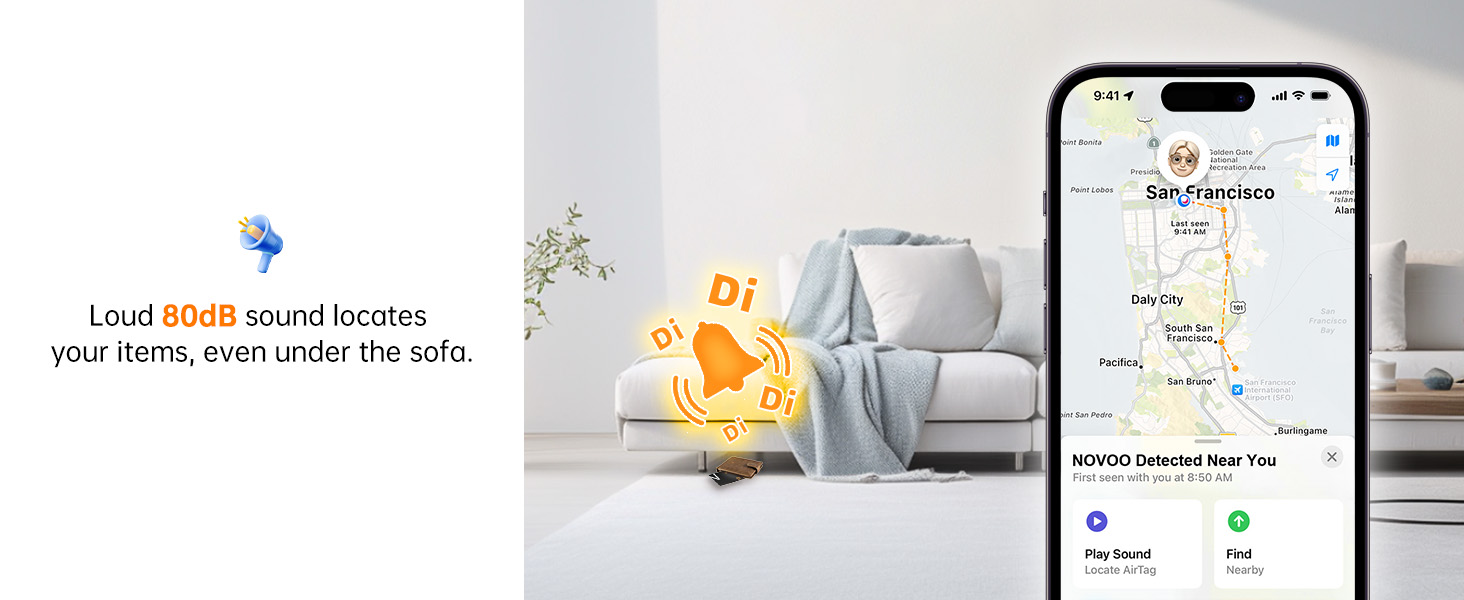
Image 5.1: Using the "Play Sound" feature to locate the Tracker Card.
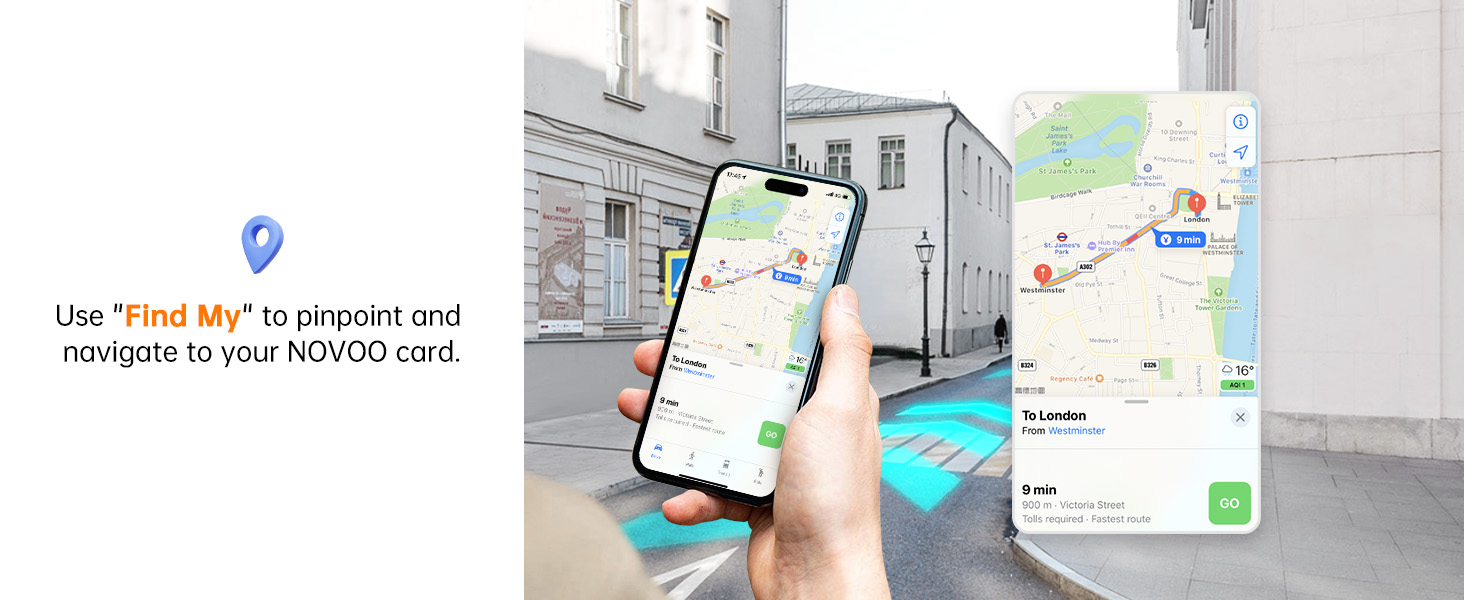
Image 5.2: Navigating to the Tracker Card's location using the Find My app.
5.2 Left Behind Alerts
Your iPhone can notify you if you leave your Tracker Card behind or if it moves out of Bluetooth range. This feature helps prevent loss by alerting you in real-time.

Image 5.3: Example of a "Left Behind" alert notification.
5.3 Lost Mode
If your item is lost, activate "Lost Mode" in the Find My app. This leverages the entire Apple network to help locate your item. When your Tracker Card is detected by another Apple device, you will receive an automatic notification of its location. You can also set contact details for finders to reach you.

Image 5.4: Activating Lost Mode and setting contact information.
5.4 Sharing Location
You can share the location of your Tracker Card with up to 5 other Apple devices via the Find My app, allowing family and friends to help track important items.

Image 5.5: Sharing your Tracker Card's location with others.
6. Maintenance
6.1 Battery Life
The NOVOO Tracker Card features a 540mAh non-rechargeable battery designed to last up to 6 years. You can monitor the remaining battery life within the Find My app. Your smartphone will receive notifications when the battery level drops below 20%.

Image 6.1: Information on the Tracker Card's 6-year battery life.
6.2 Waterproofing
The Tracker Card has an IP68 waterproof rating, meaning it is protected against dust ingress and can withstand submersion in water up to 1.5 meters (4.92 feet) for up to 30 minutes. This makes it suitable for various environments and accidental splashes.

Image 6.2: The Tracker Card's IP68 waterproof capability.
7. Troubleshooting
- Card Not Turning On: Ensure you are pressing the power button icon firmly in the center. If the card does not respond, try pressing harder.
- Unable to Pair:
- Confirm Bluetooth is enabled on your iOS device.
- Ensure the Tracker Card is in pairing mode (a tune plays when activated).
- Make sure you are selecting "Add Other Item" in the Find My app, not "Add AirTag".
- Try resetting the Tracker Card as described below.
- Tracker Card Disconnecting:
- Check the battery level in the Find My app.
- Ensure your iOS device's Bluetooth is active and the card is within range.
- Interference from other Bluetooth devices or physical obstructions can affect connectivity.
- Resetting the Tracker Card: To reset the card, press the power button icon 5 times quickly until you hear three "Di-Di-Di" sounds. Then, hold the button for 6 seconds until you hear two "Di-Di" sounds, confirming a successful reset. This will unpair the card from any previous device and allow it to be paired again.
Video 7.1: Instructions on how to reset the NOVOO Tracker Card.
8. Specifications
| Feature | Detail |
|---|---|
| Model Number | NFC1-207C |
| Dimensions | 3.37"L x 0.07"W x 2.13"Th (1.6mm thick) |
| Item Weight | 1.44 ounces |
| Battery Type | 1 Lithium Metal battery (included, non-rechargeable) |
| Battery Life | Up to 6 years |
| Waterproof Rating | IP68 (up to 1.5 meters for 30 minutes) |
| Bluetooth Range | Up to 40 meters (131 feet) |
| Ringtone Volume | 80dB |
| Compatibility | iOS devices only (Apple Find My network) |
| Material | Plastic |

Image 8.1: Illustration of the Tracker Card's ultra-slim design.
9. Warranty and Support
NOVOO products are manufactured to high-quality standards. For warranty information, technical support, or customer service inquiries, please refer to the contact information provided with your purchase or visit the official NOVOO website.
Related documentsNFC1-207C


Ask a question about this manual
Ask about setup, troubleshooting, compatibility, parts, safety, or missing instructions. Manuals+ will review the question and use this page’s manual context to help answer it.