
ODK B011202SPD01001USDF
ODK 48 Inches Gaming Desk User Manual
Model: B011202SPD01001USDF
Introduction
Thank you for choosing the ODK 48 Inches Gaming Desk. This manual provides detailed instructions for assembly, operation, maintenance, and troubleshooting to ensure you get the most out of your new gaming desk. Please read this manual thoroughly before assembly and use, and retain it for future reference.
Important Safety Information
Failure to follow these safety instructions may result in injury or damage to the product.
- Ensure the desk is properly anchored to the wall to prevent tipping, especially if children are present.
- Do not exceed the weight limit of 100 lbs (approximately 45 kg) on the desktop.
- Follow the assembly instructions carefully to ensure stability and structural integrity.
- Keep all small parts and packaging materials away from children and pets to prevent choking hazards.
- Do not stand or sit on the desk.
- Avoid placing hot items directly on the desk surface without protection.
- Ensure all electrical connections (LED lights, power strip) are properly secured and not exposed to liquids.
Package Contents
Before beginning assembly, please verify that all components listed below are present and undamaged. If any parts are missing or damaged, please contact customer support.

Image: This diagram illustrates all the individual components included in the package, along with key dimensions of the assembled desk, such as overall height, width, and depth, and the monitor stand height.
- Desktop Panel (1)
- Monitor Stand Shelf (1)
- Desk Legs/Frame Components (various)
- CPU Stand Shelf (1)
- Side Storage Shelves (2)
- LED Light Strip with Controller (1)
- Recessed Power Strip with USB Ports (1)
- Headphone Hook (1)
- Assembly Hardware (screws, bolts, nuts, etc.)
- Assembly Tools (Allen wrench, screwdriver)
- Instruction Manual (this document)
Assembly Instructions
Assembly typically takes approximately 30 minutes. It is recommended to assemble the desk with two people for easier handling. All necessary tools are included.
- Unpack and Identify Parts: Carefully remove all components from the packaging. Lay them out on a clean, soft surface to prevent scratches. Refer to the "Package Contents" section and the provided diagram to identify each part.
- Assemble the Main Frame: Connect the horizontal support bars to the vertical leg frames using the provided screws and Allen wrench. Ensure all connections are secure but do not fully tighten until the entire frame is assembled.
- Attach Side Shelves: Secure the two-tier side storage shelves to the main frame. Note that the CPU stand shelf can be installed on either the left or right side, depending on your preference.
- Install Desktop: Carefully place the desktop panel onto the assembled frame. Align the pre-drilled holes and secure the desktop to the frame using the appropriate screws. Fully tighten all screws on the entire frame now.
- Attach Monitor Stand: Position the monitor stand shelf on top of the desktop, aligning it with the designated mounting points. Secure it with the provided hardware. This stand is designed to elevate your monitors for ergonomic viewing.
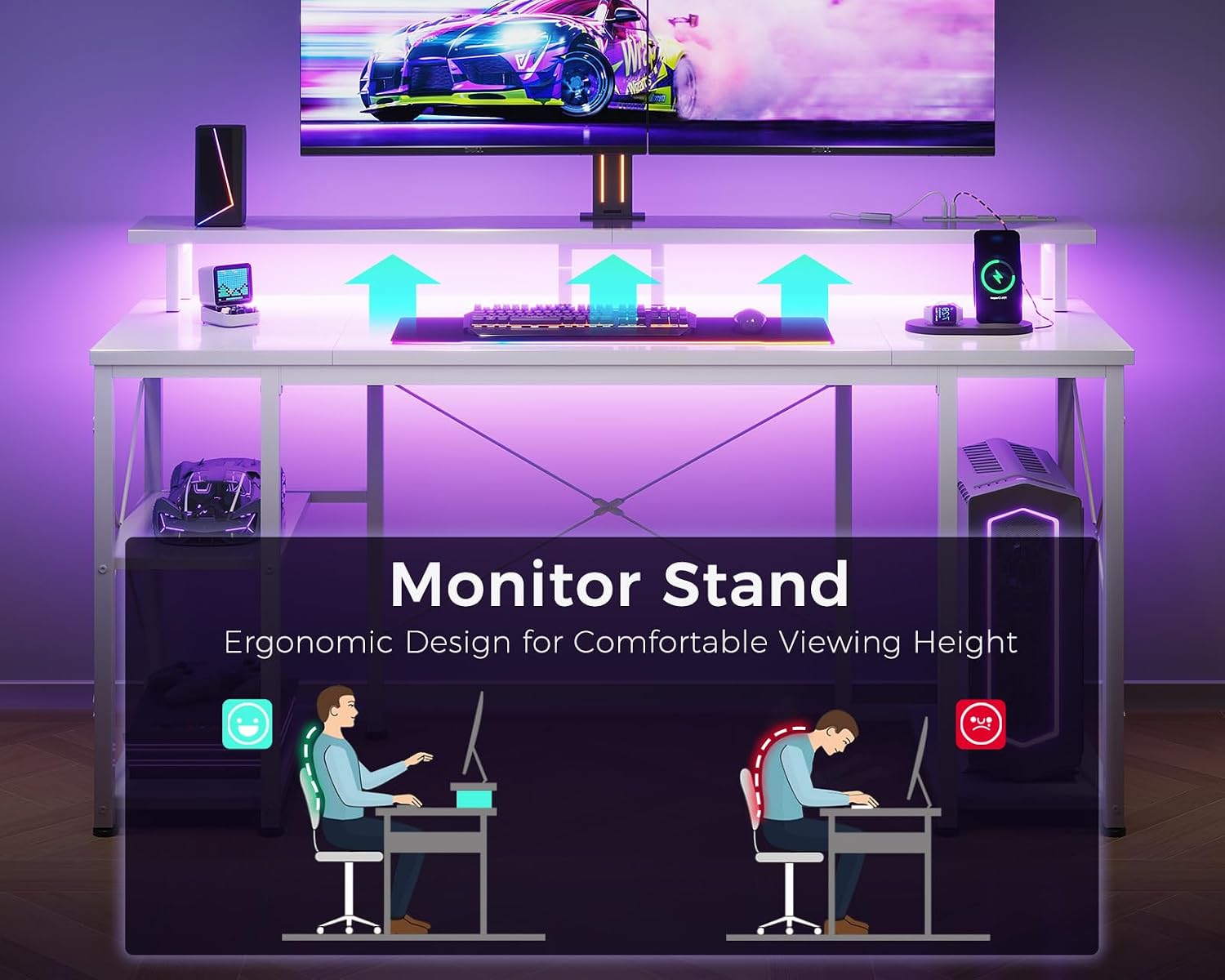
Image: This image highlights the ergonomic benefits of the monitor stand, showing correct posture when using it.
- Install Recessed Power Strip: Insert the recessed power strip into the designated cutout on the monitor stand shelf. Ensure it clicks securely into place.
- Attach LED Light Strip: Adhere the LED light strip to the underside of the monitor stand shelf using its adhesive backing. Route the cable neatly.
- Attach Headphone Hook: Secure the headphone hook to the side of the desk frame as desired.
- Final Check: Ensure all screws are tightened, and the desk is stable. Place the desk in its desired location.
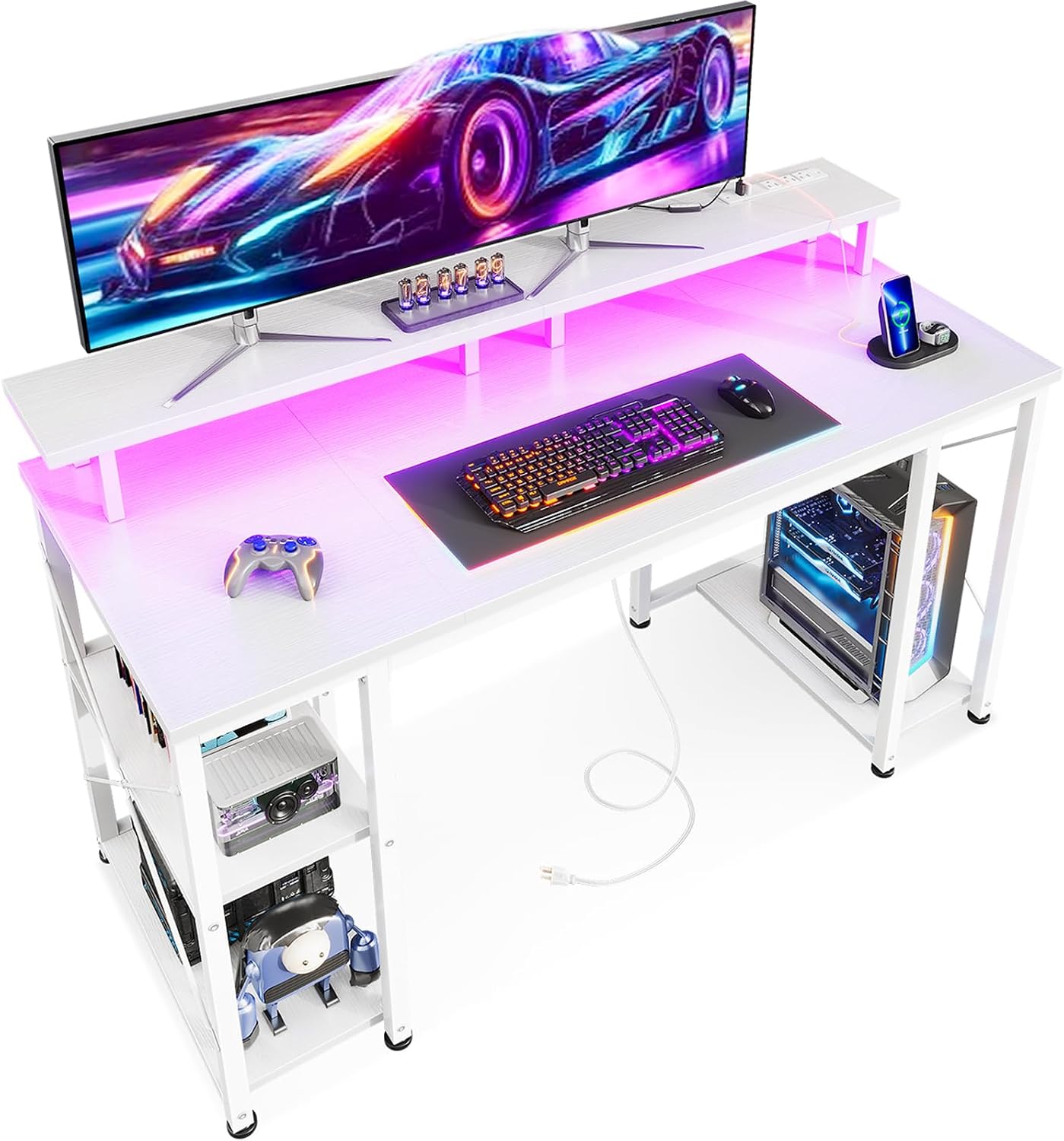
Image: A complete view of the assembled ODK 48 Inches Gaming Desk, showcasing its features including the monitor stand, LED lighting, and side storage.
Operating Instructions
LED Lighting System
The ODK Gaming Desk features built-in RGB LED lights with multiple modes and colors to enhance your gaming or working environment. The LED strip is controlled via an inline remote.

Image: This image displays the control panel for the LED lights, showing the "C" (Static Color), "M" (Dynamic Mode), and "Speed & Brightness and Power" buttons.
- Static Color Button (C): Press this button once to switch to static color mode. Each subsequent press will cycle through available static colors.
- Dynamic Mode Button (M): Press this button once to switch to dynamic mode effects. Each subsequent press will change the dynamic mode. Press and hold for more than 3 seconds to activate demo mode, which cycles through various dynamic modes automatically.
- Speed & Brightness and Power Button (S/B):
- In static mode, press to adjust the brightness level.
- In dynamic mode, press to adjust the dynamic mode speed.
- Press and hold to turn off the LED strip when it is on.
- Press briefly to turn on the LED strip when it is off.
The LED strip has a power-off memory function, retaining the last color, brightness, and mode settings upon next power-on.
Recessed Power Strip
The integrated power strip provides convenient access to power for your devices.

Image: This image shows the built-in power strip, detailing its three AC outlets (120V/12A) and two USB ports (5V/2A), along with its 6.6-foot power cord.
- AC Outlets: Features 3 standard 120V/12A AC outlets for powering monitors, computers, or other peripherals.
- USB Ports: Includes 2 USB ports (5V/2A) for charging mobile devices, headphones, or other USB-powered accessories.
- The power strip is connected via a 6.6-foot power cord.
Monitor Stand
The full-length monitor shelf is designed to accommodate two monitors or laptops, elevating them to an ergonomic viewing height. This helps reduce neck and eye strain during extended use.
Maintenance
Proper care will extend the life and appearance of your ODK Gaming Desk.
- Cleaning: Wipe the desk surface with a soft, damp cloth. Avoid abrasive cleaners or harsh chemicals that may damage the finish. For stubborn marks, a mild soap solution can be used, followed by drying with a clean cloth.
- Spills: Immediately wipe up any spills to prevent liquid from seeping into the engineered wood or damaging electrical components.
- Hardware: Periodically check all screws and bolts to ensure they remain tight. Re-tighten if necessary to maintain stability.
- LED Lights: The LED strip is designed for long-term use and requires minimal maintenance. If dust accumulates, gently wipe it with a dry, soft cloth. Do not attempt to disassemble the LED strip or controller.
Troubleshooting
If you encounter any issues with your ODK Gaming Desk, please refer to the following common problems and solutions:
| Problem | Possible Cause | Solution |
|---|---|---|
| Desk is wobbly or unstable. | Loose assembly hardware. Uneven floor. | Ensure all screws and bolts are fully tightened. Use the adjustable feet pads to level the desk on uneven surfaces. Consider anchoring the desk to a wall if wobbling persists. |
| LED lights are not turning on. | Power connection issue. Controller malfunction. | Check if the USB plug for the LED strip is securely connected to a power source (e.g., the desk's power strip or a USB adapter). Ensure the power button on the LED controller is pressed. If still not working, contact customer support. |
| Power outlets/USB ports on the desk are not working. | Power strip not plugged in. Circuit breaker tripped. | Verify that the desk's main power cord is securely plugged into a functional wall outlet. Check your home's circuit breaker. Avoid overloading the power strip. |
| Missing or damaged parts during assembly. | Packaging error. Shipping damage. | Do not proceed with assembly. Contact ODK customer support immediately with your purchase details and a description of the missing/damaged parts. |
Specifications
| Feature | Detail |
|---|---|
| Brand | ODK |
| Model Number | B011202SPD01001USDF |
| Product Dimensions (D x W x H) | 48"D x 19.69"W x 34.06"H (121.92 cm D x 50 cm W x 86.5 cm H) |
| Color | Pure White |
| Material | Engineered Wood (Desktop), Metal (Frame) |
| Item Weight | 34.39 Pounds (15.6 kg) |
| Maximum Weight Capacity | 100 lbs (45 kg) |
| Special Features | LED Lights (RGB, 10 modes, 10 colors), Monitor Stand, Recessed Power Strip (3 AC outlets, 2 USB ports), CPU Stand, Headphone Hook |
| Assembly Required | Yes (Tools included) |
Image: A detailed dimensional drawing of the desk, illustrating its various measurements for planning your space.
Warranty and Support
ODK stands behind the quality of its products. For information regarding warranty coverage, please refer to the warranty card included with your purchase or visit the official ODK website.
If you have any questions, require assistance with assembly, or need to report missing/damaged parts, please contact ODK customer support:
- Customer Service Email: [Refer to product packaging or ODK website]
- Customer Service Phone: [Refer to product packaging or ODK website]
- Online Support: Visit the ODK Store on Amazon
Please have your model number (B011202SPD01001USDF) and purchase date ready when contacting support.
Ask a question about this manual
Ask about setup, troubleshooting, compatibility, parts, safety, or missing instructions. Manuals+ will review the question and use this page’s manual context to help answer it.