
1. Product Overview
The FANOFUN Universal Treadmill Remote Control is designed to provide convenient, hands-free operation for a wide range of treadmills. This wireless controller replaces original equipment manufacturer (OEM) remotes, offering effortless command over speed and incline settings during your workout. It is compatible with many major treadmill brands and foldable walking pads.
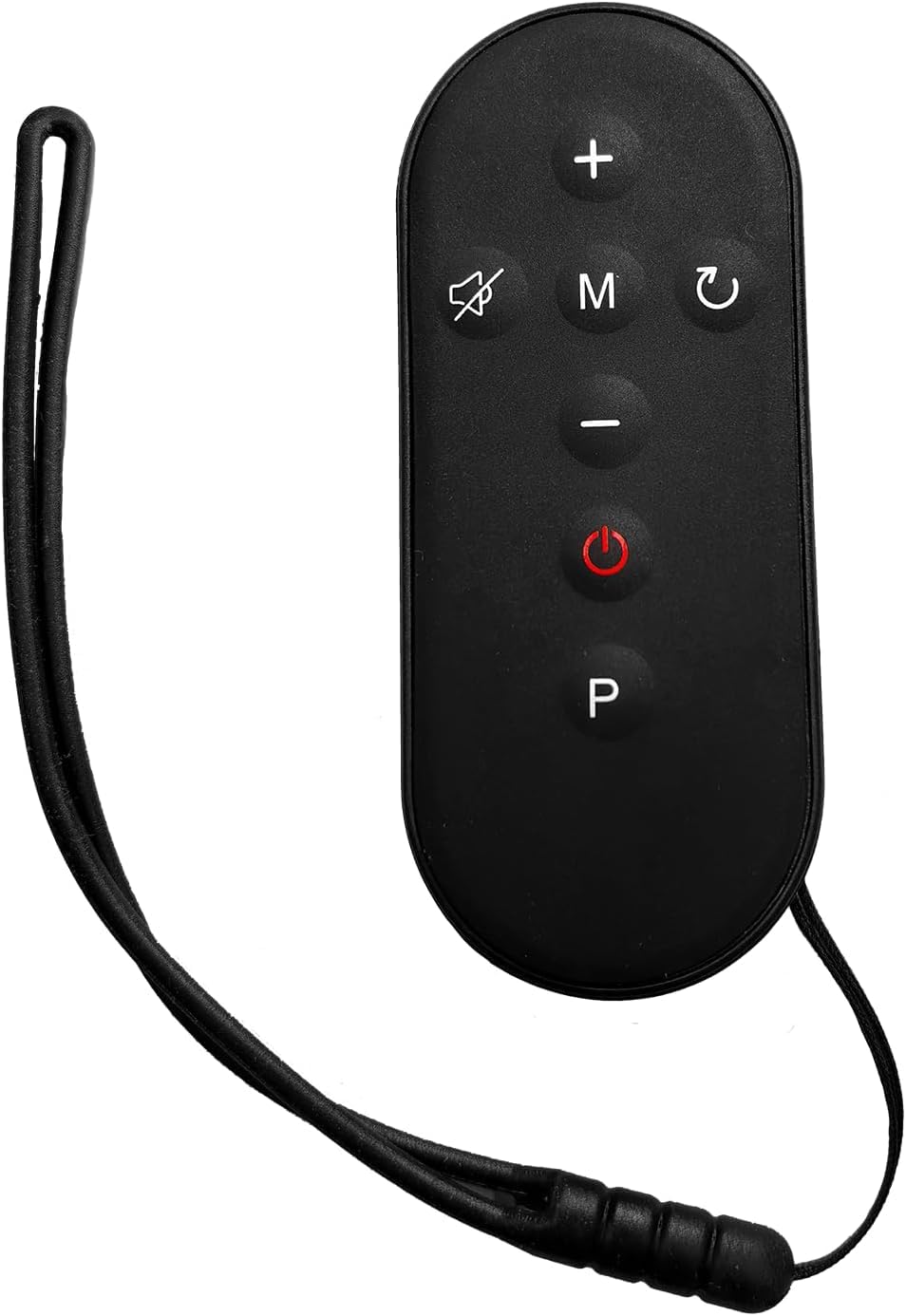
Image 1.1: The FANOFUN Universal Treadmill Remote Control, featuring a compact design with multiple control buttons.
Key Features:
- Universal Compatibility: Works with most major treadmill brands including NordicTrack, ProForm, Sole, Horizon, and various foldable walking pads.
- Wireless Control: Adjust speed and incline settings without needing to reach for the treadmill console.
- Ergonomic Design: Features a non-slip, contoured grip and a detachable clip for secure attachment.
- Long Battery Life: Equipped with a rechargeable lithium battery and an auto-sleep function.
- Durable Construction: Built with robust ABS plastic and responsive buttons for longevity.
2. Setup and Pairing
Follow these steps to pair your FANOFUN Universal Treadmill Remote Control with your treadmill:
- Charge the Remote: Before initial use, ensure the remote control is fully charged using the provided USB cable. Connect the cable to the remote and a standard USB power source. The charging indicator will typically show when charging is complete.
- Power On Treadmill: Turn on your treadmill and ensure it is in standby mode or ready for operation.
- Initiate Pairing: The remote control is designed for quick pairing via Bluetooth or infrared. There is no complex programming required. Simply activate the remote (e.g., by pressing any button) and ensure it is within close proximity to your treadmill's receiver.
- Sync with Treadmill: The remote should automatically attempt to sync with your treadmill's receiver. Some treadmills may require you to press a 'Pair' or 'Connect' button on their console. Refer to your treadmill's specific manual for its pairing procedure if automatic connection does not occur.
- Test Functionality: Once paired, test the speed and incline buttons to confirm proper communication between the remote and the treadmill.
Note: While this remote is universally compatible with 95% of major treadmill brands, specific treadmill models may have unique pairing requirements. If you encounter difficulties, consult your treadmill's user manual or the FANOFUN support resources.
3. Operating Instructions
The FANOFUN Universal Treadmill Remote Control features a 12-button layout for intuitive control of your workout.
3.1. Basic Controls
- Start/Stop: Press the designated 'Start' button to begin your workout and the 'Stop' button to end it.
- Speed Adjustment: Use the '+' and '-' buttons to increase or decrease the treadmill speed. The remote supports speed adjustments from 0.5 to 12 MPH.
- Incline Adjustment: Use the 'Up' and 'Down' arrow buttons to adjust the treadmill's incline. The remote supports incline adjustments from 0% to 15%.
3.2. Advanced Functions
- Quick Presets: The remote includes dedicated buttons for quick speed or incline changes (e.g., +1 MPH, -2% incline). Refer to the button labels on your remote for specific preset functions.
- Mode Changes: If your treadmill supports different workout modes, the remote may have buttons to cycle through these options.
3.3. Ergonomic Use
The remote's non-slip, contoured grip ensures comfortable handling during your workout. For hands-free use, utilize the detachable clip to attach the remote to your shirt, waistband, or the treadmill's handlebar.
4. Maintenance
Proper care and maintenance will ensure the longevity and optimal performance of your remote control.
- Charging: The remote is powered by a rechargeable lithium battery, offering over 30 hours of use per charge. When the battery is low, connect the remote to a USB power source using the provided USB cable.
- Auto-Sleep Feature: To conserve battery life, the remote will automatically enter sleep mode after 3 minutes of inactivity. Press any button to wake it up.
- Cleaning: Wipe the remote with a soft, dry cloth. Avoid using abrasive cleaners or solvents, which can damage the surface or internal components.
- Storage: Store the remote in a cool, dry place away from direct sunlight and extreme temperatures.
- Protection: While durable, avoid dropping the remote or exposing it to excessive moisture to prevent damage.
5. Troubleshooting
If you encounter issues with your FANOFUN Universal Treadmill Remote Control, refer to the following troubleshooting guide:
| Problem | Possible Cause | Solution |
|---|---|---|
| Remote does not respond. | Low battery; Remote is in sleep mode; Not paired. | Charge the remote; Press any button to wake it; Re-attempt pairing as per Section 2. |
| Remote does not pair with treadmill. | Treadmill not compatible; Incorrect pairing procedure; Interference. | Ensure your treadmill supports Bluetooth or infrared remote control. Consult your treadmill's manual for specific pairing instructions. Move closer to the treadmill. |
| Speed/Incline adjustments are erratic. | Weak signal; Low battery. | Ensure remote is within range and fully charged. Reduce potential interference from other electronic devices. |
| Buttons are unresponsive. | Physical damage; Internal fault. | Inspect for visible damage. If issues persist, contact FANOFUN customer support. |
If the problem persists after attempting these solutions, please contact FANOFUN customer support for further assistance.
6. Specifications
| Brand | FANOFUN |
| Model Name | Treadmill Remote Control Replacement - Universal Wireless Speed & Incline Controller |
| Model Number | c5a21a34-bb5c-4ccf-bcdb-807778548f95 |
| Color | Black |
| Compatible Devices | Treadmill |
| Connectivity Technology | Bluetooth, Infrared |
| Button Quantity | 12 |
| Controller Type | Button Control |
| Battery Type | Rechargeable Lithium |
| Item Weight | 0.02 Kilograms |
| Special Features | Ergonomic, Lightweight, No Programming Required, Rechargeable, Universal |
7. Warranty and Support
For warranty information regarding your FANOFUN Universal Treadmill Remote Control, please refer to the documentation provided at the time of purchase or contact the retailer directly. Specific warranty terms and conditions may vary.
If you require technical support, have questions about product compatibility, or need assistance with troubleshooting beyond what is covered in this manual, please contact FANOFUN customer support through their official channels. Provide your product model number (c5a21a34-bb5c-4ccf-bcdb-807778548f95) and a detailed description of your issue for efficient service.