
1. Introduction
Thank you for choosing the ESR Screen Protector and Vertical Stand Cover for your iPad Air 13" (M3/M2 2025/2024). This product is designed to provide comprehensive protection and enhanced functionality, allowing for versatile viewing and usage modes. This manual will guide you through the installation, operation, and maintenance of your new accessory.
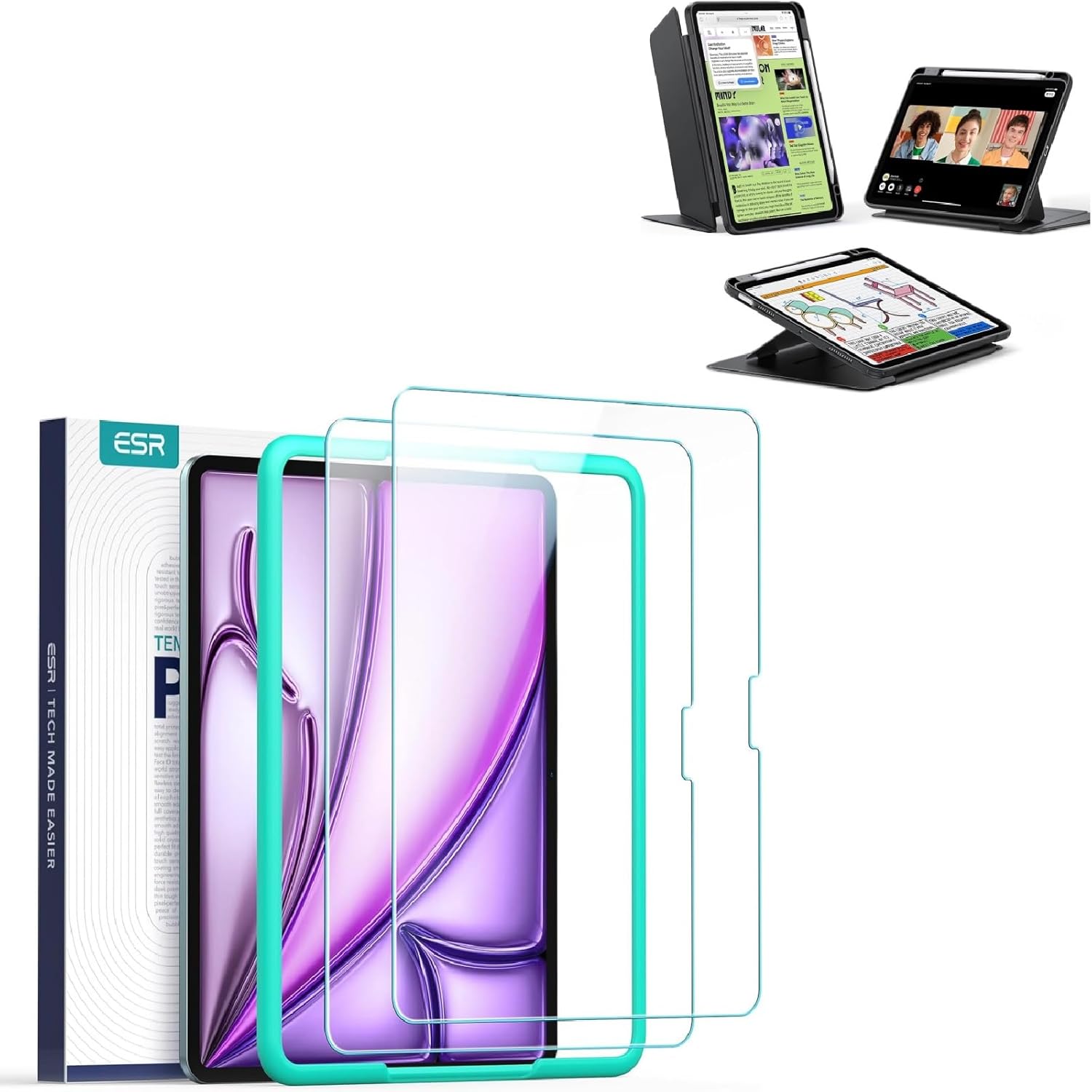
Image 1.1: ESR Screen Protector and Vertical Stand Cover for iPad Air 13" (M3/M2 2025/2024).
2. Compatibility
This ESR Screen Protector and Vertical Stand Cover is specifically designed for the following iPad models:
- iPad Air 13" M3 (2025)
- iPad Air 13" M2 (2024)
Compatible model numbers include A3268, A3269, A2898, A2899. To confirm compatibility, please check the back bottom of your iPad for the model number, which typically starts with "A" followed by four digits (e.g., "AXXXX").
This product is NOT compatible with any other iPad models, including iPad Pro 12.9" or older iPad Air models.

Image 2.1: Visual guide for checking iPad model compatibility (e.g., Model A2898).
3. Setup and Installation
3.1. Screen Protector Installation
The screen protector features an alignment frame for effortless, bubble-free application. Follow these steps for optimal installation:
- Clean the Screen: Use the provided cleaning kit (wet wipe, dry cloth, dust absorber sticker) to thoroughly clean your iPad screen. Ensure no dust, smudges, or fingerprints remain.
- Attach Alignment Frame: Place the alignment frame onto your iPad. It will snap into place, guiding the screen protector perfectly.
- Apply Screen Protector: Carefully peel off the protective film from the adhesive side of the screen protector. Align the screen protector with the top edge of the alignment frame and gently lower it onto the iPad screen.
- Smooth Out Bubbles: Once the protector is in place, gently press down the center and work outwards to push out any air bubbles. A squeegee tool (if provided) can assist in this process. Small bubbles typically disappear within 24-48 hours.
- Remove Alignment Frame: Once the screen protector is securely applied, carefully remove the alignment frame.

Image 3.1: Demonstrating the easy application process of the screen protector using the alignment frame.
3.2. Case Installation
To install your iPad into the vertical stand cover:
- Gently slide your iPad into the case, ensuring all edges are securely seated within the protective frame.
- Confirm that all ports, buttons, and camera cutouts align correctly with your iPad.
4. Operating and Usage
The ESR Vertical Stand Cover offers multiple functionalities to enhance your iPad experience.
4.1. Effortless Vertical Browsing (Portrait View)
The ingenious fold and triangular structure design allow for stable vertical browsing. This mode is ideal for social media, watching short videos, reading, checking news, and more.

Image 4.1: iPad positioned in portrait view for vertical browsing, demonstrating the stable triangular fold design.
4.2. Multi-Angle Design (Viewing and Writing Modes)
The case features two primary stand modes to suit various activities:
- Viewing Mode (45°-60°): Perfect for watching videos, working, FaceTiming, or general media consumption.
- Writing Mode (25°): Provides an ergonomic angle ideal for writing, drawing, or other creative tasks.

Image 4.2: Illustration of the 45°-60° viewing mode and the 25° writing mode for versatile use.
4.3. Ultra-Stable Stand
Designed with a wide cover and strong magnetic bracket, this case ensures exceptional stability on various surfaces, including sofas, beds, hands, or your lap. The magnetic support stand with an increased support area prevents slipping and maintains an upright position.
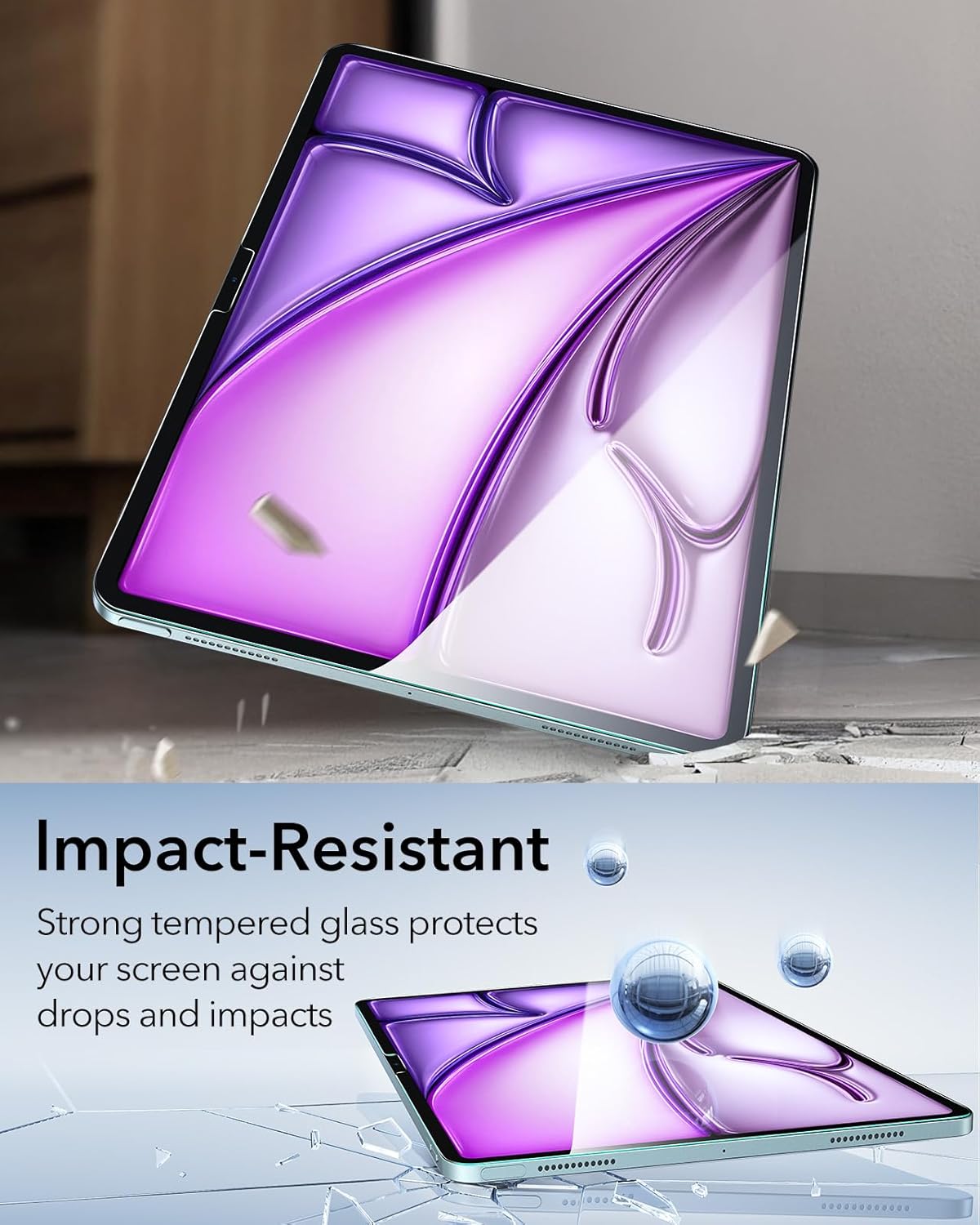
Image 4.3: Depiction of the ultra-stable magnetic support stand, providing secure positioning on any surface.
4.4. Pencil Holder
The case includes a dedicated holder for your Apple Pencil, ensuring it is securely stored and easily accessible when needed.
5. Maintenance and Care
To ensure the longevity and optimal performance of your ESR Screen Protector and Vertical Stand Cover, follow these care guidelines:
- Cleaning: Wipe the case with a soft, damp cloth to remove dust and smudges. For the screen protector, use a microfiber cloth to gently clean the surface. Avoid harsh chemicals or abrasive materials.
- Protection: The screen protector is made from strong tempered glass, designed to be scratch-resistant and impact-resistant, protecting your screen against drops and impacts. While durable, avoid extreme pressure or sharp objects to prevent damage.
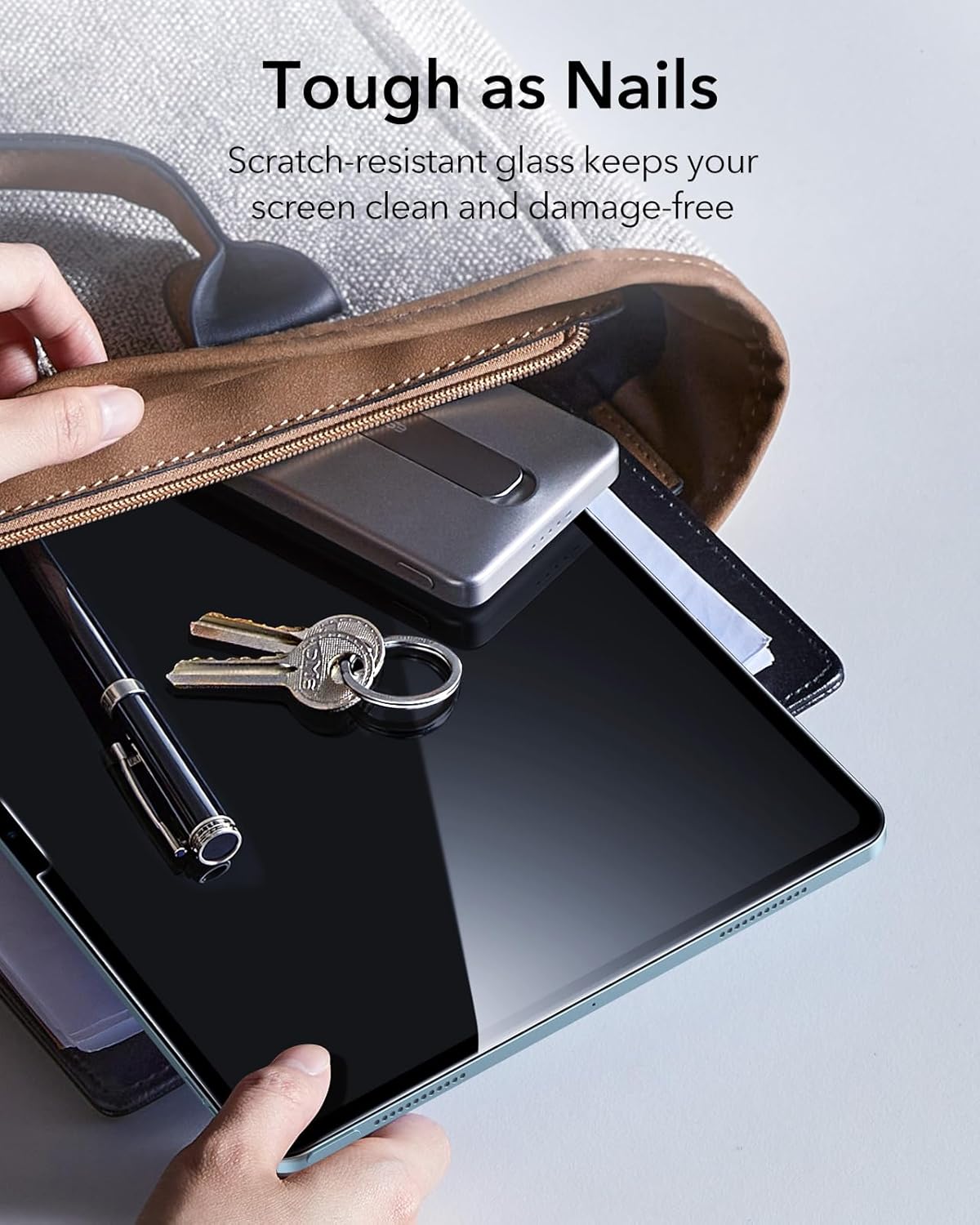
Image 5.1: The screen protector's scratch-resistant glass keeps the screen clean and damage-free.
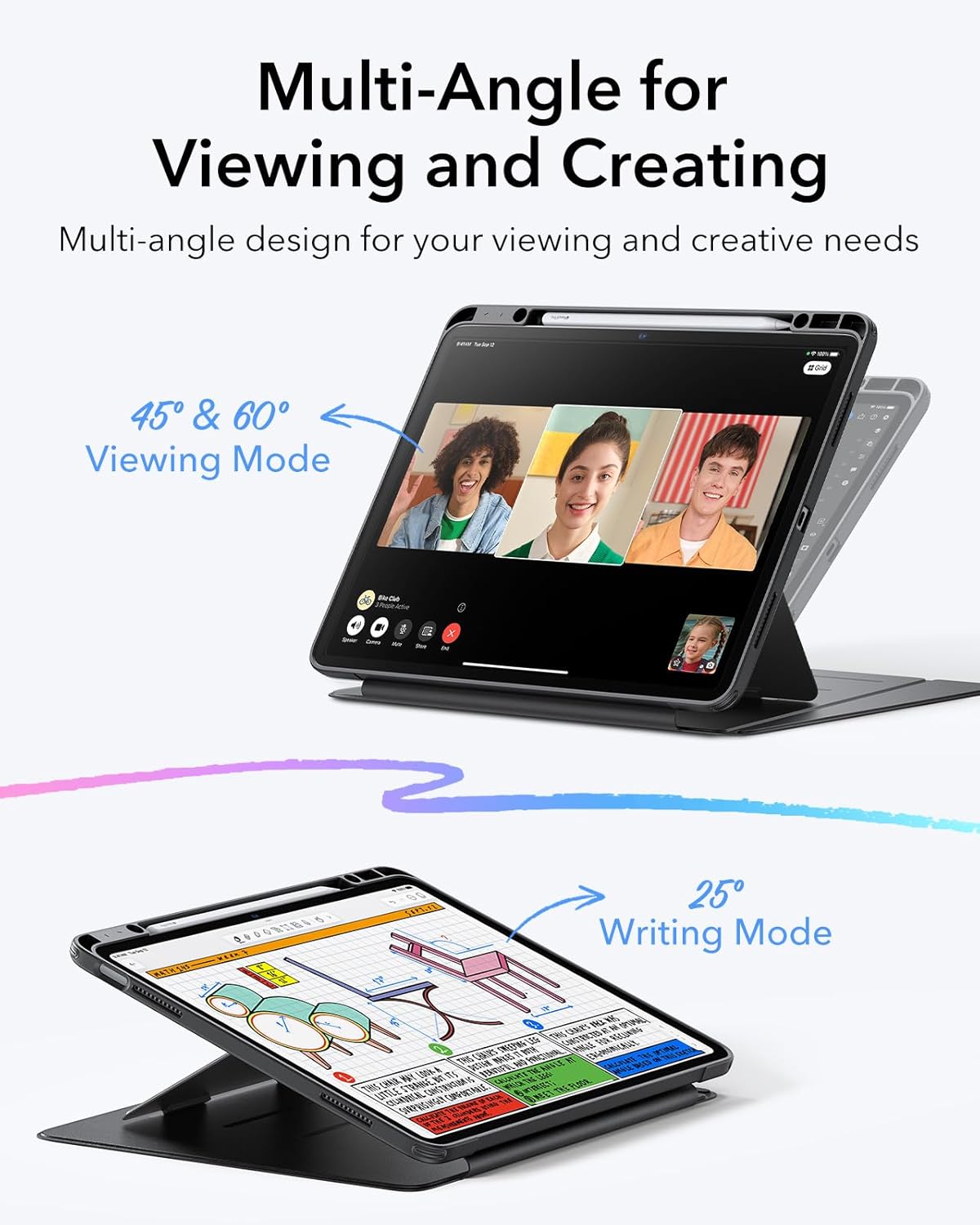
Image 5.2: Strong tempered glass protects the screen against drops and impacts.
6. Troubleshooting
6.1. Screen Protector Issues
- Bubbles after installation: Small bubbles often disappear naturally within 24-48 hours. For larger bubbles, gently lift the nearest edge of the protector and reapply, pushing the air out with a squeegee or soft cloth. Ensure the screen is dust-free before reapplication.
- Dust under the protector: If dust particles are trapped, carefully lift the protector from the nearest corner using a piece of tape. Use another piece of tape to dab and remove the dust from both the screen and the protector's adhesive side. Reapply carefully.
6.2. Case Stand Stability Issues
- Stand not holding position: Ensure the magnetic bracket is fully engaged and the cover is folded correctly into the desired stand configuration (vertical, viewing, or writing mode). The wide cover and strong magnets are designed for stability; check for any obstructions or incorrect folding.
- iPad not fitting correctly: Double-check your iPad model number against the compatibility section (Section 2). Ensure the iPad is fully seated within the case frame.
7. Specifications
| Attribute | Detail |
|---|---|
| Brand | ESR |
| Model | B0F25Z7M2B (ASIN) |
| Compatibility | iPad Air 13" M3 (2025), iPad Air 13" M2 (2024) (Models A3268, A3269, A2898, A2899) |
| Material | Tempered Glass (Screen Protector), Durable materials (Case) |
| Features | 2-Pack Screen Protector, Vertical Stand, Multi-Angle Stand (45°-60° viewing, 25° writing), Ultra-Stable Magnetic Stand, Pencil Holder |
| Color | Black (Case) |
8. Warranty and Support
ESR products are designed for quality and durability. For specific warranty information or technical support, please refer to the warranty card included with your product or visit the official ESR website. You may also contact ESR customer service directly for assistance with product issues or inquiries.
