
1. Introduction
This manual provides comprehensive instructions for the Motorola TurboPower 15W Qi Wireless Stand, bundled with a 33W wall charger and two USB-A to USB-C cables. This product offers convenient and fast wireless charging for compatible Motorola smartphones. Please read this manual thoroughly before using the product to ensure proper operation and safety.
2. Package Contents
Verify that all items listed below are included in your package:
- 1 x Motorola TurboPower 15W Qi Wireless Stand
- 1 x Motorola TurboPower 33W Wall Charger
- 1 x USB-A to USB-C Cable (3.3 ft / 1 meter)
- 1 x USB-A to USB-C Cable (6.6 ft / 2 meters)
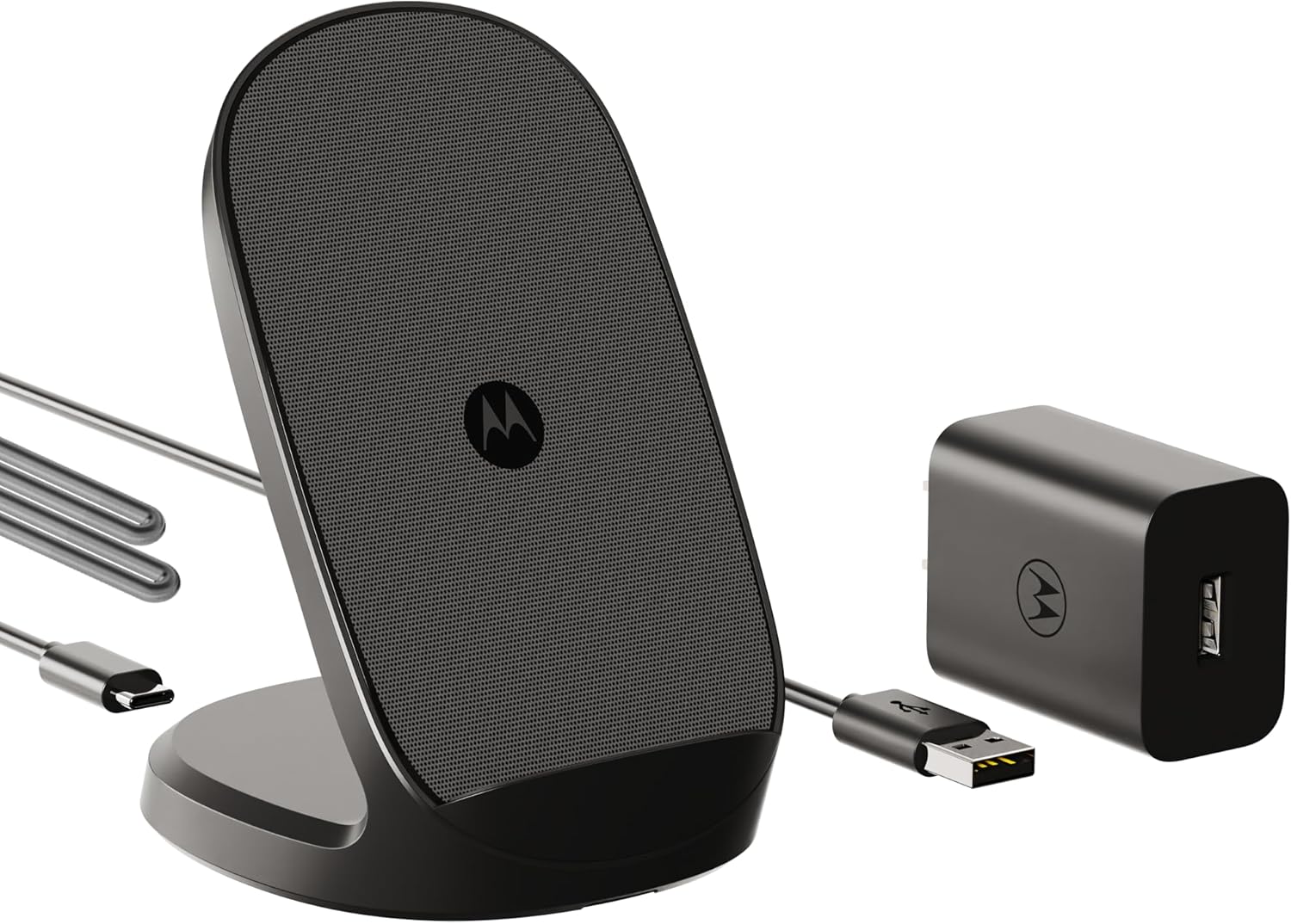
Image 2.1: Contents of the Motorola TurboPower 15W Qi Wireless Stand and Charger package.
3. Product Overview
3.1 Wireless Charging Stand
The wireless charging stand features a sleek design with internal coils that support both landscape and upright phone positioning. Its ergonomic viewing angle allows for comfortable use while charging, such as viewing notifications or watching videos. The stand incorporates TurboPower wireless technology for fast charging and a thermal dissipation system for efficient, silent operation without a fan.
3.2 33W Wall Charger and USB-C Cables
The included 33W wall charger provides power to the wireless stand. Two USB-A to USB-C cables are provided for connecting the charger to the stand and for other charging needs. One cable is 3.3 feet (1 meter) long, and the other is 6.6 feet (2 meters) long.

Image 3.1: Detail of the included USB-A to USB-C cable.
4. Compatibility
The Motorola TurboPower 15W Qi Wireless Stand is compatible with a range of Motorola smartphones that support Qi wireless charging. Ensure your device is listed below or supports Qi wireless charging before use.
- moto g power 2025
- motorola razr+ 2024, razr 2024
- edge 2022, edge+ (plus) 2023, edge+ (plus) 2022, edge+ (plus) 2020
- ThinkPhone by motorola
- motorola edge 2024, edge 2023

Image 4.1: Motorola Device Compatibility Chart.
5. Setup Instructions
- Connect the Wall Charger: Plug the Motorola TurboPower 33W Wall Charger into a standard AC power outlet.
- Connect the Wireless Stand: Use one of the provided USB-A to USB-C cables to connect the wall charger to the USB-C port on the back of the Motorola TurboPower 15W Qi Wireless Stand.
- Place Your Device: Position your compatible Motorola smartphone on the wireless charging stand. Ensure the phone is centered on the stand for optimal charging. The stand supports both portrait and landscape orientations.
- Verify Charging: Your phone's screen should indicate that it is charging. If not, adjust the phone's position on the stand.
6. Operating Instructions
Once set up, operating the wireless stand is straightforward:
- Wireless Charging: Simply place your Qi-compatible Motorola smartphone on the stand. The stand will automatically begin charging at up to 15W TurboPower speeds.
- Ergonomic Viewing: The stand's design allows you to comfortably view your phone's screen in either portrait or landscape mode while it charges, making it suitable for video calls, media consumption, or monitoring notifications.
- Silent Operation: The integrated thermal dissipation system manages heat without requiring a fan, ensuring a quiet charging experience.

Image 6.1: Motorola wireless stand in use on a desk.
7. Maintenance
To ensure the longevity and optimal performance of your wireless charging stand:
- Cleaning: Disconnect the charger from the power outlet before cleaning. Use a soft, dry cloth to wipe the surface of the stand and charger. Avoid using harsh chemicals or abrasive materials.
- Storage: Store the product in a cool, dry place away from direct sunlight and extreme temperatures when not in use.
- Cable Care: Avoid bending or twisting the cables excessively to prevent damage.
8. Troubleshooting
If you encounter issues with your Motorola TurboPower 15W Qi Wireless Stand, refer to the following common problems and solutions:
- Device not charging:
- Ensure the wall charger is securely plugged into a working power outlet.
- Verify that the USB-C cable is firmly connected between the charger and the wireless stand.
- Reposition your phone on the stand to ensure it is correctly aligned with the charging coils.
- Remove any thick phone cases that might interfere with wireless charging.
- Confirm your phone is Qi-compatible.
- Slow charging:
- Ensure your phone is centered on the stand for optimal power transfer.
- Verify that the 33W wall charger is being used, as lower wattage chargers may result in slower charging speeds.
- Close unnecessary background applications on your phone.
- High ambient temperatures can sometimes reduce charging efficiency; ensure the stand is in a well-ventilated area.
- Stand feels warm:
It is normal for the wireless stand and your phone to become slightly warm during charging. The stand features a thermal dissipation system to manage heat. If it becomes excessively hot, disconnect the power and allow it to cool before resuming use.
9. Specifications
| Feature | Detail |
|---|---|
| Brand | Motorola |
| Model | TurboPower 15W Qi Wireless Stand |
| Wireless Charging Output | Up to 15W |
| Wall Charger Output | 33W |
| Output Voltage (Wireless Stand) | 5V DC |
| Power Source | AC |
| Connector Type | USB Type-C (for stand input) |
| USB-A Ports on Wall Charger | 1 |
| Included Cables | 1 x USB-A to USB-C (3.3ft), 1 x USB-A to USB-C (6.6ft) |
| Compatible Devices | Motorola Smartphones with Qi wireless charging (e.g., moto g power 2025, motorola razr+ 2024, edge series, ThinkPhone) |
| ASIN | B0F24Z3F8H |
| Date First Available | March 21, 2025 |
10. Safety Information
Please observe the following safety guidelines:
- Do not expose the product to water, moisture, or extreme temperatures.
- Avoid dropping or subjecting the product to severe impacts.
- Do not attempt to disassemble or modify the product.
- Keep out of reach of children.
- Use only the provided charger and cables, or certified replacements.
11. Warranty and Support
This product is designed and manufactured to Motorola's high standards for quality and safety. For warranty information or technical support, please refer to the documentation included with your purchase or visit the official Motorola support website. Contact information for customer service can typically be found on the product packaging or the brand's official online channels.


