
1. Introduction
This manual provides essential information for the safe installation, operation, and maintenance of your Aphyni 42 Inch Ceiling Fan with Light. Please read all instructions carefully before beginning installation or use. Keep this manual for future reference.
2. Safety Information
To reduce the risk of electric shock, fire, or personal injury, always follow these basic safety precautions:
- Power Disconnection: Always turn off the power at the main circuit breaker or fuse box before beginning installation, cleaning, or any maintenance.
- Qualified Electrician: All electrical wiring must be performed by a qualified electrician and installed in accordance with all national and local electrical codes.
- Mounting Support: Ensure the mounting structure can support the weight of the fan (approximately 10.48 lbs).
- Blade Clearance: Maintain a minimum clearance of 7 feet from the floor to the fan blades.
- Environmental Use: This fan is designed for indoor use and covered outdoor areas. It is not suitable for direct exposure to rain or excessive moisture.
- Avoid Obstructions: Do not operate the fan if there are any obstructions in the path of the blades.
3. Package Contents
Verify that all components are present before beginning installation:
- DC Motor Assembly
- Fan Blades (5x, dual-sided: White / Wood Grain)
- Blade Arms (5x)
- LED Light Source
- Lampshade
- Mounting Bracket
- Remote Control with Wall Mount
- Hardware Pack (screws, washers, wire nuts, installation gloves)
- Owner's Manual
4. Setup and Installation
Follow these steps for proper installation. It is recommended to have assistance for certain steps.
4.1. Preparation
- Turn off Power: Before starting, ensure the power supply to the installation area is completely off at the circuit breaker.
- Unpack Components: Carefully remove all items from the packaging and lay them out. Check against the package contents list.
4.2. Motor Cover Removal
Before assembly, remove the motor cover to prevent damage during transportation.

Image: Steps to remove the motor cover and guards, followed by blade assembly.
4.3. Mounting the Ceiling Bracket
Secure the mounting bracket to a ceiling joist or an outlet box approved for fan support. Use appropriate screws and washers from the hardware pack.
4.4. Assembling Fan Blades
Attach each fan blade to a blade arm using the provided screws and washers. The blades are dual-sided (white and wood grain), allowing you to choose your preferred finish. Ensure the chosen side faces downwards.
4.5. Attaching Blade Assemblies to Motor
Once the blades are attached to the arms, secure each blade arm assembly to the motor housing using the designated screws.
4.6. Wiring Connections
Carefully connect the fan's electrical wires to the household wiring according to the wiring diagram in the owner's manual. Use the provided wire nuts. Ensure all connections are secure.
4.7. Installing the Light Source and Lampshade
Insert the power cord through the LED light source and connect it. Secure the LED light source to the fan motor. Then, attach the lampshade by twisting it into place.
5. Operating Instructions
Your Aphyni ceiling fan offers versatile control options via the included remote control or a dedicated mobile application.
5.1. Remote Control Functions
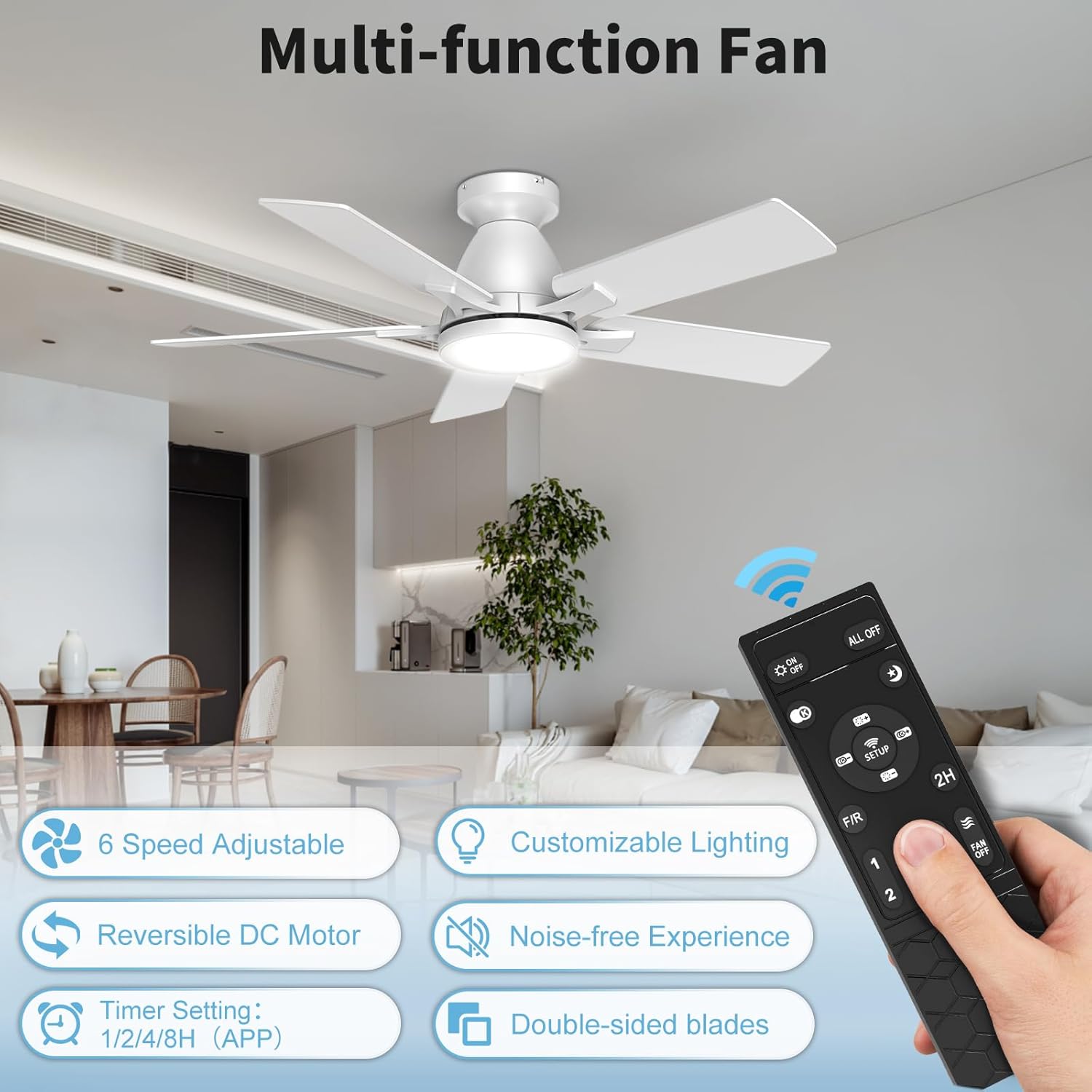
Image: The multi-function remote control for the ceiling fan.
- Fan Speed: Select from 6 adjustable fan speeds (1-6).
- Light Control: Turn the LED light on/off.
- Dimmable Light: Adjust light brightness from 10% to 100%.
- Color Temperature (CCT): Cycle through 3 color temperatures: 3000K (Warm White), 4000K (Natural White), and 6500K (Cool White).
- Reversible Motor: Change fan direction for summer (downdraft) or winter (updraft) mode.
- Timer: Set a 2-hour timer for automatic shutoff.
5.2. Mobile App Control
For enhanced control and additional timer options, download the


