
EasyAcc F31
EasyAcc 10000mAh Portable Clip on Fan User Manual
Model: F31
Introduction
Thank you for choosing the EasyAcc 10000mAh Portable Clip on Fan. This manual provides detailed instructions for the safe and efficient use of your fan. Please read it thoroughly before operation and retain it for future reference.
This versatile fan features a powerful 10000mAh battery, offering up to 37 hours of working time, a digital display, 5 speed settings, and a sturdy clip for various mounting options. It also functions as a power bank.
Important Safety Instructions
- Always ensure the main switch is set to "OFF" before cleaning or maintenance.
- Do not immerse the fan in water or other liquids.
- Keep fingers and other objects away from the fan blades when in operation.
- Do not use the fan near flammable materials or gases.
- This appliance is not intended for use by persons (including children) with reduced physical, sensory or mental capabilities, or lack of experience and knowledge, unless they have been given supervision or instruction concerning use of the appliance by a person responsible for their safety.
- Children should be supervised to ensure that they do not play with the appliance.
- After the battery is fully depleted, allow a brief 3-5 minute charge before reactivating the fan to protect the battery.
- Use only the provided charging cable and a compatible power adapter (not included) for charging.
Package Contents
Please check the package for the following items:
- EasyAcc 10000mAh Portable Clip on Fan
- USB-C Charging Cable
- User Guide (this manual)
Product Overview
Familiarize yourself with the components of your EasyAcc fan.

Figure 1: Front view of the EasyAcc Portable Clip on Fan.

Figure 2: Side view illustrating the fan's clip mechanism and battery indicator.
- Fan Head: Directs airflow.
- Control Panel: Contains power button, speed control, and LED display.
- Clip Base: Allows for secure attachment to various surfaces.
- Hanging Hook: Integrated into the clip for hanging options.
- USB-C Input Port: For charging the fan.
- USB-A Output Port: For using the fan as a power bank.
- Aromatherapy Slot: Located on the back of the fan head for essential oil pads.
Setup
Charging the Fan
Before first use, fully charge the fan. The digital display will show the battery percentage.
- Connect the provided USB-C cable to the fan's USB-C input port.
- Connect the other end of the cable to a USB power adapter (5V/2A recommended) or a computer's USB port.
- The LED display will show the charging progress. A full charge takes approximately 6.5 hours.
Mounting Options
The fan offers multiple versatile mounting options:
- Clip-on: Use the sturdy clip to attach the fan to surfaces like golf cart rails, desks, tent poles, or stroller handles.
- Stand-alone: The clip base also functions as a stable stand for desktop use.
- Hanging: Utilize the integrated hook on the clip to hang the fan from suitable fixtures.
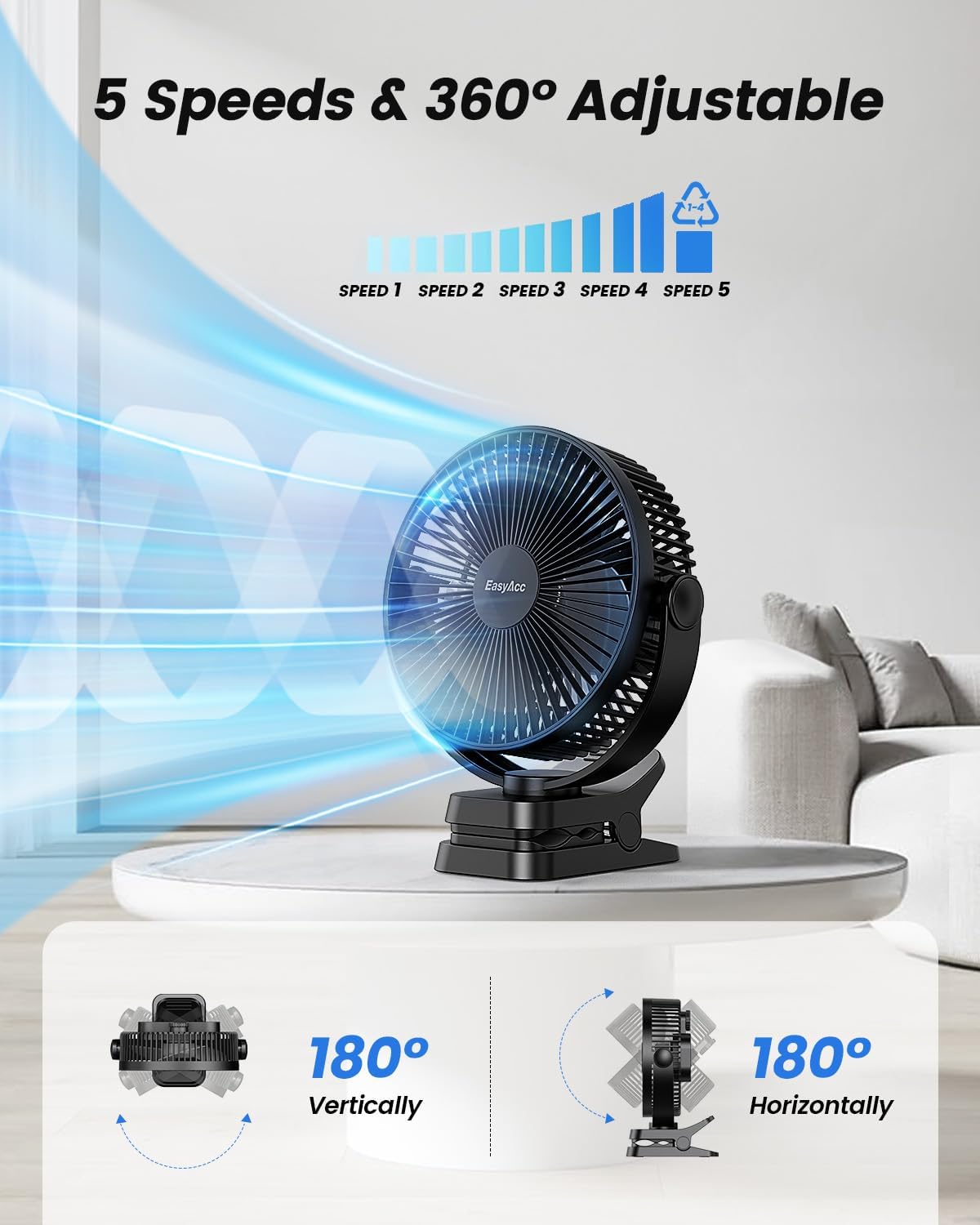
Figure 3: Fan clipped onto a golf cart, demonstrating its portability and secure attachment.

Figure 4: Fan hanging inside a tent, providing airflow for outdoor activities.
Operating Instructions
Power On/Off and Speed Control
- Ensure the main switch (located on the back of the fan) is flipped to "ON".
- Press the power button on the control panel to turn the fan on. The LED display will illuminate, showing the current wind speed.
- Press the power button repeatedly to cycle through the 5 speed settings (1-5).
- To turn the fan off, continue pressing the power button until the fan stops, or press and hold the power button for 2 seconds.

Figure 5: Digital display showing fan speed and battery percentage.
Adjusting Airflow Direction
The fan head can be rotated 360 degrees both vertically and horizontally to direct airflow precisely where needed.

Figure 6: Illustration of the fan's 360-degree adjustable tilt for optimal airflow.
Power Bank Function
The fan can be used as a portable power bank to charge your mobile devices.
- Connect your device's charging cable to the USB-A output port on the fan.
- The fan will automatically begin charging your device.
- Note: Using the power bank function will reduce the fan's operating time.
Aromatherapy Feature
Enhance your environment by adding essential oils to the built-in aromatherapy slot.
- Locate the aromatherapy slot on the back of the fan head.
- Open the slot and place an essential oil pad (not included) inside.
- Add a few drops of your preferred essential oil to the pad.
- Close the slot. As the fan operates, it will diffuse the aroma.

Figure 7: Instructions for using the aromatherapy feature with essential oils.
Maintenance
Regular cleaning ensures optimal performance and longevity of your fan.
Cleaning the Fan
- Ensure the fan is turned off and unplugged before cleaning.
- The front cover of the fan can be removed for easy cleaning of the blades. Gently twist or unclip the front cover as indicated in the product diagram (refer to Figure 1 for general location).
- Wipe the fan blades and exterior surfaces with a soft, damp cloth. Do not use abrasive cleaners or solvents.
- Ensure all parts are completely dry before reassembling and operating the fan.

Figure 8: Removable parts for simplified cleaning of the fan blades and grille.
Storage
When not in use for extended periods, store the fan in a cool, dry place, away from direct sunlight and extreme temperatures. Ensure the battery is partially charged (around 50%) before storage to maintain battery health.
Troubleshooting
| Problem | Possible Cause | Solution |
|---|---|---|
| Fan does not turn on. | Battery is depleted. Main switch is OFF. | Charge the fan. Flip the main switch to "ON". |
| Weak airflow. | Low speed setting. Fan blades are dirty. | Increase the speed setting. Clean the fan blades. |
| Fan makes unusual noise. | Obstruction in blades. Fan not on a stable surface. | Turn off and check for obstructions. Place fan on a flat, stable surface. |
| Cannot charge phone. | Fan battery is low. Incorrect port used. | Charge the fan. Ensure cable is connected to USB-A output port. |
Specifications
- Model: F31 (FNCPF08)
- Battery Capacity: 10000mAh Lithium Polymer
- Working Time: Up to 37 hours (lowest speed)
- Charging Time: Approximately 6.5 hours (with 5V/2A adapter)
- Input: USB-C
- Output: USB-A (10W charging speed)
- Fan Speeds: 5 (4 speed settings + 1 natural wind setting)
- Noise Level: 10-35dB
- Rotation: 360° Vertical & Horizontal
- Dimensions: 9.84"D x 2.56"W x 7.48"H
- Weight: 1.76 pounds (799 grams)
- Included Components: Fan, USB-C Cable, User Guide
Warranty and Support
EasyAcc products come with a standard warranty. For detailed warranty information, product support, or to contact customer service, please visit the official EasyAcc website or refer to the warranty card included with your purchase.
You can also visit the EasyAcc Store on Amazon: EasyAcc Amazon Store
Official Product Videos
EasyAcc 10000mAh Portable Clip on Fan Overview
This video provides a comprehensive overview of the EasyAcc 10000mAh Portable Clip on Fan, showcasing its features, functionality, and various use cases. It highlights the fan's powerful airflow, long battery life, and versatile clip design.
Ask a question about this manual
Ask about setup, troubleshooting, compatibility, parts, safety, or missing instructions. Manuals+ will review the question and use this page’s manual context to help answer it.