
DUSONLAP E6
DUSONLAP E6 Open Ear Earbuds
User Manual
1. Introduction
Thank you for choosing the DUSONLAP E6 Open Ear Earbuds. These earbuds are designed to provide a comfortable listening experience while allowing you to stay aware of your surroundings. Featuring Bluetooth 5.4 for stable connectivity and a 14mm large driver unit for rich sound, they are ideal for various activities including music listening, cycling, calling, running, and exercising. The built-in ENC microphone technology ensures clear calls by isolating your voice from background noise.
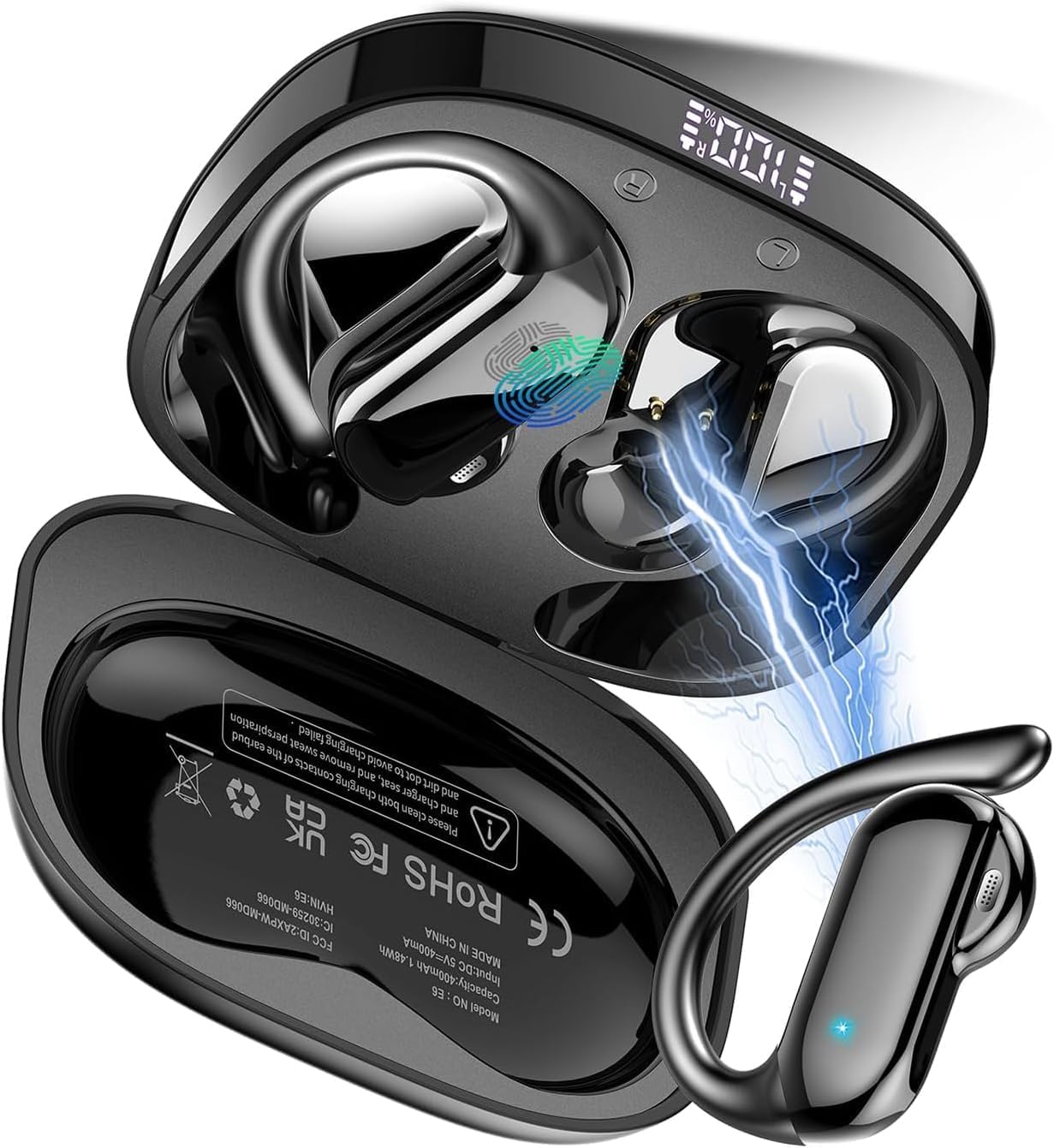
Image: The DUSONLAP E6 Open Ear Earbuds, showcasing their design and the compact charging case.
2. Package Contents
Please check the package to ensure all items are present:
- Open-ear headphones x2 (Left & Right)
- Quick charging case x1
- USB-C fast charging cable x1
- User Manual x1

Image: A visual representation of the DUSONLAP E6 package contents, including the earbuds, charging case, USB-C cable, and user manual.
3. Setup
3.1 Initial Charging
Before first use, fully charge the earbuds and the charging case. Connect the provided USB-C cable to the charging port on the case and a power source. The LED indicator on the case will show charging status.
3.2 Pairing with Your Device
- Ensure the earbuds are in the charging case and the case has power.
- Open the charging case. The earbuds will automatically enter pairing mode.
- On your device (smartphone, tablet, laptop), go to Bluetooth settings and turn Bluetooth on.
- Search for available devices and select "DUSONLAP E6" from the list.
- Once connected, the earbuds will indicate successful pairing (e.g., a voice prompt or LED change).
The earbuds will automatically reconnect to the last paired device when removed from the case, if Bluetooth is enabled on the device.
4. Operating Instructions
4.1 Wearing the Earbuds
Follow these steps for a secure and comfortable fit:
- Simply remove the headphones from the charging case.
- Hang the headphones on your ear bone for a perfect fit.
- Turn the earphones and slide it behind the ear.
- Adjust the ear hook, wear and pull down the ear hook for a secure fit.

Image: A visual guide demonstrating the four steps to correctly wear the DUSONLAP E6 Open Ear Earbuds for optimal comfort and stability.
4.2 Touch Controls
The DUSONLAP E6 earbuds feature intuitive touch controls. The touch sensitive area is located on the outer surface of each earbud.
| Action | Control |
|---|---|
| Volume + | Tap 1x (Right Earbud) |
| Volume - | Tap 1x (Left Earbud) |
| Play / Pause | Tap 2x (Either Earbud) |
| Voice Assistant | Tap 3x (Either Earbud) |
| Next Track | Press and hold 2S (Right Earbud) |
| Previous Track | Press and hold 2S (Left Earbud) |
| Hang Up / Reject Call | Press and hold 2S (Either Earbud) |
| Answer Call | Tap 2x (Either Earbud) |

Image: A detailed diagram illustrating the various smart touch control gestures for the DUSONLAP E6 earbuds, including volume, playback, calls, and voice assistant.
5. Maintenance
5.1 Cleaning
Regularly clean your earbuds and charging case with a soft, dry, lint-free cloth. Do not use harsh chemicals or abrasive materials. Avoid getting moisture into any openings.
5.2 Water Resistance
The earbuds are rated IPX7 waterproof, meaning they are resistant to rain and sweat, making them suitable for intense workouts and outdoor activities. However, they are not designed for swimming or prolonged submersion in water. Ensure the charging port is dry before charging.

Image: The DUSONLAP E6 earbuds shown with water splashes, illustrating their IPX7 water resistance for protection against sweat and rain.
5.3 Storage
When not in use, store the earbuds in their charging case to protect them and keep them charged. Store in a cool, dry place away from extreme temperatures.
6. Troubleshooting
| Problem | Possible Solution |
|---|---|
| Earbuds not pairing | Ensure earbuds are charged. Turn off and on Bluetooth on your device. Forget "DUSONLAP E6" in your device's Bluetooth settings and re-pair. |
| No sound from one earbud | Place both earbuds back in the case, close the lid, then open again. Check if both earbuds are charged. |
| Low volume | Increase volume on both the earbuds (via touch control) and your connected device. |
| Charging case not charging | Check the USB-C cable and power adapter. Ensure the cable is securely connected. |
| Earbuds frequently disconnect | Ensure you are within the 15-meter Bluetooth range. Avoid obstacles between the earbuds and your device. |
7. Specifications
| Feature | Detail |
|---|---|
| Model Name | E6 |
| Connectivity Technology | Wireless (Bluetooth 5.4) |
| Bluetooth Range | 15 Meters |
| Control Type | Touch Control |
| Water Resistance Level | IPX7 Waterproof |
| Battery Life (Single Charge) | 8 Hours |
| Total Playtime (with Charging Case) | Up to 32 Hours |
| Item Weight | 4.2 ounces |
| Manufacturer | DUSONLAP |

Image: An illustration highlighting the battery life of the DUSONLAP E6 earbuds, showing 8 hours on a single charge and up to 32 hours with the charging case.
8. Warranty and Support
DUSONLAP provides a two-year warranty for the E6 Open Ear Earbuds. For any product inquiries, technical support, or warranty claims, please contact DUSONLAP customer service. We offer 24-hour customer service to assist you.
Please refer to the contact information provided on the product packaging or the official DUSONLAP website for the most up-to-date support channels.
Ask a question about this manual
Ask about setup, troubleshooting, compatibility, parts, safety, or missing instructions. Manuals+ will review the question and use this page’s manual context to help answer it.