
radtel RT-860
Radtel RT-860 Multi Band Ham Radio User Manual
Model: RT-860
Introduction
This manual provides comprehensive instructions for the operation, maintenance, and troubleshooting of your Radtel RT-860 Multi Band Ham Radio. The RT-860 is a versatile communication device designed for amateur radio enthusiasts, offering a wide range of frequency reception capabilities including HF, UHF, VHF, AM, USB, LSB, CW, CB, LW, MW, SW, and SSB. Its robust construction and extensive features make it suitable for various communication needs.
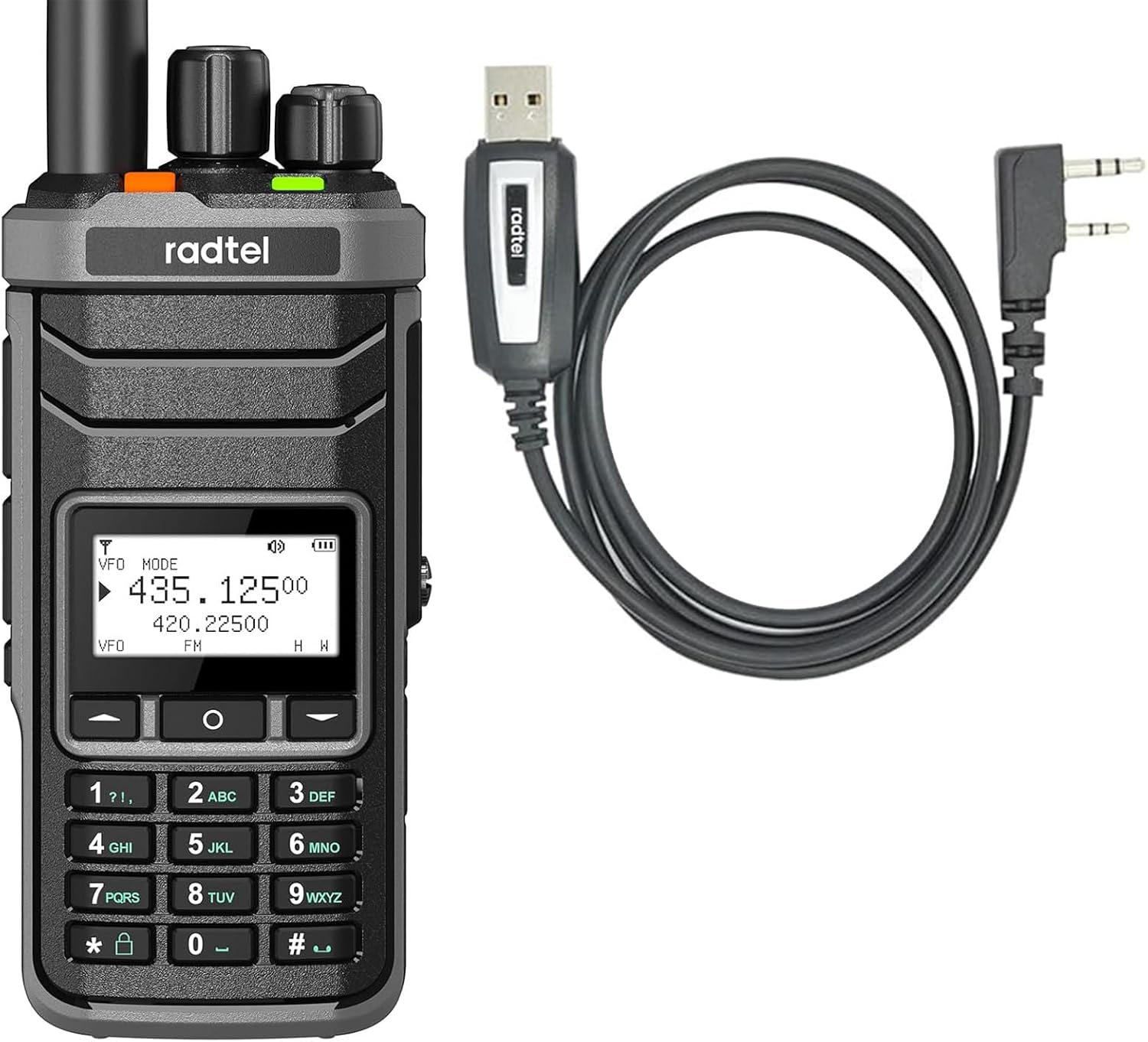
Image: Radtel RT-860 radio unit alongside its USB programming cable.
What's in the Box
Upon unboxing your Radtel RT-860, please verify that all the following components are included:
- Radtel RT-860 Handheld Radio Unit
- Antenna
- USB Programming Cable
- User Manual (this document)
Product Features
- Multi-Band Reception: Supports HF, UHF, VHF, AM, USB, LSB, CW, CB, LW, MW, SW, and SSB reception.
- Durable Construction: Built with metal material, dust-proof, and crush-resistant for enhanced durability in various environments.
- High Channel Capacity: Features 1024 programmable channels for extensive versatility.
- Ergonomic Design: Thin and lightweight design for comfortable extended use.
- Dual Antenna Ports: Equipped with two antenna ports for flexible antenna connections and enhanced signal reception, especially for shortwave.
- 2-Pin Kenwood Type Connector: Compatible with a wide range of two-way radio accessories.
- 2000mAh Battery: Provides ample power for extended operation.
- Type-C Charging: Modern and convenient charging interface.

Image: Two Radtel RT-860 units demonstrating their full U/V band handheld two-way radio capabilities.

Image: A hand holding the Radtel RT-860, emphasizing its thin and lightweight design.

Image: A close-up of the top of the Radtel RT-860, illustrating its two antenna ports and indicating 5W output power.

Image: The Radtel RT-860 placed on a rugged surface, highlighting its metal construction and crush-resistant properties.
Setup
1. Battery Installation and Charging
- Ensure the radio is powered off.
- Align the battery pack with the grooves on the back of the radio and slide it into place until it clicks securely.
- Connect the Type-C charging cable to the radio's charging port and plug the other end into a compatible USB power source.
- The charging indicator light will illuminate. Allow the battery to fully charge before first use.
2. Antenna Attachment
- Screw the provided antenna clockwise into the antenna connector on top of the radio until it is finger-tight. Do not overtighten.
- For shortwave reception, an external shortwave antenna can be connected to the dedicated port if available.
3. Programming Cable Connection
The Radtel RT-860 comes with a USB programming cable for advanced configuration and channel management via computer software.
- Connect the 2-pin connector of the programming cable to the accessory port on the side of the radio.
- Connect the USB end of the cable to your computer.
- Install the necessary programming software and drivers (typically available from the manufacturer's website).
- Follow the software instructions to program channels, frequencies, and other settings.
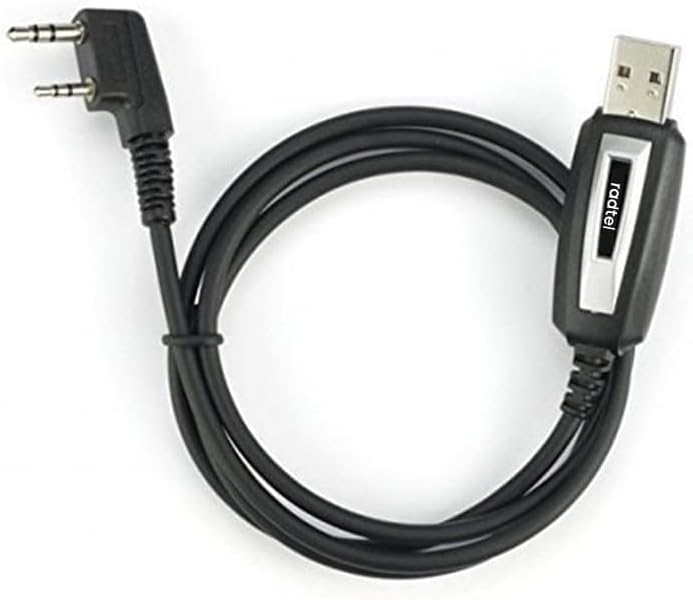
Image: The Radtel USB programming cable, used for connecting the radio to a computer for configuration.
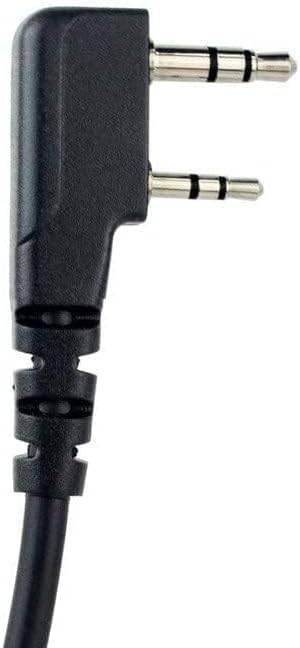
Image: A close-up view of the 2-pin Kenwood type connector, compatible with various radio accessories.
Operating Instructions
1. Power On/Off
Rotate the power/volume knob clockwise to turn the radio on. Continue rotating to adjust the volume. Rotate counter-clockwise until a click is heard to turn the radio off.
2. Frequency and Channel Selection
- VFO Mode: Use the keypad to directly input frequencies. Press the 'VFO/MR' button to switch between VFO (Variable Frequency Oscillator) and Memory (MR) modes.
- Memory Mode: Use the up/down arrow keys or the rotary knob (if present) to scroll through pre-programmed channels.
- Band Selection: The RT-860 supports multiple bands. Refer to the on-screen display and specific function keys for switching between HF, UHF, VHF, AM, SSB, etc.
3. Transmitting and Receiving
- Receiving: The radio will automatically receive signals on the selected frequency/channel.
- Transmitting: Press and hold the PTT (Push-To-Talk) button on the side of the radio to transmit. Speak clearly into the microphone. Release the PTT button to return to receive mode.
- SSB Operation: For SSB (Single Sideband) modes (USB/LSB), fine-tuning may be required using the radio's specific controls to achieve clear audio.
4. Keypad Functions
The keypad allows for direct frequency entry, channel selection, and access to various menu functions. Consult the on-screen prompts and the full manual for detailed keypad operations.
Maintenance
- Cleaning: Use a soft, damp cloth to clean the radio's exterior. Do not use harsh chemicals or abrasive cleaners.
- Storage: Store the radio in a cool, dry place away from direct sunlight and extreme temperatures when not in use for extended periods.
- Battery Care: To prolong battery life, avoid fully discharging the battery frequently. Charge the battery regularly, even if the radio is not in active use.
- Antenna Care: Ensure the antenna is securely attached but not overtightened. Avoid bending or stressing the antenna.
Troubleshooting
| Problem | Possible Cause | Solution |
|---|---|---|
| Radio does not power on. | Low or dead battery; improperly installed battery. | Charge the battery; ensure battery is correctly installed. |
| Cannot transmit. | Incorrect frequency/channel; PTT button not pressed; low battery. | Verify frequency/channel; press PTT firmly; charge battery. |
| Poor reception. | Antenna not connected; weak signal; interference. | Check antenna connection; move to an open area; identify and mitigate interference sources. |
| Programming error. | Incorrect software/drivers; cable not connected properly. | Ensure correct software/drivers are installed; re-connect programming cable securely. |
Specifications
| Feature | Detail |
|---|---|
| Model Number | RT-860 |
| Brand | radtel |
| Number of Channels | 1024 |
| Frequency Range | HF, UHF, VHF, AM, USB, LSB, CW, CB, LW, MW, SW, SSB |
| Water Resistance Level | Water Resistant |
| Included Components | Handheld Radio, Antenna, USB Programming Cable |
| Compatible Devices | Radtel RT-490, RT-470, RT-470L, RT-470X, RT10, RT12, RT-890, RT-830, RT-850, RT-420, RT518, 8800 Plus, UV9D, AR-869, jc-8629 |
Warranty and Support
For warranty information and technical support, please refer to the official Radtel website or contact their customer service directly. Keep your purchase receipt as proof of purchase for warranty claims.
Online Resources: Visit the official Radtel website for updated drivers, programming software, and additional support resources.
Related documentsRT-860


Ask a question about this manual
Ask about setup, troubleshooting, compatibility, parts, safety, or missing instructions. Manuals+ will review the question and use this page’s manual context to help answer it.