
LEFXMOPHY Remote Case for onn Google TV 4K Pro (2024)
LEFXMOPHY Remote Case for onn Google TV 4K Pro Streaming Device (2024) User Manual
Brand: LEFXMOPHY | Model: Remote Case for onn Google TV 4K Pro (2024)
1. Introduction
This manual provides instructions for the LEFXMOPHY Remote Case, designed specifically for the onn. Google TV 4K Pro Streaming Device (2024) voice remote. This silicone case offers protection, enhances grip, and features a glow-in-the-dark property for improved visibility in low-light conditions.
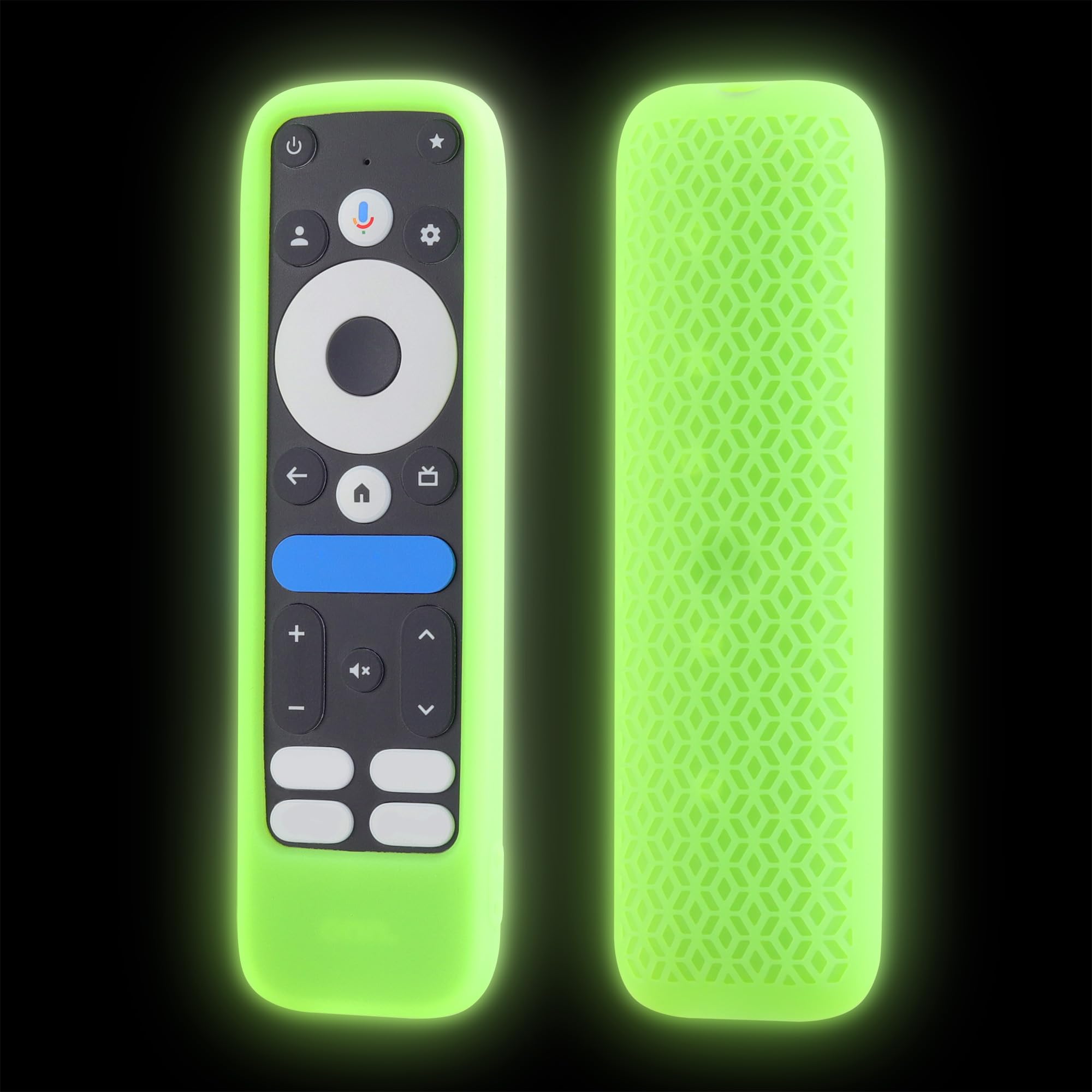
Figure 1: LEFXMOPHY Remote Case (Glow Green)
2. Features
- Compatibility: Exclusively designed for the onn. Google TV 4K Pro Streaming Device (2024) voice remote.
- Enhanced Visibility: The distinct color aids in locating the remote.
- Precise Fit: Features precise cutouts for all buttons, ports, and functions, ensuring full accessibility and no signal interference.
- Protection: Constructed from soft, lightweight silicone to protect the remote from slipping, cracking, scratching, and dust.
- Glow-in-the-Dark: The luminous material glows in the dark after exposure to light. Extended light exposure results in a brighter glow.
- Ergonomic Design: Provides a comfortable and secure grip.
- Washable: The silicone material is washable for easy cleaning.

Figure 2: Non-Slip Texture on the back of the remote case, designed for a comfortable and secure grip.

Figure 3: Flexible silicone with wrapped corners offers anti-drop shock absorption, protecting the remote from impacts.

Figure 4: Precise cutouts ensure full access to all buttons and functions without obstruction.
3. Setup and Installation
To install the LEFXMOPHY Remote Case onto your onn. Google TV 4K Pro Streaming Device (2024) voice remote, follow these steps:
- Ensure your remote is clean and free of debris.
- Gently slide the remote into the silicone case, starting from the top (button end).
- Adjust the case to ensure all buttons align correctly with the cutouts and the case fits snugly around the remote.
Video 1: Demonstration of installing the LEFXMOPHY Remote Case and its glow-in-the-dark feature.
4. Operating Instructions
The LEFXMOPHY Remote Case is designed to enhance the usability and protection of your remote. No specific operational steps are required beyond installation.
- Glow-in-the-Dark Feature: For the case to glow in the dark, expose it to a light source (e.g., room light, sunlight) for a period of time. The longer the exposure, the brighter and longer the glow will last.
- Enhanced Grip: The non-slip texture and ergonomic design provide a more secure and comfortable hold, reducing the chance of accidental drops.
5. Maintenance
To maintain the cleanliness and longevity of your remote case:
- Cleaning: The silicone case is washable. Remove the remote from the case before cleaning. Wash the case with mild soap and water, then rinse thoroughly. Allow it to air dry completely before re-installing the remote.
- Storage: Store the case in a cool, dry place away from direct sunlight when not in use for extended periods.
6. Troubleshooting
- Case does not glow: Ensure the case has been exposed to a sufficient light source for an adequate duration. The glow effect is temporary and requires re-exposure to light.
- Remote does not fit: Verify that your remote is the onn. Google TV 4K Pro Streaming Device (2024) voice remote. This case is designed for this specific model only.
- Buttons are obstructed: Re-adjust the case on the remote to ensure all cutouts align perfectly with the remote's buttons and sensors.
7. Specifications
| Brand | LEFXMOPHY |
| Color | Glow Green |
| Compatible Devices | ONN 2024 PRO (onn. Google TV 4K Pro Streaming Device (2024) voice remote) |
| Form Factor | Cover |
| Shell Type | Soft |
| Additional Features | Soft, Ergonomic Design, Glow in Dark |
| Water Resistance Level | Not Water Resistant |
| Enclosure Material | Silicone |
| Unit Count | 1.0 Count |
| Item Weight | 0.03 Kilograms |
8. Warranty and Support
Specific warranty information for the LEFXMOPHY Remote Case is not provided in this manual. For warranty details, product support, or further inquiries, please contact the manufacturer directly.
Manufacturer: LEFXMOPHY
Ask a question about this manual
Ask about setup, troubleshooting, compatibility, parts, safety, or missing instructions. Manuals+ will review the question and use this page’s manual context to help answer it.