
Introduction
Thank you for choosing the Ttec Smart Charger Pro PD 20W. This instruction manual provides important information on how to safely and effectively use your new charger. Please read this manual thoroughly before use and keep it for future reference.
What's in the Box
- 1x Ttec Smart Charger Pro PD 20W Wall Adapter
- 1x USB-C to USB-C 3A Cable
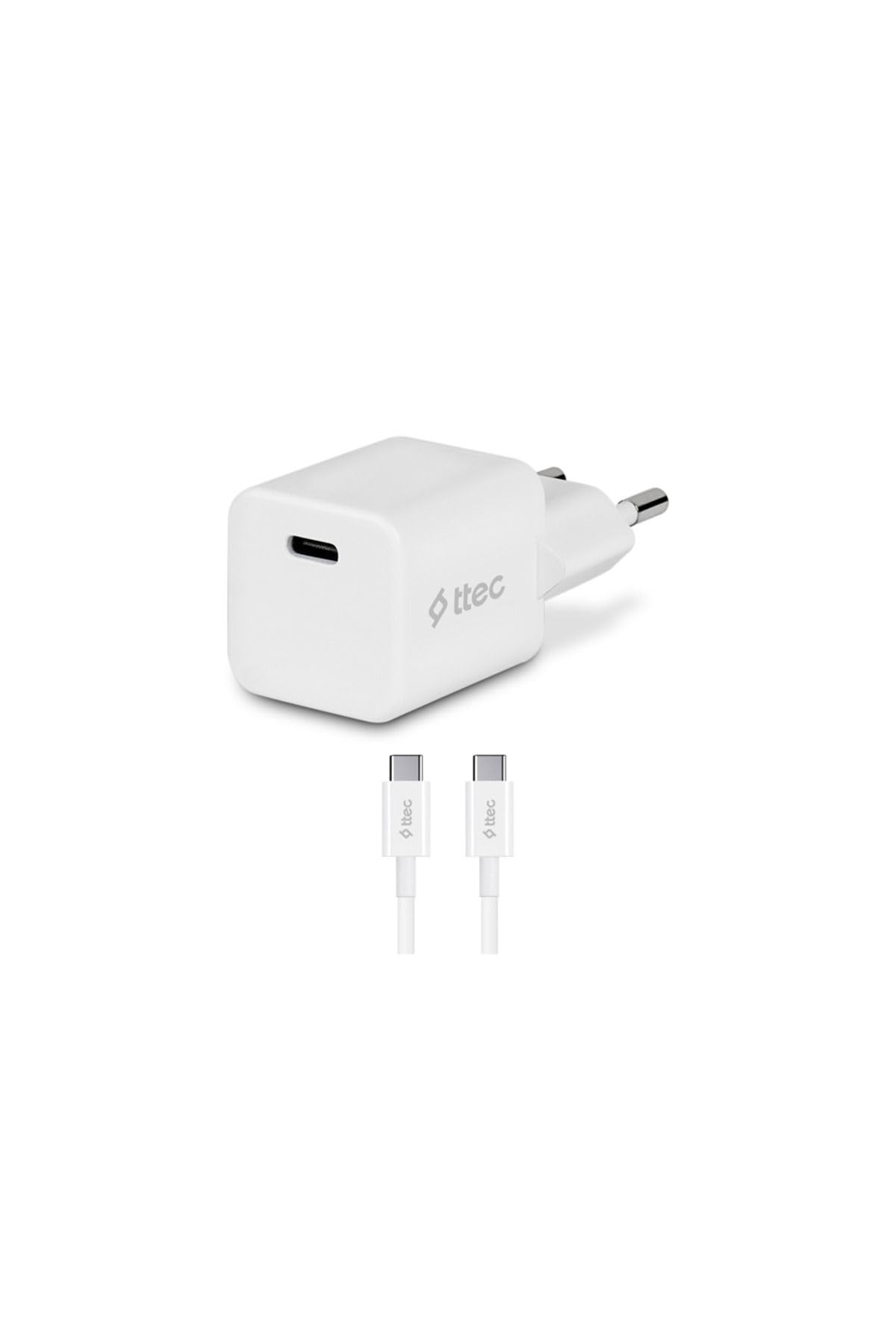
Image: The Ttec Smart Charger Pro PD 20W includes a compact white wall adapter and a white USB-C to USB-C cable. The adapter features a single USB-C port for connecting the cable.
Safety Information
To ensure safe operation and prevent damage, please observe the following safety precautions:
- Do not expose the charger to water, moisture, or extreme temperatures.
- Do not attempt to disassemble, repair, or modify the charger. This will void the warranty and may cause electric shock or fire.
- Keep the charger out of reach of children.
- Ensure the wall outlet voltage is compatible with the charger's specifications.
- Unplug the charger during lightning storms or when unused for long periods.
- Avoid using damaged cables or adapters.
Setup
Follow these steps to set up your Ttec Smart Charger Pro PD 20W:
- Connect the Cable: Insert one end of the provided USB-C to USB-C cable into the USB-C port on the Ttec Smart Charger Pro PD 20W wall adapter.
- Plug into Power: Insert the wall adapter into a standard electrical wall outlet.
- Connect to Device: Connect the other end of the USB-C cable to the charging port of your compatible smartphone or other Type-C enabled device.
The charger is now ready to provide power to your device.
Operating Instructions
The Ttec Smart Charger Pro PD 20W is designed for simple and efficient operation:
- Automatic Charging: Once connected, the charger will automatically detect your device and begin charging.
- Fast Charging: The charger supports Power Delivery (PD) up to 20W, providing fast charging for compatible devices. Ensure your device and cable also support PD fast charging for optimal performance.
- Compatibility: This charger is compatible with smartphones and other devices that feature a Type-C charging input.
- Disconnecting: To stop charging, simply unplug the USB-C cable from your device, then remove the adapter from the wall outlet.
Maintenance
Proper maintenance ensures the longevity and optimal performance of your charger:
- Cleaning: Disconnect the charger from the power outlet and your device before cleaning. Use a soft, dry cloth to wipe the surface of the adapter and cable. Do not use liquid cleaners or aerosols.
- Storage: When not in use, store the charger and cable in a cool, dry place, away from direct sunlight and extreme temperatures.
- Cable Care: Avoid bending or twisting the cable excessively, as this can damage the internal wires. Do not pull the cable by the cord; always grasp the plug when disconnecting.
Troubleshooting
If you encounter issues with your Ttec Smart Charger Pro PD 20W, refer to the following common solutions:
| Problem | Possible Cause | Solution |
|---|---|---|
| Device is not charging. | Loose connection, faulty outlet, incompatible device, damaged cable/adapter. |
|
| Device is charging slowly. | Device/cable does not support PD fast charging, background apps consuming power. |
|
| Charger feels warm during use. | Normal operation during fast charging, excessive load. |
|
Specifications
| Feature | Detail |
|---|---|
| Brand | ttec |
| Model | 2SCP01CB |
| Connector Type | USB Type C |
| Compatible Devices | Smartphone, Type-C Input Phones |
| Included Components | 1x USB-C 3A cable |
| Color | White |
| Total USB Ports | 1 |
| Wattage | 20 Watt |
| Output Voltage | 5 Volt |
| Connectivity Technology | USB-C |
| Power Source | Wired Electric |
| Portable | Yes |
| Product Weight | 80 Grams |
| Origin Country | China |
Warranty and Support
The Ttec Smart Charger Pro PD 20W comes with a standard manufacturer's warranty. Please refer to the packaging or the official Ttec website for specific warranty terms and conditions.
For technical support, troubleshooting assistance, or warranty claims, please contact Ttec customer service through their official website or the contact information provided with your purchase.
Online Resources: For additional information and FAQs, visit the official Ttec website: www.ttec.com.tr