
Introduction
The Oraimo Spacebuds Z (OTW-625) are premium wireless Bluetooth earbuds designed for immersive sound and daily comfort. They feature advanced Active Noise Cancellation (ANC) up to 35dB, providing a distraction-free listening experience. With a 4-microphone noise cancellation system, crystal-clear call quality is ensured. The earbuds deliver rich, deep sound through 360 Spatial Sound and HavyBass™ technology with 10mm dynamic drivers. Enjoy up to 38 hours of total playtime, AniFast™ fast charging, Bluetooth 5.4 connectivity with low-latency game mode, IPX5 water resistance, and full customization via the Oraimo Sound App. These features make the Spacebuds Z ideal for music, calls, gaming, and everyday use.
What's in the Box
Carefully unpack your Oraimo Spacebuds Z. The package should contain the following items:
- Oraimo Spacebuds Z Earbuds (Pair)
- Wireless Charging Case
- USB-C Charging Cable
- Multiple Sizes of Silicone Ear Tips
- User Manual

Image: Oraimo Spacebuds Z earbuds and charging case, illustrating up to 38 hours of total playtime.
Setup
Follow these steps for initial setup and pairing:
- Charge the Earbuds: Before first use, place both earbuds into the charging case and connect the case to a power source using the provided USB-C cable. Ensure the earbuds and case are fully charged.
- Power On: Open the charging case. The earbuds will automatically power on and enter pairing mode. The indicator lights on the earbuds will flash.
- Pair with Your Device:
- On your smartphone, tablet, or other Bluetooth-enabled device, go to the Bluetooth settings.
- Search for available devices and select "Oraimo Spacebuds Z" from the list.
- Once connected, you will hear a confirmation tone, and the earbud indicator lights will stop flashing.
- Fit the Earbuds: Choose the ear tips that provide the most comfortable and secure fit for optimal sound quality and noise cancellation. Insert the earbuds into your ears and gently twist them to lock them in place.
Video: This video demonstrates the unboxing of the Oraimo Spacebuds Z, showing how to open the charging case, remove the earbuds, and the included accessories like the charging cable and ear tips. It also shows a user placing the earbuds in their ears.
Operating Instructions
Touch Controls
The Oraimo Spacebuds Z feature touch controls for easy management of audio and calls. The specific functions can be customized via the Oraimo Sound App.
| Action | Left Earbud | Right Earbud |
|---|---|---|
| Play/Pause | Single Tap | Single Tap |
| Next Track | Double Tap | Double Tap |
| Previous Track | Triple Tap | Triple Tap |
| Answer/End Call | Single Tap | Single Tap |
| Reject Call | Long Press (2s) | Long Press (2s) |
| Activate Voice Assistant | Long Press (2s) | Long Press (2s) |
| Switch ANC/Transparency Mode | Long Press (3s) | Long Press (3s) |
| Volume Up | N/A | Tap and Hold |
| Volume Down | Tap and Hold | N/A |
Active Noise Cancellation (ANC) and Transparency Mode
The Spacebuds Z offer advanced ANC to reduce ambient noise and a Transparency Mode to stay aware of your surroundings.
- Activate/Deactivate: Long press either earbud for 3 seconds to cycle through ANC On, Transparency Mode, and ANC Off.
- ANC: Reduces external noise by up to 35dB, ideal for travel or noisy environments.
- Transparency Mode: Allows you to hear your surroundings clearly without removing the earbuds.

Image: A person wearing an Oraimo Spacebuds Z earbud, with sound waves illustrating active noise cancellation.
Call Management
The 4 AI noise-cancelling microphones ensure clear communication during calls.
- Answering/Ending Calls: Single tap either earbud.
- Rejecting Calls: Long press either earbud for 2 seconds.

Image: Diagram of Oraimo Spacebuds Z earbuds highlighting the FF (Feed-Forward) and Talk microphones for 4-mic AI noise cancellation.
Low-Latency Game Mode
For an optimized gaming experience, activate the low-latency game mode to ensure seamless synchronization between audio and visuals. This mode can typically be toggled via the Oraimo Sound App or a specific touch gesture (refer to app for details).
Dual Device Connection
The earbuds support connecting to two devices simultaneously. To switch between devices, simply pause playback on one device and start playback on the other. The earbuds will automatically switch audio sources.
Charging
The Oraimo Spacebuds Z offer extended battery life and fast charging capabilities.
- Earbud Playtime: Up to 10 hours on a single charge.
- Total Playtime (with Charging Case): Up to 38 hours.
- Charging the Case: Connect the charging case to a USB power adapter using the provided USB-C cable. The indicator light on the case will show charging status.
- AniFast™ Fast Charging: A quick 10-minute charge provides up to 180 minutes of playback.
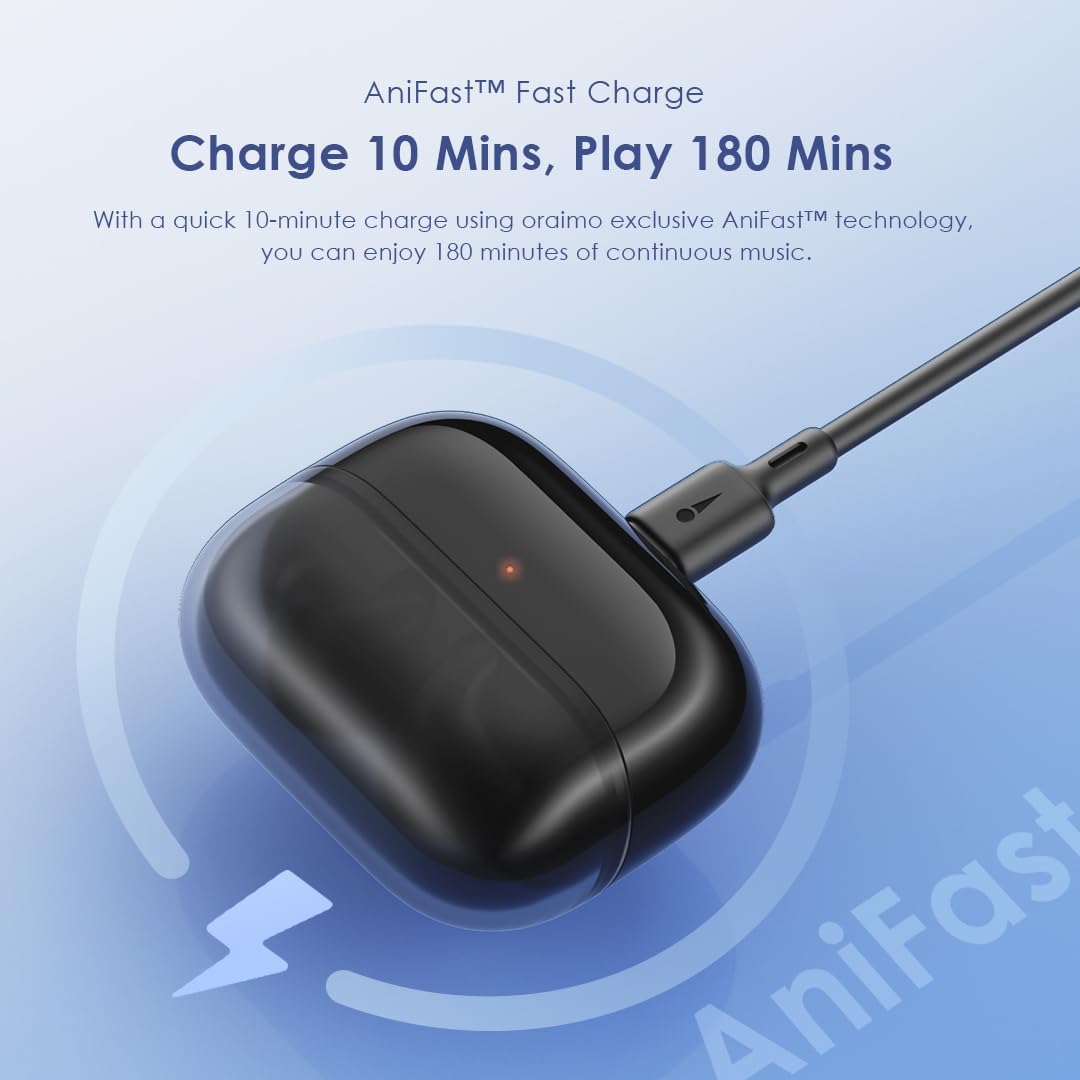
Image: Oraimo Spacebuds Z charging case connected via USB-C cable, demonstrating AniFast™ fast charging.
Maintenance
To ensure the longevity and optimal performance of your earbuds, follow these maintenance guidelines:
- Cleaning: Regularly clean the earbuds and charging case with a soft, dry, lint-free cloth. Do not use harsh chemicals or abrasive materials.
- Ear Tips: Remove and clean the silicone ear tips with mild soap and water, then dry them thoroughly before reattaching.
- Charging Ports: Keep the USB-C charging port free of dust and debris.
- Storage: When not in use, store the earbuds in their charging case to protect them and keep them charged.
- Water Resistance: The earbuds are IPX5 water-resistant, meaning they can withstand splashes and sweat. Do not submerge them in water or expose them to heavy rain. Dry them completely before placing them back in the charging case.
Troubleshooting
If you encounter issues with your Oraimo Spacebuds Z, refer to the following common solutions:
- Earbuds not pairing:
- Ensure both earbuds are charged.
- Place earbuds back in the case, close the lid, wait a few seconds, then open again to re-enter pairing mode.
- On your device, forget the "Oraimo Spacebuds Z" from your Bluetooth settings and try pairing again.
- Only one earbud working:
- Ensure both earbuds are charged.
- Place both earbuds in the charging case, close the lid, and then open it again. This often re-syncs them.
- Clean the charging contacts on both earbuds and inside the case.
- Poor sound quality:
- Ensure earbuds are properly seated in your ears with the correct size ear tips.
- Clean any earwax or debris from the earbud nozzles.
- Try moving closer to your connected device to avoid interference.
- Charging issues:
- Check the USB-C cable and power adapter for damage.
- Ensure the charging port on the case is clean.
- Verify that the earbuds are correctly placed in the charging case.
If these steps do not resolve the issue, please contact customer support.
Specifications
| Feature | Detail |
|---|---|
| Model Number | OTW-625 |
| Connectivity Technology | Bluetooth |
| Bluetooth Version | 5.4 |
| Noise Control | Active Noise Cancellation (ANC) up to 35dB |
| Drivers | 10mm Dynamic Drivers with HavyBass™ Technology |
| Microphones | 4 AI Noise-Cancelling Microphones |
| Total Playtime | Up to 38 hours (10 hours earbuds + 28 hours case) |
| Fast Charging | AniFast™ (10 min charge for 180 min playtime) |
| Water Resistance | IPX5 |
| Control Type | Touch Control |
| Compatible Devices | Smartphones, tablets, laptops, desktop computers |
| Material Type | Premium ABS plastic, Silicone ear tips, Stainless steel details, Rubberized charging case |
| Item Weight | 50 grams |
| Product Dimensions | 4.2 x 14.1 x 16.7 cm |
| Impedance | 24 Ohm |
| Frequency Response | 48 kHz |
Safety Information
Please read and follow these safety guidelines to prevent damage to your device or injury to yourself:
- Do not disassemble, repair, or modify the product.
- Keep the product away from extreme temperatures, humidity, and corrosive substances.
- Avoid exposing the product to direct sunlight for extended periods.
- Do not use the product at high volume for prolonged periods to prevent hearing damage.
- Exercise caution when using earbuds in situations requiring awareness of your surroundings (e.g., driving, cycling, walking in traffic).
- Keep out of reach of children and pets to prevent accidental ingestion of small parts.
- Use only the provided charging cable or a certified equivalent.
Warranty and Support
Your Oraimo Spacebuds Z are covered by a manufacturer's warranty. For specific warranty terms and conditions, please refer to the warranty card included in your product packaging or visit the official Oraimo website.
For technical support, troubleshooting assistance, or warranty claims, please contact Oraimo customer service through their official channels. You may also find additional resources and FAQs on the Oraimo website.
