
Introduction
The MIMIRGB E26 Socket Fan Light combines a ceiling fan and an adjustable LED light into a single, easy-to-install unit. Designed for E26 light sockets, this device offers convenient cooling and customizable illumination for various small to medium-sized spaces such as bedrooms, living rooms, kitchens, and garages. It features remote control operation for fan speeds, light brightness, and color temperature, along with timing, memory, and safety functions.
Included Components
Before installation, please ensure all components are present:
- 1x E26 Socket Extender
- 1x Socket Fan Light Motor
- 1x User Instructions Manual (this document)
- 6x Fan Blades
- 1x Remote Control (batteries not included)
Setup and Installation
The MIMIRGB Socket Fan Light is designed for quick and easy installation, requiring no complex wiring. Simply follow these steps:
- Prepare the Fan Blades: Carefully insert each of the six fan blades into the designated slots on the fan body. Ensure they click securely into place.
- Attach the Extender (if needed): If your E26 socket is deep, use the provided 3.74-inch high-quality extension socket to ensure a secure fit and optimal airflow. Screw the extender into your existing E26 light socket first.
- Install the Fan Light: Screw the assembled fan light into the E26 socket (or the extender, if used) just like a standard light bulb. Twist clockwise until it is securely installed. Ensure the thread is fully screwed in for power; if it's not tight, the fan may not turn on.
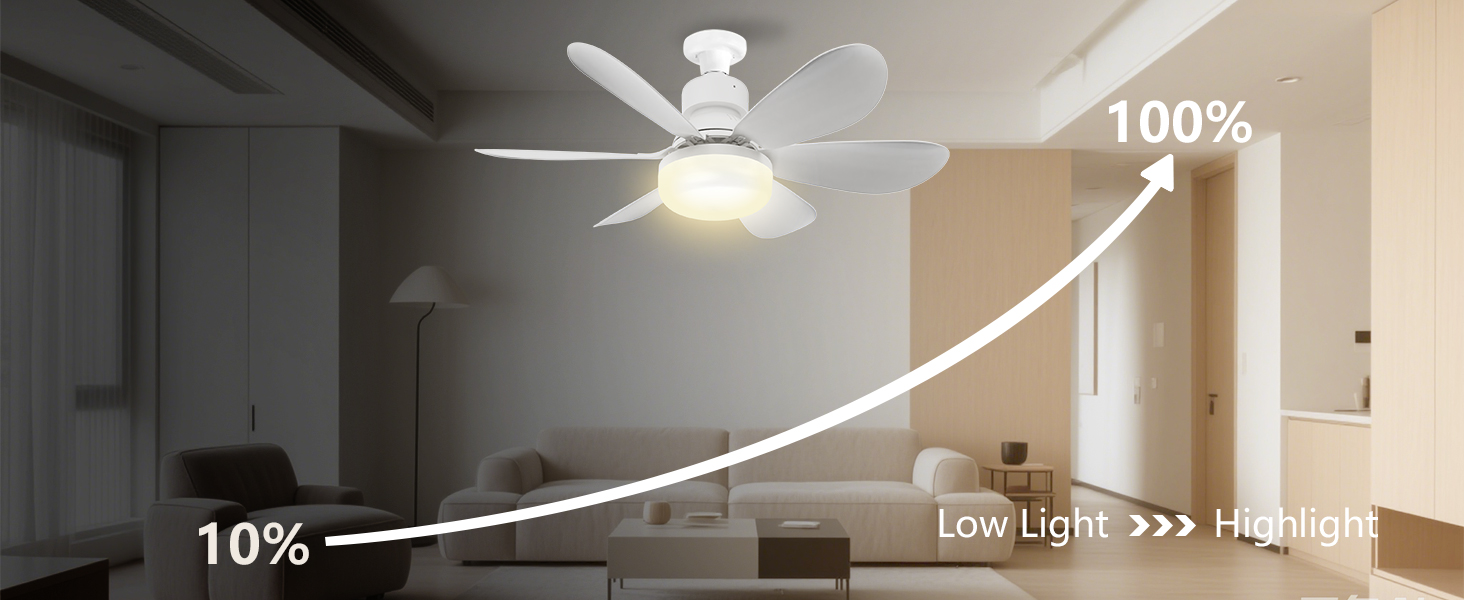
Image: Step-by-step guide showing how to insert fan blades and screw the fan light into an E26 socket. An extender is also shown for deep sockets.

Image: Diagram illustrating the dimensions of the fan light (20 inches wide, 7.28 inches high) and the 3.78-inch extender, along with visual steps for blade insertion and screwing into the socket.
Safety Tip: Always disconnect power to the light fixture before installation to prevent electrical shock.
Operating Instructions
The MIMIRGB Socket Fan Light is controlled via the included remote control, offering comprehensive adjustments for both lighting and fan functions.
Remote Control Functions
- Power On/Off: Use the dedicated power button to turn the light and fan on or off.
- Light Brightness Adjustment: Adjust brightness from 10% to 100% using the dedicated brightness control buttons.
- Color Temperature Selection: Choose from three color temperatures: Warm Light (3000K), Neutral Light (4500K), or Cool White Light (6500K).
- Fan Speed Control: Select from three adjustable wind speeds: 1st gear for a gentle breeze, 2nd gear for a soft flow, and 3rd gear for strong circulation.
- Timing Function: Set the fan to automatically turn off after 1, 2, or 4 hours.
- Memory Function: The device remembers your last settings for brightness, color temperature, and fan speed, resuming them when turned back on.
- Emergency Stop Feature: The fan automatically pauses if an obstacle is detected, ensuring safety. It resumes operation once the area is clear.

Image: The remote control for the MIMIRGB Socket Fan Light, highlighting buttons for light brightness, color temperature, fan speed, and timing functions.
Lighting Modes
The integrated LED light provides up to 2000 lumens and offers versatile lighting options:
- Warm Light (3000K): Ideal for relaxing environments like bedrooms or dining rooms.
- Neutral Light (4500K): Suitable for living rooms or home offices, providing balanced illumination.
- Cool White Light (6500K): Best for task-oriented areas such as kitchens, garages, or study spaces, offering bright and clear light.
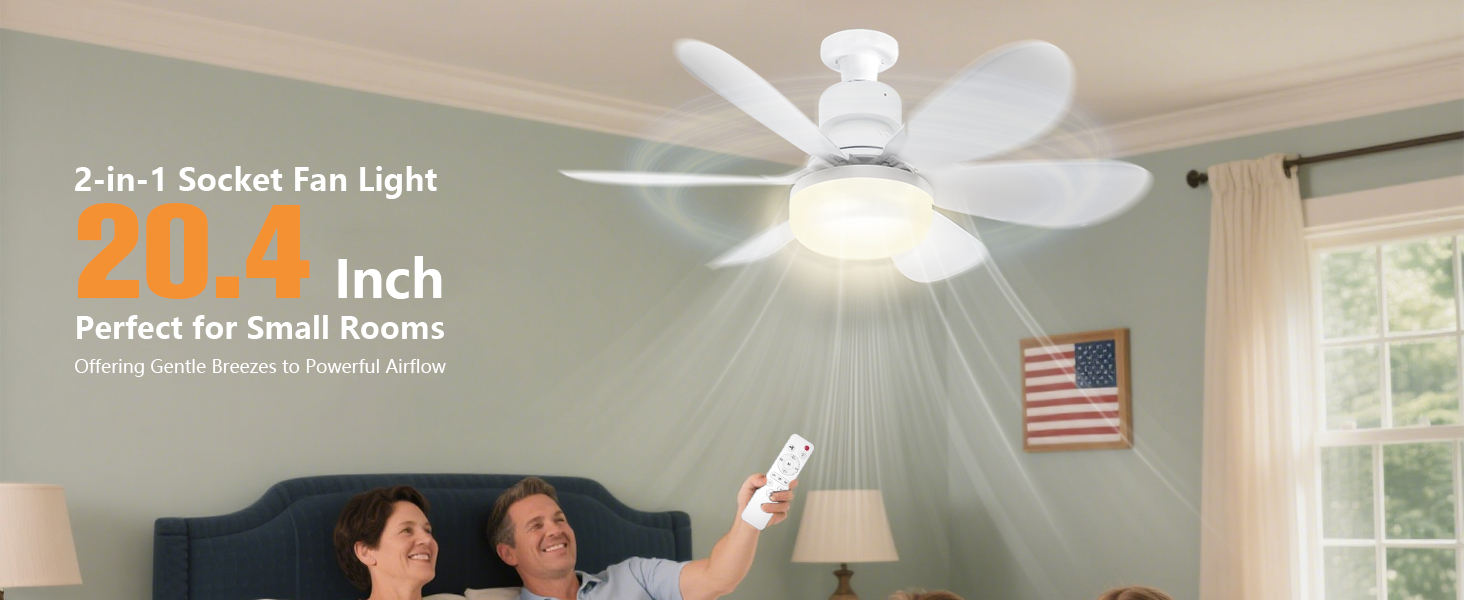
Image: Four panels showing the fan light in a bedroom (3000K Warm Light), dining room (3000K Warm Light), living room (4500K Nature Light), and study (6500K Cool Light), demonstrating the customizable lighting for different moods and activities.
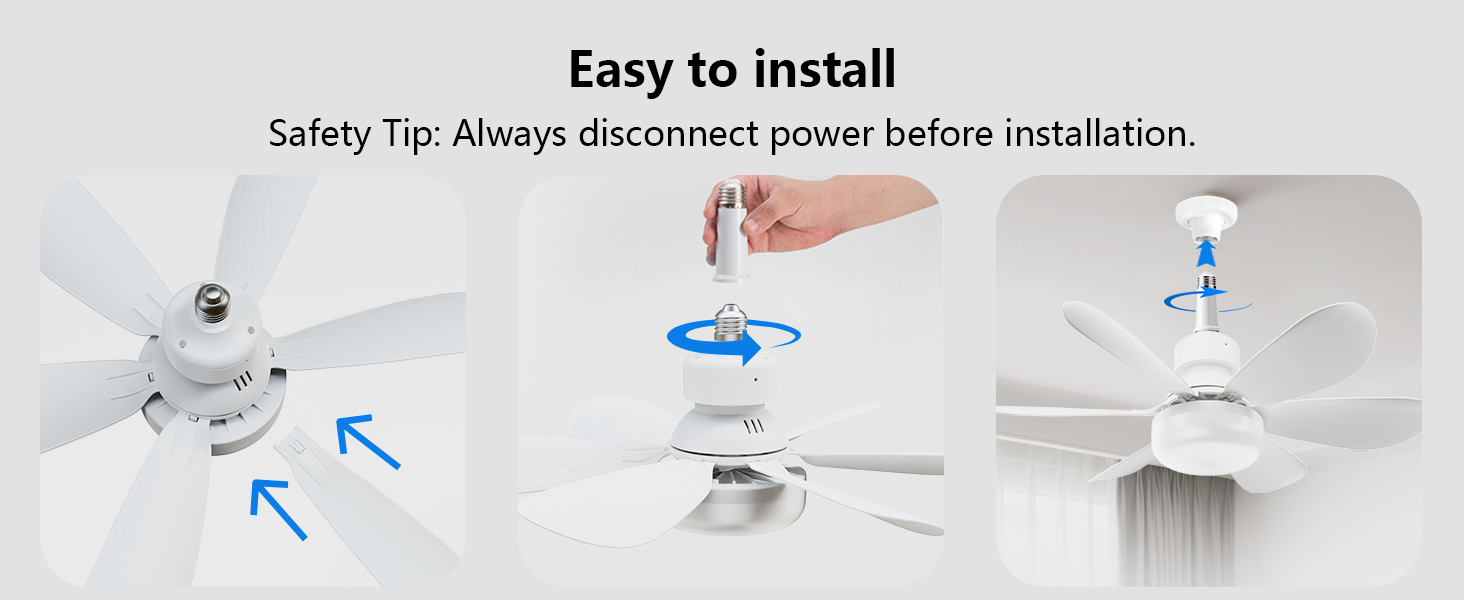
Image: A visual representation of the three color temperature options: 3000K (Warm White), 4000K (Cool White), and 6500K (Clear White), with corresponding light output from the fan light.

Image: An illustration showing the dimming capability of the fan light, transitioning from 10% low light to 100% highlight in a living room setting.
Fan Modes
Experience optimal airflow with three distinct fan speeds:
- 1st Gear (Gentle Breeze): Ideal for a quiet sleep environment.
- 2nd Gear (Soft Flow): Provides a relaxing airflow for general comfort.
- 3rd Gear (Strong Circulation): Delivers powerful airflow to refresh the entire room.
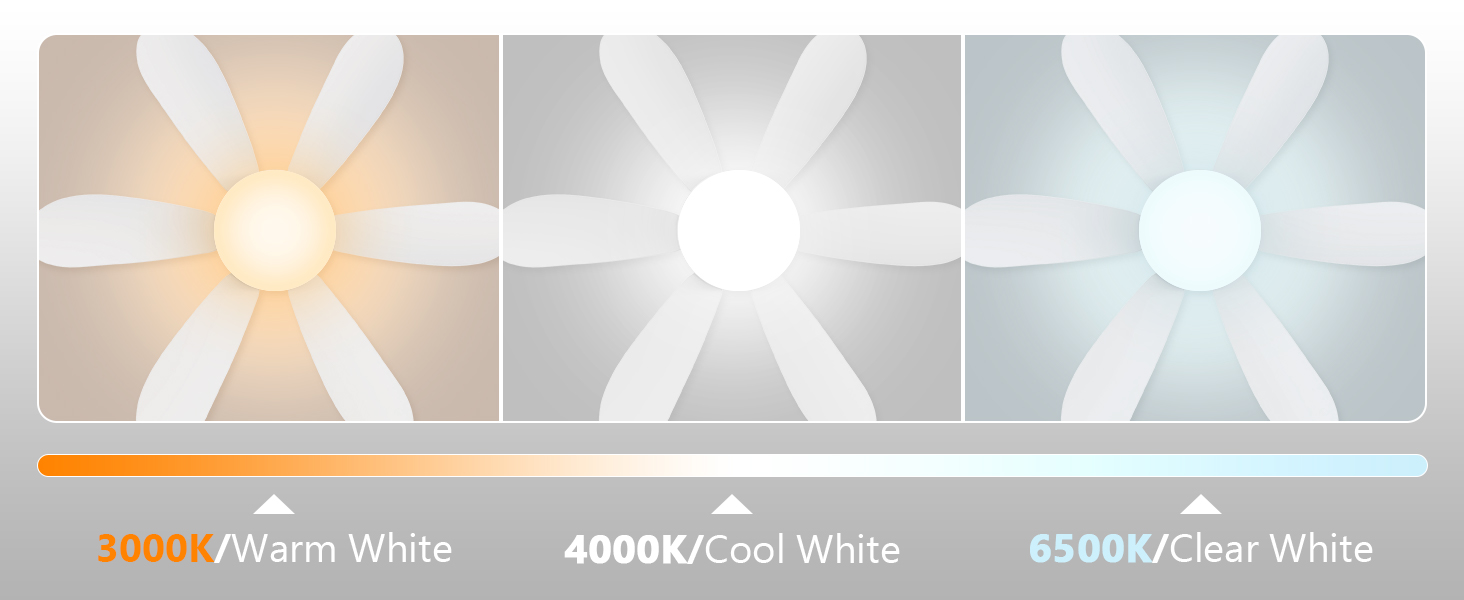
Image: A child sleeping peacefully under the fan light, illustrating the personalized eco-friendly sleep fan with gentle breeze, 1-2-4H timing off, ultra-quiet operation, and 3-speed ceiling fan features.

Image: Three panels showing the fan light in different working modes: light only, fan only, and both light and fan operating simultaneously in a bedroom setting.
Official Product Videos
MIMIRGB Socket Fan Light Features Overview
Video: This official MIMIRGB video provides an overview of the Socket Fan Light, demonstrating its key features including easy assembly, E26 lampholder compatibility, brightness adjustment, three wind speed modes, and timing function. It also highlights the safety feature where the fan stops if blades are touched.
MIMIRGB Dimmable 3 Colors E26 Base Socket Ceiling Fan Demonstration
Video: An official MIMIRGB video showcasing the dimmable lighting and three color temperature options of the E26 Base Socket Ceiling Fan. It demonstrates how to switch between warm, neutral, and cool light settings to create different ambiances.
Maintenance
To ensure the longevity and optimal performance of your MIMIRGB Socket Fan Light, follow these simple maintenance guidelines:
- Cleaning: Periodically wipe the fan blades and light cover with a soft, dry cloth. Do not use abrasive cleaners or solvents, as they may damage the finish. Ensure the power is off before cleaning.
- Blade Inspection: Occasionally check that the fan blades are securely attached and free from any damage.
- Socket Connection: Ensure the fan light remains securely screwed into the E26 socket. A loose connection can affect performance.
Troubleshooting
If you encounter any issues with your MIMIRGB Socket Fan Light, please refer to the following common solutions:
- Fan or Light Not Turning On:
- Ensure the light switch for the socket is in the 'ON' position.
- Verify the fan light is securely screwed into the E26 socket. A loose connection can prevent power.
- Check the remote control batteries and replace if necessary.
- Fan Not Operating at Desired Speed:
- Use the remote control to cycle through the three fan speeds.
- Ensure no obstructions are blocking the fan blades.
- Light Brightness or Color Not Changing:
- Use the remote control's brightness and CCT (Color Correlated Temperature) buttons to adjust settings.
- Confirm the remote control is functioning correctly and has fresh batteries.
- Unusual Noise from Fan:
- Ensure all fan blades are properly installed and secured.
- Check for any debris or foreign objects near the fan blades or motor.
If these steps do not resolve the issue, please contact customer support as detailed in the 'Warranty & Support' section.
Specifications
| Feature | Detail |
|---|---|
| Brand | MIMIRGB |
| Model Number | FS-HX-R520 |
| Color | White |
| Electric Fan Design | Ceiling Fan |
| Power Source | DC |
| Style | Modern |
| Product Dimensions (D x W x H) | 20"D x 18"W x 7"H |
| Item Weight | 0.79 Kilograms |
| Room Type | Bathroom, Bedroom, Kitchen, Living Room, Laundry Room |
| Special Features | 3 Adjustable Color Temperatures, Dimmable Lighting, Energy-Efficient Design, Ultra-Quiet Bedroom Ceiling Fan |
| Number of Speeds | 3 |
| Noise Level | 45 Decibels |
| Wattage | 40 watts |
| Indoor Outdoor Usage | Indoor |
| Control Method | Remote |
| Material | Acrylonitrile Butadiene Styrene |
Warranty & Support
MIMIRGB is committed to customer satisfaction. If you encounter any quality issues, operational difficulties, remote control problems, or installation challenges with your Socket Fan Light, please contact us immediately.
We aim to provide a solution within 24 hours of your inquiry. Please have your product model number (FS-HX-R520) and purchase details ready when contacting support.
For support, please visit the MIMIRGB Store on Amazon: MIMIRGB Store
