
1. Introduction
The YARDCARE V100 Robotic Lawn Mower is designed to provide an efficient and effortless lawn care experience for small lawns. Equipped with advanced vision navigation and obstacle avoidance technology, it ensures precise mowing while minimizing manual intervention. Its adjustable cutting height and low-noise operation contribute to a well-maintained and peaceful outdoor environment.
Video: Overview of the YARDCARE V100 Robotic Lawn Mower in operation, showcasing its features and ease of use.

Image: The YARDCARE V100 Robotic Lawn Mower operating with low noise, allowing for a peaceful outdoor experience.
2. Setup
2.1 Unboxing and Package Contents
Carefully unpack all components from the box. Ensure all items listed below are present.

Image: A visual representation of the YARDCARE V100 Robotic Lawn Mower and its included accessories, such as the battery, charger, and spare blades.
- Robotic Mower x1
- Battery Charger x1
- 4 Ah Battery x1
- M4 Screws of Cutting Blade x3
- Spare Blades x3
- Instruction Manual x1
2.2 Battery Installation and Charging
Insert the provided 4Ah battery into the designated compartment on the mower. Connect the battery charger to a power outlet and to the mower's charging port or base station to ensure the battery is fully charged before first use.
2.3 Initial Setup and Boundary Identification
The V100 uses vision navigation and does not require boundary wires for lawns with clear natural boundaries. For areas lacking natural boundaries, a clear boundary must be set up manually. The mower will map your lawn automatically during its first operation.
Video: Demonstration of the V100's boundary identification capabilities, showing how it recognizes and adheres to lawn edges.

Image: Illustrations of various lawn types, indicating which are suitable for the V100's operation and where manual boundary setup might be necessary.
3. Operating Instructions
3.1 Control Panel Overview
The mower features an intuitive control panel for easy operation. Key components include the STOP button, control panel, scale knob cover, visual sensor + AI, and rain sensor.

Image: A close-up of the V100's control panel, highlighting the STOP button, power button, and other operational controls.
3.2 Starting and Mowing
To start the mower, ensure the battery is charged and the mower is placed on the lawn. Press the power button, then select your desired mowing mode. The V100 supports spot spiral mowing for concentrated areas.
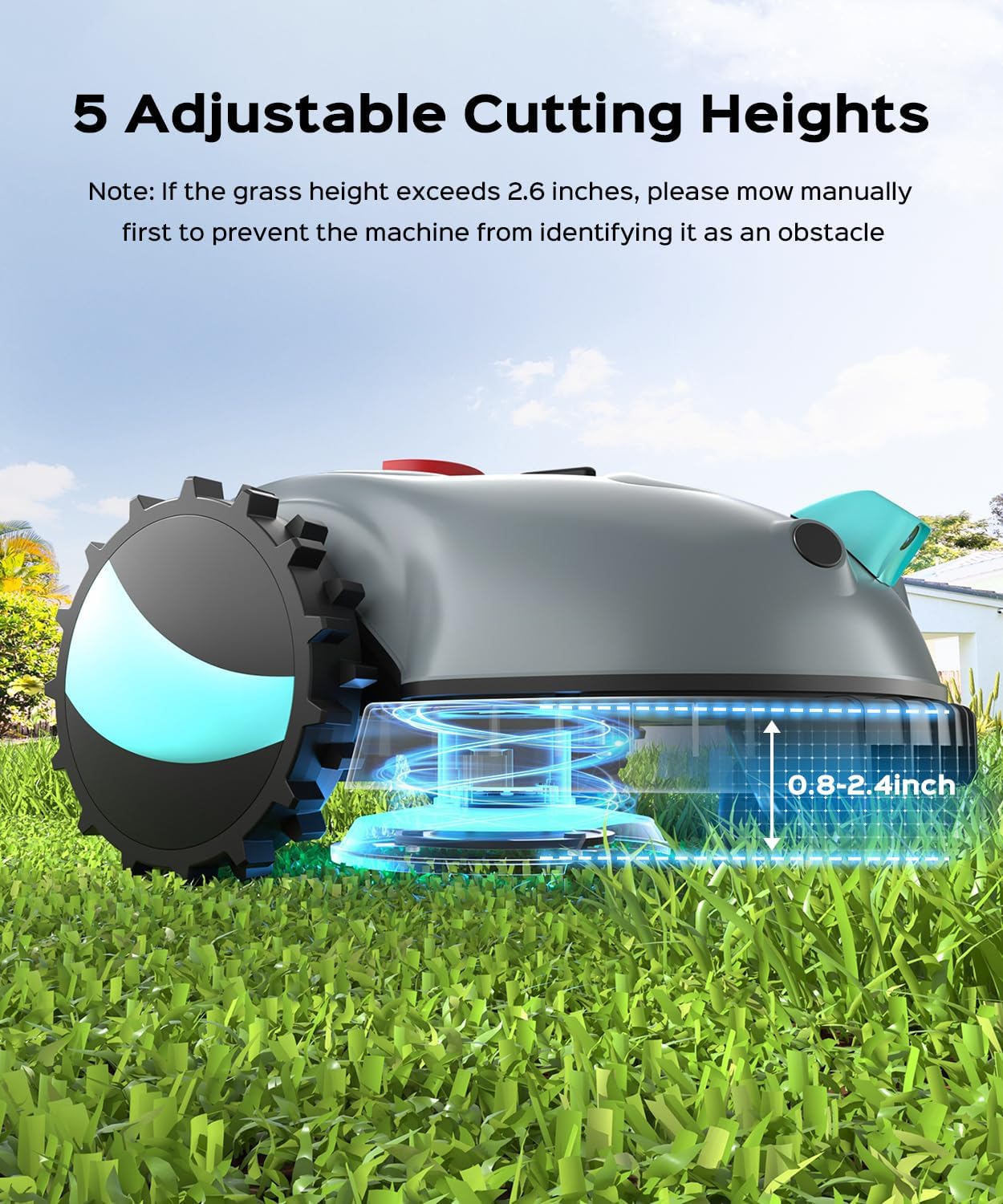
Image: The V100 demonstrating its spot spiral mowing pattern, gradually increasing its radius to cover a specific area.
3.3 Adjustable Cutting Height
The mower features an adjustable cutting height from 0.8 to 2.4 inches (2 to 6 cm). Use the manual adjustment knob to customize the cutting height according to your lawn's needs. If grass height exceeds 2.6 inches, mow manually first to prevent the machine from identifying it as an obstacle.

Image: A visual guide to adjusting the cutting height on the V100, showing the range from 0.8 to 2.4 inches.
3.4 Obstacle Avoidance
The V100 is equipped with a high-definition camera and high-precision collision sensors for intelligent obstacle avoidance. It identifies and navigates around obstacles such as flowers, plants, toys, and pets, ensuring seamless operation and safety.
Video: The V100 Robotic Lawn Mower demonstrating its obstacle avoidance capabilities by detecting and navigating around objects on the lawn.

Image: The V100's dual obstacle avoidance system, combining visual recognition and mechanical sensors to navigate around objects like hedgehogs and rocks.
Video: The V100's visual recognition system detecting and avoiding various obstacles on the lawn.
3.5 Rain Sensor
The integrated rain sensor automatically stops the mower's operation when it detects rain, protecting your lawn and the device.
4. Maintenance
4.1 Cleaning
The V100 is IPX4 waterproof, allowing for easy cleaning with a hose. Regularly clean the cutting deck and wheels to ensure optimal performance.
4.2 Blade Replacement
Replace the cutting blades periodically to maintain cutting efficiency. Refer to the 'What's in the package?' section for spare blades and screws. Always ensure the mower is powered off and the battery is removed before replacing blades.
4.3 Battery Care and Storage
The battery is easily replaceable. For optimal battery life, charge it regularly and store the mower in a dry, protected area when not in use. Extra batteries are sold separately for extended mowing time.

Image: The V100 Robotic Lawn Mower stored compactly on a shelf, demonstrating its easy storage design.
5. Troubleshooting
5.1 Common Issues
- Mower not starting: Ensure the battery is fully charged and correctly installed. Check if the STOP button is disengaged.
- Ineffective mowing: Verify the cutting height is appropriate for the grass length. Replace dull blades if necessary.
- Mower getting stuck: Clear any large obstacles from the lawn. Ensure the lawn has clear boundaries for navigation.
5.2 Obstacle Detection Problems
If the mower frequently encounters obstacles or fails to avoid them, ensure the visual sensor is clean and unobstructed. Tall grass exceeding 2.6 inches may be identified as an obstacle; pre-mow if necessary.
5.3 Boundary Issues
For lawns without clear natural boundaries, ensure any manually set boundaries are distinct and properly configured to guide the mower effectively.
6. Specifications
| Feature | Detail |
|---|---|
| Brand | YARDCARE |
| Model Number | V100-0320-1 |
| Power Source | Battery Powered |
| Color | Dark Gray |
| Item Weight | 14.22 Pounds |
| Cutting Width | 6.3 Inches |
| Operation Mode | Automatic |
| Product Dimensions | 23.07"D x 17.95"W x 12.44"H |
| Maximum Adjustable Cutting Height | 2.4 Inches |
| Minimum Adjustable Cutting Height | 0.8 Inches |
| Battery Life | 4 Hours |
| Recommended Lawn Size | Up to 1,600 sq ft |
7. Warranty and Support
For detailed warranty information and customer support, please refer to the official YARDCARE website or contact their customer service directly. Protection plans may be available for purchase separately to extend coverage.

