
ApeStellar DKF02
ApeStellar Keyless Entry Door Lock Instruction Manual
Model: DKF02
Brand: ApeStellar
Introduction
The ApeStellar Keyless Entry Door Lock provides advanced security and convenience for your home or office. Featuring fingerprint recognition, keypad access, and voice prompts, this smart door knob offers multiple ways to secure and access your space. Designed for durability and ease of use, it's an ideal upgrade for various door types.
Key Features
- Convenient Keyless Entry: Unlocks in less than 0.3 seconds using 3rd generation fingerprint access technology.
- Multiple Access Options: Customize up to 50 fingerprints & user codes, plus 1 programming code for easy management.
- Advanced Security: BHMA Grade 2 compliant, offering 2.5x stronger security than Grade 3 locks.
- Auto-Lock & Passage Modes: Easily switch between automatic locking and continuous passage modes with a dedicated button.
- Easy Installation: Installable on any left or right-handed door in minutes with just a screwdriver.
- Premium Voice Prompt: Guides you through setup and informs you of lock status for enhanced safety.
Setup and Installation
The ApeStellar Keyless Entry Door Lock is designed for straightforward installation on standard doors. Follow these steps for a smooth setup:
1. Prepare Your Door
Ensure your door meets the compatibility requirements. The lock is suitable for door thicknesses between 1-3/8 to 1-3/4 inches (35-45mm) and requires a hole diameter of 2-1/8 inches (54mm) with a backset of 2-3/8 or 2-3/4 inches (60 or 70mm).

Figure 1: Door compatibility dimensions for installation.
2. Install the Latch and Strike Plate
Insert the latch into the door edge and secure it. Install the strike plate on the door frame, ensuring it aligns correctly with the latch.
3. Mount the Exterior and Interior Assemblies
Connect the exterior keypad assembly to the interior assembly through the door hole, ensuring the spindle and wires are correctly aligned. Secure the assemblies with the provided screws. The voice prompt will guide you through the setup process.

Figure 2: Exterior and interior components of the ApeStellar lock.

Figure 3: Key features highlighting ease of use and robust construction.
Operating Instructions
1. Fingerprint Unlock
Place your registered fingerprint on the sensor. The lock will unlock in less than 0.3 seconds. You can register up to 50 unique fingerprints.

Figure 4: Fast and accurate fingerprint recognition.
2. Keypad Code Entry
Enter your programmed user code on the keypad. The lock supports up to 50 user codes and one programming code for managing access.

Figure 5: Keypad for code entry, supporting multiple users.
3. Auto-Lock and Passage Modes
The lock can be set to auto-lock after each entry for enhanced security. For high-traffic areas, switch to Passage Mode by pressing the dedicated button on the interior assembly. In Passage Mode, the door remains unlocked without requiring a fingerprint or code.

Figure 6: Toggle between Auto-Lock and Passage Modes for convenience.
4. Voice Prompts
The lock provides clear voice prompts to guide you through setup, programming, and daily operation, such as "Ready to unlock," "Passage Mode On," and "Success."

Figure 7: Voice prompts provide audible feedback for lock status.
Maintenance
1. Battery Replacement
The lock will provide a low battery indicator (flashing red light and voice prompt) when the batteries need replacement. It uses four AA batteries (not included). Replace all batteries simultaneously for optimal performance.

Figure 8: Low battery warning for timely replacement.
2. Durability and Weather Resistance
Constructed from commercial-grade zinc alloy, this lock is built to withstand various conditions. It is IP66 waterproof and resistant to extreme temperatures from -35°F to 167°F, ensuring reliable operation in diverse climates.
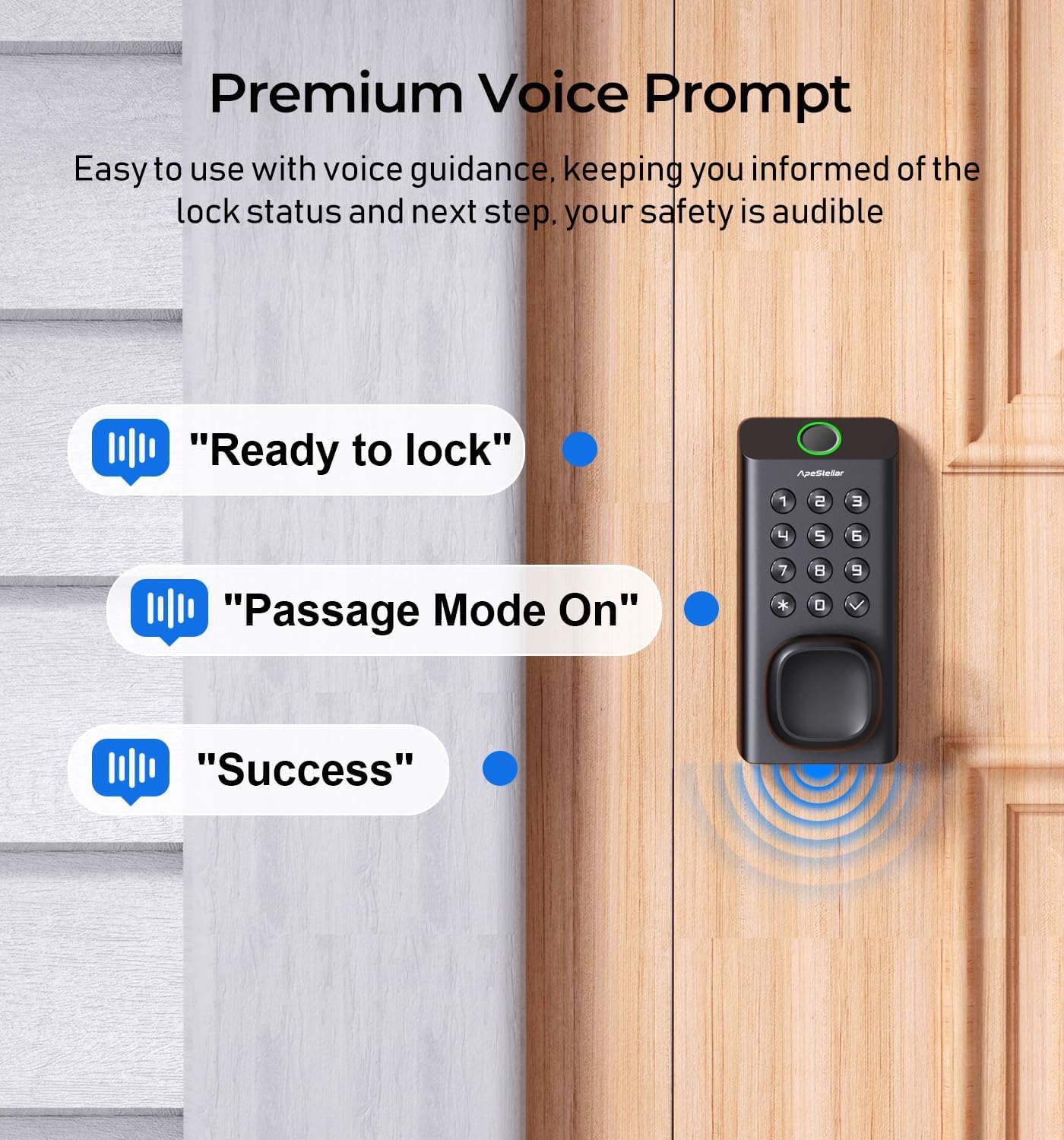
Figure 9: Robust design for long-lasting performance in all weather conditions.
Troubleshooting
- Failed Attempts Limit: If an incorrect code or fingerprint is entered four times consecutively, the keypad will lock out for a short period to prevent unauthorized access. Wait for the lockout period to expire before trying again.
- Fingerprint Recognition Issues: Ensure your finger is clean and dry. Try re-registering your fingerprint if issues persist.
- Voice Prompt Not Heard: Check the volume settings if available, or ensure the environment is quiet enough to hear the prompts.

Figure 10: Keypad lockout after multiple incorrect entries.
Specifications
| Feature | Detail |
|---|---|
| Brand | ApeStellar |
| Model Name | apestellar Fingerprint Door Lock DKF02 |
| Special Feature | Fingerprint |
| Lock Type | Biometric, Combination Lock, Keypad, Push Button Lock |
| Material | Zinc |
| Item Dimensions (L x W x H) | 5.9 x 2.8 x 2.7 inches |
| Item Weight | 3.47 pounds |
| Color | Matte Black |
| Finish Type | Painted |
| Recommended Uses | Front Doors, Side or Back Doors, Garage, Storage Sheds, Internal Office Spaces, Airbnb Rental Room, Apartment |
| Batteries Required? | Yes (4x AA, not included) |
| Security Standard | Grade 2 BHMA Compliant |
| Weather Rating | IP66 Waterproof, -35°F to 167°F |
Ask a question about this manual
Ask about setup, troubleshooting, compatibility, parts, safety, or missing instructions. Manuals+ will review the question and use this page’s manual context to help answer it.