
1. Introduction
The ACMER S1 Laser Engraver and Cutter Machine is a versatile tool designed for high-precision engraving and cutting on various materials. With its 3.5W (3500mW) diode laser power and compact design, it is suitable for DIY projects, crafts, and small business needs.
Key features include a 130x130mm engraving area, up to 10,000mm/min engraving speed, and 0.01mm repeatable positioning accuracy. It supports engraving on wood, bamboo, leather, plastic, PCB, aluminum oxide, ceramics, and more, and can cut through thin plywood, MDF, and acrylic.
2. Setup
2.1 Unboxing and Initial Assembly
The Acmer S1 arrives 99% preassembled, requiring minimal setup. The primary step involves installing the laser head, which typically takes about 1 minute.

Image: The Acmer S1 Laser Engraver and Cutter Machine, showcasing its compact design and included accessories like a wallet, earbuds case, and keychains, all with engraved designs.
2.2 Software Installation
The Acmer S1 is compatible with various operating systems including macOS, Windows, and Linux, and supports popular software like LightBurn and LaserGRBL. Below are instructions for installing LaserGRBL and LightBurn.
2.2.1 LaserGRBL Installation Guide
This video provides a step-by-step guide on how to install GRBL software for your laser engraver.
Video: "How to install GRBL" - A detailed tutorial on installing the LaserGRBL software, including driver installation and initial setup for connecting to the engraver.
2.2.2 LightBurn Installation Guide
This video demonstrates the process of installing LightBurn software, a powerful tool for laser cutting and engraving.
Video: "Acmer S1 Portable Laser Engraver" - This video, while titled generally, includes a segment demonstrating the installation and basic setup of LightBurn software, showing how to configure the device within the application.
2.3 Laser Focusing
Proper laser focusing is crucial for achieving precise engraving and cutting results. The Acmer S1 features a fixed-length laser, requiring the use of a 2mm focusing sheet to set the correct distance from the material.
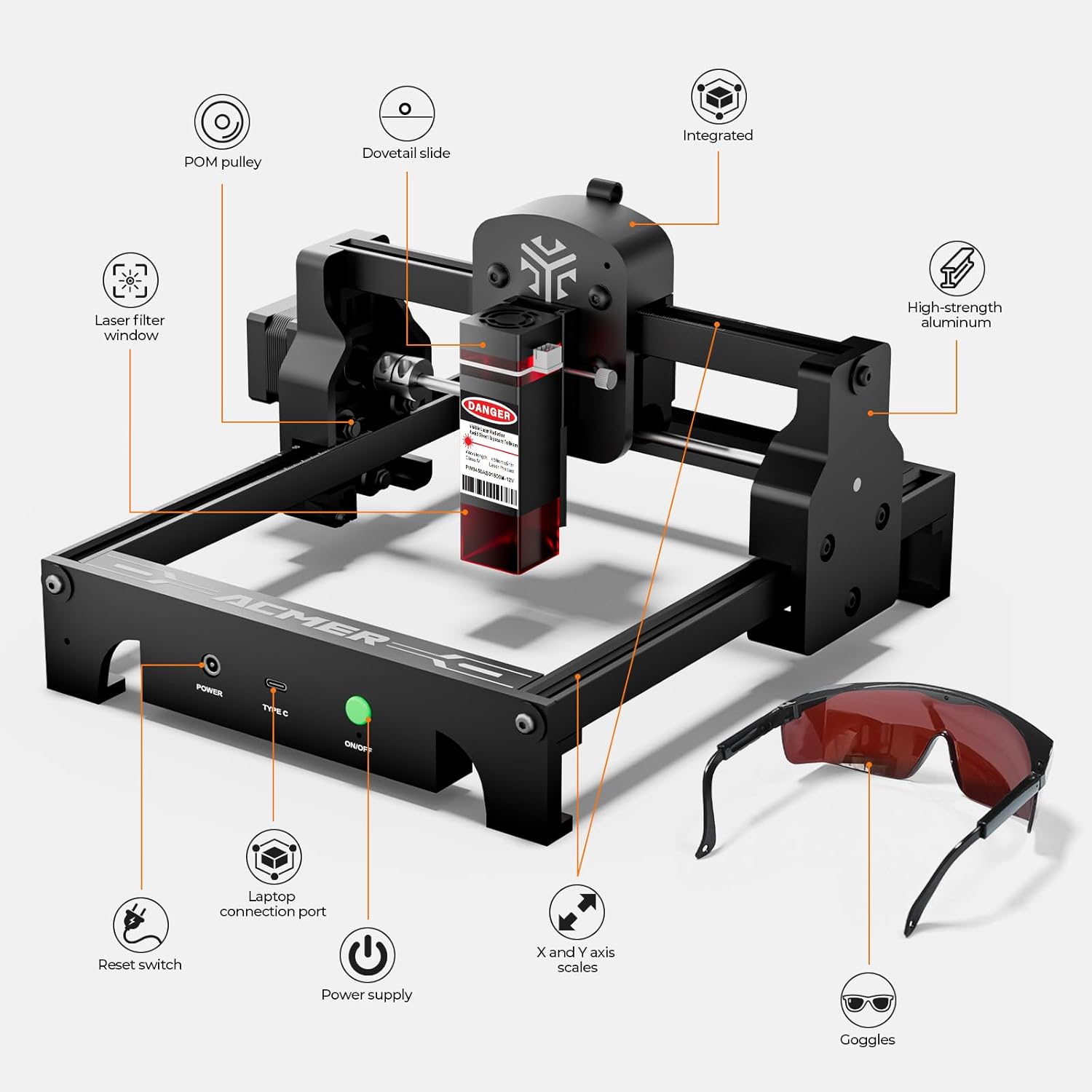
Image: Close-up view of the Acmer S1 laser module, showing the process of adjusting the laser height using a focusing block for optimal precision.
3. Operating Instructions
3.1 Engraving and Cutting Capabilities
The Acmer S1 offers dual functionality for both engraving and cutting. It can engrave on a wide variety of materials and cut through thinner ones.
- Engraving: Wood, bamboo, leather, plastic, PCB, aluminum oxide, ceramics, and more.
- Cutting: Thin plywood, MDF, and acrylic.

Image: A visual representation of the Acmer S1's engraving and cutting capabilities, showing different material thicknesses for acrylic and wood based on laser power.
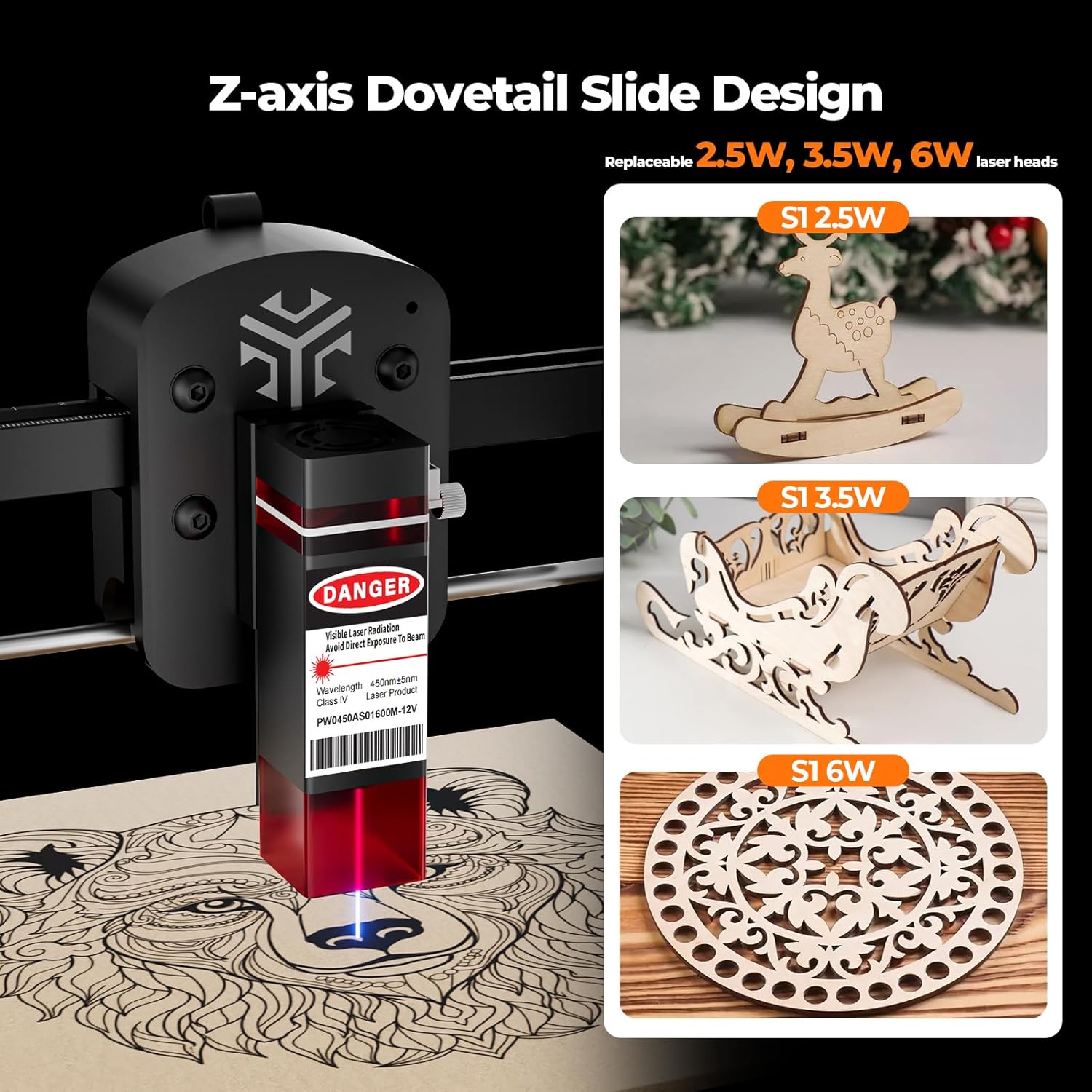
Image: A display of various materials that can be engraved with the 455nm blue violet light laser, including wood, bamboo, paper, plastic, leather, PCB board, aluminum oxide, non-reflective coated metal, and ceramics.
3.2 Software Usage
After installation, launch your preferred software (LightBurn or LaserGRBL). Connect the device via USB. You can import various file formats including NC, DXF, BMP, JPG, and PNG. Adjust settings such as engraving speed, laser power, and image size within the software interface before starting your project.
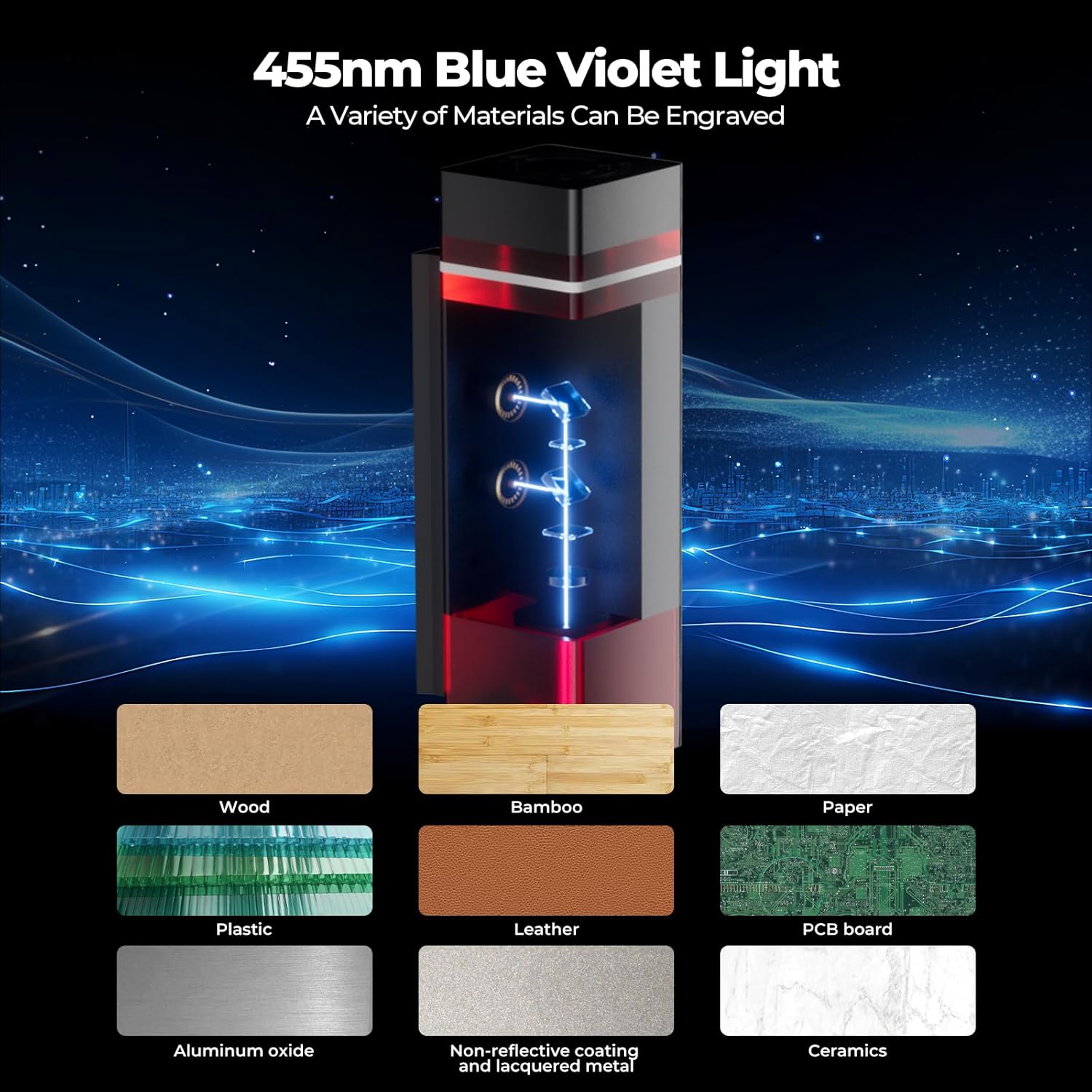
Image: An illustration of the Acmer S1's compatibility with standard software across Windows, Mac, and Linux operating systems, supporting various file formats via USB connection.
The following video demonstrates the engraving process using the software.
Video: "Acmer S Series Engraving Machine" - This video provides a brief overview of the Acmer S1 in action, demonstrating its engraving capabilities on various materials.
4. Maintenance
To ensure the longevity and optimal performance of your Acmer S1 laser engraver, regular maintenance is recommended. Keep the working area clean from debris and dust. The magnetic filter cover, which blocks 97% of intense light, can be easily disassembled for cleaning.
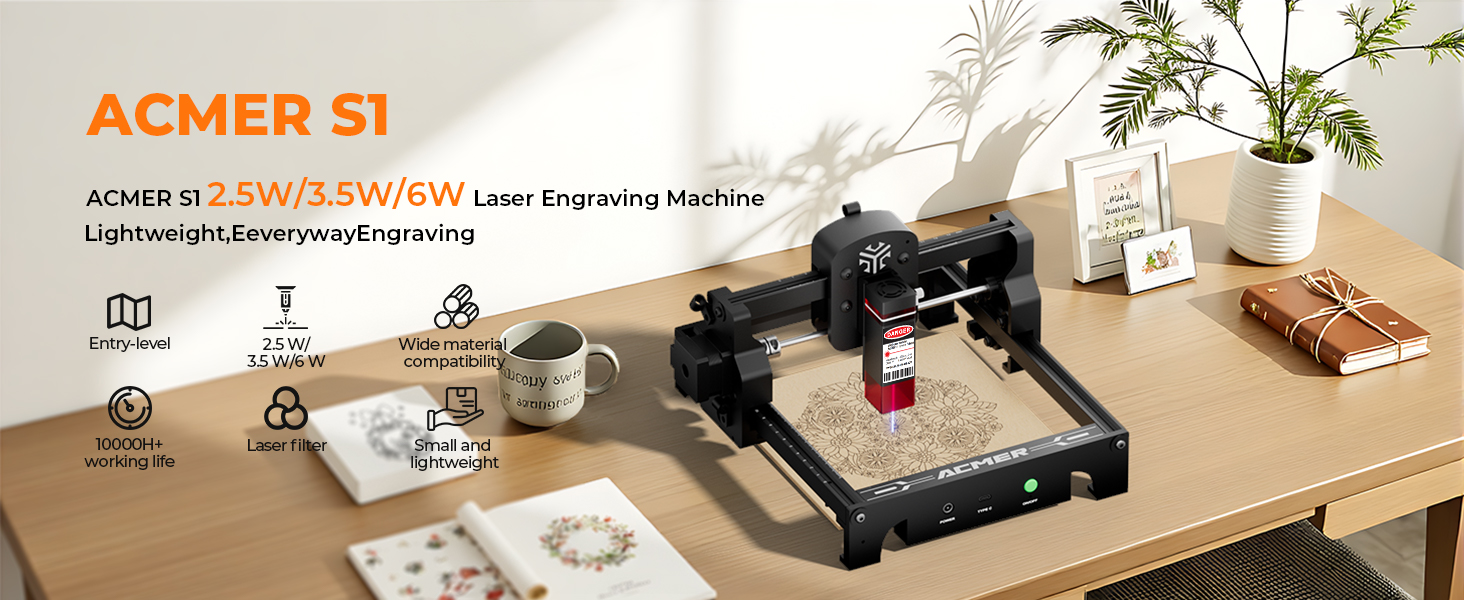
Image: The magnetic filter cover of the Acmer S1, highlighting its eye protection design and ease of disassembly for cleaning.
5. Troubleshooting
If you encounter issues with your Acmer S1, consider the following general troubleshooting steps:
- Connection Issues: Ensure the USB cable is securely connected to both the engraver and your computer. Verify that the correct COM port is selected in your software (LightBurn/LaserGRBL).
- Driver Problems: If the device is not recognized, try reinstalling the necessary drivers (e.g., CH340 driver). Refer to the software installation videos for guidance.
- Engraving Quality: Check the laser focus. An improperly focused laser can lead to blurry or weak engravings. Ensure the material is flat and securely placed. Adjust engraving speed and power settings in your software.
- Movement Issues: Verify that the belts are properly tensioned and all mechanical components are free from obstructions.
- Software Errors: Ensure your software is up-to-date. Restart the software and the engraver.
For persistent issues, refer to the official ACMER support channels.
6. Specifications
| Feature | Detail |
|---|---|
| Product Dimensions | 9.84 x 9.84 x 6.38 inches |
| Item Model Number | Laser Engrave_P1-P2-P3 |
| Item Weight | 4.11 pounds |
| Manufacturer | Acmer |
| Country of Origin | China |
| Laser Power | 3.5W (3500mW) Diode Laser |
| Machine Output | 36W |
| Wavelength | 455±5nm |
| Focal Length | 2mm |
| Engraving Speed | Up to 10,000mm/min |
| Positioning Accuracy | 0.01mm repeatable |
| Working Area | 130x130mm |
| Compatibility | macOS, Windows, Linux (LightBurn, LaserGRBL) |
| File Formats | NC, DXF, BMP, JPG, PNG |

Image: A visual summary of the Acmer S1's key specifications, including finest laser spot size, engraving speed, working area, laser life, software compatibility, and safety glasses.
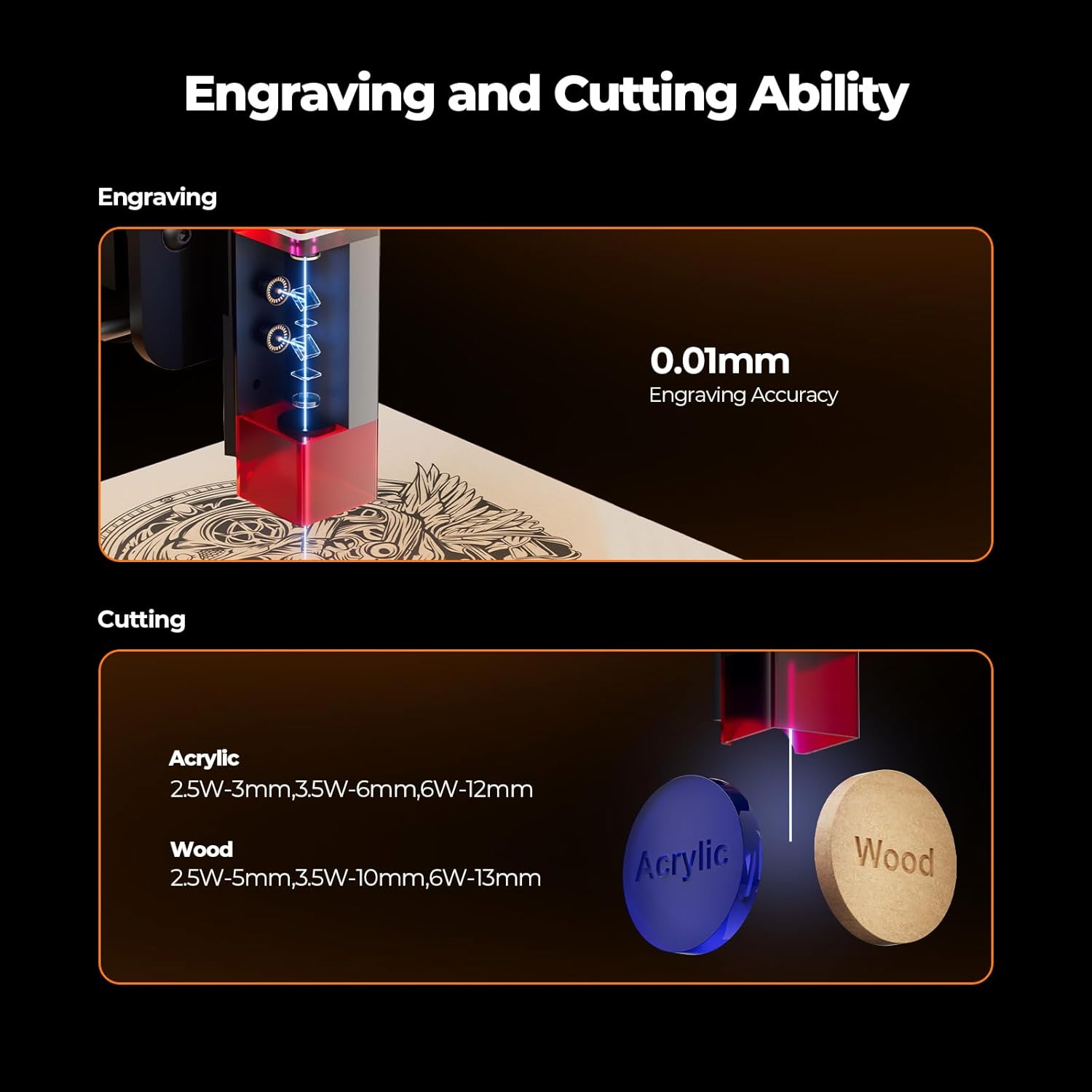
Image: A diagram highlighting the main components of the Acmer S1, such as the POM pulley, dovetail slide, laser filter window, high-strength aluminum frame, laptop connection port, power supply, X and Y axis scales, and goggles.
7. Warranty and Support
The Acmer S1 comes with a 12-month warranty. For any inquiries or assistance, 24/7 customer support is available. The product also holds Class 4 laser certification and IEC 60825-1 compliance, ensuring safety standards.
Image: Visual representation of ACMER's 24/7 online support and various product certifications, including CE, RoHS, and FDA compliance.
